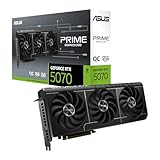
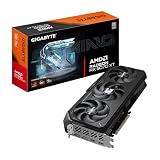
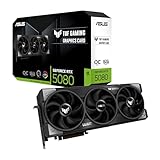
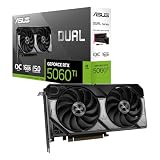
The best RTX 5080 graphics card for 4K gaming in this group is the MSI GeForce RTX 5080 16G Gaming Trio OC, because its large TRI FROZR 4 cooler with three fans handles the card’s roughly 360W power draw with room to spare, while its footprint stays more manageable than the biggest ASUS models. Every card below uses the same GeForce RTX 5080 chip with 16GB of GDDR7, so the real differences are cooling, size, noise, build quality and ports. “RTX 5080 for 4K” means a card that can drive a 3840 by 2160 display at high settings, helped by DLSS upscaling and frame generation.
Quick List
- MSI Gaming Trio OC – best for a balanced all-round 4K card with a large three-fan cooler
- ASUS ROG Astral White OC – best for a premium four-fan white build with the biggest cooler
- ASUS TUF Gaming OC – best for durable build quality in a large 3.6-slot design
- ASUS ProArt OC – best for a compact 2.5-slot card for gaming and creative work
- GIGABYTE Gaming OC – best for a straightforward WINDFORCE three-fan card with dual BIOS
- MSI Ventus 3X OC Black – best for a shorter, simpler card in a mid-size case
Which One Is Right for You?
| If you… | Choose |
|---|---|
| want a strong all-round 4K card without extremes in size | MSI Gaming Trio OC |
| have a very large case and want the most elaborate cooler | ASUS ROG Astral White OC |
| care most about sturdy construction and a calmer cooler | ASUS TUF Gaming OC |
| need a slimmer card for a smaller case or creator workstation | ASUS ProArt OC |
| want a plain three-fan card with a dual BIOS switch | GIGABYTE Gaming OC |
| have a mid-size case and want the most compact card here | MSI Ventus 3X OC Black |
Because the GPU is identical across the six, the performance difference between them is usually a small percentage. The more useful questions are whether the card fits your case, whether your power supply has the right cable, and how loud you are willing to let the fans get. Measure your case before you fall for a large cooler.
All 6 Picks in Detail
1. GIGABYTE GeForce RTX 5080 Gaming OC 16G – Best Straightforward Three-Fan Card
As an Amazon Associate we earn from qualifying purchases at no extra cost to you.

Gigabyte’s Gaming OC is the company’s mainstream high-end RTX 5080: 16GB of GDDR7 on a 256-bit bus, a WINDFORCE cooling system with three fans and a factory overclock. Retailer listings put it at about 340mm long and around 3.5 slots thick, so it is a large card, but not the largest on this page. Gigabyte also describes a dual BIOS switch with performance and silent profiles, which is handy for balancing noise and speed.
For 4K, the main appeal is that it does what the others do without the extra premium of a flagship brand. Outputs are listed as three DisplayPort 2.1a ports and one HDMI 2.1b, which covers high-refresh 4K monitors and a television. It connects through a single 16-pin cable, and Gigabyte recommends an 850W power supply. Retailers disagree on the exact clock speeds, so check Gigabyte’s product page for the figures you care about.
- GPU: GeForce RTX 5080, 16GB GDDR7, 256-bit
- Cooling: WINDFORCE with three fans
- Size: about 340mm long and 3.5 slots thick per retailer listings (confirm)
- Outputs: three DisplayPort 2.1a, one HDMI 2.1b
- Power: one 16-pin connector; 850W PSU recommended
Pros:
- Dual BIOS gives a quiet option and a performance option
- Plain, familiar design with standard port layout
Cons:
- Thick card takes up more than three slots
- Clock figures vary between sources
Compared with the Trio OC, it is slightly less elaborate and a bit simpler to live with.
2. ASUS ProArt GeForce RTX 5080 16GB OC Edition – Best Compact Card for Creators

The ProArt is the thinnest high-end RTX 5080 here, listed by ASUS as a 2.5-slot design of roughly 304 by 126 by 50mm. It carries three axial-tech fans, a vapor chamber and a phase-change thermal pad, along with PCIe 5.0, HDMI and DisplayPort 2.1 outputs and a USB Type-C display port. The sober styling suits a workstation as much as a gaming rig, and the smaller footprint makes it one of the few RTX 5080 cards that comfortably fits mid-size cases.
For 4K gaming it uses the same GPU as every other card on the list, so the tradeoff is thermals. A smaller cooler can mean a bit more fan noise or a little more heat under a long gaming session than the larger models. In return you get a card that leaves slots free and works in cases where triple-slot cards will not. If you also edit video or render 3D, its ninth-generation encoders and 16GB of memory are a benefit beyond games.
- GPU: GeForce RTX 5080 OC, 16GB GDDR7, PCIe 5.0
- Cooling: three axial-tech fans, vapor chamber, phase-change pad
- Size: 2.5 slot, about 304 x 126 x 50mm per ASUS
- Outputs: HDMI 2.1, DisplayPort 2.1 and USB Type-C
- Power: one 16-pin connector; 850W PSU recommended
Pros:
- Fits cases that cannot take a 3.5-slot card
- USB-C output and creator-friendly styling
Cons:
- Smaller cooler than the Trio, TUF or Astral
- May run louder or warmer in a hot, closed case
It is the slimmest option, so choose the Ventus instead only if you want a plainer cooler with a similar footprint.
3. MSI GeForce RTX 5080 16G Gaming Trio OC – Best All-Round 4K Card

The Gaming Trio OC is MSI’s upper-tier RTX 5080, built around the TRI FROZR 4 cooler with three STORMFORCE fans. The listing mentions 16GB of GDDR7 at 30Gbps on a 256-bit bus and a PCIe 5.0 interface. MSI’s specification page puts it at roughly 338 by 140 by 50mm and 1.36kg, and it recommends an 850W power supply, so it is a substantial card but one that sits at about 2.5 to 3 slots.
That balance is what earns it the top position for 4K. The cooler is large enough to keep temperatures and noise moderate over long sessions, the build feels premium, and it does not demand the extreme case space of the ASUS flagships. It also carries RGB lighting that can be controlled through MSI software or turned off. Pair it with an ATX 3.1 power supply that has a native 16-pin cable, and check that the card’s length fits in front of your case’s fans or radiator.
- GPU: GeForce RTX 5080, 16GB GDDR7 at 30Gbps, 256-bit
- Cooling: TRI FROZR 4 with three STORMFORCE fans
- Size: about 338 x 140 x 50mm and 1.36kg per MSI
- Interface: PCIe 5.0
- Power: single 16-pin connector; 850W PSU recommended
Pros:
- Strong cooler without extreme dimensions
- Well-balanced for long 4K sessions
Cons:
- Heavy; a support bracket is wise
- Costs more than the Ventus for similar GPU performance
Its sibling, the Ventus 3X OC, uses the same chip in a smaller and plainer package.
4. ASUS TUF Gaming GeForce RTX 5080 16GB OC Edition – Best Rugged Build

TUF Gaming is ASUS’s durability-first series, and the listing calls out military-grade components and protective features alongside a 3.6-slot cooler. Third-party comparisons put it at around 348mm long, 146mm tall and 72mm thick, so it needs a roomy case. It includes PCIe 5.0, HDMI and DisplayPort 2.1 outputs and an OC Edition clock speed above the reference design.
It is a good fit for buyers who plan to keep a card for several years and want the cooler to handle sustained 4K loads quietly. The extra thickness provides a large heatsink, and the plain black styling avoids the flashier look of the ROG line. Because it blocks several slots below the graphics card slot, check where your sound card, capture card or NVMe adapter would go. The card is heavy, so the support stays important, and a vertical mount may not fit if the case is narrow.
- GPU: GeForce RTX 5080 OC Edition, 16GB GDDR7, PCIe 5.0
- Cooling: large three-fan axial-tech style cooler, 3.6-slot design per listing
- Size: about 348 x 146 x 72mm per third-party comparisons (confirm)
- Outputs: HDMI and DisplayPort 2.1
- Build: military-grade components highlighted in the listing
Pros:
- Focus on durable components and a large heatsink
- Understated styling
Cons:
- Very thick; may block adjacent slots
- Needs a large case
In practice it sits between the Trio and the Astral in size and ambition.
5. ASUS ROG Astral GeForce RTX 5080 16GB White OC Edition – Best Premium White Build

The ROG Astral is ASUS’s flagship RTX 5080, with a 3.8-slot design, four fans and a patented cooling layout. A fourth fan is added to push more air through the heatsink, and the White OC Edition is aimed at builders who want a white-themed system. Comparison sites list the standard Astral at around 358mm long, 149mm tall and 76mm thick, which makes it the largest card on this page.
It has the highest factory clock speeds among the cards here, with ASUS and comparison sites listing OC-mode boost figures slightly above the TUF, but the gain for 4K gaming is only a couple of percent. The real appeal is cooler operation and a premium finish. It demands a very large case and a good support bracket. If you do not need the white color or the extra fan, the Trio gives most of the real-world benefit for less bulk.
- GPU: GeForce RTX 5080 White OC Edition, 16GB GDDR7, PCIe 5.0
- Cooling: four axial-tech fans, 3.8-slot design per listing
- Size: about 358 x 149 x 76mm for the standard Astral per comparison sites (confirm)
- Outputs: HDMI and DisplayPort 2.1
- Look: white finish with lighting
Pros:
- Largest cooler and highest clocks of the group
- Suited to white-themed builds
Cons:
- Enormous; many cases cannot fit it
- Small performance gain over cheaper cards
Next to the TUF, it is bigger, more elaborate and aimed at appearance as much as cooling.
6. MSI Gaming RTX 5080 16G Ventus 3X OC Black – Best Compact and Simple

The Ventus 3X is MSI’s straightforward design: 16GB of GDDR7 on a 256-bit bus, a three-fan cooler and an extreme clock of 2640 MHz stated in the listing. The outputs are three DisplayPort 2.1a ports and an HDMI 2.1b port. Comparison sites list it at about 303 by 121 by 49mm, around 35mm shorter than the Gaming Trio, which makes it the most practical RTX 5080 for mid-size cases.
The GPU is the same chip as on the pricier models, so for 4K gaming it delivers the same class of performance, with only small differences from clocks and thermals. The cooler is smaller and the lighting is minimal, so under long sessions it may run a little warmer or louder than the Trio. For many players that is a fair trade for a shorter card that leaves room for radiators or front fans. Check the case’s maximum card length and keep airflow open.
- GPU: GeForce RTX 5080, 16GB GDDR7, 256-bit
- Clock: Extreme Clock 2640 MHz per listing
- Outputs: three DisplayPort 2.1a, one HDMI 2.1b
- Size: about 303 x 121 x 49mm per comparison sites (confirm)
- Power: single 16-pin connector; 850W PSU recommended
Pros:
- Shorter and lighter than most RTX 5080 cards
- Simple design, easier to fit
Cons:
- Smaller cooler than the Trio
- Less premium styling and lighting
It is the closest match to the ProArt in size, but with a gaming-oriented design.
Specs Compared
| Card | GPU and memory | Cooler | Approx. size | Outputs | Power |
|---|---|---|---|---|---|
| GIGABYTE Gaming OC | RTX 5080, 16GB GDDR7 | WINDFORCE, three fans | About 340mm long, about 3.5 slots (confirm) | 3 x DisplayPort 2.1a, 1 x HDMI 2.1b | 16-pin; 850W PSU recommended |
| ASUS ProArt OC | RTX 5080, 16GB GDDR7 | Three axial-tech fans, vapor chamber | 2.5 slot, about 304 x 126 x 50mm | HDMI 2.1, DisplayPort 2.1, USB-C | 16-pin; 850W PSU recommended |
| MSI Gaming Trio OC | RTX 5080, 16GB GDDR7 | TRI FROZR 4, three fans | About 338 x 140 x 50mm | Confirm on listing | 16-pin; 850W PSU recommended |
| ASUS TUF Gaming OC | RTX 5080, 16GB GDDR7 | Triple-fan, large heatsink | 3.6 slot, about 348 x 146 x 72mm (confirm) | HDMI and DisplayPort 2.1 | 16-pin; 850W PSU recommended |
| ASUS ROG Astral White OC | RTX 5080, 16GB GDDR7 | Four axial-tech fans | 3.8 slot, about 358 x 149 x 76mm (confirm) | HDMI and DisplayPort 2.1 | 16-pin; 850W PSU recommended |
| MSI Ventus 3X OC Black | RTX 5080, 16GB GDDR7 | Three fans | About 303 x 121 x 49mm (confirm) | 3 x DisplayPort 2.1a, 1 x HDMI 2.1b | 16-pin; 850W PSU recommended |
How We Chose These
We started with the catalog listings for GeForce RTX 5080 cards and kept the six that are standalone graphics cards from major board partners. Because every card uses the same GPU and memory, we compared cooler type, fan count, slot width, length and outputs as stated in each listing and in published ASUS, MSI and Gigabyte specification details. We weighed case fit and power requirements heavily, since size is the most common reason an RTX 5080 purchase goes wrong. Dimensions that come from third-party comparison sites are marked as approximate. This is a research-based guide; we did not run gaming benchmarks or noise measurements.
What to Look For
What the RTX 5080 delivers at 4K
The RTX 5080 pairs 10,752 CUDA cores with 16GB of GDDR7 on a 256-bit bus, giving about 960GB/s of memory bandwidth. It is rated at about 360W and, as a Blackwell card, supports DLSS 4 with multi frame generation, an exclusive of the RTX 50 series. In practice that is a card aimed at high settings at 3840 by 2160, with ray tracing leaning on DLSS upscaling in the most demanding titles. We do not quote frame rates here, because results vary by game, settings and processor; check recent benchmark roundups for the games you play.
Factory overclock versus real performance
Models labeled OC ship with boost clocks a little above the reference 2617 MHz. The gap between most of these cards is around 1 to 3 percent in clock speed, which translates to a very small gain in games. A rule of thumb: choose on cooling, noise, size and warranty rather than on a 50 MHz clock difference. A better cooler can matter more than the factory overclock, because it lets the card hold boost speeds longer.
Case fit, slots and card weight
RTX 5080 cards range from about 2.5 slots to nearly 4 slots and from roughly 300mm to over 350mm in length. Measure your case’s maximum graphics card length and the space between the card and the front fans or radiator. A 3.8-slot card will cover most of the lower expansion slots, so plan where other cards go. Cards over 1kg also benefit from a support bracket to prevent sag and strain on the PCIe slot.
Power supply and the 16-pin connector
All the listed cards use a single 16-pin power connector, and NVIDIA, MSI, ASUS and Gigabyte all point to an 850W power supply as the recommended size. An ATX 3.1 supply with a native 12V-2×6 cable is the cleanest choice. Plug the connector in fully, leave a gentle bend radius and avoid pulling it tight against the side panel. Do not use daisy-chained adapters from older supplies if you can avoid them.
Thermals, noise and case airflow
A 360W card puts a lot of heat into the case, so airflow matters as much as the cooler brand. Aim for at least two intake fans at the front and one exhaust at the rear or top, and keep cable bundles out of the card’s path. Larger coolers such as the TUF and Astral can hold lower fan speeds for the same temperature, which usually means a quieter card. Compact models like the ProArt and Ventus compensate with higher fan speeds in a hot, closed case. If noise matters to you, look for a dual BIOS switch, as on the Gigabyte, or use a custom fan curve in the manufacturer’s software. Dust filters and clean fan blades also keep temperatures steady over the life of the card.
Upscaling and frame generation at 4K
At 3840 by 2160, DLSS is what makes demanding games comfortable. Super Resolution renders the game at a lower internal resolution and reconstructs a 4K image, while frame generation inserts extra frames to raise smoothness. Multi frame generation is specific to the RTX 50 series, so every card on this page can use it. Because these features run on the same GPU hardware in every model, they do not separate one board from another; only the cooler and size do. Pair the card with a monitor that supports variable refresh rate so frame pacing stays smooth when the frame rate moves around.
Ports and 4K monitors
DisplayPort 2.1 is the port to use for high-refresh 4K monitors, and HDMI 2.1b suits TVs at 4K 120Hz. For example, a 4K 240Hz monitor needs either DisplayPort 2.1 or DisplayPort 1.4 with Display Stream Compression. Check your monitor’s inputs before choosing a card for its port mix.
Questions
Is the RTX 5080 good for 4K gaming?
Yes. With 16GB of GDDR7 and DLSS 4 support, it targets high settings at 4K, though the most demanding ray-traced games may need DLSS upscaling.
Do all these cards perform the same?
They use the same GPU, so performance is very close. Differences of a few percent come from factory clocks and how well the cooler holds boost speeds.
What power supply do I need?
The manufacturers recommend 850W. An ATX 3.1 unit with a native 16-pin cable is the easiest match.
Will these cards fit in a mid-size case?
The ProArt and Ventus are the most compact and are the likeliest to fit. The TUF and Astral need large cases, so measure before you buy.
Is 16GB of VRAM enough for 4K?
For most current games at 4K, yes. A few extremely heavy settings may use more, which is where DLSS and texture quality options help.
Is a factory-overclocked model worth it?
Only slightly. The gain is small, so choose the cooler and size that suit your case and noise preference first.
Update History
- October 20, 2026 – Initial publication; product set drawn from current catalog listings.
- Check the product page for current specifications and availability before buying.
Sources
- Retailer listing titles and specification fields for each card
- Published ASUS and MSI specification details and Gigabyte product information for the RTX 5080 models
- NVIDIA published RTX 5080 specifications and power guidance
- Third-party comparison sites for approximate card dimensions