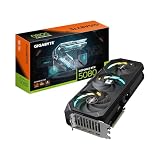
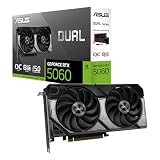
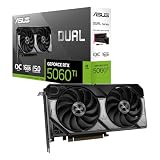
- Top Pick: ASUS Dual GeForce RTX 4060 Ti EVO OC Edition 8GB GDDR6 (PCIe 4.0, 8GB GDDR6, DLSS 3, HDMI 2.1a, DisplayPort 1.4a, Axial-tech Fan Design, Auto-Extreme Technology), 3 Year Warranty
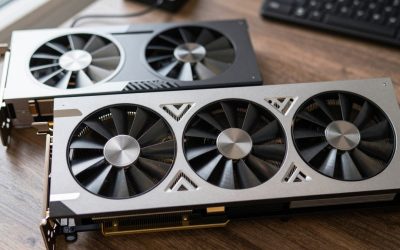
- Best Value: ASUS Dual GeForce RTX 4060 Ti OC Edition 8GB GDDR6 Gaming Graphics Card Black (Nvidia GeForce RTX4060Ti DLSS 3, PCIe 4.0, 1x HDMI 2.1, 3X DisplayPort 1.4a, DUAL-RTX4060TI-O8G)
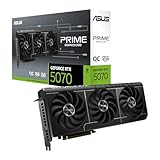
- Premium Choice: ASUS Prime GeForce RTX 5060 Ti 16GB GDDR7 Gaming Graphics Card | PCIe 5.0, HDMI/DP 2.1, 2.5-slot, Axial-tech Fans, Dual BIOS
The best RTX 5060 Ti graphics cards are the 16GB versions with a sensible dual- or triple-fan cooler that fits your case, because every board partner uses the same GPU and the real differences come down to memory size, cooler mass, card length and noise, not raw speed. Factory overclocks rarely add more than 2–4% performance, so you should pay for the 16GB memory pool and a quiet cooler first and ignore the boost-clock marketing.
This guide skips the generic product list and instead shows you how to choose between the RTX 5060 Ti models compared on the things that actually change your experience: VRAM headroom at 1440p, PCIe lane behaviour on older motherboards, and cooler class versus case size.
As an Amazon Associate we earn from qualifying purchases at no extra cost to you.


What every RTX 5060 Ti shares
Before comparing partner cards, it helps to know what is fixed. Every RTX 5060 Ti uses the same Blackwell die with 4,608 CUDA cores, a 128-bit memory bus running GDDR7 at 28 Gbps, and a rated board power of around 180W. All of them support DLSS 4 with Multi Frame Generation, and all of them connect over a PCIe 5.0 x8 interface rather than a full x16 link. That last detail matters more than most buyers realise, and we will come back to it.
| Spec | RTX 5060 Ti 8GB | RTX 5060 Ti 16GB |
|---|---|---|
| CUDA cores | 4,608 | 4,608 |
| Memory bus / speed | 128-bit GDDR7, 28 Gbps | 128-bit GDDR7, 28 Gbps |
| Memory bandwidth | 448 GB/s | 448 GB/s |
| Board power (reference) | ~180W | ~180W |
| PCIe interface | 5.0 x8 | 5.0 x8 |
| Typical market range | usually $370–$430 | usually $430–$530 |
The price gap between the two memory versions is typically $50–$90. Spread over three or four years of ownership, that is a small premium for doubling the VRAM, and it is the single best upgrade you can make within this tier.
Why the RTX 5060 Ti 16GB is the one to buy
Bandwidth is identical between the two cards, so the 8GB version is not slower in games that fit inside 8GB. The problem is that more and more games do not. At 1440p with high textures, recent open-world titles commonly allocate 9–11GB, and enabling frame generation and ray tracing adds roughly another 0.5–1.5GB on top. When VRAM runs out, the card spills assets into system RAM across the PCIe bus, and that is where stutter appears.
VRAM budget per resolution
| Scenario | Typical VRAM use | 8GB card | 16GB card |
|---|---|---|---|
| 1080p, high textures, raster | 6–8GB | Fits, little margin | Comfortable |
| 1080p, ultra + ray tracing + frame gen | 8–10GB | Texture drops or stutter | Comfortable |
| 1440p, high textures, DLSS Quality | 8–11GB | Must lower textures | Comfortable |
| 1440p, ultra + ray tracing + frame gen | 10–13GB | Not recommended | Fits |
If you are shopping for the best 5060 Ti for 1440p, the 16GB card is effectively the only choice. The 8GB version makes sense only for a strictly esports-focused 1080p build where textures are already turned down.
The PCIe x8 trap on older motherboards
Because the card uses eight PCIe lanes, the generation of your motherboard slot sets its maximum link speed:
- PCIe 5.0 x8: about 32 GB/s each direction
- PCIe 4.0 x8: about 16 GB/s each direction
- PCIe 3.0 x8: about 8 GB/s each direction
As long as a game fits in VRAM, even PCIe 3.0 x8 costs only a few percent. Once a game overflows the memory, however, every missing texture must cross that link, and at 8 GB/s the penalty can be severe. This is why the 8GB model is especially risky on B450, B460, Z390 or similar PCIe 3.0 platforms, while the 16GB model largely avoids the issue because it rarely spills. If you are upgrading an older PC, treat 16GB as mandatory.
RTX 5060 Ti models compared by cooler class
Partner cards fall into three practical groups. Rather than chasing a specific SKU, decide which group suits your case and noise tolerance, then pick a model from a brand with good local warranty support.
| Cooler class | Typical length | Slot width | Examples | Best for |
|---|---|---|---|---|
| Compact dual-fan | 200–230mm | 2 slots | MSI Ventus 2X, Zotac Twin Edge, ASUS Dual, Gigabyte Windforce | Small mATX and ITX cases, budget builds |
| Larger dual-fan / mid triple-fan | 240–290mm | 2–2.5 slots | Gigabyte Gaming OC, ASUS Prime | Most mid-tower builds, quiet daily use |
| Premium triple-fan | 290–320mm | 2.5–3 slots | MSI Gaming Trio OC, ASUS TUF Gaming | Quietest operation, RGB-themed builds |
How much cooler do you really need?
A 180W card is easy to cool. Even compact dual-fan designs keep the GPU in the 65–75°C range under sustained load in a ventilated case. What you gain from a larger heatsink is mostly lower fan speed, which translates into a noticeably quieter system during long sessions. If your PC sits on the desk next to you, the extra $20–$50 for a mid-size cooler is worth it. If it sits on the floor under a desk, a compact model is fine.
Power and connector planning
Most RTX 5060 Ti cards use a single 8-pin PCIe connector, which keeps them compatible with older power supplies. A rough system budget looks like this: 180W for the GPU, 65–125W for a mainstream CPU under gaming load, and 50–75W for the motherboard, RAM, storage and fans. That totals roughly 300–380W, so a quality 550W–650W unit gives plenty of headroom for transient spikes. Some overclocked models raise the power limit a little; they still sit comfortably inside a 650W budget.
Quick decision matrix
| Your situation | Recommended pick |
|---|---|
| 1440p gamer, mid-tower case, wants quiet | 16GB, mid-size or triple-fan cooler |
| Small form factor build under 250mm GPU clearance | 16GB, compact dual-fan |
| Upgrading a PCIe 3.0 PC | 16GB only, any cooler class |
| 1080p esports only, tight budget | 8GB, compact dual-fan |
| Content creation plus gaming | 16GB, any cooler with good warranty |
What not to pay extra for
- Factory overclocks: usually 30–90 MHz on the boost clock, worth about 1–3% in games.
- Heavy RGB: purely cosmetic, and often adds $20–$40.
- Bundled support brackets on short cards: useful on 300mm triple-fan models, unnecessary on compact ones.
Do pay attention to dual-BIOS switches, which let you choose a quieter fan profile, and to the warranty length offered in your region. These features change your day-to-day experience far more than a few extra megahertz.
Bottom line
Buy the RTX 5060 Ti 16GB, choose the cooler size that matches your case and how close the PC sits to your ears, and ignore overclock badges. That combination gives you a card that handles 1440p with DLSS comfortably today and has enough memory to stay relevant as games keep growing.