Currency Check
Verified as of October 2026: the RTX 5060 Ti 16GB, RTX 5070, RTX 5070 Ti, Radeon RX 9060 XT 16GB, RX 9070 and RX 9070 XT are all shipping products. Not verified: any RTX 50 Super card. Reports from Videocardz, Guru3D, TrendForce and others describe a refresh with 3GB GDDR7 modules as delayed or on hold because of memory costs, and NVIDIA has not announced one. Treat every Super spec as rumor. Street pricing is volatile with the memory market, so this guide ranks by tier and specs, not by listed cost.
For most people building a 1440p gaming PC in 2026, a 12GB RTX 5070 or a 16GB Radeon RX 9070 is the sensible middle, an RTX 5060 Ti 16GB or RX 9060 XT 16GB is the value entry, and an RTX 5070 Ti or RX 9070 XT is the high-refresh step. Which one is right depends on VRAM needs, upscaling features, case size and power supply. This guide sorts the field into tiers, compares the specs that actually differ, and shows how to check a card against your monitor and case.
Quick Verdict
| Your situation | Our verdict |
|---|---|
| Tight budget, 1440p at 60 to 100 Hz, small case | Entry tier: RTX 5060 Ti 16GB or RX 9060 XT 16GB. Skip 8GB versions of either at this resolution. |
| Balanced 1440p build, 100 to 165 Hz | Middle tier: RTX 5070 12GB or RX 9070 16GB. The deciding question is DLSS features versus extra VRAM. |
| High refresh 1440p, ray tracing, long-term headroom | Upper tier: RTX 5070 Ti 16GB or RX 9070 XT 16GB, with a quality 750W-class power supply. |
| You mostly play esports titles | Entry or middle tier is plenty. Spend the difference on a faster monitor. |
| You want Nvidia multi frame generation | It is exclusive to the RTX 50 series, so choose from that family. |
| You are waiting for a Super refresh | No announced date. Waiting is a bet on rumors, not on a product. |
What Separates the Tiers
Memory capacity and bandwidth
Specifications from NVIDIA and AMD show clear steps. The RTX 5060 Ti 16GB uses a 128-bit bus with 448 GB/s of bandwidth. The RTX 5070 has 12GB of GDDR7 on a 192-bit bus at 672 GB/s. The RTX 5070 Ti has 16GB on a 256-bit bus at 896 GB/s. On the AMD side, the RX 9070 and RX 9070 XT both carry 16GB of GDDR6 on a 256-bit bus with 640 GB/s. Capacity decides whether high texture settings and ray tracing fit; bandwidth decides how well the card feeds its shaders at 1440p.
| Card | Memory | Bus and bandwidth | Board power |
|---|---|---|---|
| GeForce RTX 5060 Ti 16GB | 16GB GDDR7 | 128-bit, 448 GB/s | 180W |
| GeForce RTX 5070 | 12GB GDDR7 | 192-bit, 672 GB/s | 250W |
| GeForce RTX 5070 Ti | 16GB GDDR7 | 256-bit, 896 GB/s | 300W |
| Radeon RX 9070 | 16GB GDDR6 | 256-bit, 640 GB/s | 220W |
| Radeon RX 9070 XT | 16GB GDDR6 | 256-bit, 640 GB/s | 304W |
Those figures are reference values. Factory-overclocked partner cards can differ in clocks, board power and cooler size, so confirm on the specific listing. The Radeon RX 9060 XT 16GB is commonly listed at around 160W board power, but verify against AMD’s page for the exact variant.
VRAM: is 12GB enough at 1440p?
Coverage of the topic generally treats 12GB as workable for 1440p at high settings, with the heaviest games and ray tracing pushing against the limit. Ray tracing adds memory use on top of textures, and texture quality is usually the first setting to drop when a card runs short. That is a general pattern, not a claim about a specific game. If you plan to keep a card for four or five years and like maximum texture settings, 16GB is the safer choice. If you upgrade often, 12GB on a faster chip is a sound trade, because a faster GPU with enough memory beats a slower GPU with more.
Features: DLSS 4 versus FSR 4
NVIDIA’s DLSS 4 improvements to Super Resolution and Ray Reconstruction work across RTX cards, but Multi Frame Generation is exclusive to the RTX 50 series. AMD’s FSR 4 launched on the Radeon RX 9000 series. Reports say upscaling support is expanding to older Radeon generations, while the newest frame generation features remain tied to RDNA 4. If those features matter to you, check the game’s supported list, not just the card’s box.
Power, size and PCIe
The RTX 5070 is rated at 250W. ASUS recommends a 750W power supply on its Prime and TUF versions and lists a single 16-pin connector. The RTX 5060 Ti 16GB at 180W is much easier on a smaller supply and on small cases, and PNY lists a single 8-pin input on one model. The RTX 5060 Ti uses a PCIe 5.0 x8 link, which only matters if you plug it into an older slot. AMD recommends a 650W supply for the RX 9070 and a 750W supply for the RX 9070 XT, and both use two 8-pin connectors in the reference design.
What a “budget tier” means when pricing moves
Card prices have been unusually unstable in 2026 because GDDR7 and GDDR6 supply is shared with data center demand. A list of dollar thresholds would be out of date within weeks, so this guide defines tiers by role instead. The entry tier is the cheapest way to reach 1440p with 16GB of memory. The middle tier is the card most people should buy when the budget allows, with enough shader power for high settings at 100 Hz or more. The upper tier is for high-refresh panels, ray tracing and keeping a card for five years. Cards can move between tiers as street prices change, so the order of capability above is more reliable than any single number. Compare the exact models you are considering on the same day, from the same retailers, before you decide.
It also helps to separate what a card can do from what you will notice. A monitor at 1440p and 60 Hz makes the gap between the entry and middle tiers hard to see in many games, while a 165 Hz panel makes it obvious in fast titles. Buying for the screen you own, or the one you will actually buy, avoids paying for headroom that never gets used.
How to Decide
Work from the monitor backward, not from the card forward.
- Write down your target. For example, 1440p at 144 Hz in the games you actually play. Competitive shooters can run at that refresh with a mid-tier card, while heavy single-player games with ray tracing often need upscaling at the same target.
- Match the tier to the target. As a rule of thumb, higher refresh targets and heavier visual settings call for the next tier up. Do not buy the tier above for a 60 Hz panel.
- Check VRAM against your habits. If you mod games, use high-resolution texture packs or run ray tracing, lean toward 16GB. If you play mostly at medium and high settings, 12GB is workable.
- Measure the case. A worked example: a 304 mm card (ASUS lists its Prime RTX 5070 at 304 x 126 x 50 mm) in a case that allows 320 mm leaves 16 mm, which is comfortable. The TUF version is listed at about 329 x 140 x 62.5 mm, so it needs a case rated for 340 mm or more, and 3.125 slots of space.
- Size the power supply. Follow the card maker’s recommended wattage. A rule of thumb: add the card’s board power to the CPU’s peak draw, add 100 to 150W for the rest of the system, and then choose a supply comfortably above that total so it is not running at its limit.
- Check the connector. If the card uses a 16-pin plug, plan a native cable and keep at least 35 mm of straight run before any bend, per vendor guidance.
- Decide on features. If you want multi frame generation, only RTX 50 cards qualify. If raw VRAM is the priority, the 16GB Radeon cards stand out.
A quick pairing guide, as a rule of thumb: entry cards pair with 60 to 100 Hz 1440p displays, middle cards with 100 to 165 Hz, and upper cards with 144 Hz and above in demanding games. These are planning heuristics, not measured results.
Products That Fit
All three listings below are RTX 5070 cards from ASUS, so they fit the middle-tier situation. They are examples, not a ranking, and they differ mainly in size and color. Confirm exact dimensions, clocks and power connectors on each listing.
ASUS Prime RTX 5070 OC – for a compact, mainstream 1440p build
As an Amazon Associate we earn from qualifying purchases at no extra cost to you.

The Prime line is the smaller of ASUS’s RTX 5070 designs. ASUS describes it as a 2.5-slot card and lists dimensions around 304 x 126 x 50 mm, so it is the easiest of the three to fit in a mid-size case. It suits the buyer in the middle tier who wants DLSS 4 features and a 100 to 165 Hz 1440p panel without needing a huge case. The chip is the same as on every standard RTX 5070.
- 12GB GDDR7 on a 192-bit bus, per NVIDIA’s RTX 5070 specifications
- ASUS lists about 304 x 126 x 50 mm and 2.5 slots for the Prime family
- One 16-pin power connector and a 750W recommended supply, per ASUS
- OC Edition clock speeds: confirm on listing
Caveat: 12GB is the limit here. If you want the most texture headroom, a 16GB card in the upper tier is a better match.
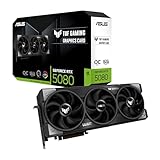
ASUS TUF Gaming RTX 5070 OC – for a larger case and a quieter cooler design

The TUF is the large version. ASUS lists its RTX 5070 TUF at about 329 x 140 x 62.5 mm and 3.125 slots, which means a case needs both length and slot clearance. It suits the buyer who has a roomy case and values a larger cooler, which generally gives a card more thermal room than a smaller design. For the same chip, the added size is the main difference.
- PCIe 5.0 and DisplayPort 2.1b outputs, per ASUS
- 3.125-slot design, with a 16-pin connector and a 750W recommended supply
- Roughly 329 x 140 x 62.5 mm for the TUF family; confirm for the OC Edition
- HDMI and DisplayPort counts: confirm on listing
Caveat: it will not fit many compact cases, and it blocks the neighboring slot. Measure twice.
ASUS Prime RTX 5070 White OC – for a white build in the middle tier

This is the white version of the Prime design, aimed at someone building a light-colored system. ASUS lists the white OC card as 2.5-slot with about 304 mm length, a 16-pin connector and a 750W recommended supply. It matches the middle-tier needs above and adds a color match. The card is a good example of how finish does not change the underlying chip.
- 12GB GDDR7, 192-bit bus, PCIe 5.0, three DisplayPort 2.1b and one HDMI 2.1b, per ASUS and NVIDIA
- About 304 x 126 x 50 mm and 2.5 slots per ASUS
- An adapter that converts two 8-pin connectors to a 16-pin cable is listed in the box by retailers; confirm on listing
- Boost clocks vary by mode: confirm on listing
Caveat: white parts from different brands rarely match exactly, so judge the finish against your case and fans, not just the card.
Common Mistakes
- Buying 8GB at 1440p. It is a weak match at high texture settings. Choose 12GB or 16GB.
- Ignoring slot thickness. A card that fits by length can still block the next slot or collide with a drive cage.
- Using the chip’s reference wattage for the power supply. Partner cards often recommend more. Follow the card maker.
- Waiting on rumors. The Super refresh has no confirmed date or specs, and plans that depend on it are plans on a guess.
- Bending the 16-pin cable at the plug. Keep a straight run and seat it fully.
- Buying above the monitor. A 60 Hz panel does not need the top tier.
Buy Now or Wait?
- Buy now if your current card cannot hold your target refresh rate and you have a clear tier in mind.
- Wait only for a confirmed event, such as an announced launch with specifications, not for a leak.
- If memory costs are the reason for waiting, note that industry forecasts through the end of 2026 point to continued pressure, not a drop.
- If your budget sits between two tiers, pick the card whose VRAM suits your habits, then the one with the features you will use.
Questions
Is the RTX 5070 or the RX 9070 XT better for 1440p?
It depends on what you value. The RTX 5070 offers DLSS 4 and multi frame generation with 12GB, while the RX 9070 XT offers 16GB of memory and strong rasterization in roundups. They are in different power classes, with 250W for the RTX 5070 and 304W for the XT.
Is 12GB of VRAM enough for 1440p in 2026?
For most titles at high settings it is workable, and the heaviest games with ray tracing may require lowered textures. If you want the most headroom, 16GB is a safer choice.
Should I wait for the RTX 50 Super cards?
No release date or specifications are confirmed. Reports say the refresh depends on scarce, more expensive 3GB GDDR7 memory and has been delayed, so waiting means betting on a rumor.
What power supply do I need for an RTX 5070?
NVIDIA recommends 650W for the reference card, while ASUS lists 750W for its Prime and TUF versions. Follow the figure on your specific card’s page.
Does the RTX 5060 Ti 16GB make sense for 1440p?
For a tighter budget and a smaller case, yes. It has the 16GB capacity but a narrower 128-bit bus and lower board power, which suits moderate refresh targets.
Is a white graphics card any different from a black one?
The chip, memory and core specifications are the same. Differences come from the shroud finish and, sometimes, the clocks and cooler design, so compare the exact listings.
Update History
- October 14, 2026 – Initial publication.
- Check the product page for current specifications and availability before buying.
Sources and Methodology
Facts were gathered from manufacturer specification pages and from press coverage of GPU specifications and the RTX 50 Super status, with conflicting reports flagged as rumor. No benchmark data was generated, and no frame-rate figures are quoted.
- NVIDIA GeForce RTX 5060 Ti, RTX 5070 and RTX 5070 Ti product specifications
- AMD Radeon RX 9070 series specifications, as confirmed by AMD and reported by Club386 and Videocardz
- ASUS technical specification pages for the Prime and TUF RTX 5070 cards
- PNY and MSI datasheets for the RTX 5060 Ti 16GB
- Videocardz, Guru3D, OC3D and TrendForce coverage of the RTX 50 Super status
- CableMod 12V-2×6 cable guidance