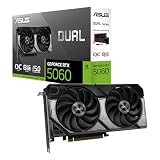
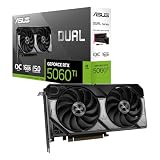
- Top Pick: ASUS Dual NVIDIA GeForce RTX 5060 8GB GDDR7 OC Edition (PCIe 5.0, 8GB GDDR7, DLSS 4, HDMI 2.1b, DisplayPort 2.1b, 2.5-Slot Design, Axial-tech Fan Design, 0dB Technology), 3 Year Warranty
- Best Value: XFX Swift AMD Radeon RX 9060 XT OC Triple Fan Gaming Edition with 16GB GDDR6 HDMI 2xDP, RDNA 4 RX-96TS316BA, Graphics Card, Compatible with Desktop PCs
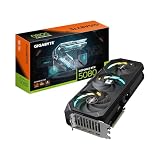
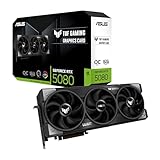
- Premium Choice: ASUS TUF Gaming GeForce RTX™ 5080 16GB GDDR7 OC Edition Graphics Card
The graphics card is the single component that most defines your gaming experience. It determines the resolution you can play at, the frame rates you’ll hit, and whether you can enable ray tracing and upscaling. It’s also usually the most expensive part of a build, so choosing wisely protects both your budget and your enjoyment. In 2026, with new NVIDIA RTX 50-series and AMD RDNA 4 cards on the market, the options are strong but the naming and specs can be bewildering.
This guide cuts through the noise. You’ll learn how to match a GPU to your monitor’s resolution and refresh rate, what VRAM you actually need, how upscaling tech like DLSS and FSR changes the math, and how to avoid paying for power your system can’t use. Below are the cards we’d recommend across a range of budgets and resolutions.
As an Amazon Associate we earn from qualifying purchases at no extra cost to you.





⚡ Save on Your Next PC — Amazon Prime
Prime members get fast free shipping on the systems above, plus early access to Prime Day & Black Friday PC deals. New members get a 30-day free trial.
Watch: How to Choose a Graphics Card (2026 Guide) — Video Review
Start With Your Monitor, Not the Card
The right GPU depends entirely on the display you’re driving. A 1080p high-refresh monitor pairs perfectly with a card like the ASUS Dual RTX 5060, while 1440p gamers want something in the RTX 5070 or Radeon RX 9070 XT class. For 4K, you need serious muscle such as the ASUS TUF RTX 5080. Buying a flagship for a 1080p screen wastes money; buying an entry card for a 4K panel guarantees disappointment.
How Much VRAM You Really Need
- 8GB (as on the RTX 5060) is fine for 1080p but increasingly tight for high-texture games at higher resolutions.
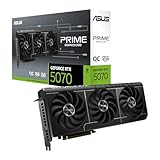
- 12GB like the RTX 5070 comfortably handles 1440p with high textures.
- 16GB on cards such as the RX 9060 XT, RX 9070 XT, RTX 5060 Ti, RTX 5070 Ti, and RTX 5080 gives 4K headroom and future-proofing as game assets grow.
Ray Tracing and Upscaling
Ray tracing delivers stunning lighting but is demanding. Upscaling technologies close the gap: NVIDIA’s DLSS 4 (on all RTX 50-series cards) and AMD’s FSR render at a lower internal resolution and reconstruct a sharp image, boosting frame rates substantially. If you want ray tracing on at higher resolutions, lean toward NVIDIA cards like the RTX 5070 Ti, whose DLSS implementation is currently the strongest. For rasterized performance per dollar, AMD’s RX 9070 XT is very competitive.
Don’t Overlook Power and Physical Fit
A powerful card needs a sufficient power supply and enough case clearance. Check the recommended PSU wattage and connector type before buying, and measure your case: triple-fan cards like the GIGABYTE RX 9070 XT Gaming OC are long, while a compact model such as the ASUS SFF-Ready Prime RTX 5070 is designed for small-form-factor builds. A card that doesn’t fit or starves for power will underperform or simply won’t install.
Matching the GPU to Your CPU
Pairing a top-tier GPU with a weak processor creates a bottleneck, especially at 1080p and 1440p, where the CPU is asked to prepare frames rapidly. Aim for balance: a mid-range card like the RX 9060 XT is well matched to a mainstream CPU, while a flagship like the RTX 5080 deserves a strong modern processor so it’s never left waiting for data.
Tips
- Choose your resolution and refresh target first, then buy the card that hits it, rather than the other way around.
- Favor 16GB of VRAM if you play at 1440p or 4K, since modern textures fill 8GB quickly.
- Verify your power supply meets the card’s recommended wattage and has the correct connectors before purchase.
- Enable DLSS or FSR to gain frames with minimal visual loss, especially when turning on ray tracing.
Frequently Asked Questions
How much VRAM do I need in 2026?
8GB works for 1080p, 12GB is comfortable for 1440p, and 16GB is the safe choice for 4K and future titles. Given how fast texture sizes grow, 16GB cards like the RTX 5070 Ti offer the most longevity.
Is NVIDIA or AMD better for gaming?
NVIDIA leads in ray tracing and DLSS upscaling quality, while AMD’s RDNA 4 cards like the RX 9070 XT often deliver more raw rasterized performance per dollar. Pick based on which features matter most to you.
What’s the point of DLSS and FSR?
They render the game at a lower internal resolution and intelligently upscale it, delivering much higher frame rates with little visible quality loss. They’re especially valuable for making ray tracing playable at higher resolutions.
Can my power supply handle a new GPU?
Check the card’s recommended PSU wattage and required power connectors against your supply. A powerful card on an undersized or low-quality PSU can crash under load or fail to boot, so upgrade the PSU if needed.
Conclusion
The best graphics card is the one balanced to your monitor, your CPU, and your budget, not simply the most expensive model. Decide on your resolution and refresh rate first, prioritize enough VRAM, confirm power and fit, and lean on DLSS or FSR to stretch performance. Get that balance right and you’ll enjoy years of smooth, great-looking gameplay without overpaying.