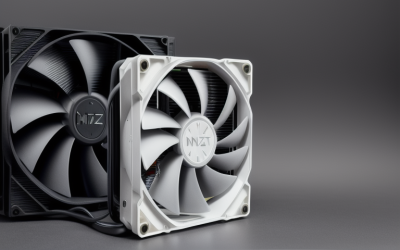
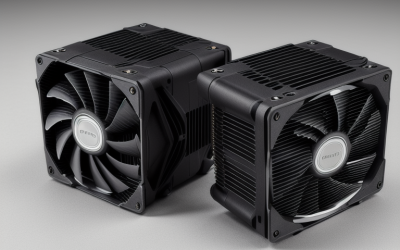
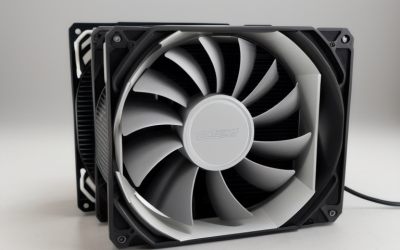
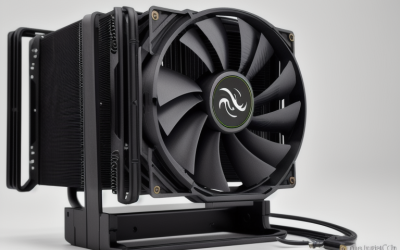
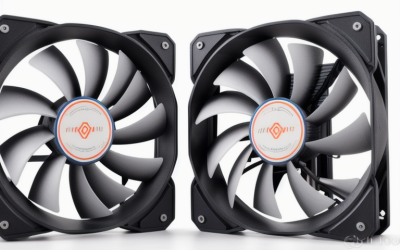
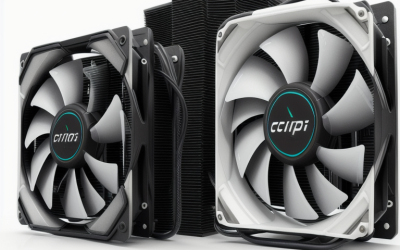
- Top Pick: Thermalright Assassin X120 Refined SE CPU Air Cooler, 4 Heat Pipes, TL-C12C PWM Fan, Aluminium Heatsink Cover, AGHP Technology, for AMD AM4/AM5/Intel LGA 1150/1151/1155/1200/1700/1851(AX120 R SE)
- Best Value: ID-COOLING SE-214-XT V2 ARGB CPU Air Cooler, Full Memory Clearance, 200W | Intel LGA1851/1700/1200/115X & AMD AM5/AM4, Universal Mount, Full Memory Clearance, 4 Heat Pipes, Low Noise 27.2dB(A)
- Premium Choice: Intel Core i7-7700K Unlocked Processor 8M Cache, up to 4.50 GHz, Quad-Core Kaby Lake with Corsair Hydro Series H115i Extreme Performance Liquid CPU Cooler Cooling
The Core i7-7700K is a Kaby Lake quad-core with an unlocked multiplier, and it was sold without a cooler in the box. Anyone still running one, or reviving a spare board from that era, has to buy a heatsink that clamps onto the LGA1151 socket. That sounds simple until you open the listings and find coolers that only mention LGA1700 or LGA1851, plus tiny aluminum blocks that suit office processors far better than a chip designed to be pushed to its limits. Another trap is the bundle listing, where a processor and a liquid cooler are sold together; that is a processor purchase, not a cooler you can add to the chip you already own, so it was dropped from this roundup.
This guide is for owners who want to keep the chip cool and quiet, whether they run it at stock clocks or with a modest overclock. The listings were screened by one rule: the title has to name a socket family that covers LGA1151, or at least say the cooler fits Intel and AMD platforms broadly. Three listings were removed: a processor-and-liquid-cooler bundle, a cooler that fits only LGA1700 and LGA1851, and a near-duplicate of the generic aluminum block already covered below. The seven that remain range from budget stock-style blocks to a large twin-tower cooler with a built-in screen, all suited to a 2026 rebuild of an older machine.
Quick Picks
As an Amazon Associate we earn from qualifying purchases at no extra cost to you.



| Product | Best for | Key spec from the title |
|---|---|---|
| Thermalright Assassin X120 Refined SE | Balanced tower cooling | 4 heat pipes, PWM fan, LGA1150/1151/1155 listed |
| ID-COOLING SE-214-XT V2 ARGB | Cooler plus RAM freedom | 200W, full memory clearance, 27.2dB(A) |
| Noctua NH-U9S | Compact, quiet builds | 92mm fan, 125mm height, single tower |
| Generic LGA115x aluminum cooler | Basic stock-speed use | 4-pin PWM fan, LGA1151 listed |
| Thermalright Peerless Assassin 120 Vision MAX | Large-case showpiece | Twin tower, 2150RPM, IPS screen |
| ID-COOLING SE-903-XT V2 | Small tower on a budget | 3 heatpipes, 150W, 100mm PWM fan |
| Copper core aluminum cooler | Low-power office builds | Copper core, up to 65W, LGA1151 listed |
How to Choose
Socket and mounting hardware
The 7700K uses LGA1151, so the product title should list LGA1151 or the shared “115x” family. LGA1700, LGA1851, and AM5 are newer sockets with different hole patterns, and a cooler marked only for those will not seat. When a listing names LGA1150, LGA1151, LGA1155, and LGA1156 together, that is the 115x bracket pattern, which carries over from older Intel generations. If the title only says “Intel and AMD,” confirm the exact socket on the manufacturer’s compatibility page before ordering.
Heat load and cooler class
The 7700K is a 91 watt part at stock speeds, and heat output rises sharply once you raise the multiplier. Some listings state a heat capacity: 200W for the SE-214-XT V2 and 150W for the SE-903-XT V2. A cooler listed for 65W, such as the copper core block here, sits below the chip’s stock thermal design power on paper, so only choose it for light workloads. For an unlocked chip, a four-heat-pipe tower or larger gives you headroom. Remember that a wattage figure in a title is a manufacturer claim, not a measurement, so treat it as a ranking guide between coolers rather than a guarantee of temperatures.
Clearance and case fit
Height is the dimension buyers miss. The Noctua NH-U9S lists a 125mm profile, which helps in compact cases, while twin-tower coolers like the Peerless Assassin need a roomier chassis and may crowd the first memory slot or the top of the board. Look for “full memory clearance” if you run tall RAM modules. Measure the gap between your motherboard and the side panel before ordering, and also check whether the cooler’s fan blocks the top PCIe slot. Older boards from the 7700K period often have the first memory slot close to the socket, which is exactly where wide towers cause trouble.
Fan noise and extras
PWM control lets the motherboard slow the fan at idle, and it matters more than raw speed for a quiet desk. A decibel figure is useful when the listing provides it, such as 27.2dB(A) on the ID-COOLING tower. Ignore RGB lighting unless your case has a window; ARGB headers add wiring but not cooling. Where budget coolers cut corners is in the fan bearings, mounting hardware, and fin thickness, so lean toward brands with complete accessory kits. Also make sure the case has an exhaust path; even a strong tower struggles when warm air has nowhere to go.
The 7 Best Options
Thermalright Assassin X120 Refined SE
A tower with four heat pipes, a TL-C12C PWM fan, an aluminum cover, and AGHP technology. The title lists LGA1150, 1151, 1155, 1200, 1700, and 1851 plus AM4 and AM5, so it covers the 7700K and a later platform swap. It suits a builder who wants one cooler that survives a motherboard change.
- Strength: explicit LGA1151 support alongside newer sockets.
- Strength: four heat pipes and a PWM fan suit sustained workloads.
- Trade-off: the title gives no height or clearance figures, so measure your case.
Skip it if you need a verified low-profile design for a small chassis, since the title is silent on height.
ID-COOLING SE-214-XT V2 ARGB
This ARGB tower pairs four heat pipes with a 200W figure, LGA115X compatibility, and a universal mount. It advertises full memory clearance and a 27.2dB(A) noise level.
- Strength: full memory clearance helps with tall RAM sticks.
- Strength: the 200W figure suggests plenty of headroom for a 91 watt chip.
- Trade-off: the ARGB lighting adds a header you may not need.
Skip it if you dislike lighting and want a plain fan and fins, or if your case has no window to show it off.
Noctua NH-U9S
A single-tower cooler with a 92mm fan, 125mm height, and a rich accessory kit. It is described as quiet, aimed at ITX and small-form-factor builds, with 100% RAM compatibility.
- Strength: compact height fits small cases.
- Strength: RAM compatibility is stated outright, so tall modules are not a worry.
- Trade-off: the title says only “Intel and AMD,” so verify the LGA1151 bracket before checkout.
Skip it if you want the largest heatsink mass possible for a heavily overclocked chip.
Generic LGA115x aluminum cooler
An Intel-style aluminum heatsink listed for LGA1151, 1150, 1155, and 1156, with a 3.5-inch fan and 4-pin PWM connection. It resembles a retail-box design.
- Strength: simple clip-on look matches older Intel layouts.
- Strength: 4-pin PWM control allows fan speed to follow load.
- Trade-off: the title offers no heat capacity figure, so limit it to stock speeds.
Skip it if you plan to overclock the unlocked 7700K, because the missing heat capacity figure leaves you guessing.
Thermalright Peerless Assassin 120 Vision MAX
A twin-tower air cooler with a 2150RPM fan, ARGB lighting, and a 480×854 IPS screen on the top. Intel LGA115x, LGA1700, LGA1851, AM4, and AM5 are all listed.
- Strength: twin-tower radiator layout for the biggest cooling capacity here.
- Strength: the screen adds a visible status display in a windowed case.
- Trade-off: the size can crowd memory and side panels, and the title lists no dimensions.
Skip it if your case is compact or you want silence over spectacle; a 2150RPM fan ceiling points to a design built for output.
ID-COOLING SE-903-XT V2
A compact black tower with three heatpipes, a 150W figure, and a 100mm PWM fan with direct-touch heatpipes. It is listed for Intel and AMD platforms.
- Strength: compact tower that suits smaller cases.
- Strength: direct-touch heatpipes and a PWM fan in a straightforward package.
- Trade-off: no socket list is given, so confirm LGA1151 support.
Skip it if you want a four-heat-pipe design with a larger fan and more surface area.
Copper core aluminum cooler
An Intel-focused aluminum block with a copper core, fitting LGA1200, 1151, 1150, 1155, and 1156. The title limits it to 65W and mentions desktop PCs.
- Strength: copper core improves heat pickup over plain aluminum.
- Strength: LGA1151 is clearly named.
- Trade-off: the 65W limit sits below the 7700K’s stock design power.
Skip it if the processor will run under sustained heavy load such as rendering or long gaming sessions.
Which One Fits Your Situation
You are overclocking the 7700K
Go for the Thermalright Assassin X120 Refined SE or the ID-COOLING SE-214-XT V2. Both pair four heat pipes with a listed LGA115x socket, and the ID-COOLING model adds a stated 200W figure.
You are building into a small case
The Noctua NH-U9S is the clear candidate with its 125mm height and focus on ITX and small builds. The SE-903-XT V2 is a more modest alternative with a compact footprint.
You want a showpiece for a glass-panel case
Pick the Peerless Assassin 120 Vision MAX. The twin-tower design, ARGB, and IPS screen make it the most visible choice, assuming your case has the room and you do not mind the added size over the rest of the cooler group.
The system is a stock-speed office PC
The generic LGA115x aluminum cooler or the copper core block can serve a lightly loaded machine. Keep the chip at stock settings and avoid long heavy tasks, and pick the copper core block if you want the extra heat pickup its core offers.
Common Mistakes
- Buying a cooler listed only for LGA1700 or LGA1851 and discovering the bracket does not fit LGA1151.
- Choosing a 65W heatsink for an unlocked processor that you plan to overclock.
- Skipping a clearance check and finding that tall RAM or the top PCIe slot is blocked by the tower.
- Choosing RGB lighting and a built-in screen when the case has a solid side panel that hides both.
- Forgetting thermal paste and a plan for removing the old cooler, or reusing a dried-out paste layer from the previous mount that no longer fills the gaps between the lid and the base.
Related guides
- Combination Smoke And Carbon Monoxide Detectors
- Aio Liquid Coolers For High Performance Gaming
- Graphics Cards For Low Wattage Power Supplies
Frequently Asked Questions
Does the i7-7700K include a cooler?
No. The unlocked K-series chips shipped without one, so a separate cooler is mandatory. Use a model that clearly names LGA1151 or the wider 115x family, and keep the original socket brackets if the cooler uses its own backplate.
Is an air cooler enough, or do I need liquid cooling?
A good four-heat-pipe tower handles a quad-core chip like this one for most users. A liquid loop only becomes worthwhile for heavy overclocking or when case airflow is limited. Many owners of this chip run quietly on a mid-sized tower, and the simpler design has fewer parts to fail over the years.
Will these coolers fit a newer motherboard later?
Several do. The Thermalright models and the SE-214-XT V2 list LGA1700 and in some cases LGA1851 and AM5, so the same cooler can move to a new build.
Do I need to replace the thermal paste?
Most coolers with a bare base need fresh paste at installation. If you remove an older cooler, clean the processor lid first and apply a small amount to the center before mounting the new one. A pea-sized dot is usually enough; spreading it by hand is unnecessary because clamping pressure handles that.