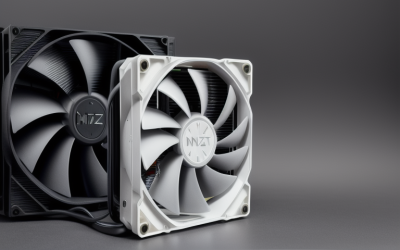
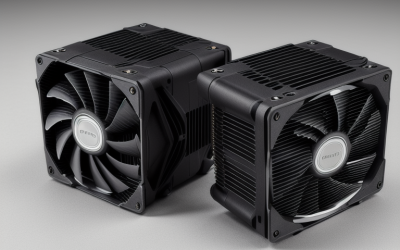
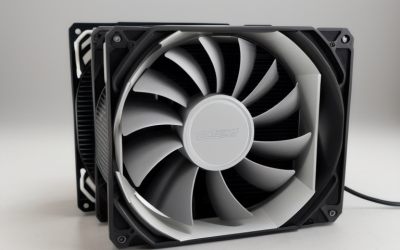
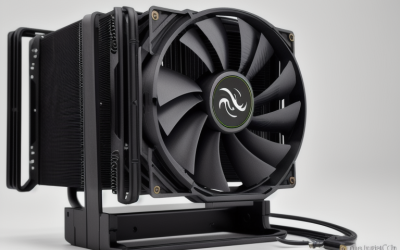
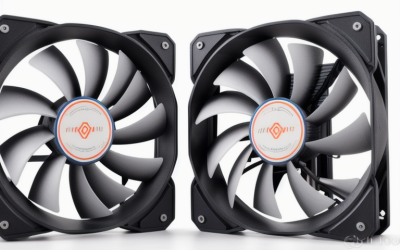
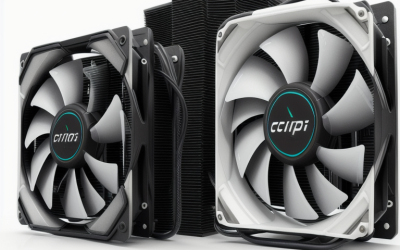
- Top Pick: Thermalright Assassin X120 Refined SE CPU Air Cooler, 4 Heat Pipes, TL-C12C PWM Fan, Aluminium Heatsink Cover, AGHP Technology, for AMD AM4/AM5/Intel LGA 1150/1151/1155/1200/1700/1851(AX120 R SE)
- Best Value: CPU Wraith Cooler Prism Aluminum Heat Sink Copper Core Base 4-Pin PWM 95mm Fan Pre-Applied Thermal Paste Compatible with AMD Socket AM5 AM4 AM3 AM2 Ryzen 7 1700X 1800X 2700X 3700X 4700X 5700X Fan
- Premium Choice: Thermalright Peerless Assassin 120 Vision MAX ARGB White CPU Air Cooler, Twin Tower Radiator 2150RPM,480×854 Resolving Power IPS Screen with 5’’,Computer Cooler for Intel lga1851/1700/115x,AM4/AM5
“Bang for buck” in the cooler aisle usually means one thing: how much heatsink and fan you get before the budget runs out. A cooler that is a few millimeters taller or carries two more heat pipes can matter more than a flashy name, because the CPU only cares about surface area, airflow and mounting pressure. This guide sorts nine air coolers by what their listed specs actually deliver for the tier they sit in, from stock-style swaps to dual-tower designs.
It is written for builders who want a quiet, stable gaming or everyday desktop without stepping into liquid cooling. Some picks suit a first-time AM4 or AM5 upgrade, others fit Intel LGA1700 systems, and a few make sense when you simply want to replace a noisy original fan. Based on the listed specs, each entry below flags its trade-off up front so you can match it to your case and your processor in 2026.
Quick Picks
As an Amazon Associate we earn from qualifying purchases at no extra cost to you.


| Product | Best for | Key spec from the title |
|---|---|---|
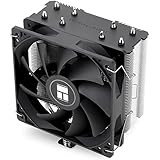
| Thermalright Assassin X120 Refined SE | Broad socket support on a budget | 4 heat pipes, TL-C12C PWM fan |
| WSHAITE Prism-style Wraith Cooler | AMD-only low-tier swap | Copper core base, 95mm 4-pin PWM fan |
| Thermalright Peerless Assassin 120 Vision MAX White | White builds with a display | Twin tower, 2150RPM, IPS screen |
| ID-COOLING SE-903-XT V2 | Small cases | 3 heat pipes, 150W, 100mm fan |
| Thermalright Phantom Spirit 120SE | Most fin area in the group | 7 heat pipes, dual 120mm fans |
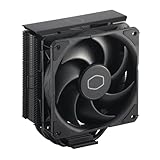
| Cooler Master Hyper 212 Black (aluminium finish) | Familiar tower design | 4 direct contact heat pipes, SickleFlow 120 Edge |
| Thermalright Peerless Assassin 120 Vision MAX Black | Black builds with a display | Dual PWM fans, 480×854 screen |
| ID-COOLING FROZN A620 PRO SE | Quiet dual-tower cooling | 6 heat pipes, 260W, 27.2dB(A) max |
| Cooler Master Hyper 212 Black (152mm) | Simple installation | 4 heat pipes, 120mm PWM fan, 152mm |
How to Choose
Heat pipe count and tower layout
Four heat pipes is the working baseline for a single tower; six or seven, as on the dual-tower and Phantom Spirit entries, spread heat across more fin area. More pipes only help if the fans can push air through them, so look for a 120mm PWM fan at minimum, and two fans if the cooler has two stacks of fins. A 95mm or 100mm fan can work for modest chips but leaves little margin. Also note that a listed speed such as 2150RPM is a ceiling; a PWM fan only reaches it when the motherboard asks, and steadier, lower speeds tend to be easier to live with in a bedroom or living-room setup.
Socket and bracket compatibility
Read the socket list in the title before anything else. Intel LGA1700 and LGA1851 need their own mounting hardware, and some listings mention only AMD sockets such as AM4 and AM5. If your board is older, confirm that 1150, 1151, 1155 or 1200 appears on the list, because a cooler that fits a new board may not fit an old one.
Clearance and heights
Measure the gap between the CPU socket and your case side panel. A 152mm or 157mm tower fits most mid-towers but can collide with tall memory modules or a cramped small-form-factor case. Compact designs like the 100mm-fan model exist for exactly this reason, and a dual tower should only go into a case with real width to spare.
What to ignore, and where budget models cut corners
RGB, screens and white finishes add nothing to temperatures. The corners usually cut in this tier are a thinner mounting plate, an aluminum-only base and a basic fan bearing. Wattage figures printed in a listing, such as 150W or 260W, are manufacturer targets, so treat them as a rough ceiling rather than a promise, and weigh them against heat pipe count and fan size. If you want the display models, the white Vision MAX listing names AM4 while the black one does not, so confirm that detail first.
The 9 Best Options
Thermalright Assassin X120 Refined SE
A single-tower pick for buyers who want one cooler that fits many platforms. The title lists AM4, AM5 and Intel sockets from LGA1150 through LGA1851, which makes it useful if you might reuse it after a motherboard swap down the road.
- Strength: Four heat pipes with AGHP technology and a TL-C12C PWM fan.
- Strength: A wide socket list covers older and current boards.
- Trade-off: A single 120mm fan limits headroom on very hot processors.
Skip it if you plan to run a high-wattage flagship chip and want the largest possible fin area.
WSHAITE Prism-style Wraith Cooler
This is a stock-style cooler aimed at AMD owners replacing a missing or worn-out original. The listing mentions an aluminum heat sink, a copper core base, pre-applied thermal paste and a 95mm 4-pin PWM fan, a simple package for a small swap.
- Strength: Pre-applied paste simplifies a quick replacement.
- Strength: Lists AM5, AM4, AM3 and AM2 compatibility, plus several Ryzen 7 models by name.
- Trade-off: A small 95mm fan and no Intel support.
Skip it if you own an Intel board or plan any overclocking.
Thermalright Peerless Assassin 120 Vision MAX White
The twin-tower layout is the draw here, paired with a 2150RPM fan listing and a 480×854 IPS screen on the cooler. It suits a white-themed build where the display is part of the look, and the socket list reaches both current Intel and AMD platforms.
- Strength: Twin tower radiator with a listed 2150RPM fan.
- Strength: Supports LGA1851, LGA1700, 115x, AM4 and AM5.
- Trade-off: The screen is a styling extra, not a thermal feature.
Skip it if you only want the leanest route to lower temperatures with no extras to configure.
ID-COOLING SE-903-XT V2
A compact black tower for cases where taller coolers will not fit. It lists three heat pipes with direct-touch contact, a 100mm PWM fan and a 150W figure, for both Intel and AMD platforms, which makes it a sensible fit for modest processors.
- Strength: A small footprint helps in tight enclosures.
- Strength: Direct-touch heat pipes with a PWM fan.
- Trade-off: Three pipes and a 100mm fan suit mid-range chips, not flagships.
Skip it if your case has plenty of room for a larger tower and a hotter processor.
Thermalright Phantom Spirit 120SE
The spec sheet here is the strongest in the group: seven heat pipes, dual 120mm TL-C12B V2 PWM fans, AGHP 4.0 technology and an S-FDB bearing. It covers AM4, AM5 and several Intel sockets up to LGA1851, so it is flexible across generations.
- Strength: Seven heat pipes with two fans in the listing.
- Strength: The S-FDB bearing is a durability-minded fan choice.
- Trade-off: A dual-tower body demands generous case and memory clearance.
Skip it if your case is narrow or your memory modules are tall.
Cooler Master Hyper 212 Black (aluminium finish)
A well-known design in a black aluminium finish with four continuous direct contact heat pipes and a SickleFlow 120 Edge fan. The listing mentions LGA1700 and AM5 brackets, so it is pitched at current platforms rather than older ones.
- Strength: A familiar single-tower shape fits many cases.
- Strength: Brackets for LGA1700 and AM5 are named outright.
- Trade-off: Only those two current sockets are named in the title.
Skip it if you need explicit support for older sockets such as AM4.
Thermalright Peerless Assassin 120 Vision MAX Black
The black counterpart to the white model, again with dual PWM fans and a display built into the cooler. The title lists LGA1851, LGA1700 and AM5, a narrower list than its sibling, so it targets newer boards.
- Strength: Dual PWM fans on a twin-tower body.
- Strength: The 480×854 screen suits a build meant to show off.
- Trade-off: AM4 is not named in this listing.
Skip it if you run an AM4 board or dislike display add-ons.
ID-COOLING FROZN A620 PRO SE
A dual-tower design with six heat pipes, two 120mm fans and a listed maximum of 27.2dB(A), aimed at buyers who value low noise. It stands 157mm tall and lists a 260W figure, with a long socket list covering most current boards.
- Strength: Dual fans and six heat pipes with a low listed noise ceiling.
- Strength: Supports LGA1851, LGA1700, LGA1200, 115X, AM5 and AM4.
- Trade-off: The 157mm height needs a roomy case.
Skip it if you run a slim mid-tower with a narrow side panel.
Cooler Master Hyper 212 Black (152mm)
This variant lists four heat pipes, a 120mm PWM fan and a 152mm height, with support for AM5, AM4, LGA1851 and LGA1700. The listing stresses easy installation and quiet cooling, which appeals to a builder doing this for the first time.
- Strength: Covers both current AMD and Intel platforms.
- Strength: A single fan keeps the layout simple.
- Trade-off: Four pipes cap the headroom on hot chips.
Skip it if you want a dual-fan, high-wattage setup.
Which One Fits Your Situation
First AM4 or AM5 build
The Thermalright Assassin X120 Refined SE offers broad support and a straightforward fan. Pair it with a case that has normal clearance and you avoid most surprises. If the board is AMD-only and the processor is modest, the WSHAITE stock-style cooler is a simpler, lower-tier alternative.
Cramped small case
Choose the ID-COOLING SE-903-XT V2, since its compact body and 100mm fan are designed for tighter spaces where a 150mm-plus tower would never close the panel.
Largest cooling for the tier
The Thermalright Phantom Spirit 120SE brings seven heat pipes and two fans, so it is the natural fit for a higher-wattage processor in a roomy case.
Quiet daily system
The ID-COOLING FROZN A620 PRO SE lists a 27.2dB(A) maximum with dual fans, which suits a desk-side PC that runs through the workday.
Common Mistakes
- Skipping the socket list and ordering a cooler without the right bracket for your CPU.
- Ignoring tower height and the gap between the fan and your memory modules.
- Treating screens and RGB as performance features instead of styling, then discovering the extra cable and software setup were never part of the plan.
- Buying an AMD-only stock-style cooler for an Intel board.
- Forgetting to plug a PWM fan into the CPU fan header, which leaves speed control unused.
Related guides
- Battery Operated Smoke And Carbon Monoxide Detectors
- Combination Smoke And Carbon Monoxide Detectors
- Aio Liquid Coolers For High Performance Gaming
Frequently Asked Questions
Is a dual-tower cooler always better than a single tower?
Not automatically. It offers more fin area, but it needs more room and the fans must move air through both stacks. In a tight case a good single tower can be the smarter choice.
Do I need new thermal paste?
Many coolers ship with paste or a pre-applied layer, per the listing. Replace it only if the original is missing or smeared during installation.
Will these fit an Intel LGA1700 board?
Most entries name LGA1700 directly. The WSHAITE cooler is AMD only, so check each socket list before you commit.
Are watt figures like 150W or 260W exact?
No. They are manufacturer targets, so use them as a rough guide next to heat pipe count and fan size rather than a guarantee.