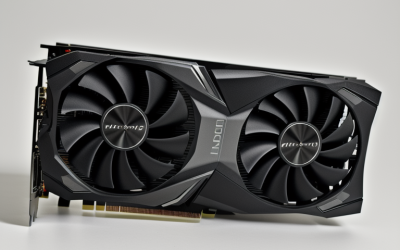
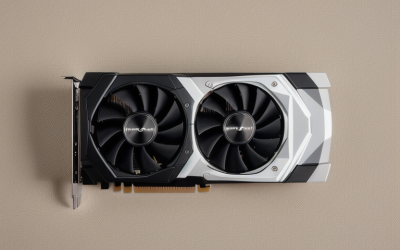
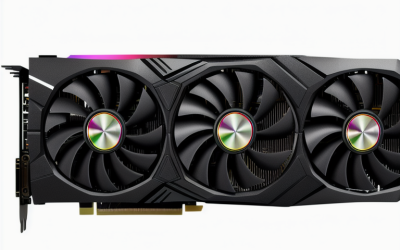
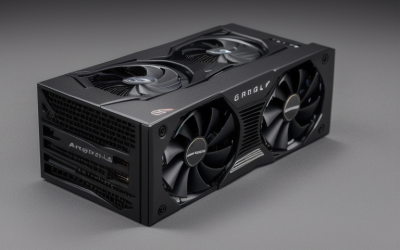
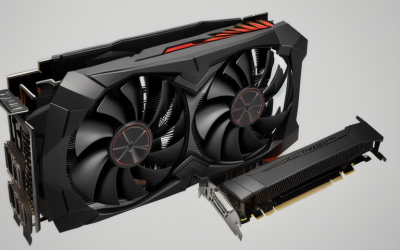
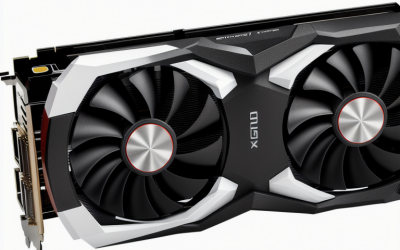
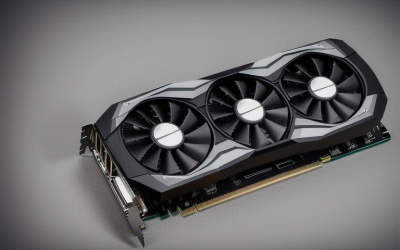
- Top Pick: XFX Swift AMD Radeon RX 9060 XT OC Triple Fan Gaming Edition with 16GB GDDR6 HDMI 2xDP, RDNA 4 RX-96TS316BA, Graphics Card, Compatible with Desktop PCs
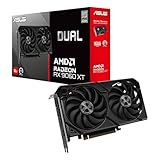
- Best Value: ASUS Dual Radeon RX 9060 XT 16GB GDDR6 Gaming Graphics Card | PCIe 5.0, HDMI 2.1b, DisplayPort 2.1a, 2.5-slot design, Axial-tech Fans, 0dB Technology
- Premium Choice: ASRock Radeon RX 9070 XT Steel Legend 16GB Graphics Card, AMD RDNA 4 Architecture, 2970 MHz, GDDR6, PCIe 5.0, Triple Fans, Polychrome SYNC, Reinforced Metal Frame, DisplayPort 2.1a, HDMI 2.1b
Bang for buck is a trickier phrase than it sounds when the subject is a graphics card. The entry-level board in a lineup rarely gives the strongest return, and the flagship rarely does either. What buyers are really hunting for is the point where memory capacity, memory bus, and architecture generation stop being a compromise, without buying headroom they will never use. This guide reads eight cards through that lens, using only what the listed titles state.
It is written for builders upgrading an aging desktop, people assembling a first gaming PC, and anyone choosing between a newer mid-tier chip and an older, smaller card from a previous generation. Expect straight talk about where each card is strong, where it cuts corners, and which buyer should walk past it in 2026.
Quick Picks
As an Amazon Associate we earn from qualifying purchases at no extra cost to you.





| Product | Best for | Key spec from the title |
|---|---|---|
| XFX Swift RX 9060 XT OC | Newer mid-tier build with generous memory | 16GB GDDR6, RDNA 4, triple fan |
| ASUS Dual RX 9060 XT 16GB | Compact cases and quiet idle | 2.5-slot design, 0dB Technology, PCIe 5.0 |
| ASRock RX 9070 XT Steel Legend | High-end performance target | 16GB, 2970 MHz, reinforced metal frame |
| msi RTX 3050 Ventus 2X 6G OC | Entry-tier esports builds | 6GB GDDR6, 96-bit, 1492 MHz boost |
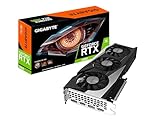
| GIGABYTE RTX 3060 Gaming OC 12G | Balanced upgrade from older cards | 12GB GDDR6, 192-bit, 3X WINDFORCE fans |
| GIGABYTE RX 9070 XT Gaming OC 16G | Premium-tier 16GB card | 16GB GDDR6, PCIe 5.0 |
| ASUS TUF Gaming RTX 4070 OC | Buyers who want GeForce and a long warranty | 12GB GDDR6X, 3 year warranty |
| msi RTX 3050 LP 6G OC | Small-form-factor upgrades | 6GB GDDR6, LP model, 1492 MHz boost |
How to Choose
Start with memory, not the model number
Video memory is the first spec that ages badly. Six gigabytes is the floor for current titles, and it forces lower texture settings sooner than the other cards here. Twelve gigabytes is a comfortable middle for 1080p and 1440p. Sixteen gigabytes gives the most breathing room for high-resolution texture packs and for anyone who keeps a card for several years.
Check the memory bus and memory type
A 96-bit bus, as on the RTX 3050 listings, moves less data per clock than the 192-bit bus on the RTX 3060. GDDR6X, which the RTX 4070 uses, is a faster memory type than plain GDDR6. These numbers explain why two cards with similar boost clocks can behave very differently, so compare bus width alongside capacity.
Match the connectors and the slot to your system
Look for HDMI 2.1 and DisplayPort 2.1 if you run a high-refresh or 4K display; DisplayPort 1.4a is fine for most 1440p monitors. PCIe 5.0 cards still work in PCIe 4.0 slots, so do not rebuild a motherboard for it. Measure your case: a 2.5-slot cooler needs room, while an LP card suits a slim chassis. Also confirm your power supply wattage against the manufacturer sheet before ordering.
Ignore marketing flourishes, weigh the warranty
RGB sync, reinforced frames, and fan branding make a card look good but do little for frame delivery. A listed warranty length, a cooler with three fans, and a zero-RPM idle mode are more practical. Budget cards usually cut corners on cooling and memory bus, so read those two lines first.
The 8 Best Options
XFX Swift RX 9060 XT OC
This card pairs the RDNA 4 architecture with 16GB of GDDR6, and that memory pool is the headline for anyone worried about aging gracefully. Its triple-fan cooler and the HDMI plus dual DisplayPort outputs make it a straightforward fit for multi-monitor desks. Because the board is sold as an OC Gaming Edition, buyers get a factory-tuned profile without touching software, and the XFX Swift name points toward a mainstream, no-surprises design rather than a niche enthusiast one.
- Strength: 16GB of memory is rare in the mid-tier.
- Strength: Three fans suggest cooling headroom on the factory overclock.
- Trade-off: The title lists HDMI without a version, so check it if your display needs 2.1.
Skip it if your case is tight on length or you need a low-profile bracket.
ASUS Dual RX 9060 XT 16GB
Same chip family and same 16GB capacity, but ASUS adds HDMI 2.1b, DisplayPort 2.1a, and PCIe 5.0. The 2.5-slot design and Axial-tech fans are aimed at balanced cooling, and 0dB Technology means fans can stop under light loads. For a desktop that spends long stretches on the web, documents, or video, that stop-start behavior keeps the room calm, and the Dual naming points to a two-fan layout.
- Strength: Current display standards are spelled out in the title.
- Strength: The zero-RPM mode suits quiet desktops.
- Trade-off: A 2.5-slot cooler blocks adjacent expansion slots.
Skip it if you plan to run a sound card or capture card directly below the GPU.
ASRock RX 9070 XT Steel Legend
The step-up chip in the RDNA 4 family arrives here with 16GB of GDDR6, a 2970 MHz clock, and a reinforced metal frame. The triple fans and Polychrome SYNC lighting make it as much a showpiece as a workhorse, and DisplayPort 2.1a with HDMI 2.1b covers fast monitors. Buyers who like a visible build in a glass-panel case will appreciate the lighting, while the Steel Legend name signals a heavier, more rigid card than the entry boards here.
- Strength: High clock speed with 16GB of memory.
- Strength: Metal reinforcement helps support a heavy cooler.
- Trade-off: It sits in the premium tier, so value depends on needing the extra performance.
Skip it if you game at 1080p and rarely touch demanding titles.
msi RTX 3050 Ventus 2X 6G OC
An Ampere-generation entry card with 6GB of GDDR6 at 14 Gbps and a 96-bit bus. The twin-fan Ventus layout and the 1492 MHz boost clock suggest a modest, easy-to-fit board for esports and older library titles. It also fits the profile of someone replacing an integrated-graphics setup, where almost any dedicated card is a visible step forward and the main goal is a reliable 1080p experience.
- Strength: Entry-tier positioning keeps the build budget low.
- Strength: HDMI and DisplayPort cover two monitors without adapters.
- Trade-off: 6GB and a narrow bus limit newer games at higher settings.
Skip it if you want to keep the card across multiple generations of games.
GIGABYTE RTX 3060 Gaming OC 12G
The REV2.0 board carries 12GB of GDDR6 on a 192-bit bus, double the capacity and bus width of the smaller RTX 3050 cards listed here. Three WINDFORCE fans handle cooling, which is a sensible setup for a card tuned with an overclocked profile. The Gaming OC name and the GV-N3060 model code make it easy to match against a manufacturer spec sheet before ordering.
- Strength: 12GB and a 192-bit bus form a balanced pairing.
- Strength: A three-fan design on a mature GPU is a known quantity.
- Trade-off: It is an older generation without the newer architecture features.
Skip it if you want current-generation display outputs or the newest upscaling hardware.
GIGABYTE RX 9070 XT Gaming OC 16G
A second take on the 9070 XT, this one carries 16GB of GDDR6 and PCIe 5.0 under Gigabyte’s Gaming OC branding. The title is lean on cooling detail, so the spec sheet is worth reading for fan count and card length. It will suit buyers who already know they want the 9070 XT tier and care more about the brand’s warranty network and cooler design than about extra lighting features.
- Strength: Premium-tier chip with a generous 16GB.
- Strength: PCIe 5.0 readiness for new motherboards.
- Trade-off: The title offers fewer cooling and connector specifics than the ASRock listing.
Skip it if you want a verified connector list from the title alone.
ASUS TUF Gaming RTX 4070 OC Edition
The only Ada-generation card in this set offers 12GB of GDDR6X, HDMI 2.1, DisplayPort 1.4a, and PCIe 4.0. The listing also highlights a 3 year warranty, which stands out against other titles. TUF branding is aimed at durability-minded buyers, and the combination of GDDR6X memory and a stated warranty makes this the card in the group for people who plan to keep it a long time.
- Strength: Faster GDDR6X memory than the GDDR6 cards here.
- Strength: A longer warranty term is stated up front.
- Trade-off: DisplayPort 1.4a is older than the 2.1a ports on the Radeon cards.
Skip it if you want 16GB of memory or a newer display connector.
msi RTX 3050 LP 6G OC
This is the compact sibling of the Ventus card, sharing 6GB of GDDR6 at 14 Gbps, a 96-bit bus, and a 1492 MHz boost. The LP in the model name usually signals a low-profile design, so confirm bracket options on the spec sheet. Prospective buyers with a compact office-style tower, or a media-center PC that needs light gaming ability, are the audience this card is aimed at.
- Strength: Likely suits small-form-factor cases.
- Strength: Shares the Ampere feature set of its larger sibling.
- Trade-off: Smaller coolers generally leave less thermal headroom.
Skip it if your case is full size and you can fit the Ventus 2X model instead.
Which One Fits Your Situation
You want the best long-term value in the mid-tier
The ASUS Dual RX 9060 XT 16GB checks the most boxes: newest display standards, 16GB, and a quiet idle mode. The XFX Swift is the alternative when cooling flair matters less than the listed capacity.
You are upgrading an older 1080p rig
The GIGABYTE RTX 3060 Gaming OC 12G is a measured step. It brings 12GB and a wide bus without demanding a new power supply plan. Owners of a card with 4GB or less will notice the extra memory first, and the three-fan cooler is a familiar layout that should drop into most mid-tower cases without drama.
You need a small build
Start with the msi RTX 3050 LP 6G OC, then verify the low-profile bracket and power requirements before committing.
You want maximum headroom
Choose between the ASRock RX 9070 XT Steel Legend and the GIGABYTE RX 9070 XT Gaming OC 16G. The ASRock title lists more detail, while the GIGABYTE title keeps things simple. Either way, pair the card with a monitor that has DisplayPort 2.1 or HDMI 2.1 input, otherwise part of its output capability goes unused.
Common Mistakes
- Comparing only boost clocks and ignoring memory bus width.
- Buying a 6GB card and expecting it to age as well as a 12GB or 16GB model.
- Forgetting to measure case clearance for 2.5-slot and triple-fan coolers.
- Assuming PCIe 5.0 requires a PCIe 5.0 motherboard to function.
- Choosing RGB lighting or a metal frame over a larger memory pool when the budget only stretches to one.
Related guides
- Aio Liquid Coolers For High Performance Gaming
- How To Lower Input Delay In Competitive Shooters
- External Hard Drives For Music Production
Frequently Asked Questions
Is 16GB of video memory necessary?
Not for every buyer. Twelve gigabytes handles most 1080p and 1440p use today, but 16GB gives more room for high-resolution textures and longer ownership.
Will a PCIe 5.0 card work in an older slot?
Yes. PCIe is backward compatible, so a PCIe 5.0 card will run in a PCIe 4.0 slot. Check the manufacturer sheet for any performance notes on your platform.
What does a 96-bit memory bus mean for me?
It means less data moves per memory clock compared with a 192-bit bus. For esports titles this is acceptable, but demanding games make the limitation more obvious.
Does the warranty length matter?
It can. Graphics cards run hot for years, and a listed multi-year warranty, like the one on the ASUS TUF card, adds a layer of protection for the owner.