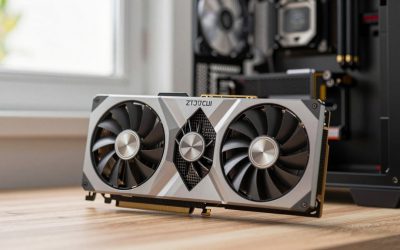
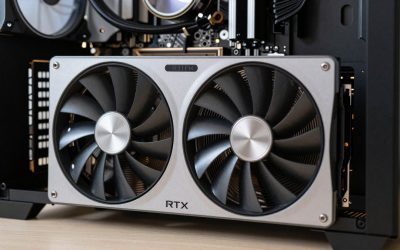
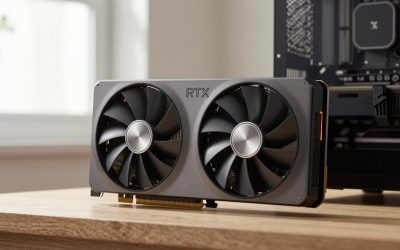
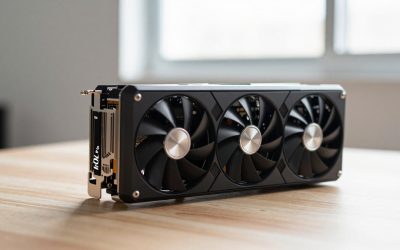
- Top Pick: ASUS ROG Strix GeForce RTX 5070 12GB GDDR7 OC Edition Gaming Graphics Card | PCIe 5.0, 3.2-slot, Axial-tech Fans, MaxContact design, Phase-change GPU Thermal Pad, Aura Sync
- Best Value: ASUS ROG Strix NVIDIA GeForce RTX 5070 Ti 16GB GDDR7 OC Edition Gaming Graphics Card, (PCIe 5.0, HDMI/DP 2.1, 3.2-Slot, MaxContact Design, Phase-Change GPU Thermal Pad), 3 Year Warranty
- Premium Choice: ASUS ROG Astral GeForce RTX 5090 32GB GDDR7 OC Edition Gaming Graphics Card | PCIe 5.0, HDMI/DP 2.1, 3.8-slot, 4-fan, Axial-tech Fans, Vapor Chamber, Phase-change GPU Thermal Pad
For most buyers, the ASUS ROG Strix GeForce RTX 5070 Ti 16GB is the card to start with, since it pairs 16GB of GDDR7 with a 3.2-slot cooler that a roomy mid-tower can hold. The RTX 5070 12GB is the cheaper way into the PCIe 5.0 range. The ROG Astral RTX 5090 is the no-limits choice, and the RTX 40 and 30 series cards suit shoppers who find one new at a fair price. If you want a wider look across the whole ROG family, see our ASUS ROG GPU roundup. All of this comes from listing titles and published specifications.
Shortlist by situation
As an Amazon Associate we earn from qualifying purchases at no extra cost to you.


- Building a new 1440p rig: RTX 5070 Ti 16GB (OC Edition or plain)
- Keeping the budget lower: RTX 5070 12GB, or the older RTX 4070 Ti 12GB
- Money is no object: ROG Astral RTX 5090 32GB
- Last generation’s flagships: RTX 4090 24GB, RTX 4080 16GB
- White PC build: RTX 4080 White OC Edition
- Collector or older-board upgrade: RTX 3090 EVA Edition, RTX 3070 Ti
Side-by-side table
| Model | Key point from title | Best for |
|---|---|---|
| RTX 5070 12GB OC | GDDR7, PCIe 5.0, 3.2-slot | Entry to the 50 series |
| RTX 5070 Ti 16GB OC | GDDR7, HDMI/DP 2.1, 3 Year Warranty | High-refresh 1440p |
| RTX 5070 Ti 16GB | GDDR7, PCIe 5.0, 3.2-slot, no OC label | Same tier, plain edition |
| ROG Astral RTX 5090 32GB OC | 3.8-slot, four fans, vapor chamber | No-compromise builds |
| RTX 4090 24GB OC | GDDR6X, PCIe 4.0 | Previous-generation flagship |
| RTX 4080 16GB OC | GDDR6X, PCIe 4.0 | Previous-generation high end |
| RTX 4080 White OC | White shroud, 16GB GDDR6X | White themed builds |
| RTX 4070 Ti 12GB OC | GDDR6X, PCIe 4.0 | Mid-range upgrade |
| RTX 3090 EVA Edition 24GB | 2.9-slot, GPU Tweak, EVA theme | Collectors |
| RTX 3070 Ti 8GB OC | GDDR6X, 2.9-slot | Older rigs, light use |
The newest cards: RTX 50 series
ASUS ROG Strix GeForce RTX 5070 12GB GDDR7 OC Edition
The title lists 12GB of GDDR7, PCIe 5.0, a 3.2-slot body, Axial-tech fans, a MaxContact design and a phase-change thermal pad. That is a large, heavily cooled cooler for a mid-tier chip, so the price is mostly cooling and styling. Aura Sync lighting is mentioned. Twelve gigabytes is enough for many current games at 1440p, but check the VRAM figures for the titles you play.
Pros
- GDDR7 memory on a PCIe 5.0 card
- Heavy cooler design with phase-change pad
Cons
- 3.2 slots is thick for small cases
- 12GB may feel tight for large texture packs
Who it’s for: A buyer who wants a quiet-leaning Strix design without moving up to the 5070 Ti.
ASUS ROG Strix NVIDIA GeForce RTX 5070 Ti 16GB GDDR7 OC Edition
This listing adds a 3 Year Warranty to the spec line and names HDMI/DP 2.1 outputs, PCIe 5.0 and a 3.2-slot, MaxContact cooler with a phase-change pad. Sixteen gigabytes of GDDR7 gives more room than the 5070’s 12GB. The title does not give clock speeds or card length, so get those from ASUS before you buy.
Pros
- 16GB of GDDR7
- Warranty stated in the title
Cons
- Dimensions are not in the title
- OC Edition carries a premium over plain versions
Who it’s for: Players building around a 1440p high-refresh monitor with an eye on the longer term.
ASUS ROG Strix GeForce RTX 5070 Ti 16GB GDDR7 (no OC label)
The second 5070 Ti listing has the same 16GB of GDDR7, PCIe 5.0, 3.2-slot size, Axial-tech fans and Aura Sync as its sibling, but the title omits both OC Edition and the warranty line. That does not prove the hardware is different, so open the product page and compare the details side by side. If the pricing is near-identical, the OC Edition with a stated warranty is the easier one to justify.
Pros
- Same memory size as the OC Edition
- May cost less if the clocks are stock
Cons
- No warranty wording in the title
- Title leaves out HDMI/DP detail
Who it’s for: Shoppers comparing the two 5070 Ti options who care more about price than about factory clocks.
ASUS ROG Astral GeForce RTX 5090 32GB GDDR7 OC Edition
Not a Strix by name: Astral is the line above it. The title lists 32GB of GDDR7, PCIe 5.0, HDMI/DP 2.1, a 3.8-slot, four-fan cooler and a vapor chamber. At 3.8 slots, only the largest cases will take it without compromises, and you should confirm length and PSU requirements on the ASUS page. It is the only card on this list aimed at 4K and beyond.
Pros
- 32GB of GDDR7
- Four fans and a vapor chamber
Cons
- 3.8 slots blocks other expansion slots
- Needs a high-wattage PSU, so check ASUS’s figure
Who it’s for: Enthusiasts building a showcase 4K machine in a large case.
The previous generation: RTX 40 series
ASUS ROG Strix GeForce RTX 4090 OC Edition 24GB
The title gives PCIe 4.0, 24GB of GDDR6X, HDMI 2.1a, DisplayPort 1.4a and a 3 Year Warranty. It is a giant, older flagship; note the lack of DisplayPort 2.1 if you plan a very high-resolution display later. Read the product condition carefully, since high-end cards sometimes appear as renewed or from third-party sellers.
Pros
- 24GB of memory
- Stated 3 Year Warranty
Cons
- GDDR6X and PCIe 4.0 are a generation behind
- Large cooler, size not given in the title
Who it’s for: Buyers who want large VRAM and can confirm the seller and condition.
ASUS ROG Strix GeForce RTX 4080 OC Edition 16GB
Listed with 16GB of GDDR6X, PCIe 4.0, HDMI 2.1a, DisplayPort 1.4a and a 3 Year Warranty. It matches the memory size of the 5070 Ti, but with the older memory type and interface. A strong choice only when the price is clearly lower than the current-generation alternative.
Pros
- 16GB of memory
- Warranty shown in the title
Cons
- Older GDDR6X and PCIe 4.0
- Price may overlap with newer cards
Who it’s for: Upgraders with a PCIe 4.0 board who spot a real discount.
ASUS ROG Strix GeForce RTX 4080 White OC Edition 16GB
Same specs as the standard 4080 in the title, with a white finish. If you are building a white case and want everything matched, this is the Strix for you. Colour variants can cost more than black ones, so confirm that the premium is worth it.
Pros
- White shroud for themed builds
- Same memory and ports as the standard 4080
Cons
- Colour options often add cost
- Fewer sellers, so price swings are likely
Who it’s for: White-themed builders who value looks as well as frame rates.
ASUS ROG Strix NVIDIA GeForce RTX 4070 Ti OC Edition 12GB
The title lists 12GB of GDDR6X, PCIe 4.0, HDMI 2.1a, DisplayPort 1.4a and a 3 Year Warranty. It is the most modest of the 40-series entries here. The 12GB capacity matches the RTX 5070, but with older memory.
Pros
- Warranty listed
- 12GB is workable for 1440p
Cons
- Older generation
- Compare against the RTX 5070 first
Who it’s for: A mid-range upgrade where a clear discount beats the newer card.
Older and themed: RTX 30 series
ASUS ROG Strix NVIDIA GeForce RTX 3090 EVA Edition 24GB
A themed collector’s edition: 24GB of GDDR6X, PCIe 4.0, HDMI 2.1, DisplayPort 1.4a, Axial-tech fans, a 2.9-slot body, Super Alloy Power II components and GPU Tweak software. The title has no warranty line, so confirm the seller and what support is offered. The EVA styling is the main reason to choose it.
Pros
- 24GB of VRAM
- Distinctive EVA design
Cons
- Two generations behind the 50 series
- No warranty wording in the title
Who it’s for: Collectors who like the theme and understand it is an older card.
ASUS ROG Strix NVIDIA GeForce RTX 3070 Ti OC Edition 8GB
Listed with 8GB of GDDR6X, PCIe 4.0, HDMI 2.1, DisplayPort 1.4a, a 2.9-slot cooler and a 3 Year Warranty. Eight gigabytes can limit newer games at high texture settings. It fits more cases than the 3.2-slot cards.
Pros
- 2.9-slot body is easier to fit
- Warranty listed
Cons
- 8GB is the smallest memory pool here
- Oldest architecture of the ten
Who it’s for: Someone refreshing an older system for esports and lighter titles.
How we picked these
We searched Amazon US for ASUS ROG Strix graphics cards and kept every listing that matched, plus one ROG Astral card that appears in the same results. We compared titles, memory sizes, interfaces and warranty wording against published ASUS documentation and buyer reviews. Nobody on the team used or measured these units. Anything the title did not state is flagged as something to confirm on the product page.
What to check before choosing a Strix card
Slot width and case room
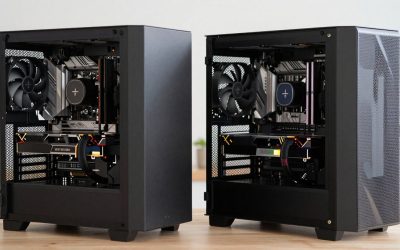
A 3.2-slot card physically occupies slightly more than three expansion slots. Most mid-towers fit that, but compact cases and boards with a second PCIe slot placed right under the first may lose a slot or two. The 3.8-slot Astral takes it further. The cleanest approach is to compare the case’s stated maximum GPU length and thickness with ASUS’s dimensions.
Memory size and type
VRAM matters most with high resolution, large texture packs and creative work. The listings range from 8GB to 32GB, and the gap between GDDR7 and GDDR6X matters only if the rest of the platform keeps up. If you play at 1080p, 8GB to 12GB is typically workable. For 4K, favour 16GB or more.
OC Edition or plain
An OC label means a higher factory clock profile, normally a small step. If the plain card is noticeably cheaper, it is often the better deal. If they are close, the OC version may also give a clearer warranty line.
PCIe generation and display outputs
The 50-series titles list PCIe 5.0, and the older ones list PCIe 4.0. Cards work in either slot, with some reduction possible in older ones. Check that your monitor’s ports match the card, since the 40 and 30 series list DisplayPort 1.4a.
A four-point check before ordering
- Case: confirm maximum GPU length and thickness against the ASUS spec sheet.
- Power supply: compare ASUS’s recommended wattage and connector type with your PSU. Our ROG Strix 1000W Platinum PSU write-up is one example of a unit in that class.
- Monitor: match resolution and refresh rate to the card tier.
- Seller: new, sold and shipped by a reputable seller, with the warranty described.
Mistakes buyers make
Buying on name alone is the first. Strix, Astral and OC Edition all sound similar, but they differ in size and cost. Skipping the PSU check is the second: flagship cards draw a lot of power and need the right cables. Third, forgetting the physical fit. And fourth, ignoring the condition line on older cards, because used or renewed units may not carry the warranty in the title.
Verdict
The RTX 5070 Ti 16GB is the sensible centre of this group. Choose the RTX 5070 if you want to spend less, and the ROG Astral RTX 5090 if you want the strongest card on the list and have a case and PSU for it. Pick RTX 40 and 30 series listings only on a clear price advantage and a confirmed new condition. Always check size and power on the ASUS page.
Related guides
- Wireless Gaming Headsets Under 100 For Pc
- Graphics Card For Esports 1080P 240Hz
- Oled Gaming Monitors For Dark Rooms
Frequently asked questions
Which ASUS ROG Strix card is the best all-rounder here?
The GeForce RTX 5070 Ti with 16GB of GDDR7 is the most balanced listing. It has more memory than the RTX 5070’s 12GB, a PCIe 5.0 interface and a 3.2-slot cooler that most large mid-towers can take. Two listings exist, an OC Edition with a 3 Year Warranty in the title and a plain version, so compare the product pages and pick on the details you can confirm.
Will a 3.2-slot or 3.8-slot card fit in a typical case?
Not automatically. The slot figure describes thickness, and fit also depends on card length, height and the space between the card and your side panel or radiator. Look up the exact dimensions on the ASUS product page, then compare them with your case’s maximum GPU length and the position of any front radiator. If a number is missing, check the listing before ordering.
Is the ROG Astral RTX 5090 a Strix card?
No. ASUS sells Astral as a separate ROG line above Strix, and this listing is titled ROG Astral. It is included because it sits in the same ROG family and shows up in Strix searches. It is a 3.8-slot, four-fan design with a vapor chamber according to its title, so it needs a big case and a PSU that matches ASUS’s published requirement.
Are older RTX 40 and 30 series Strix cards still worth considering?
Only if the price and condition are right and the listing is clearly new. The RTX 4090, 4080 and 4070 Ti titles describe GDDR6X memory and PCIe 4.0, while the 3090 and 3070 Ti are a further generation back. They still work on modern boards, but newer cards bring GDDR7 and PCIe 5.0, so weigh what you save against what you give up.
What does OC Edition mean on these listings?
It means ASUS ships the card with a factory-set higher clock profile than its non-OC version, according to the product naming. The gain is usually modest and is not a performance guarantee. The listing titles do not state the clock speeds, so check ASUS’s spec sheet and decide whether the difference justifies any price gap between the OC and plain versions.