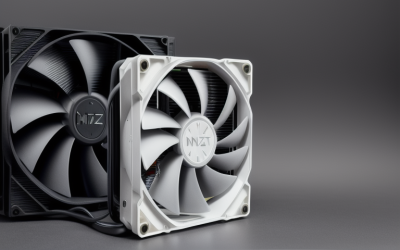
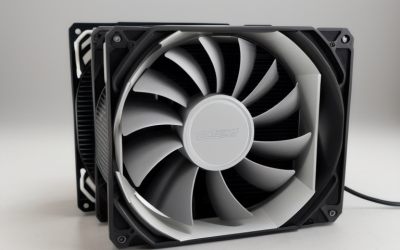
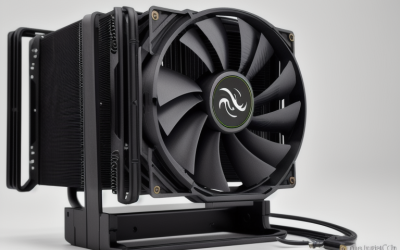
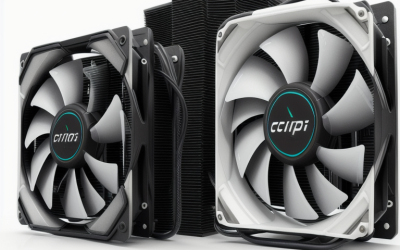
- Top Pick: CPU Air Cooler with 4X6mm Heat Pipes,120mm Fan CPU Cooler 1650rmp,CPU Cooler AMD AM5/AM4/AM3 Series,CPU Air Cooler 6.1’’ Height Compatible with Intel LGA 1700/1851/1155/1156/2011/2066(Black)
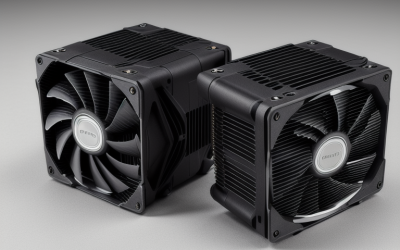
- Best Value: CPU Cooler Air, Dual Tower CPU Cooler with 120mm PWM Fan,6 Heat Pipes CPU Air Cooler for AM5/AM4/AM3, Cooler for PC Compatible with Intel LGA 1851/1700/1150/2011/2066/1151/1155/1156(Black)
- Premium Choice: CPU Air Cooler with 4X6mm Heat Pipes,120mm Fan ARGB CPU Cooler 1650rmp,CPU Cooler AMD AM5/AM4/AM3 Series,CPU Air Cooler 6.1’’ Height Compatible with Intel LGA 1700/1851/1155/1156/2011/2066(Black)
LGA 2011 is an old but stubborn platform. Plenty of X79 and X99 workstations and budget gaming rigs built on those chips are still running, and the owners usually face the same problem: modern coolers drop the socket from their compatibility lists, so finding one that clearly names it takes effort. The decision here is narrower than a general cooler search. You want a cooler that states LGA 2011 in its listing, fits a board with eight RAM slots packed close to the socket, and handles a processor that was designed to run warm.
This guide is for people reviving or upgrading an LGA 2011 system in 2026 and shopping by what the listing says, not by brand reputation. Six coolers qualify: four air coolers from the upHere line, plus two Thermalright air coolers, one of them a low-profile model. A 360mm Thermalright liquid cooler was left out because its title does not name LGA 2011. Everything below comes from the listings, so confirm clearances before you order.
Quick Picks
As an Amazon Associate we earn from qualifying purchases at no extra cost to you.


| Product | Best for | Key spec from the title |
|---|---|---|
| upHere 4-Heat-Pipe Tower (Black) | Simple single-fan upgrade | 4x6mm heat pipes, 1650rpm fan, 6.1 height |
| upHere Dual Tower, 6 Heat Pipes | Maximum socket range | Dual tower, 120mm PWM fan, 6 heat pipes |
| upHere 4-Heat-Pipe ARGB | Lit builds with a compact tower | ARGB 120mm fan, 4x6mm heat pipes |
| upHere 6-Heat-Pipe Dual Fan | Heavier loads with two fans | 6x6mm heat pipes, dual 120mm, 6.22 height |
| Thermalright AXP120-X67 White ARGB | Short cases with limited height | 67mm height, 6 heat pipes |
| Thermalright Peerless Assassin 120 Mini | Compact, widely known design | 6 heat pipes, 120mm PWM, 1500RPM |
How to Choose
Confirm LGA 2011 in the Title
The socket must be named. All six of these listings include 2011 inside a long socket string, and it appears next to 2066 on four of them. Do not assume a cooler for LGA 1700 or LGA 1151 will mount on 2011. Also check whether your board uses the square mounting layout or the narrow one, because the bracket must match the layout. If you are unsure, look up your motherboard model and read how the cooler mounts before ordering, since the older Intel workstation sockets are less forgiving than modern ones when a bracket does not line up. A cooler that claims many sockets is only useful if the correct hardware is in the box.
Check RAM Clearance Around the Socket
Many X79 and X99 boards offer eight RAM slots, four on each side of the CPU. A wide tower with an overhanging fan can cover the closest slot or force you to use shorter modules. Look at the height and width on the product page, and confirm your RAM heatsinks stay clear of the fin stack, especially with a second fan fitted. Memory heatsinks are the usual culprit: a module with a tall spreader can stop a fan from sitting at its normal height, and lifting the fan up reduces how well it works with the fin stack. Low-profile RAM solves the problem on the nearest slot.
Match Heat Pipes and Fans to the Processor
More heat pipes and a second fan help with high-core-count chips that run hot, while four heat pipes suit lighter loads. PWM fans let the motherboard control speed, while a fixed-speed fan may stay loud under idle. Do not read the listed RPM alone, since fan design and the airflow shape of the cooler matter as much as speed. Also consider the case: a closed case with little airflow will limit any cooler, so make sure there is at least one exhaust fan to move warm air out.
Verify Case Height and Compatibility Notes
Tower coolers listed at 6.1 and 6.22 inches are tall, and the Thermalright low-profile model lists 67mm. Compare the number to your case’s maximum cooler height. Budget coolers often ship with simple backplates, so check the product page for the mounting kit, and keep your motherboard manual nearby during installation. Thermal paste is another detail to confirm. Some listings do not say whether paste is included, and an older processor may need a fresh application, so keep a tube on hand rather than discovering the gap mid-build.
The 6 Best Options
upHere 4-Heat-Pipe Tower (Black)
This cooler lists 4x6mm heat pipes, a 120mm fan at 1650rpm, a 6.1-inch height, and compatibility with Intel LGA 1700, 1851, 1155, 1156, 2011, and 2066, plus AMD AM5, AM4, and AM3. It suits an LGA 2011 owner who wants a no-frills tower swap that also works if the build moves to another platform later. For an aging workstation that mostly handles office and light creative tasks, this is the kind of straightforward cooler that does the job without extra features.
- Names LGA 2011 and 2066 among many sockets
- Single 120mm fan keeps the tower narrow
- Trade-off: four heat pipes handle less than the six-pipe models
Skip it if your processor runs hot or you want a second fan. It is also less suited to anyone who plans to overclock a high-core-count chip.
upHere Dual Tower, 6 Heat Pipes
The listing describes a dual-tower design with a 120mm PWM fan and six heat pipes, compatible with Intel LGA 1851, 1700, 1150, 2011, 2066, 1151, 1155, and 1156, plus AMD AM5, AM4, and AM3. It targets builders who want more fin area than a single tower provides. If the old cooler was a small stock unit, the step up is large.
- Dual tower with six heat pipes
- PWM fan allows speed control
- Trade-off: a dual-tower body is bulkier around RAM
Skip it if your board has tall memory modules or a tight case, because a bulky dual tower leaves less room for error around the RAM slots and the top of the case.
upHere 4-Heat-Pipe ARGB
This is the ARGB version of the first tower, with a 120mm ARGB fan at 1650rpm, 4x6mm heat pipes, and the same 6.1-inch height and socket range, including LGA 2011. It makes sense for an older platform getting a visual refresh inside a windowed case. It also helps if the rest of the PC already uses addressable lighting and you want the cooler to match.
- ARGB lighting on the fan
- Same wide socket list as the plain version
- Trade-off: lighting needs a compatible header or controller
Skip it if you do not care about lighting or have no spare ARGB header, since the lit fan needs a connection to a controller to show its effects.
upHere 6-Heat-Pipe Dual Fan
This model lists 6x6mm heat pipes, dual 120mm fans at 1600rpm, and a 6.22-inch height, compatible with Intel LGA 1851, 1700, 1155, 1156, 2011, and 2066. Two fans move more air through the fins, which suits a workstation chip under steady load, such as rendering or compiling. The six-pipe layout listed in the title points to a cooler aimed at sustained work rather than short bursts.
- Six heat pipes plus two fans
- Names LGA 2011 and 2066
- Trade-off: the second fan can crowd RAM and case clearance
Skip it if your case is narrow or you want a quiet single-fan setup, because two fans add both thickness and a little more sound.
Thermalright AXP120-X67 White ARGB
Thermalright lists a low-profile white ARGB cooler with a quiet 120mm TL-C12015W-S PWM fan, six heat pipes, and a 67mm height. LGA 2011 appears among the Intel sockets, along with 1700, 1150, 1151, 1200, 2066, and 1851. It fits short cases where a tower will not, including small-form-factor builds, though the listing’s mention of a 67mm height is the number to verify against your case.
- 67mm height for shallow cases
- Six heat pipes despite the low profile
- Trade-off: a low-profile body gives up fin area
Skip it if you have a full tower case and a heavy processor, since a taller cooler gives you more fin area for the same fan size.
Thermalright Peerless Assassin 120 Mini
Thermalright lists a black cooler with six AGHP heat pipes, a 120mm PWM fan at 1500RPM, and support for AM4, AM5, and Intel LGA 1851, 1700, 1150, 1151, 1200, and 2011. It suits buyers who want a recognizable name and a contained footprint, particularly in a mid-size case where full-height towers feel excessive.
- AGHP heat pipe technology named in the title
- PWM fan with a 1500RPM listing
- Trade-off: the title does not list LGA 2066
Skip it if you need 2066 support or two fans, or if you plan to move to a larger platform that needs a bigger cooler later.
Which One Fits Your Situation
You Want the Widest Socket Support
The upHere Dual Tower and the first upHere tower both list a long socket string, including 2011 and 2066.
Your Case Is Short
The Thermalright AXP120-X67 lists a 67mm height, making it the clear fit for shallow enclosures.
You Run a Hot Workstation Chip
The upHere 6-Heat-Pipe Dual Fan pairs six heat pipes with two 120mm fans, which is the strongest cooling setup in this group on paper. Confirm the case height first, since this is the tallest listing at 6.22 inches.
You Want a Recognizable Brand
The Thermalright Peerless Assassin 120 Mini offers a named design and a compact body, with LGA 2011 in its listing. It is the easiest choice to explain to someone who wants a cooler they have already heard of. If you also own a newer AMD or Intel board, its AM4, AM5, and LGA 1700 support makes it flexible.
Common Mistakes
- Buying a cooler for a newer Intel socket and assuming it will mount on 2011.
- Ignoring the narrow versus square mounting layout on the board.
- Forgetting RAM clearance on the eight-slot layout.
- Measuring the cooler but not the case’s maximum cooler height.
- Choosing by RPM alone instead of heat pipes, fin area, and fan type.
Related guides
- Battery Operated Smoke And Carbon Monoxide Detectors
- Combination Smoke And Carbon Monoxide Detectors
- Aio Liquid Coolers For High Performance Gaming
Frequently Asked Questions
Do all LGA 2011 boards use the same mounting?
No. There are square and narrow layouts, so check the board’s mounting before you buy and confirm the cooler’s kit supports it. The product page or manual usually shows which layout the included hardware targets.
Is an air cooler enough for an LGA 2011 chip?
Many chips of that era run well on a good tower cooler, though high-core-count models produce more heat. Pick six heat pipes or two fans for heavier chips, and leave room in the case for airflow so the warm air can leave.
Can I reuse these coolers on a new build?
Several listings include current sockets such as LGA 1700, 1851, AM4, or AM5, so a future move is possible with the right brackets. Keep the original mounting parts in a labeled bag so a later move does not turn into a search.
Why was a liquid cooler left out?
The Thermalright 360 listing does not name LGA 2011 in its title, so it could not be confirmed as compatible. A cooler should only be bought for an older socket when the listing says so plainly, and a liquid loop adds radiator space requirements on top of that.