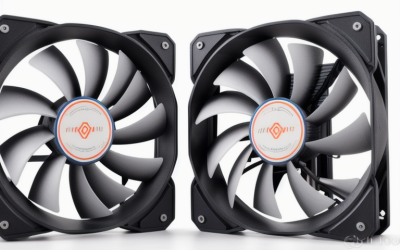
- Top Pick: ARCTIC P12 (5 Pack) – PC Fans, 120mm Case Fan, Pressure-optimised, Quiet Motor, Computer, Fan Speed: 1800 RPM – Black
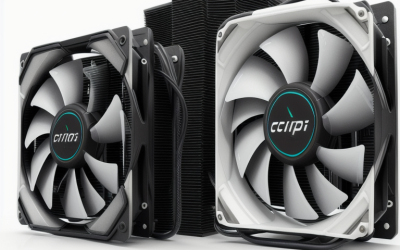
- Best Value: Thermalright 5 Pack TL-C12C-S CPU Fan 120mm ARGB Case Cooler Fan, 4pin PWM Silent Computer Fan with S-FDB Bearing Included, up to 1550RPM Cooling Fan(5 Quantities)
- Premium Choice: 120mm Case Fan 3 Pack pc Fans,DM-120 High Performance PC Case Fans, 120mm Fan with Rifle Bering – Low Noise PC Cooling Fans with 12v 3pin and molex 4pin PSU Plug Computer Fans for PC Case
A 120mm fan looks like the simplest part in a gaming tower, yet the choice shapes how loud the machine gets when a long session pushes the graphics card hard. Buying a single fan is rare. Most cases want three intake fans and one or two exhaust fans, so pack size, connector type and speed range matter as much as the brand name on the frame. This guide narrows ten 120mm options by what their listings actually state: RPM ceilings, bearing types, connectors, thickness and lighting.
It is written for builders who are filling an empty front panel, replacing rattling stock fans, or adding airflow before a graphics card upgrade. If you want silent curves from a motherboard header, you need PWM. If you want a lit-up glass panel, you need ARGB. If your case is cramped, thickness may decide everything. Start with those three questions and the shortlist below shrinks quickly in 2026.
Quick Picks
As an Amazon Associate we earn from qualifying purchases at no extra cost to you.



| Product | Best for | Key spec from the title |
|---|---|---|
| ARCTIC P12 5 Pack | Filling a whole case at once | Pressure-optimised, 1800 RPM |
| Thermalright TL-C12C-S 5 Pack | Lit builds with many fans | ARGB, 4-pin PWM, S-FDB bearing |
| DM-120 3 Pack | Older boards without PWM headers | 3-pin plus molex 4-pin plug |
| Thermalright TL-C12C X3 | Mid-size cases, no lighting | 4-pin PWM, up to 1550RPM |
| Slim 15mm 3 Pack | Tight clearance | 15mm thick, 800-2400 RPM |
| Thermalright TL-C12C X5 Unlit | Radiators and big cases | 5 fans, PWM, 1550RPM |
| Thermalright TL-C12C X5 Air Fan | Plain black five-fan builds | Unlit, 5-fan pack |
| upHere 12BK4-5 PWM | Adjustable speed on a budget | 900-1800 RPM, 4-pin |
| Noctua NF-P12 redux-1700 | Quiet single-fan upgrades | 25mm thick, 1700rpm PWM |
| Thermalright TL-C12C-S X3 | Small ARGB builds | 3 fans, ARGB, S-FDB bearing |
How to Choose
Connector and control: 3-pin, 4-pin PWM, or molex
A 4-pin PWM connector lets the motherboard vary speed in fine steps, which is how a fan idles near silence and ramps only under load. A 3-pin fan changes speed by voltage, which usually has a higher minimum speed. A molex plug runs at one fixed speed and ignores your fan curve. Check how many 4-pin headers your board has, and buy a splitter hub if the answer is fewer than your fan count.
Speed range and what the RPM number means
A ceiling near 1500 to 1800 RPM is plenty for a typical front mesh panel. Listings that advertise 2400 RPM suit thin fans or restrictive filters, but you will rarely run them there. The useful number is the floor, so favor models with a wide adjustable range. Ignore marketing words such as silent unless a bearing type or speed range backs them up.
Bearings, thickness and pack size
Standard 120mm fans are 25mm thick. A 15mm slim fan fits where a radiator or glass panel crowds the frame but moves less air at the same speed. Bearings listed as S-FDB or fluid dynamic aim for long, quiet life, while rifle bearings sit in the budget tier. Count your mounting points first, because multi-packs cost less per fan than singles.
Lighting versus airflow
ARGB fans add a third cable for the lighting header, so confirm your board has a 5V 3-pin header. Lit blades rarely change cooling, and budget lit models can trade noise for looks. If your case has solid panels, unlit fans save cables and money.
The 10 Best Options
ARCTIC P12 5 Pack
The ARCTIC P12 comes as five black fans, which covers an entire mid-tower in one purchase. The title calls it pressure-optimised with a quiet motor and a 1800 RPM speed, a combination that suits mesh fronts and dust filters. It is aimed at builders who want matching fans everywhere without mixing brands.
- Strength: five-pack quantity covers intake, exhaust and radiator spots.
- Strength: pressure-optimised design is meant for filtered or restricted panels.
- Trade-off: no lighting is mentioned, so it will not add color to a glass build.
Skip it if you want ARGB or need slim fans for a cramped frame.
Thermalright TL-C12C-S 5 Pack
This five-pack adds ARGB lighting to the TL-C12C line while keeping a 4-pin PWM connection and an S-FDB bearing. The title lists speeds up to 1550RPM and calls the fan silent. It targets builders dressing a showcase tower who still want the motherboard to manage speed.
- Strength: PWM control paired with lighting in a single pack.
- Strength: S-FDB bearing is listed, a feature associated with long, quiet life.
- Trade-off: lighting needs an ARGB header and an extra cable per fan.
Skip it if your case has solid side panels, where the lighting would never be seen.
DM-120 3 Pack
The DM-120 set comes with three fans using rifle bearings and a low noise claim. Its standout detail is the connector choice: a 12V 3-pin plus a molex 4-pin PSU plug, which means it works even without a spare PWM header. It suits older boards or secondary builds.
- Strength: molex option frees the fans from motherboard header limits.
- Strength: three-pack covers front intake in one go.
- Trade-off: no PWM is listed, so speed is fixed or voltage-controlled, not curve-driven.
Skip it if you want fine-grained speed control tied to temperatures.
Thermalright TL-C12C X3
The X3 pack gives three unlit black fans with 4-pin PWM, an S-FDB bearing and speeds up to 1550RPM. It is a sensible choice for a mid-size case that needs front intake and rear exhaust with no lighting. The title also calls it silent, though that is a seller word, not a measured figure.
- Strength: PWM with a fluid dynamic bearing at a mid-range pack size.
- Strength: modest 1550RPM ceiling keeps the top noise level in check.
- Trade-off: no lighting, so it will not match an ARGB theme.
Skip it if you need five or more fans or want lit blades.
Slim 15mm 3 Pack
These fans are 15mm thick, noticeably slimmer than the usual 25mm frame, and run from 800 to 2400 RPM on a 12V 4-pin PWM connector. They suit cases where a radiator, a power supply shroud or a glass panel leaves little clearance. A wide speed range lets you idle slowly yet spin fast when needed.
- Strength: fits places a standard fan will not.
- Strength: PWM and a wide RPM span give plenty of tuning room.
- Trade-off: thin frames generally need higher speed to move the same air, so noise rises sooner.
Skip it if your case has normal clearance and you value low noise most.
Thermalright TL-C12C X5 Unlit
Another five-fan option, this black unlit set lists 1550RPM, PWM control and suitability for both case and liquid cooler use. That radiator mention makes it handy for builders who need identical fans on a rad and on the chassis. Having five in one box simplifies matching.
- Strength: five fans with PWM at a speed ceiling that stays civil.
- Strength: explicitly pitched for liquid cooler mounting as well as cases.
- Trade-off: the listing is wordy and gives few extra details beyond speed and control.
Skip it if you want lighting or a different fan count.
Thermalright TL-C12C X5 Air Fan
This is essentially a sibling listing of the unlit five-pack, again 120mm, black, 1550RPM, in a five-fan pack. It targets stealthy builds where cable clutter and lighting are unwelcome. Judging only from the title, it offers the same core pitch of airflow with no glow.
- Strength: five identical black fans keep a build uniform.
- Strength: unlit design avoids extra lighting cables.
- Trade-off: the title does not state the connector or bearing, so verify before you buy.
Skip it if you want ARGB or need confirmed 4-pin PWM, and compare it with the X5 Unlit listing first.
upHere 12BK4-5 PWM
The upHere fan lists a 4-pin PWM connection and an adjustable speed from 900 to 1800 RPM, aimed at desktop cases. That low floor gives it room to idle quietly, while the upper limit matches many mesh-front cases. It is a straightforward, no-lighting choice for budget-minded builders.
- Strength: 900 RPM floor allows a quiet idle.
- Strength: PWM range covers light browsing to heavy gaming loads.
- Trade-off: the title offers no bearing type, so longevity is harder to judge.
Skip it if you want ARGB or a confirmed premium bearing.
Noctua NF-P12 redux-1700
The NF-P12 redux-1700 is a single 25mm-thick fan with 4-pin PWM at 1700rpm, billed for high airflow and low noise. The streamlined packaging note suggests a plain box, which suits upgrading one noisy spot such as a rear exhaust. It fits builders who prefer a known quiet brand over multi-pack savings.
- Strength: PWM with a quiet, high airflow positioning from a well-known name.
- Strength: standard 25mm thickness fits normal mounts.
- Trade-off: it is sold singly, so filling a whole case costs far more than a pack.
Skip it if you need many fans or want lighting.
Thermalright TL-C12C-S X3
This is the three-pack ARGB variant, with 4-pin PWM, an S-FDB bearing and speeds up to 1550RPM. It suits compact builds that want a lit front panel without buying five fans. You get lighting and speed control in one small bundle.
- Strength: ARGB with PWM in a smaller pack.
- Strength: S-FDB bearing is listed in the title.
- Trade-off: needs an ARGB header, and three fans may not cover a large case.
Skip it if you have no ARGB header or want a plain, dark build.
Which One Fits Your Situation
Filling a brand-new mid-tower
The ARCTIC P12 5 Pack covers three intake and two exhaust positions with matching fans, and its pressure-optimised design suits filtered fronts. If you want lit blades in that same count, the Thermalright TL-C12C-S 5 Pack is the closer match.
A tight case with a radiator or shroud
Choose the Slim 15mm 3 Pack. The reduced thickness solves clearance problems that a standard fan cannot, and the PWM range lets you manage noise.
An older board with few headers
The DM-120 3 Pack offers a molex plug that bypasses header shortages. You trade away curve control, but the install is simple.
One noisy fan to replace
The Noctua NF-P12 redux-1700 is the cleanest single swap, with PWM and a quiet profile. Pair it with the upHere 12BK4-5 PWM if you want a cheaper second fan with a wide speed range.
Common Mistakes
- Buying ARGB fans without checking for a 5V 3-pin lighting header on the motherboard.
- Ignoring pack size and paying more per fan by buying singles.
- Choosing a thin 15mm fan when a standard 25mm fan would fit and run quieter.
- Mixing intake and exhaust fans of very different speeds, which can create turbulence and noise.
- Plugging every fan into one header without a hub sized for the combined load.
Related guides
- Aio Liquid Coolers For High Performance Gaming
- Wireless Gaming Headsets Under 100 For Pc
- Ssds For Large Video And Raw Photo Files
Frequently Asked Questions
Do I need PWM fans?
Not strictly, but PWM gives the finest control and the quietest idle. If your board has enough 4-pin headers, it is the better choice for a gaming rig.
Is higher RPM always better?
No. Higher speed moves more air but adds noise. A fan with a wide range, such as 900 to 1800 RPM, lets you stay slow most of the time.
How many 120mm fans does a case need?
Most mid-towers do well with two or three intake fans and one or two exhaust fans. Balance matters more than raw count.
Will lit fans cool better?
No. Lighting does not change airflow. Choose it for looks only, and weigh the added cables.