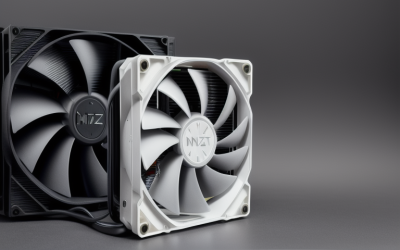
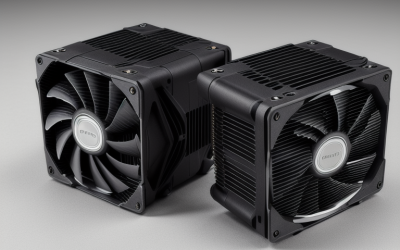
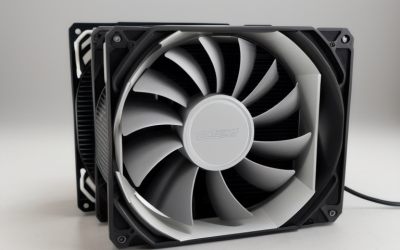
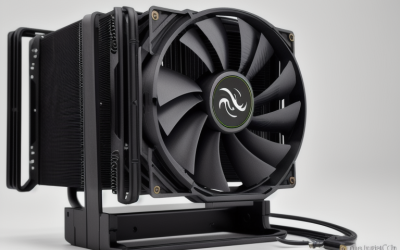
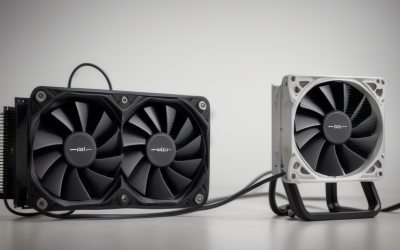
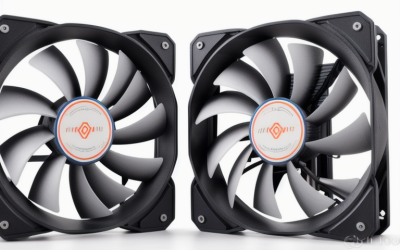
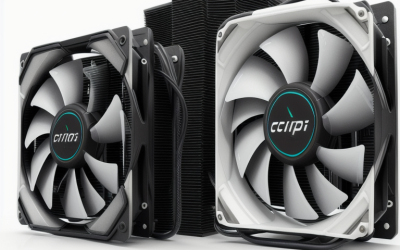
- Top Pick: Thermalright Assassin X120 Refined SE CPU Air Cooler, 4 Heat Pipes, TL-C12C PWM Fan, Aluminium Heatsink Cover, AGHP Technology, for AMD AM4/AM5/Intel LGA 1150/1151/1155/1200/1700/1851(AX120 R SE)
- Best Value: i3/i5/i7 LGA115x CPU Heatsink- Compatible with Intel CPU Cooler Aluminum Heatsink for LGA1200 LGA1151 LGA1150 LGA1155 LGA1156- for Intel E97379-003 For Desktop 4-Pin Connector CPU Cooler With Aluminum
- Premium Choice: be quiet! Pure Loop 2 FX 360mm, CPU Liquid Cooler for Intel Core i3/i5/i7/i9 or AMD Ryzen 3/5/7/9, ARGB LED Illumination, 3X Light Wings PWM high-Speed Fan -BW015
The Core i7-9700K comes with a built-in constraint that most cooler roundups ignore: it is an LGA1151 chip, it has eight cores, and Intel never packed a cooler in the K-series box. Whatever you buy has to be purchased separately, and it has to bolt onto a socket that newer cooler lines have quietly stopped supporting. Several current coolers list only LGA1851 and LGA1700 mounting, which would leave a 9700K owner holding a very nice paperweight.
This guide is for people building around that processor in 2026, whether that means reviving an older gaming rig, replacing a loud stock-style fan, or planning a second-hand build. Each pick below was judged only on what its listing states: socket support, height, fan size, wattage figures, and radiator length. Two coolers in the source list were left out because their titles show LGA1851 and LGA1700 support only, so they would not mount on this CPU. What remains is a spread from bare-bones aluminum blocks to a 360mm liquid loop, so you can match the cooler to how hard you plan to push the chip.
Quick Picks
As an Amazon Associate we earn from qualifying purchases at no extra cost to you.





| Product | Best for | Key spec from the title |
|---|---|---|
| Thermalright Assassin X120 Refined SE | Mainstream air cooling | 4 heat pipes, PWM fan, lists LGA 1150/1151/1155/1200 |
| ZYZMOON LGA115x heatsink | Basic stock-style swap | Aluminum heatsink, 4-pin connector, LGA1151 listed |
| be quiet! Pure Loop 2 FX 360mm | Liquid cooling with lighting | 360mm radiator, three PWM fans, ARGB |
| Noctua NH-U9S | Compact, quiet builds | 125mm height, 92mm fan, full RAM compatibility |
| LPLMOOM aluminum cooler | Minimal replacement fan | LGA1151 listed, 4-pin PWM, 3.5-inch fan |
| ID-COOLING FROZN A620 PRO SE | Heavy-load air cooling | Dual tower, 6 heat pipes, 260W figure, dual 120mm fans |
| ID-COOLING SE-903-XT V2 | Small cases | 3 heat pipes, 150W figure, 100mm PWM fan |
| Thermalright Peerless Assassin 120 Vision MAX | Showpiece builds | Twin tower, 2150RPM, IPS screen, LGA115x listed |
How to Choose
Confirm the socket first
The 9700K sits in an LGA1151 socket, so look for LGA1151 or the shorthand LGA115x in the title or spec table. A cooler that names only LGA1700 and LGA1851 will not reach the mounting holes, no matter how good it looks. Liquid coolers sometimes list processor families instead of sockets, so check the manufacturer compatibility chart and confirm the right bracket is in the box before ordering.
Match the wattage figure to an unlocked chip
The 9700K carries a 95W thermal design power, but many boards remove power limits and let it draw more under an all-core load. Treat a listed figure near 150W as sensible for stock use and 260W as real headroom for overclocking. Tiny aluminum heatsinks with no stated wattage belong in office-class builds, not in a rig that runs eight cores flat out for hours. If the listing is silent on heat pipes and wattage, assume modest capacity.
Check clearance twice
Measure the gap between the CPU socket and the side panel, and look at where the first memory slot sits. A 157mm dual tower needs a mid-tower case, while a 125mm single tower fits many compact enclosures. Radiators at 360mm need a front or top mount that accepts three 120mm fans, plus enough room for tubing to reach the socket.
Ignore lighting and screens, weigh noise and fan size
ARGB strips and built-in displays change how a build looks, not how it cools. Spend your attention on fan diameter, PWM support, and any decibel figure the listing gives. Budget models cut corners with thin aluminum fins, small fans, and sparse mounting hardware, so the less a title says about heat pipes, the less you should expect from it.
The 8 Best Options
Thermalright Assassin X120 Refined SE
A good fit for a 9700K owner who wants a proper tower cooler without chasing exotic hardware. The listing names four heat pipes, a TL-C12C PWM fan, and an aluminium heatsink cover, and it lists LGA 1150, 1151, 1155 and 1200 support alongside newer AMD and Intel sockets.
- Lists LGA1151 directly in its socket support
- Four heat pipes with a PWM-controlled fan
- Trade-off: no wattage figure appears in the title, so heavy overclocking is unproven
Skip it if your case is very narrow, since the title gives no height, or if you need a verified wattage ceiling before committing. Owners who value a familiar tower layout with simple mounting across several generations will find it a sensible middle path.
ZYZMOON LGA115x Heatsink
This one targets owners who only need a low-key replacement for a missing or damaged stock-style unit. The title lists LGA1200, 1151, 1150, 1155 and 1156, a 4-pin connector, and an aluminum build, and it references the Intel stock part number it is meant to stand in for.
- Plain LGA115x compatibility for this socket
- 4-pin connector allows motherboard fan control
- Trade-off: no heat pipe count or wattage figure is stated
Skip it if you plan to overclock the K-series chip or run long rendering sessions. It makes more sense as a fallback or a budget-tier fix than as the cooler for an enthusiast build.
be quiet! Pure Loop 2 FX 360mm
Suited to someone moving an older 9700K into a tidy case with a front or top radiator mount. The title states a 360mm radiator, three Light Wings PWM fans, ARGB lighting, and support for Intel Core i3, i5, i7 and i9 chips, which puts the i7 family squarely in scope.
- Large 360mm radiator surface with three PWM fans
- ARGB lighting for coordinated builds
- Trade-off: the title names no sockets, so confirm LGA1151 mounting hardware in the box
Skip it if your case cannot hold a 360mm radiator, or if you prefer the simplicity of a fan-only design with no pump to fail. Those buyers get the same socket coverage from an air cooler.
Noctua NH-U9S
The choice for small-form-factor and quiet-leaning builds. The title describes a single tower, 125mm height, a 92mm fan, full RAM compatibility, and a rich accessory kit for Intel and AMD, which suggests a mounting set that covers older sockets as well.
- Compact 125mm height suits ITX and short cases
- Stated 100% RAM compatibility avoids memory clearance fights
- Trade-off: a single 92mm fan has less surface than the dual-tower options
Skip it if you want maximum headroom for an aggressive overclock. Its appeal is a small, quiet footprint, which is a different goal from raw heat removal.
LPLMOOM i3/i5/i7 Aluminum Cooler
An option for a spare-parts shelf or a basic office rebuild around an older Intel board. The listing names LGA1151, 1150, 1155 and 1156, plus a 4-pin PWM connector and a 3.5-inch fan, and it is aimed at desktop computers in general.
- Lists LGA1151 among the supported sockets
- 4-pin PWM fan allows speed control
- Trade-off: the title gives no heat pipe or wattage information
Skip it if the build is a gaming rig that runs the 9700K hard for hours. Treat it as a stopgap or an office-build part, and choose a heat pipe design for anything demanding.
ID-COOLING FROZN A620 PRO SE
Built for owners who want serious air cooling for an unlocked eight-core. The title shows a dual-tower design, six heat pipes, dual 120mm fans, a 260W figure, a 157mm height, and LGA115X support, with installation described as easy.
- Highest wattage figure among the air coolers listed
- Two 120mm fans stated at up to 27.2dB(A)
- Trade-off: 157mm of height needs a roomy case
Skip it if you own a compact or slim chassis, since the listed 157mm height will not fit under many side panels. Check the memory layout too, because two towers can crowd the slots.
ID-COOLING SE-903-XT V2
Fits small cases where a dual tower will not clear the panel. The title lists three direct-touch heat pipes, a 150W figure, and a 100mm PWM fan in black, with Intel and AMD platforms covered.
- Direct-touch heat pipes in a compact body
- 150W figure sits above the 9700K’s stock thermal design power
- Trade-off: the title does not name individual sockets, so verify LGA1151 before buying
Skip it if you plan to push clocks past stock. A larger tower or the 360mm loop gives more margin, and the extra size is worth it when the CPU is the hottest part in the case.
Thermalright Peerless Assassin 120 Vision MAX
For builders who want a window build to look finished. The title lists a twin tower radiator, 2150RPM fan speed, an IPS screen at 480×854, black ARGB styling, and Intel LGA115x plus AM4 and AM5 support.
- Twin tower design with LGA115x support
- Built-in IPS screen adds a display to the cooler
- Trade-off: the screen only matters behind a glass or mesh side panel
Skip it if you would rather put your budget into pure cooling, or if your case has a solid side panel that hides the display entirely.
Which One Fits Your Situation
Overclocking the K chip
The ID-COOLING FROZN A620 PRO SE has the largest stated wattage figure and two fans, so it suits a manual overclock best. The be quiet! Pure Loop 2 FX 360mm is the alternative if the case holds a radiator and you want the heat exhausted at the panel instead of inside the chassis.
Compact or quiet build
Choose the Noctua NH-U9S for its 125mm height and full RAM compatibility, which keeps memory slots usable in tight layouts. The ID-COOLING SE-903-XT V2 is the narrower option when space is tighter still.
Plain, no-frills replacement
The Thermalright Assassin X120 Refined SE balances four heat pipes with straightforward LGA1151 support. The ZYZMOON and LPLMOOM models cover a minimal rebuild where cooling demands stay modest, such as a media or office box.
Display-focused window build
Go with the Thermalright Peerless Assassin 120 Vision MAX, whose IPS screen and ARGB styling are the point of the purchase and whose twin tower layout still takes cooling seriously.
Common Mistakes
- Buying a cooler listing only LGA1700 and LGA1851, which does not mount on LGA1151.
- Assuming the 9700K includes a cooler; K-series boxes do not.
- Skipping a clearance measurement and discovering a tall tower hits the side panel or memory.
- Choosing by lighting and screens instead of fan size and PWM control.
- Pairing a bare aluminum heatsink with an overclocked eight-core chip.
Related guides
- Combination Smoke And Carbon Monoxide Detectors
- Aio Liquid Coolers For High Performance Gaming
- Hardwired Smoke And Carbon Monoxide Detectors
Frequently Asked Questions
Does the 9700K ship with a cooler?
No. Intel sells K-series processors without a bundled cooler, so a separate cooler is required before the first boot. Plan the purchase alongside the chip and motherboard, and treat the cooler as a required part of the build rather than an optional upgrade. Running the CPU without one risks immediate thermal shutdown.
Which sockets matter for this chip?
LGA1151 is the one to match. Many listings write LGA115x or list 1150, 1151, 1155, and 1156 together, which covers it. Anything that names only LGA1700 or LGA1851 should be passed over.
Is a 360mm liquid cooler overkill?
It can be, but it suits an overclocked chip, and the large radiator surface lets fans spin slower, which helps noise. The trade-off is more installation work, a bigger case requirement, and a pump that adds one more moving part. A quality tower cooler handles stock operation well and avoids pump and leak concerns.
Do I need thermal paste?
Most coolers include a pre-applied layer or a small tube. Check the box contents on the listing, and keep a spare tube for remounting after a motherboard swap.