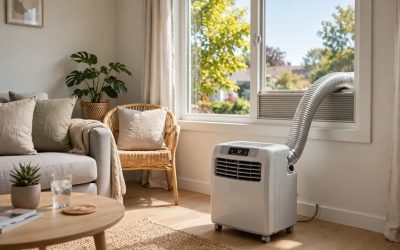
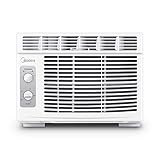
- Top Pick: Midea 6,000 BTU Window Air Conditioner, Electronic Control, 250 Sq Ft, New | 3-In-1 Cool/Fan/Dehumidifier Modes, Easy-To-Use Controls, Remote Control, And Cooling For Bedrooms, Studies and Home Offices
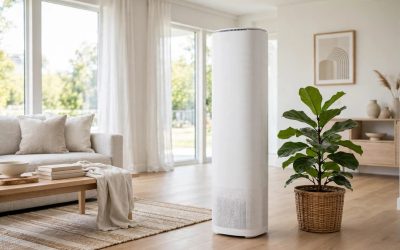
- Best Value: Levoit Tower Fan for Bedroom, 28ft/s Fans that Blow Cold Air, 28dB Quiet | Standing Floor Fan for Room, 90° Oscillating, 5 Speeds 4 Modes & Temp Sensor, Bladeless, 12H Timer, Remote, 36 inch, White
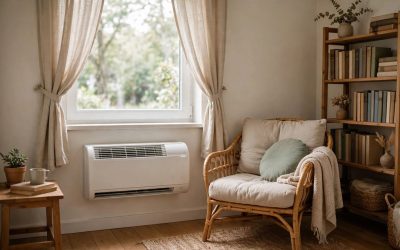
- Premium Choice: Midea 5,000 BTU EasyCool Small Window Air Conditioner – Cool up to 150 Sq. Ft. with Easy-to-Use Mechanical Controls and Reusable Filter, Perfect for Small Bedroom, Living Room, Home Office
The best air conditioners for a bedroom that doubles as a gaming room are the LG LW8024IVSM (8,000 BTU dual inverter window unit) for a typical 250 to 350 square foot bedroom, the Midea MAW06V1QWT (6,000 BTU, about 39 dB) for a smaller room, and the LG LP1419IVSM (quiet inverter portable) when a window unit will not fit. A bedroom has to do two jobs, keeping you cool while you sleep and handling a PC and console at night, so quiet operation and steady temperature matter more here than raw capacity.
As an Amazon Associate we earn from qualifying purchases at no extra cost to you.


How we chose these bedroom air conditioners
This guide is based on research: published specifications, efficiency and noise figures, and the conclusions of established review publications and independent testing organizations. We looked for units that suit a room where people sleep and game:
- Low noise on the lowest fan setting, ideally 45 dB or less, because a bedroom is quiet and a headset microphone is nearby.
- A sleep or night mode that dims lights and quiets the fan.
- Inverter control for gentle, steady cooling with fewer compressor starts.
- Capacity that includes gaming heat, not just the bed and floor area.
- Remote or app control so you can adjust it from bed or from the desk.
Bedroom decision matrix: what to buy for your situation
Instead of a long list of features, use the table below. Find the row that matches your bedroom and gaming habits, then pick the unit class in the right column.
| Your bedroom | Gaming load | Best unit class | Example model |
|---|---|---|---|
| Under 150 sq ft, standard window | Console or laptop | 5,000 to 6,000 BTU window | Midea MAW06V1QWT |
| 150 to 250 sq ft, standard window | Mid-range PC | 6,000 to 8,000 BTU window | LG LW6017R or Toshiba 8,000 BTU Smart |
| 250 to 350 sq ft, standard window | High-end PC | 8,000 BTU inverter window | LG LW8024IVSM |
| Any size, window sash is the only fire exit or building bans window units | Any | Quiet inverter portable | LG LP1419IVSM |
| Up to 350 sq ft, casement window | Mid-range PC | 8,000 BTU DOE portable | Hisense HAP0824TWD |
| Small room, tight budget | Console | 5,000 BTU window | Frigidaire FFRE053WAE |
Night-time heat: the part generic bedroom guides miss
A bedroom guide written for sleepers sizes the unit for one or two people and a bed. A gaming bedroom adds a heat source that can run long after dark. A quick formula: multiply the watts your gear draws by 3.412 to get BTU per hour. A mid-range gaming PC at 350 W is about 1,200 BTU per hour, a console at 150 W is about 510, and two monitors at 70 W are about 240. Add a person at about 350 BTU per hour and the room’s baseline of roughly 20 BTU per square foot.
A worked example for a 200 square foot bedroom: 4,000 (floor area) + 1,200 (PC) + 510 (console) + 240 (monitors) + 350 (person) = about 6,300 BTU per hour while you play. At night, once you turn the PC off and sleep, the load drops to about 4,350 BTU per hour. So an 8,000 BTU inverter unit has plenty of capacity for the evening session, and at night its inverter compressor ramps down to a gentle, quiet speed instead of switching off and on. A 6,000 BTU fixed-speed unit would cover the sleep load but struggle during a long gaming session in warm weather.
Noise guidance for bedrooms and microphones
A quiet bedroom at night sits around 30 dB. Most air conditioners cannot reach that, but a unit near 40 dB on its lowest fan speed is gentle enough for most sleepers and low enough for a directional microphone. A few decibels matter: every 3 dB is a noticeable change, and a compressor starting up can be louder than the steady fan. Choose inverter models, point the unit away from the bed, and use a noise-suppression feature in voice software for late-night party chat.
Best air conditioners for bedrooms: our picks
LG LW8024IVSM
8,000 BTU · dual inverter window unit · about 44 dB reported · Wi-Fi · ENERGY STAR rated · 250 to 350 sq ft class
Best for: bedrooms with a real gaming PC. Skip if: your window is narrow or you need the smallest possible body.
- Pro: Quiet and steady at night thanks to inverter control.
- Pro: App control and scheduling from the bed.
- Con: Costs more than fixed-speed 8,000 BTU models.
- Con: Heavy to install.
Midea U-Shaped Inverter (8,000 BTU)
8,000 BTU · inverter · U-shaped body · about 42 dB reported · app control
Best for: light sleepers who also want to open the window in cool weather. Skip if: installation complexity would put you off.
- Pro: Reported among the quietest window units in published comparisons.
- Pro: The window sash closes through the middle, which reduces vibration noise.
- Con: More installation steps.
- Con: Premium cost.
Midea MAW06V1QWT
6,000 BTU · about 39 dB reported · 150 to 250 sq ft class
Best for: small bedrooms where noise is the first priority. Skip if: you run a high-wattage PC regularly.
- Pro: Ranked first in its class in a specifications comparison.
- Pro: Very low noise reading.
- Con: Fixed-speed compressor.
- Con: Limited capacity.
Windmill AC (8,000 BTU)
8,000 BTU class · window unit with app control · noted as very quiet in a major testing organization’s comparison
Best for: design-conscious bedrooms where a smart, low-profile unit appeals. Skip if: you want a conventional remote-only unit at the lowest cost.
- Pro: Quiet operation and app-driven scheduling.
- Pro: Sleek, low-profile body.
- Con: Higher cost than conventional units.
- Con: Fewer service options than the big appliance brands.
Toshiba 8,000 BTU Smart Window AC
8,000 BTU · smart control · up to about 350 sq ft class
Best for: bedrooms that need app or voice control at mid-range capacity. Skip if: inverter smoothness is your priority.
- Pro: Named a top overall pick by a home-improvement publication.
- Pro: Easy smart-home integration.
- Con: Fixed-speed compressor cycles.
- Con: Mid-range cost.
LG LW6017R
6,000 BTU · window unit · rated for spaces up to about 260 sq ft
Best for: mid-size bedrooms with a moderate PC. Skip if: you want Wi-Fi.
- Pro: Value pick in an independent comparison.
- Pro: Fits many small windows.
- Con: Fixed-speed operation.
- Con: Limited headroom for high-end gaming hardware.
Frigidaire FFRE053WAE
5,000 BTU · window unit · about 150 sq ft class · entry-level cost
Best for: a small guest or dorm bedroom with a console. Skip if: you have a powerful gaming PC.
- Pro: Inexpensive and easy to install.
- Pro: Low power draw.
- Con: Basic controls.
- Con: Small capacity.
LG LP1419IVSM (inverter portable)
Dual-inverter portable · class 14,000 BTU ASHRAE · named among the quietest portables
Best for: bedrooms where a window unit will not fit. Skip if: you can use a window unit, which is quieter and cools more per watt.
- Pro: Quiet for a portable and holds temperature steadily.
- Pro: Moves between rooms.
- Con: Takes floor space and the hose can catch cables.
- Con: Check the DOE or SACC label for real capacity.
Hisense HAP0824TWD
8,000 BTU DOE/SACC portable · rooms up to about 350 sq ft
Best for: casement-window bedrooms and renters. Skip if: a window unit will fit.
- Pro: Honest DOE rating.
- Pro: Reasonable size beside a desk.
- Con: Compressor noise is in the room.
- Con: Single exhaust hose design.
Comparison table
| Model | Type | Capacity | Noise (low) | Compressor | Smart control |
|---|---|---|---|---|---|
| LG LW8024IVSM | Window | 8,000 BTU | about 44 dB | Dual inverter | Wi-Fi |
| Midea U-Shaped 8K | Window | 8,000 BTU | about 42 dB | Inverter | App |
| Midea MAW06V1QWT | Window | 6,000 BTU | about 39 dB | Fixed | Remote |
| Windmill AC 8K | Window | 8,000 BTU class | very low | Inverter class | App |
| Toshiba 8,000 Smart | Window | 8,000 BTU | low-mid | Fixed | Smart |
| LG LW6017R | Window | 6,000 BTU | low-mid | Fixed | Remote |
| Frigidaire FFRE053WAE | Window | 5,000 BTU | mid | Fixed | None |
| LG LP1419IVSM | Portable | confirm SACC on label | quiet for class | Inverter | Remote or app |
| Hisense HAP0824TWD | Portable | 8,000 BTU DOE | mid-high | Fixed | Remote |
Setting up the bedroom for gaming and sleep
- Run the unit 30 to 60 minutes before you game or sleep so the walls and furniture cool, not just the air.
- Set a comfortable night temperature in the range most people find easy to sleep in, and use the sleep mode to let it rise slightly through the night.
- Point the louvers across the room instead of at the bed or the PC.
- Keep the PC tower where its exhaust does not blow toward the air conditioner’s intake, which makes the unit work harder.
- Close the door and curtains in direct sun.
Safety in a bedroom
Never block an exit window with a unit if it is your only way out in a fire, and check local rules. Plug the unit directly into a grounded wall outlet, not a power strip or cord. Do not cover the unit with blankets or drape cables over it. Clean filters regularly, and keep a working smoke alarm in the room. If a unit produces a burning smell, switch it off and unplug it.
Who should skip a bedroom air conditioner
If your bedroom is small, well shaded and you only game on a laptop or handheld, a good fan and blackout curtains may be enough. If you have central air, improve its airflow and closing the bedroom door before buying a separate unit.
Energy use and running cost logic
Running cost depends on watts, hours and your local electricity rate, so work it out with a simple formula. Multiply the unit’s running watts by the hours per day and divide by 1,000 to get kilowatt-hours. For example, an 8,000 BTU window unit drawing about 650 W for 6 hours uses roughly 3.9 kWh in a day. Inverter models draw less once the room is at temperature, so on a long evening session they usually come in under the fixed-speed average. Multiply the kWh by your rate on the utility bill to see the daily cost. This is also why a correctly sized unit beats an oversized one: the oversized unit cools fast but cycles, and the cycling wastes energy.
Bedroom gaming habits that reduce the cooling load
- Use the monitor’s lower brightness and refresh settings when you are not competing, which trims a few dozen watts.
- Cap the frame rate in less demanding games so the graphics card does not draw maximum power for frames you cannot see.
- Turn the console fully off instead of leaving it in a high-power standby mode.
- Move the PC tower off the carpet and away from the wall so its exhaust does not recirculate.
- Close blinds on sun-facing windows through the afternoon, because direct sunlight through glass can add hundreds of BTU per hour.
Window unit or portable: which wins for a bedroom?
A window unit wins on noise, cost and cooling per watt, so use it whenever the window and building rules allow. A portable wins on flexibility. It suits casement windows, shared walls that forbid exterior units, and renters who move often. If you choose a portable, compare SACC or DOE capacity, favor dual-hose or inverter models, and expect the sound to sit closer to the bed.
Pre-cooling and schedules
An app or timer turns the unit on before you get home or before bedtime, so the walls, desk and bed are already cool. This works best with inverter units, which reach the setpoint quickly and then drop to a low, quiet speed. Without a schedule, use the remote to start the unit about 30 minutes ahead. Pre-cooling also lets you play at a lower fan speed, which is the biggest single step toward a quiet microphone signal.
Common mistakes in gaming bedrooms
- Buying by floor area only and ignoring the PC, which leaves the unit undersized on game nights.
- Choosing a unit that is far too large, which cycles on and off and sounds worse.
- Putting the unit directly behind the monitor so cold air and fan noise hit the microphone.
- Reading the ASHRAE number on a portable instead of the DOE or SACC capacity.
- Plugging the unit and the PC into the same power strip.
Frequently asked questions
What size air conditioner do I need for a bedroom with a gaming PC?
Most bedrooms of 150 to 350 square feet need 6,000 to 8,000 BTU. A 350 W PC adds about 1,200 BTU per hour.
Is a window unit or portable quieter for a bedroom?
A window unit, because its compressor sits outside. A portable keeps the compressor in the room, though inverter models narrow the gap.
How loud is a quiet air conditioner?
Around 39 to 45 dB on low fan is quiet for a bedroom. A compressor starting up can be louder than that steady fan.
Does an inverter air conditioner help sleep?
It reduces start-stop noise and temperature swings, which many people find less disruptive. We make no health claims, so choose based on comfort.
Can I leave an air conditioner on all night?
Yes, units are designed for continuous operation. Use a sleep mode or timer to save energy, and keep the filter clean.
Will an air conditioner make my room too dry?
It can lower humidity, which is usually helpful. Aim for roughly 40 to 50 percent relative humidity and check with a hygrometer.
Do I need a dedicated circuit for a bedroom air conditioner?
Not always, but a dedicated circuit is ideal. Avoid sharing a breaker with a high-wattage PC and never use a power strip.
Is a portable air conditioner good enough for a bedroom?
Yes when a window unit will not fit. Check the SACC or DOE capacity, which is the real cooling figure, and expect more noise.
Bottom line
For a bedroom gaming setup, put quiet and steady cooling first. The LG LW8024IVSM suits most rooms, the Midea U-Shaped and Windmill options are the picks for light sleepers, the Midea MAW06V1QWT is the quiet small-room choice, and the LG LP1419IVSM or Hisense HAP0824TWD cover rooms that cannot take a window unit.