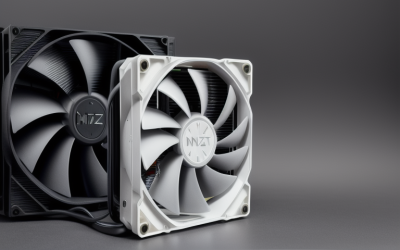
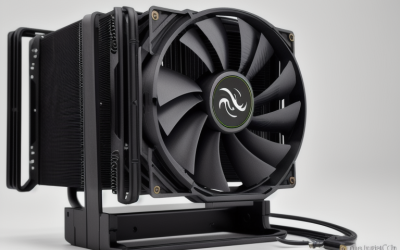
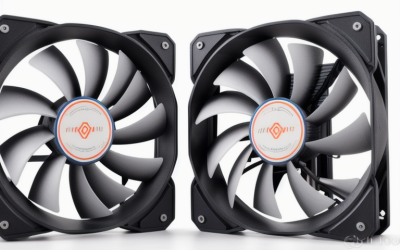
- Top Pick: Thermalright Assassin X120 Refined SE CPU Air Cooler, 4 Heat Pipes, TL-C12C PWM Fan, Aluminium Heatsink Cover, AGHP Technology, for AMD AM4/AM5/Intel LGA 1150/1151/1155/1200/1700/1851(AX120 R SE)
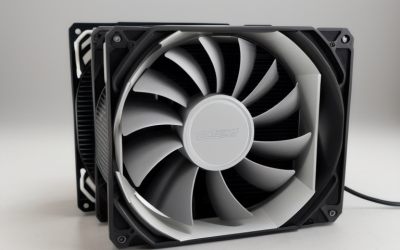
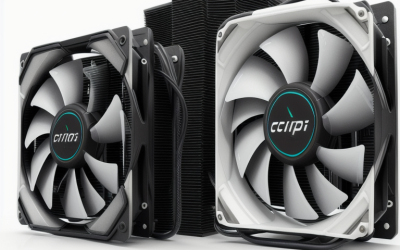
- Best Value: Thermalright Peerless Assassin 120 SE CPU Cooler, 6 Heat Pipes AGHP Technology, Dual 120mm PWM Fans, 1550RPM Speed, for AMD:AM4 AM5/Intel LGA 1700/1150/1151/1200/1851,PC Cooler
- Premium Choice: i3/i5/i7 LGA115x CPU Heatsink- Compatible with Intel CPU Cooler Aluminum Heatsink for LGA1200 LGA1151 LGA1150 LGA1155 LGA1156- for Intel E97379-003 For Desktop 4-Pin Connector CPU Cooler With Aluminum
“i7” is a tier, not a socket, and that is where most cooler mistakes start. A Core i7 from an older LGA 1150 or 1151 board and a newer i7 on LGA 1700 or 1851 need completely different mounting hardware, and they ask very different things of a heatsink. So the decision behind this search is two-part: which socket you are mounting onto, and how much heat the chip puts out once you stop idling.
The 2026 shortlist below runs from bare-bones aluminum heatsinks for older Intel boards to a 360 liquid cooler for current platforms. Each entry is judged only from its listed title, which means socket support, heat pipe counts, fan size, and wattage claims where stated. Where a title is silent, the write-up says so, so you know what to verify on the product page before ordering.
Quick Picks
As an Amazon Associate we earn from qualifying purchases at no extra cost to you.







| Product | Best for | Key spec from the title |
|---|---|---|
| Thermalright Assassin X120 Refined SE | Single-fan air cooling, mixed sockets | 4 heat pipes, PWM fan, AM4/AM5 and LGA 1700/1851 |
| Thermalright Peerless Assassin 120 SE | Higher-heat i7 builds | 6 heat pipes, dual 120mm PWM fans |
| ZYZMOON LGA115x Heatsink | Older LGA 115x replacement | 4-pin connector, aluminum, LGA 1150 to 1200 |
| LPLMOOM Copper Core Cooler | Low-heat older i7 systems | Copper core, up to 65W |
| be quiet! Pure Rock Pro 3 Black | Quiet, RAM-friendly air cooling | 250W TDP, 6 heat pipes, 2 PWM fans |
| Cooler Master i70C ARGB | Small cases on LGA 1700/1851 | Low profile, 95W TDP, 120mm fan |
| LPLMOOM i3/i5/i7 Heatsink | Basic LGA 115x refresh | 4-pin PWM fan, aluminum |
| Thermalright Aqua Elite 120 V3 | Compact liquid cooling | 120mm AIO, ARGB PWM fans |
| ARCTIC Liquid Freezer III Pro 360 | High-end current platforms | 360 AIO, LGA 1851/1700, AM4/AM5 |
| Thermaltake Gravity i3 | Simple LGA 1700 swap | LGA 1700, 95W |
How to Choose
Start with the socket, not the chip name
Read the socket on your motherboard: LGA 115x and 1200 for older boards, 1700 for the 12th through 14th generation, and 1851 for the newest. Listings that bundle several sockets, like the Thermalright air coolers, give you room if you upgrade later. A cooler that names only LGA 1700 and 1851, as the Cooler Master does, will not mount on an older board at all.
Match heat capacity to how you use the chip
Wattage figures in titles, such as 65W, 95W, or 250W, describe the maker’s claimed dissipation. A 65W heatsink fits an older i7 that rarely loads all cores, while gaming plus rendering on a recent unlocked i7 asks for far more. Check your exact model’s listed power and leave headroom. Heat pipe count (4 versus 6) and a second fan are rough proxies when a title gives no wattage.
Check physical clearance and fan size
Tower coolers need space beside RAM and under the case panel. The double-tower layout of the be quiet! mentions RAM and VRM clearance, and a 360 radiator needs a case that can mount it on the top or front. Low-profile units trade performance for fit. Fan size is simple: 120mm fans move more air at lower speeds than smaller ones, which usually means less noise.
Air or liquid, and where budget models cut corners
Air coolers have no pump to fail and suit most i7 builds. An AIO adds a radiator, pump, and tubing, which helps in cramped cases and with high sustained loads. Budget aluminum heatsinks usually cut corners on heat pipes, base finish, and mounting hardware, so verify what ships in the box. Also ignore ARGB lighting when the choice is close; it adds no cooling.
The 10 Best Options
Thermalright Assassin X120 Refined SE
This single-tower air cooler lists four heat pipes, a TL-C12C PWM fan, an aluminum heatsink cover, and support for AM4, AM5, and Intel sockets from LGA 1150 through 1851. That wide socket list makes it a safe bridge between an older board and a future one, so the cooler can move to a new motherboard when you upgrade.
- Strength: Broad socket coverage across old and new Intel boards.
- Strength: A PWM fan allows the speed to follow the temperature.
- Trade-off: One fan and four heat pipes give less headroom than the dual-fan sibling.
Skip it if your i7 runs hot under all-core work.
Thermalright Peerless Assassin 120 SE
The step up from the X120, this model lists six heat pipes with AGHP technology, dual 120mm PWM fans at 1550RPM, and the same wide socket support including LGA 1700 and 1851. It is aimed at builders who want air cooling to carry a stronger chip without stepping up to a liquid loop.
- Strength: Six heat pipes and two fans suit a hotter i7.
- Strength: A stated 1550RPM gives a concrete speed ceiling.
- Trade-off: A dual-fan tower is tall and may crowd RAM or a narrow case.
Skip it if your case is compact.
ZYZMOON LGA115x Heatsink
A plain aluminum heatsink with a 4-pin fan connector, listed for i3, i5, and i7 chips on LGA 1150, 1151, 1155, 1156, and 1200. It targets owners replacing a worn or lost cooler on an older desktop, where a basic part restores normal temperatures without a full rebuild.
- Strength: Simple replacement for older Intel boards.
- Strength: The 4-pin connector supports fan speed control.
- Trade-off: The title gives no wattage or heat pipe count, so heavy loads are a gamble.
Skip it if your board is LGA 1700 or newer.
LPLMOOM Copper Core Cooler
This aluminum cooler with a copper core lists support for LGA 1200, 1151, 1150, 1155, and 1156 and states a ceiling of up to 65W. That number is honest and useful: it tells you exactly which chips belong here, and it makes this a match for office-style i7 builds rather than enthusiast ones.
- Strength: A copper core improves heat transfer from the chip.
- Strength: The listed 65W limit is clear, so expectations are set.
- Trade-off: Sixty-five watts is low for a modern i7 under sustained work.
Skip it if your i7 is a high-power unlocked model.
be quiet! Pure Rock Pro 3 Black
The most established air option here, with a double-tower compact design, two silent 120mm PWM fans, six 6mm heat pipes, and a 250W TDP claim. The title also mentions RAM and VRM cooling compatibility, a practical detail for anyone running tall memory modules or a board with large heatsinks around the socket.
- Strength: A 250W TDP claim leaves room for demanding i7 chips.
- Strength: RAM and VRM clearance is called out directly.
- Trade-off: Dual towers with two fans take real space in the case.
Skip it if you only want a basic budget cooler.
Cooler Master i70C ARGB
A low-profile air cooler for Intel LGA 1700 and 1851 only, with a 120mm PWM ARGB fan, 95W TDP, and a copper core base. It is meant for small cases where a tower will not fit, such as slim desktops and compact gaming builds that use a recent Intel board.
- Strength: Low profile suits slim or compact builds.
- Strength: Copper base and a 120mm fan on a short body.
- Trade-off: A 95W claim limits it on higher-power i7 models.
Skip it if you run an older socket or a hot-running chip.
LPLMOOM i3/i5/i7 Heatsink
A second LPLMOOM option, listed for Intel LGA 1151, 1150, 1155, and 1156 with a 4-pin PWM 3.5-inch fan. It is a no-frills replacement for desktops from that era, suited to a family PC or a home-office tower that needs a fresh fan and heatsink.
- Strength: Fan speed control through the 4-pin PWM connector.
- Strength: Covers four older sockets in one listing.
- Trade-off: It omits LGA 1200 and gives no wattage figure.
Skip it if your board uses LGA 1200 or newer.
Thermalright Aqua Elite 120 V3
A 120mm all-in-one liquid cooler with ARGB PWM fans, listed for Intel LGA 1700 and other recent Intel sockets plus AMD AM4 and AM5. The title’s socket text is jumbled, so confirm your exact socket on the product page. For an i7 that does moderate work in a case with a rear or top radiator mount, it offers a neat middle ground between air and a larger loop.
- Strength: Liquid cooling in a compact 120mm radiator size.
- Strength: PWM fans and AM4/AM5 support cover future swaps.
- Trade-off: A small radiator limits headroom against larger AIO units.
Skip it if your case cannot mount a radiator.
ARCTIC Liquid Freezer III Pro 360
The largest cooler on the list: a 360 A-RGB AIO for LGA 1851, LGA 1700, AM4, and AM5. It is the pick for current-generation i7 builds where sustained load and low fan noise both matter, since a bigger radiator lets the fans slow down.
- Strength: A 360-size radiator offers the most surface area here.
- Strength: Names the two newest Intel sockets plus both AMD ones.
- Trade-off: No older Intel sockets are listed.
Skip it if your case lacks 360 mounting or your board is older.
Thermaltake Gravity i3
A simple cooler listed for Intel LGA 1700 with a 95W figure and the model number CL-P094-AL09WT-A in black. The title is short on detail, which makes it a plain, no-frills option for someone who only needs a cooler that matches the socket and does not care about extras like lighting or tuning. Buyers should read the product page for fan and mounting details.
- Strength: Clear LGA 1700 match for current-era boards.
- Strength: A stated 95W figure sets an expectation.
- Trade-off: Heat pipe count and fan details are not in the title.
Skip it if your i7 has a high power draw.
Which One Fits Your Situation
You have an older LGA 115x or 1200 system
Choose the ZYZMOON or the LPLMOOM Copper Core cooler, depending on whether you need LGA 1200 listed. Both fit a light-duty i7 that mostly handles browsing, office work, and older games. If the chip works harder, the Thermalright Assassin X120 is a stronger alternative that still covers the same old sockets.
You game on a recent i7 and want quiet
The be quiet! Pure Rock Pro 3 Black pairs a 250W TDP claim with two silent 120mm fans and stated RAM and VRM compatibility, which suits a gaming i7 that runs hard for hours but should not sound like it.
You have a small case on LGA 1700 or 1851
The Cooler Master i70C ARGB is the low-profile choice, while the Thermaltake Gravity i3 is a plain alternative for LGA 1700 only.
You want maximum headroom on a current platform
Pick the ARCTIC Liquid Freezer III Pro 360, or the Thermalright Peerless Assassin 120 SE if you prefer air and have the clearance.
Common Mistakes
- Buying by “i7” alone without confirming the motherboard socket.
- Pairing a 65W heatsink with a high-power unlocked chip.
- Forgetting tower height and RAM clearance in a narrow case.
- Choosing an AIO for ARGB looks when a good air cooler would cool as well.
- Assuming every title’s socket list is complete, especially jumbled ones.
Related guides
- Battery Operated Smoke And Carbon Monoxide Detectors
- Combination Smoke And Carbon Monoxide Detectors
- Aio Liquid Coolers For High Performance Gaming
Frequently Asked Questions
Can one cooler fit several Intel generations?
Yes, when the listing names multiple sockets, as the Thermalright air coolers do. Always confirm your exact socket before buying.
Is liquid cooling better than air for an i7?
Not automatically. A strong dual-fan air cooler can match a small AIO, and it has no pump to fail. Larger radiators, like the 360 size, offer the most headroom, and they also let fans spin slower for the same cooling.
What does TDP on a cooler mean?
It is the maker’s claimed heat dissipation figure. Treat it as a guide and leave headroom for your chip’s real draw.
Do I need thermal paste?
Many coolers ship with some, but the titles here do not say. Check the box contents or keep a tube on hand.