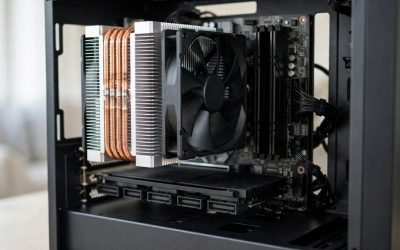
- Top Pick: Corsair Titan 420 RX RGB Liquid CPU Cooler, 420mm AIO, Low-Noise FlowDrive Cooling Engine, Intel LGA 1851/1700 & AMD AM5/AM4, 3X RX140 RGB Fans, System Hub Included, Black
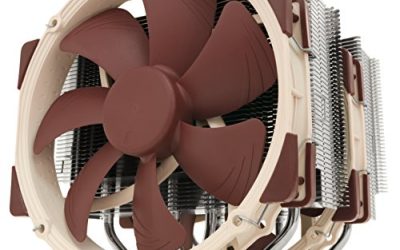
- Best Value: ASUS ProArt LC 420mm AMD/Intel Liquid CPU Cooler | 420mm AIO, 3x Noctua NF-A14 industrialPPC-2000 fans, illuminated status meter, 3-phase motor, 450mm sleeved tubing
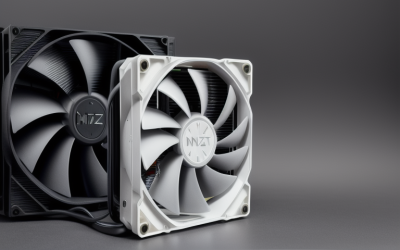
- Premium Choice: NZXT Kraken Elite 420 RGB – 420mm AIO CPU Cooler, LCD – White | Flagship 420mm RGB AIO with 2.36-inch LCD and F420 RGB Core fan. Our most powerful cooler, fully controlled via CAM.
The Arctic Liquid Freezer III Pro 420 is the best 420mm AIO cooler for most gaming PCs, because it pairs a thick 38mm radiator and three high-pressure P14 Pro fans with a long warranty and a mid-range cost. The Corsair iCUE LINK TITAN 420 RX RGB is the pick if you want one-cable fan wiring and software control, and the Enermax LIQMAXFLO 420 A-RGB is the value alternative when the case has the room but the budget is tight.
A 420mm radiator is the largest size you can buy in a mainstream AIO. It matters to gamers for two reasons: it can hold a 250W-class processor at a modest fan speed, and it lets the fans spin slower, which keeps the noise down when a microphone sits on the desk. The catch is fit. A 420 unit only works in a case that officially lists 420mm support at the front or top, with enough clearance for the tubes, the memory and the motherboard heatsinks. This guide covers how to decide whether you need one, how to check your case, and which models are worth shortlisting.
As an Amazon Associate we earn from qualifying purchases at no extra cost to you.


Quick picks
- Best overall: Arctic Liquid Freezer III Pro 420
- Best for clean cabling and RGB control: Corsair iCUE LINK TITAN 420 RX RGB
- Best for a lower entry cost: Arctic Liquid Freezer III 420 A-RGB
- Best budget-friendly alternative: Enermax LIQMAXFLO 420 A-RGB
- Best for an existing Corsair setup: Corsair iCUE H170i ELITE CAPELLIX XT
Do you actually need a 420mm AIO?
Many gamers buy a 420mm cooler because bigger sounds better, then discover a 360mm unit would have been the same in games. Games load a handful of CPU cores unevenly, so the sustained heat output while gaming is usually far lower than the number printed on the processor box. The 420mm size earns its place when you do heavy all-core work such as video encoding, streaming with software encoding, or long compile jobs on the same machine you game on.
Use these thresholds as a starting point:
- Under 150W sustained: a 240mm or 280mm AIO is enough. A 420 is overkill. Typical for gaming-first chips such as the Ryzen 7 9800X3D (120W TDP class).
- 150W to 220W sustained: a 360mm AIO covers it. A 420 gives you lower noise at the same temperature, but the gain is modest.
- 220W and above sustained: this is where a 420 pays off. Flagship chips with a 250W-class power limit, such as the Core Ultra 9 285K, or overclocked Core i9 parts, sit in this band during rendering and heavy multitasking.
If you also run a high-end graphics card that dumps 300W or more into the case, a larger radiator mounted at the front as an intake pulls cool air through the chassis, but it also warms the air the GPU breathes. A top-mounted exhaust 420 keeps the radiator heat out of the case but needs a tall case and careful memory clearance. We cover mounting below.
How we chose
This guide is research-based. We compared published manufacturer specifications, the radiator and fan designs, socket support, warranty terms, and the consensus across independent cooler reviews published in 2026 by major PC hardware outlets. We favored models that are widely available, fit current sockets, and have fan curves usable in a quiet room. We did not run our own benchmarks, so we describe performance in tiers rather than degrees. Where a specification could not be confirmed, we describe the product by class instead of quoting a number.
The criteria, in order of weight:
- Radiator thickness and fin density. A 38mm radiator holds more coolant and fin area than a 27mm one, but it needs more clearance.
- Fan pressure and noise range. Static pressure matters more than airflow on a dense radiator. A fan that reaches high RPM but sounds harsh near a headset microphone loses points.
- Socket support. Intel LGA1851 and LGA1700 share the same mounting hole spacing, so one bracket covers both. AMD AM5 reuses the AM4 mounting holes. Check that the box includes the right brackets rather than a paid adapter.
- Cable and control complexity. Three fans, a pump and RGB can mean five or more cables. Single-cable systems save time in a small build.
- Warranty and serviceability. Longer warranties on liquid-filled parts matter, because a leak is the one failure that can take other components with it.
Comparison table
| Model | Radiator | Fans | Control | Best for |
|---|---|---|---|---|
| Arctic Liquid Freezer III Pro 420 | 420mm, 38mm thick | 3x P14 Pro, 400-2500 RPM | PWM, integrated VRM fan | Best all-round cooling per cost |
| Corsair iCUE LINK TITAN 420 RX RGB | 420mm | 3x 140mm RX RGB class, daisy-chained | iCUE LINK, software curves | Clean cabling, RGB |
| Arctic Liquid Freezer III 420 A-RGB | 420mm, 38mm thick | 3x P14 PWM PST A-RGB class | PWM, A-RGB header, VRM fan | Lower cost, still thick radiator |
| Enermax LIQMAXFLO 420 A-RGB | 420mm | 3x 140mm A-RGB class | PWM, A-RGB header | Value pick |
| Corsair iCUE H170i ELITE CAPELLIX XT | 420mm | 3x 140mm RGB class | iCUE hub | Existing iCUE ecosystem |
The best 420mm AIO coolers for gaming PCs
Arctic Liquid Freezer III Pro 420
Spec line: 420mm radiator · 38mm thick · 3x P14 Pro fans · 400-2500 RPM · integrated VRM fan · 6-year warranty
Best for: Gamers who also stream or render and want the lowest temperature for the money, in a case with true 420mm support and plenty of height clearance.
Skip if: Your case has a tight top clearance, or you want addressable RGB and a pump head display. This model is built for cooling, not looks.
Pros:
- Thick radiator and high-pressure fans give strong cooling at moderate fan speeds
- Integrated fan on the pump block moves air over the voltage regulator and nearby parts, which helps on small-form motherboards
- Long warranty for a liquid-filled part
- Mid-range cost for the performance class
Cons:
- The 38mm radiator plus fans needs significant clearance, so measure first
- Minimal lighting and no screen on the pump
- Fans can sound noticeable at the top of their range
Corsair iCUE LINK TITAN 420 RX RGB
Spec line: 420mm radiator · 3x 140mm RX RGB class fans · iCUE LINK daisy-chain · software fan and pump control
Best for: Builders who want one cable from the pump block to the fans, per-fan curves in software and a clean glass-panel look.
Skip if: You use a non-Corsair fan elsewhere in the case and want to share a single lighting system, or you do not want a proprietary ecosystem. Expansion fans need to be iCUE LINK compatible.
Pros:
- One-cable fan chain simplifies routing a 420 radiator, which has a long cable run
- Detailed software control of fan and pump curves
- Strong cooling in independent reviews
- Polished look in a window case
Cons:
- Higher cost than the cooling-first options
- Proprietary connector limits mixing in other fans
- Fans can run louder than the Arctic at the same temperature in some reviews
Arctic Liquid Freezer III 420 A-RGB
Spec line: 420mm radiator · 38mm thick · 3x P14 PWM PST A-RGB class fans · PWM control · A-RGB header · VRM fan
Best for: Gamers who want the Arctic design with addressable lighting and a lower price than the Pro, and who can live with a lower top fan speed.
Skip if: You want the highest fan speed for overclocked flagship chips. Step up to the Pro in that case.
Pros:
- Same thick radiator and pump design as its Pro sibling
- A-RGB lighting works with common motherboard software
- Low entry cost for a 420mm unit
Cons:
- Lower fan ceiling than the Pro
- Same tall clearance requirement as the Pro
Enermax LIQMAXFLO 420 A-RGB
Spec line: 420mm radiator · 3x 140mm A-RGB class fans · PWM · A-RGB header
Best for: Budget-minded builders who want a 420 in a lighting-friendly package and are not chasing the lowest possible temperature.
Skip if: You need a long warranty or the best fan acoustics. Availability can also be patchier than the larger brands.
Pros:
- Value-oriented cost
- A-RGB works with standard motherboard controls
Cons:
- Cooling and noise trail the best models in reviews
- Less brand support and fewer software options
Corsair iCUE H170i ELITE CAPELLIX XT
Spec line: 420mm radiator · 3x 140mm RGB class fans · iCUE hub · software control
Best for: Gamers already running Corsair RGB parts who find this model at a clearance cost and want to keep one lighting system.
Skip if: You want the latest generation cabling. This is an older design, so confirm the box includes the bracket for your socket.
Pros:
- Mature software and wide community support
- Good lighting on the pump head and fans
Cons:
- Requires a separate hub and more cables than the newer LINK system
- Cooling is solid, not class-leading, against the newest thick-radiator designs
Worked example: will a 420mm radiator fit your case?
Most return requests happen because the radiator technically fits the mounting slots but collides with something else. Use this step-by-step check before you buy.
- Find the official mount list. Look for “420mm” in the case specification for the exact location (front or top). A case that lists 360mm does not take a 420, even if the fan slots look wide.
- Add up the stack. Radiator thickness plus fan thickness. For a 38mm radiator with 25mm fans, that is 63mm. If the fans mount on the far side of the radiator, add the 63mm to the distance from the panel to the board.
- Check the top-mount clearance. Top-mounting a 420 on a case with a 63mm stack means the stack must fit between the roof and the top of the memory and motherboard heatsinks. Many cases leave 55mm to 65mm. If your memory modules are tall, the margin disappears.
- Check front-mount clearance. A front radiator must clear the graphics card’s length. Subtract the stack from the available length inside the front bay. A long 330mm-plus card in a mid-tower can leave very little.
- Check tube length. Standard hose runs are around 400mm class. Tubes should reach the CPU block from the radiator without a tight bend.
Worked heat example: A processor sustaining 250W under an all-core encode, plus a graphics card at 300W during gaming, puts 550W of heat into the case. A top radiator removes only the CPU share, around 250W. If the radiator is a front intake, the air that reaches the graphics card has been preheated by the radiator. The practical result: in a gaming-only workload where the CPU sits near 100W, the radiator is moving only 100W, and a 360 would be fine. A 420 pays off in the 250W encode case, because the same fans can slow down by roughly a third to remove the same heat, which is how it keeps noise low.
Buyer criteria with thresholds
Radiator thickness
Choose 38mm if your clearance stack is above 65mm and your CPU can sustain 220W or more. Choose a 27mm radiator if you have under 60mm of clearance. The thinner part gives up a little cooling in exchange for easier fit.
Fan noise near a microphone
Gamers who voice chat should favor fans that stay quiet below 1,200 RPM. Set a fan curve that holds the fans at 800 to 1,000 RPM until the coolant passes about 35 degrees Celsius. A larger radiator makes that low-RPM operation possible. Use a desktop mic with a cardioid pattern and place it away from the case side with the radiator.
Socket and mounting
Check the box for LGA1851, LGA1700 and AM5 brackets. Intel LGA1851 and LGA1700 share the same hole pattern, so a cooler that supports one usually supports the other. Do not assume a cooler older than a few years ships with an AM5 bracket; confirm it.
Warranty and leak risk
Prefer a 5-year warranty or better. Orient the radiator so the pump is not the highest point in the loop. That prevents air from collecting at the pump and creating a rattle or a dry-pump failure.
Cable count
In a compact case, count the connectors. A pump cable, three fan cables, an RGB cable and a USB header for a hub mean five or more connections. A daisy-chain system collapses that into one.
Installation and safety guidance
- Mount the radiator with the tubes at the bottom or side. This keeps trapped air away from the pump inlet.
- Do not stretch the tubes. Tight bends can kink and reduce flow.
- Use the correct bracket for your socket. A wrong bracket can crack a motherboard.
- Apply the paste carefully. Most AIOs ship with pre-applied thermal paste. Do not add more.
- Power off and unplug before installing. Never work on a connected power supply.
- Check for moisture. If you see coolant, power the system off and contact the manufacturer.
Which one should you buy?
- You stream or render on the same PC: Arctic Liquid Freezer III Pro 420.
- You want a one-cable build in a glass case: Corsair iCUE LINK TITAN 420 RX RGB.
- You want the Arctic design at a lower entry cost: Arctic Liquid Freezer III 420 A-RGB.
- You are on a tight budget: Enermax LIQMAXFLO 420 A-RGB.
- You already run Corsair parts and find a clearance cost: Corsair iCUE H170i ELITE CAPELLIX XT.
- Your case lists only 360mm: do not buy a 420. Choose a 360mm AIO instead.
Frequently asked questions
Is a 420mm AIO better than a 360mm for gaming?
Only slightly for games alone. A 420 runs quieter at the same temperature, but gaming loads rarely need it. It helps most during sustained all-core work.
If your CPU stays under 150W while gaming, a 280mm or 360mm cooler gives nearly the same frame rates and temperatures. The advantage of the 420 appears when the processor holds 220W or more for several minutes, such as during video encoding.
Will a 420mm AIO fit in my case?
Only if the case specification lists 420mm support for the mount location. Fan slot width alone is not enough.
Add the radiator thickness and fan thickness, then compare that stack with the clearance above the memory and motherboard heatsinks. Check the front length against your graphics card too.
Is a 420mm AIO worth it with a Ryzen X3D chip?
Usually not. X3D gaming chips run at lower power, so a 240mm or 280mm unit is typically enough.
The Ryzen 7 9800X3D has a 120W TDP class. A 360mm cooler already has headroom, and a 420 mainly adds cost and fit risk.
Do 420mm AIOs work with Intel LGA1851 and AMD AM5?
Yes, current models do, but confirm the bracket in the box. LGA1851 uses the same mounting hole spacing as LGA1700.
AM5 uses the AM4 hole pattern. Older coolers may require a free or paid adapter, so check the manufacturer compatibility list before you buy.
Should the radiator be front intake or top exhaust?
Top exhaust keeps radiator heat out of the case, which helps the graphics card. Front intake gives the CPU cooler air but warms the air heading to the GPU.
If your case supports a top 420 with enough clearance, top exhaust is the better default for a gaming PC with a powerful graphics card. Front intake suits cases with poor top clearance.
How long does an AIO cooler last?
Most carry warranties from three to six years. A well-built unit commonly runs several years before the pump or fans show wear.
Plan on checking pump noise and temperatures yearly. If the pump starts to rattle or temperatures climb at idle, contact the manufacturer while the unit is under warranty.
Are 420mm AIOs loud?
Not at low speeds. Three 140mm fans can run quietly under 1,000 RPM, which is why the size appeals to voice-chat gamers.
At full speed any 420 sounds like a small fan bank. Set a custom curve in your motherboard BIOS or the cooler software so the fans ramp only when the coolant is warm.
What is the difference between the Arctic Pro and non-Pro models?
The Pro uses higher-pressure P14 Pro fans with a higher top speed. The standard model uses lighter fans and adds addressable lighting.
Choose the Pro for heavy all-core loads and overclocking. Choose the standard A-RGB model if you want lighting at a lower entry cost.