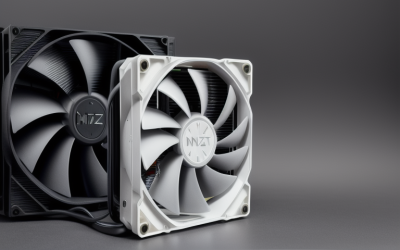
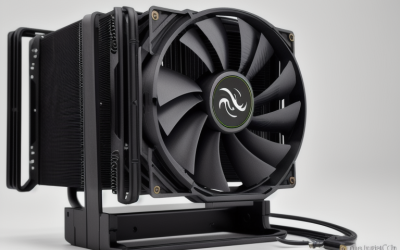
- Top Pick: Thermalright Assassin X120 Refined SE CPU Air Cooler, 4 Heat Pipes, TL-C12C PWM Fan, Aluminium Heatsink Cover, AGHP Technology, for AMD AM4/AM5/Intel LGA 1150/1151/1155/1200/1700/1851(AX120 R SE)
- Best Value: Thermalright Peerless Assassin 120 Vision MAX ARGB Black CPU Air Cooler, Twin Tower Radiator 2150RPM,480×854 Resolving Power IPS Screen with 5’’,Computer Cooler for Intel lga1851/1700/115x,AM4/AM5
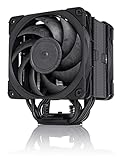
- Premium Choice: Noctua NH-D15 chromax.Black, Quiet High-Performance Dual Tower CPU Cooler | 168mm Height, Enthusiast-Grade Low-Noise Cooling, 6 Heatpipes, For Intel & AMD, Dual 140mm Fans, Rich Accessory Kit
The Core i9-12900K is not a processor you can leave to a stock-style heatsink. It combines performance and efficiency cores on the LGA1700 socket, and under a sustained all-core load it pushes a lot of heat into whatever sits on top of it. The cooler you pair with it decides whether the chip holds its boost clocks or backs off, so this guide focuses on coolers with big fin stacks, strong fans or a 360mm radiator.
Nine candidates are covered, split between air towers and liquid coolers. Air options appeal if you want fewer parts that can fail and a simple install, while the 360mm loops suit buyers who care about case airflow and looks. Nothing here depends on a particular year, but the 2026 market makes LGA1700 mounting support easy to find, which is the first thing to confirm on any listing.
Quick Picks
As an Amazon Associate we earn from qualifying purchases at no extra cost to you.





| Product | Best for | Key spec from the title |
|---|---|---|
| Thermalright Assassin X120 Refined SE | Entry-tier air cooling | 4 heat pipes, LGA1700 listed |
| Thermalright Peerless Assassin 120 Vision MAX Black | Twin-tower air with a display | 2150RPM, IPS screen, LGA1700 |
| Noctua NH-D15 chromax.Black | Quiet dual-tower air | 6 heatpipes, dual 140mm fans, 168mm |
| Noctua NH-U12A chromax.Black | Compact premium air | Dual 120mm fans, 158mm height |
| Thermalright Peerless Assassin 120 Vision MAX White | White builds | Twin tower, IPS screen |
| be quiet! Pure Loop 2 FX 360mm | Mid-tier liquid cooling | 360mm, 3 Light Wings fans |
| Noctua NH-D15 G2 chromax.Black | Top-tier air cooling | 8 heatpipes, dual 140mm fans |
| Cooler Master Hyper 212 Black | Familiar single tower | 4 heat pipes, LGA1700 bracket |
| ASUS ROG Strix LC III 360 ARGB LCD | Showpiece 360mm loop | 2.1″ LCD, Asetek Gen7 v2 pump |
How to Choose
Confirm LGA1700 support in the listing
The 12900K sits in an LGA1700 socket, and mounting hardware differs from earlier Intel generations. Look for 1700 in the socket list or a named LGA1700 bracket. Noctua listings here say “For Intel & AMD” without a socket list, so check the maker’s compatibility page for that cooler before ordering.
Radiator size or tower mass
For a hot, high-core-count chip, the useful thresholds are a 360mm radiator for liquid or a dual-tower with two fans, ideally 140mm, for air. A 120mm single tower can keep the chip stable in light workloads but leaves little room when every core is busy. If you are unsure, the safer reading of the spec sheet is more fins, more heat pipes and bigger fans, in that order, then a 360mm loop if the case allows it.
Height and clearance
Towers in this group run from 158mm to 168mm. Check your case’s CPU cooler height limit and the gap above your memory. For a 360mm radiator, confirm your case has a top or front mount for three fans, and that the tubing reaches the pump block without stretching.
What to ignore, and where compromises sit
Screens, LCD panels and RGB do not change thermals. The compromise to watch in budget-tier models is fan size and fin count; in liquid coolers it is pump reliability and the extra points of failure compared with a sealed block of metal and heat pipes.
The 9 Best Options
Thermalright Assassin X120 Refined SE
An entry-tier single tower that explicitly lists LGA1700 among its sockets. Four heat pipes, AGHP technology and a TL-C12C PWM fan make it a sensible way to keep an Alder Lake processor stable when the budget is tight. It is the sort of cooler that suits a 12900K used mostly for gaming and everyday tasks, where the all-core load is brief rather than constant.
- Strength: LGA1700 plus AM4 and AM5 appear in the title, which keeps the cooler reusable.
- Strength: Aluminium heatsink cover and PWM fan control.
- Trade-off: One 120mm fan will be strained by a fully loaded 12900K.
Skip it if you plan long rendering sessions or heavy overclocks, because that workload calls for a bigger cooler.
Thermalright Peerless Assassin 120 Vision MAX Black
A twin-tower air cooler with a listed 2150RPM fan speed and an IPS screen showing 480×854 resolution. The title names LGA1851, LGA1700 and 115x, so a 12900K board is covered. Two fans on a twin-tower body put it a clear step above a plain single tower for this processor, and the display gives a windowed case something to show.
- Strength: Twin-tower radiator with more fin area than a single tower.
- Strength: Display adds status information to a windowed case.
- Trade-off: The screen is cosmetic and adds nothing to cooling.
Skip it if you want a plain, silent heatsink without display software.
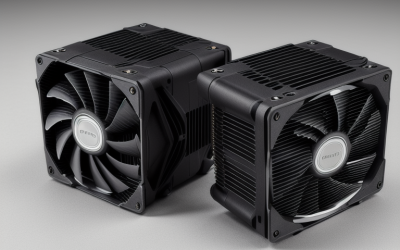
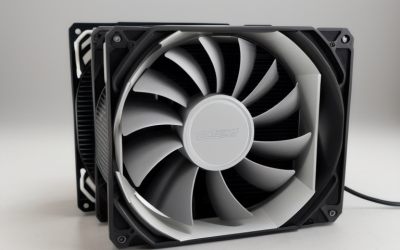
Noctua NH-D15 chromax.Black
A classic dual-tower with six heatpipes, dual 140mm fans and a 168mm height. The title calls out enthusiast-grade low-noise cooling and a rich accessory kit, a good combination for a chip that rarely idles in a heavy workstation. Buyers who value a calm room over a flashy case tend to look at this model first.
- Strength: Dual 140mm fans on two fin stacks.
- Strength: All-black finish suits dark builds.
- Trade-off: At 168mm it needs a wide case and careful memory choice.
Skip it if your case limit is below 168mm or you want a thinner profile.
Noctua NH-U12A chromax.Black
A single tower for those who want premium air cooling in a smaller package. It lists dual 120mm fans, a 158mm height and 100% RAM compatibility, which helps with tall memory kits. For a mid-sized case where the dual-tower will not clear the side panel, this is the more flexible way to buy Noctua cooling.
- Strength: Two fans on a single tower, with a low-noise focus in the title.
- Strength: Stated full RAM compatibility.
- Trade-off: Fewer fin stacks than a dual-tower rival.
Skip it if you need the highest ceiling for sustained all-core loads.
Thermalright Peerless Assassin 120 Vision MAX White
The white version of the screen-equipped twin tower, aimed at light-themed builds. It shares the same listed 2150RPM fan, IPS display and Intel and AMD socket coverage, including LGA1700. Pick it over the black version only if the rest of the build is white, since the cooling hardware is shared between the two.
- Strength: LGA1700 is listed, with AM4 and AM5 as well.
- Strength: Twin-tower body for a high-power chip.
- Trade-off: The white finish and display are style choices, not cooling ones.
Skip it if you are building in a black, understated case.
be quiet! Pure Loop 2 FX 360mm
An all-in-one liquid cooler with a 360mm radiator and three Light Wings PWM fans, with ARGB illumination. The title lists Intel Core i3 through i9 support, which includes the 12900K. Three fans pulling air through a 360mm radiator give you more surface area than any single tower here, and the self-contained loop keeps the area around the memory clear.
- Strength: 360mm radiator spreads heat away from the socket.
- Strength: Three PWM fans for airflow flexibility.
- Trade-off: A liquid loop needs a case with a 360mm mount and adds a pump to the failure list.
Skip it if your case cannot fit a 360mm radiator.
Noctua NH-D15 G2 chromax.Black
The updated flagship tower, listing eight heatpipes and dual enthusiast-grade 140mm fans at 168mm height. It is marketed as ultimate low-noise cooling, and it comes with a rich accessory kit. For a 12900K that sees long production workloads, this is the air option that most closely competes with a liquid loop.
- Strength: Eight heatpipes, the highest count in this guide.
- Strength: Large fans can run at lower speeds for a quieter system.
- Trade-off: It is a premium-tier tower with bulk that demands case space.
Skip it if budget is the main limit or your side panel is tight.
Cooler Master Hyper 212 Black
A familiar single tower in an aluminium finish with four compact continuous direct contact heat pipes and a SickleFlow 120 Edge fan. LGA1700 and AM5 brackets are named in the listing. It is better suited to a 12900K that is power-limited in the BIOS than to one left at full boost.
- Strength: LGA1700 bracket mentioned directly.
- Strength: Straightforward single-fan layout.
- Trade-off: Four pipes and one fan are modest for a chip this power-hungry.
Skip it if you want to run the 12900K at its maximum sustained clocks.
ASUS ROG Strix LC III 360 ARGB LCD
A 360mm all-in-one with a 2.1-inch IPS LCD on the pump block, an Asetek Gen7 v2 pump and ROG ARGB fans. The title lists Intel LGA1700, 1200 and 115X, so mounting is covered, and a six-year warranty is stated. The LCD can show system information, which makes it a talking point in a glass-sided case.
- Strength: 360mm radiator with a named pump generation.
- Strength: Six-year warranty is listed.
- Trade-off: The LCD is a styling feature that raises the build’s complexity.
Skip it if you prefer a simple, screen-free cooler.
Which One Fits Your Situation
Maximum air cooling
The Noctua NH-D15 G2 chromax.Black has the highest heatpipe count here and large 140mm fans. It suits a roomy case where noise matters, and it removes the need for a pump or radiator altogether.
Liquid cooling on a mid-tier plan
The be quiet! Pure Loop 2 FX 360mm gives a 360mm radiator without the display extras, so it is the plainer way into liquid, with simple ARGB lighting rather than a screen.
Showpiece build
The ASUS ROG Strix LC III 360 ARGB LCD pairs its radiator with an LCD, which fits a windowed case that is meant to be looked at.
Tight on budget and space
The Thermalright Assassin X120 Refined SE or the Cooler Master Hyper 212 Black both fit modest cases, but expect them to limit the 12900K under heavy load. A power limit set in the BIOS can make either one a calmer match for the chip.
Common Mistakes
- Pairing a 12900K with a single small tower and then expecting steady boost clocks.
- Skipping LGA1700 verification on listings that give no socket list.
- Choosing a 168mm tower without checking the case height limit.
- Mounting a 360mm radiator where hot air recirculates back into the case.
- Giving RGB and screens more weight than heat pipes, fans and radiator size.
Related guides
- Battery Operated Smoke And Carbon Monoxide Detectors
- Combination Smoke And Carbon Monoxide Detectors
- Aio Liquid Coolers For High Performance Gaming
Frequently Asked Questions
Does the 12900K need a 360mm cooler?
Not strictly. A large dual-tower air cooler can serve it well, but a 360mm radiator adds headroom for sustained, heavy workloads.
Are all these coolers compatible with LGA1700?
Most name 1700 directly, while the Noctua listings say Intel and AMD without a socket list. Confirm with the maker before buying.
Is air or liquid quieter?
Large 140mm fans on a Noctua tower can run slowly and quietly, while a liquid loop adds a pump to the noise picture. In both cases the fan curve you set in the BIOS matters more than the cooler type.
Do I need to replace thermal paste?
Noctua titles mention a rich accessory kit, and many coolers include paste or a pre-applied layer. Use what comes with the cooler unless it is missing or damaged.