Affiliate disclosure: As an Amazon Associate we earn from qualifying purchases. This post contains affiliate links — if you buy through them we may earn a small commission at no extra cost to you. This never affects our recommendations.
Thermal paste is one of the most overlooked PC components — and one of the most impactful for CPU temperatures. A bad application or poor compound can add 10–15°C versus a quality thermal paste applied correctly. In 2026, there’s no excuse not to use excellent thermal paste when $8 separates budget from premium options.
In a hurry? See the top-rated Thermal Paste for CPUs deals available right now:
🛒 Check Thermal Paste For Cpus Prices on Amazon →🛒 Best Price Today on Amazon
Prime members get fast, free shipping on everything above, plus member-only deals. New members get a 30-day free trial — cancel anytime.
Start 30-Day Prime Free Trial →See Today’s Amazon DealsBest Thermal Paste for Gaming CPUs
As an Amazon Associate we earn from qualifying purchases at no extra cost to you.


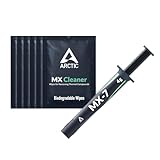


Types of Thermal Paste
Standard Non-Conductive Compounds
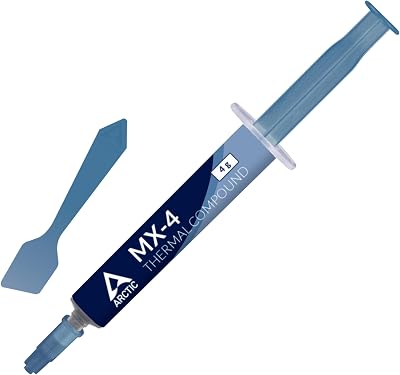
The safest choice for most builders. Made from zinc oxide, aluminum oxide, or silicon compounds. If paste spills onto your motherboard, it won’t cause a short circuit. Thermal performance is excellent — within 2–5°C of liquid metal in most scenarios. Arctic MX-4, Noctua NT-H1, and Thermal Grizzly Kryonaut all belong here.
Carbon-Based Compounds
IC Diamond uses diamond micronite particles for excellent thermal conductivity. Slightly harder to spread due to thick consistency but delivers top-tier performance in the non-conductive category. Long-lasting — doesn’t dry out or pump-out over time.

Liquid Metal (Conductive)
Thermal Grizzly Conductonaut (liquid metal) can reduce CPU temps by 10–20°C versus standard paste — but it’s electrically conductive (gallium-based). Spills or spreading can permanently damage your motherboard or CPU. Not recommended for beginners. Excellent for delidded CPUs or extreme overclockers.
How to Apply Thermal Paste Correctly
Pea method: Place a pea-sized dot (3–4mm) in the center of the CPU die. Mounting pressure distributes it evenly.

X method: Draw an X from corner to corner. Ensures full coverage on CPUs with large dies (AMD Threadripper, Intel Xeon).
Do not spread manually unless using liquid metal — it introduces air bubbles and is unnecessary with standard paste.
When to Replace Thermal Paste
Standard thermal paste lasts 3–5 years before drying out. Signs you need to repaste: CPU temperatures have risen 10°C+ compared to baseline, visible dried or crumbling paste on removal of cooler, or after any cooler removal and reinstallation.
Frequently Asked Questions
Is expensive thermal paste worth it?
The performance difference between a $5 Arctic MX-4 and a $15 Thermal Grizzly Kryonaut is 1–3°C in most builds. Both are excellent. Only liquid metal ($10–15) provides substantial gains (10–20°C) — at the cost of application risk.
Can I use too much thermal paste?
Yes — excess paste squeezes out the sides when the cooler mounts. It doesn’t improve thermals and creates unnecessary mess. A pea-sized dot or thin spread is sufficient for any desktop CPU.
Does thermal paste brand matter?
Any reputable brand (Thermal Grizzly, Arctic, Noctua, IC Diamond) performs within 3°C of each other. The application technique matters more than brand selection. Avoid off-brand paste from unknown manufacturers — quality varies wildly.
Do I need to reapply paste after removing my cooler?
Always. Once a cooler is removed, the paste seal is broken and air gaps are introduced. Clean both surfaces with 90%+ isopropyl alcohol and apply fresh paste before remounting.
Related Articles
Looking for more on this topic? Browse the hand-picked guides below — each one applies the same scoring rubric used in this review.