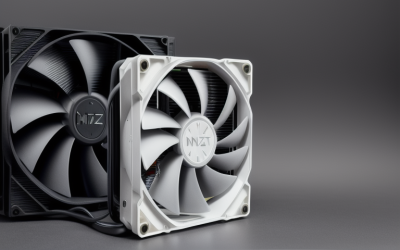
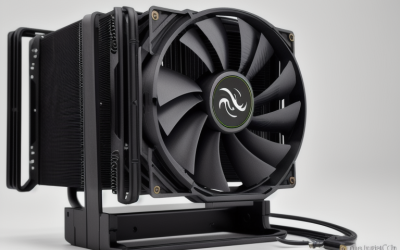
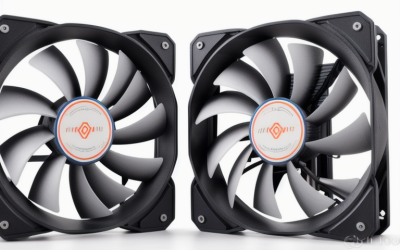
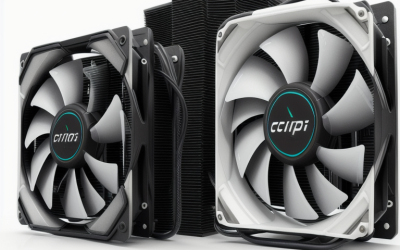
- Top Pick: Thermalright Assassin X120 Refined SE CPU Air Cooler, 4 Heat Pipes, TL-C12C PWM Fan, Aluminium Heatsink Cover, AGHP Technology, for AMD AM4/AM5/Intel LGA 1150/1151/1155/1200/1700/1851(AX120 R SE)
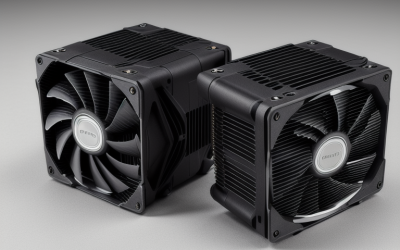
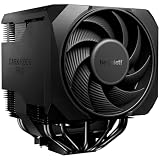
- Best Value: be quiet! Pure Rock Pro 3 Black AMD and Intel Air CPU Cooler, 250W TDP | Double-Tower Compact Cooler, 2 Silent 120mm PWM Fans, 6 High Performance 6mm Heatpipes, High RAM/VRM Cooling Compatibility
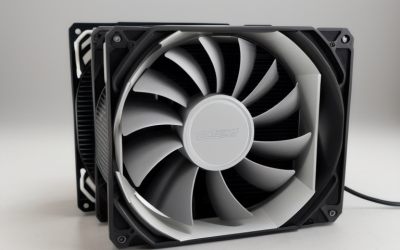
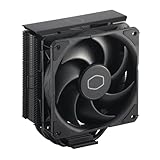
- Premium Choice: Cooler Master Hyper 212 Black CPU Air Cooler, 4 Heat Pipes, PWM Fan | AMD AM5/AM4 & Intel LGA1851/1700 Support Cooler, Quiet Cooling,120mm PWM Fan, 152mm, Easy Installation
A Ryzen chip tells you what it needs through its socket and its power class. AM4 and AM5 boards share a cooler-mounting heritage, but a listing still has to name your socket, and the heat output of a Ryzen 5 sitting in the 65W class is a different problem from a Ryzen 9 pulling 170W. For 2026 builds, the right air cooler is the one whose heat pipe count, fan size and height match both facts, not the one with the loudest marketing.
This guide is for people choosing between a basic single-tower upgrade, a mid-priced twin-fan tower and a dual-tower flagship, without paying for lighting or screens they never asked for. Every product below names AM4 and AM5 support in its title, so the real decisions are case clearance, fan noise behavior and how much cooling headroom you want to keep in reserve for a future processor swap.
Quick Picks
As an Amazon Associate we earn from qualifying purchases at no extra cost to you.







| Product | Best for | Key spec from the title |
|---|---|---|
| Thermalright Assassin X120 Refined SE | Low-cost plain upgrade | 4 heat pipes, TL-C12C PWM fan |
| be quiet! Pure Rock Pro 3 | Quiet mainstream tower | 250W TDP, 2 120mm PWM fans |
| Cooler Master Hyper 212 Black | Easy installation | 4 heat pipes, 152mm height |
| Thermalright Peerless Assassin 120 Digital ARGB | Showcase builds with a screen | 6 heatpipes, digital screen cover |
| Thermalright Assassin X120 Refined SE ARGB | Lit build, small budget | 4 heat pipes, TL-C12C-S fan |
| Thermalright Assassin X 120R Digital ARGB | Screen on a single tower | Digital screen, TL-P12-S quiet fan |
| be quiet! Dark Rock Pro 6 | High-wattage chips and overclocking | 300W TDP, 7 heatpipes |
| Cooler Master Hyper 212 Spectrum V3 ARGB | Familiar tower with lighting | 4 heat pipes, ARGB, 152mm |
| Thermalright Assassin X 120R SE V2 | Bearing-conscious buyers | S-FDB bearing, 1550RPM |
| Thermalright Peerless Assassin 120 SE | Dual-fan value | 6 heat pipes, dual 120mm fans |
How to Choose
Match the cooler to your chip’s power class
Entry Ryzen parts in the 65W class are comfortable on a four-heat-pipe single tower. Chips in the 105W to 170W class benefit from six or seven heat pipes and two fans, because the extra surface area and airflow keep fan speeds lower under sustained load. The only wattage figures printed in these titles are 250W and 300W on the two be quiet! models, so treat those as the headroom picks and judge the others by pipe and fan count.
Confirm socket text and height
Look for AM4 and AM5 in the title, then compare the cooler’s height to your case’s published CPU cooler limit. The Cooler Master towers list 152mm, which makes planning easy. Tall dual-tower models can also crowd the first memory slot, which is why the be quiet! titles call out RAM and VRM compatibility. If your kit has tall heat spreaders, measure before you buy.
Choose fan style on purpose
PWM is the control standard you want, since your motherboard can slow the fan at idle and raise it only when the chip heats up. Larger 135mm fans, like those on the Dark Rock Pro 6, can move air at lower speeds. A 1550RPM top speed, as listed on two Thermalright models, is a modest ceiling that suits quiet builds. A bearing type named in the title, such as S-FDB, is a small sign the maker cares about longevity.
Ignore the screen unless you want it
Digital screens and ARGB covers add cost and cables without adding heat pipes. Budget buyers should compare heat pipe count and fan count first, then pay for lighting only if the case has a window. Cutting corners usually shows up as a single fan on a four-pipe body, which is fine for modest chips and thin for demanding ones.
The 10 Best Options
Thermalright Assassin X120 Refined SE
A plain, four-heat-pipe tower with a PWM fan and an aluminum heatsink cover, aimed at a straightforward Ryzen upgrade where you want solid cooling and nothing decorative. It suits builders replacing a stock cooler on a mid-range chip.
- AM4, AM5 and a long Intel socket list share one listing, so it carries over to a future platform.
- AGHP technology is named in the title.
- Trade-off: a single fan limits headroom on hot chips.
Skip it if your processor sits in the high-wattage class or you want lighting. Buyers who simply want a clean, understated cooler for a modest chip are the natural audience here.
be quiet! Pure Rock Pro 3
A compact double-tower with two 120mm PWM fans, built for buyers who want quiet cooling for a mid-range or upper-mid Ryzen. The black finish keeps it discreet inside a windowed case.
- Six 6mm heatpipes and a 250W TDP figure give real headroom.
- The title promises high RAM and VRM cooling compatibility.
- Trade-off: the twin-tower body is bulkier than a 212-style cooler.
Skip it for small cases with tight height limits or if you want lighting. Measure the gap between the memory slots and the first tower before committing.
Cooler Master Hyper 212 Black
The familiar 212 shape, with four heat pipes and a 120mm PWM fan, suited to first-time builders who want a known quantity. It supports AM5, AM4 and Intel LGA1851 and 1700.
- Easy installation is part of the listing, which helps novices.
- The 152mm height lets you check case clearance quickly.
- Trade-off: four heat pipes and one fan cap what it can do on power-hungry chips.
Skip it if you plan to overclock a high-core-count part. For a modest chip in a standard mid-tower, it remains the least complicated choice on this list.
Thermalright Peerless Assassin 120 Digital ARGB
Combines six heatpipes with a digital screen on the top cover, for showcase builds where the cooler is a visible centerpiece. It targets AM4 and AM5 along with several Intel sockets.
- Six heatpipes put it in the dual-tower class of cooling.
- Black finish with ARGB lighting matches dark themes.
- Trade-off: the screen adds cost without adding cooling.
Skip it if your case has no window or you dislike extra lighting cables. The screen only earns its place when it is visible from the outside.
Thermalright Assassin X120 Refined SE ARGB
The same four-heat-pipe design as the plain SE, with an ARGB-lit fan listed as TL-C12C-S. It fits buyers who want some color on a tight budget and are happy with single-tower airflow.
- Familiar socket coverage for AM4, AM5 and recent Intel.
- Lighting without a screen premium.
- Trade-off: the cooling layout matches the cheaper non-lit model.
Skip it if you do not want RGB wiring or if you need dual-fan airflow. A buyer who prefers a plain look should pick the non-lit version above.
Thermalright Assassin X 120R Digital ARGB
A single-tower option with a digital screen cover and a TL-P12-S PWM quiet fan, pitched at builders who want a screen without moving to a dual-tower body.
- Screen and ARGB in a smaller footprint.
- Quiet fan wording in the title, with PWM control.
- Trade-off: the title does not list a heat pipe count, so comparing designs is harder.
Skip it if you want to compare cooling capacity on paper before paying. Its siblings that print a pipe count make that comparison easier.
be quiet! Dark Rock Pro 6
The high-end pick: seven heatpipes, two Silent Wings 135mm fans and a 300W TDP figure. It is aimed at overclockers and owners of power-hungry Ryzen chips who care about acoustics too.
- Semi-passive mode and a two-mode speed switch let you choose noise versus cooling.
- Marketed for high RAM and VRM compatibility.
- Trade-off: the size and tier are overkill for modest chips.
Skip it if you run a 65W processor in a compact case. The extra size only pays off when the chip actually produces enough heat to use it.
Cooler Master Hyper 212 Spectrum V3 ARGB
The 212 formula with ARGB lighting, four heat pipes and a 120mm PWM fan. It suits builders who want the familiar shape and a lit fan for a windowed case.
- AM5, AM4 and LGA1851/1700 support is listed plainly.
- The 152mm form with easy installation keeps the build simple.
- Trade-off: lighting does not raise heat capacity.
Skip it if you want dual-fan airflow or a bigger heatsink. Think of it as the lit twin of the plain 212 rather than a step up in capacity.
Thermalright Assassin X 120R SE V2
Four 6mm heat pipes and a 1550RPM RGB PWM fan with an S-FDB bearing. A sensible fit for buyers who read bearing types and want a modest, quiet top speed.
- The bearing type is stated, which suits longevity-minded buyers.
- Supports AM4 and AM5 plus several Intel sockets.
- Trade-off: four pipes mean modest headroom.
Skip it for heavy overclocking or sustained all-core workloads on big chips. It is better matched to everyday gaming loads on a mid-range processor.
Thermalright Peerless Assassin 120 SE
Six heat pipes with AGHP technology and dual 120mm PWM fans at 1550RPM. It is the value route into dual-tower territory for a Ryzen 7 or Ryzen 9 build that will not be lit up.
- Dual fans and six pipes in one value-oriented design.
- Wide Intel and AMD socket coverage.
- Trade-off: no lighting or screen features.
Skip it if you want RGB or a very slim cooler. Dual towers need room, so confirm the case clearance and memory height before you order.
Which One Fits Your Situation
Entry Ryzen in a small build
The Cooler Master Hyper 212 Black keeps the footprint predictable with its listed 152mm height, and four heat pipes are enough for a 65W-class chip.
Mid-range chip with a quiet priority
The be quiet! Pure Rock Pro 3 pairs two PWM fans with a 250W figure, giving a comfortable cushion without a flagship size.
Value dual-fan setup
The Thermalright Peerless Assassin 120 SE gives you six heat pipes and two fans with no extras, which is how budget buyers get more cooling per dollar spent.
Flagship chip and overclocking plans
The be quiet! Dark Rock Pro 6 offers the highest listed capacity, 300W and seven heatpipes, plus semi-passive operation for quiet idle periods.
Common Mistakes
- Skipping the case’s CPU cooler height limit before ordering.
- Paying extra for a screen when airflow is the goal.
- Buying a four-pipe single tower for a high-wattage chip.
- Ignoring RAM clearance on dual-tower coolers.
- Assuming lighting means better cooling.
Related guides
- Aio Liquid Coolers For High Performance Gaming
- How To Lower Input Delay In Competitive Shooters
- Wireless Gaming Headsets Under 100 For Pc
Frequently Asked Questions
Do these coolers fit AM5 boards?
Every title lists AM5 and AM4 support. Still confirm your exact socket against the product page before ordering, since mounting kits can differ between revisions.
Are digital screen coolers cooler?
The listed specs do not suggest so. The screen is a cosmetic cover, and heat pipe count and fan configuration matter far more for temperatures.
Is a dual tower worth it?
For 105W and higher chips, extra pipes and a second fan give more headroom and let fans spin slower. For 65W parts, a single tower usually suffices.
Do I need thermal paste?
Check the listing contents to see whether paste is included, because titles rarely say. Keep a tube on hand either way, since reinstalling a cooler means cleaning the old layer and reapplying fresh paste, and a small error there can cost cooling performance.