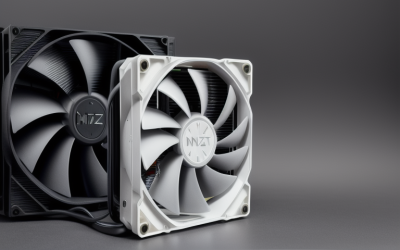
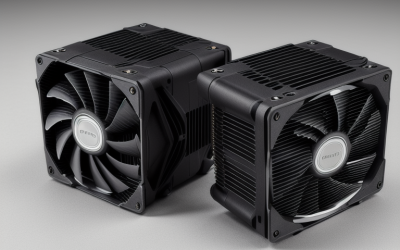
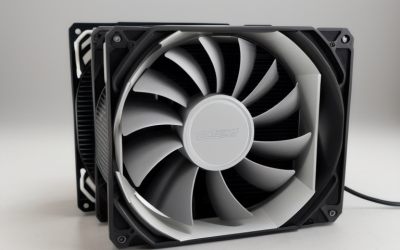
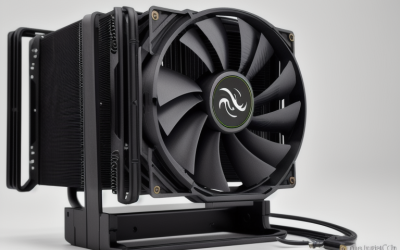
- Top Pick: Thermalright Peerless Assassin 120 SE CPU Cooler, 6 Heat Pipes AGHP Technology, Dual 120mm PWM Fans, 1550RPM Speed, for AMD:AM4 AM5/Intel LGA 1700/1150/1151/1200/1851,PC Cooler
- Best Value: Thermalright Assassin X120 Refined SE CPU Air Cooler, 4 Heat Pipes, TL-C12C PWM Fan, Aluminium Heatsink Cover, AGHP Technology, for AMD AM4/AM5/Intel LGA 1150/1151/1155/1200/1700/1851(AX120 R SE)
- Premium Choice: ARCTIC Liquid Freezer III Pro 360 A-RGB – AIO CPU Cooler, Water Cooling | Cooler For LGA1851, LGA1700, AM4, AM5.
Ask ten builders what makes a CPU cooler good looking and you will hear ten answers: a clean white tower that matches a white case, a pump cap that glows through a tempered glass panel, or a screen that shows a clock or a logo. The cooler sits right in the middle of the motherboard, so it is usually the first thing anyone notices through a side window. That makes style a real purchasing factor, not a vanity detail, provided the cooler also fits your socket and your case.
This list covers seven options chosen from the listings that actually describe a visual feature, such as addressable RGB, a white finish, an aluminium cover, or a built-in display. Two basic stock-style coolers were left out because their titles describe nothing about appearance. Treat the choices as a design guide for 2026 builds, and confirm clearance before ordering. Looks never excuse a poor fit, so each entry also notes the socket support and size so you can weigh style against practicality.
Quick Picks
As an Amazon Associate we earn from qualifying purchases at no extra cost to you.


| Product | Best for | Key spec from the title |
|---|---|---|
| Thermalright Peerless Assassin 120 SE | Understated dual-fan tower | 6 heat pipes, dual 120mm PWM fans, 1550RPM |
| Thermalright Assassin X120 Refined SE | Slim single-fan look | 4 heat pipes, aluminium heatsink cover |
| ARCTIC Liquid Freezer III Pro 360 A-RGB | Lit-up radiator builds | 360 AIO with A-RGB lighting |
| Peerless Assassin 120 Vision MAX ARGB White | White builds with a display | IPS screen, ARGB, 2150RPM, twin tower |
| ID-COOLING SE-903-XT V2 Black | Small cases | 3 heatpipes, 150W, 100mm PWM fan |
| ARCTIC Liquid Freezer III Pro 360 | Clean, unlit AIO | 3 x 120 mm water cooling |
| Peerless Assassin 120 SE ARGB | ARGB on an air tower | 6 heat pipes, dual TL-C12C-S PWM fans, aluminium cover |
How to Choose
Start with your case color and side panel
A white cooler beside black components looks deliberate only if the case, fans, or memory echo the color. In a case with a solid steel panel, nothing on the cooler is visible, so putting effort into looks makes little sense. Decide early whether the cooler is meant to be a feature or to fade into the background, because that single choice narrows the field faster than any spec. Tempered glass or mesh fronts are where lighting, covers, and screens earn their place.
Air tower or liquid radiator
Towers look chunky and mechanical, with fins and heat pipes on display. A 360 AIO moves the visual focus to the radiator and the pump block, and it needs three 120mm fan positions at the top or front. Measure radiator mounting room and tower height against the case specifications before you commit.
Socket and lighting header compatibility
Every title here lists supported sockets such as LGA1851, LGA1700, AM4, and AM5, so match yours first. ARGB models typically connect to a three-pin addressable header on the motherboard, while plain RGB uses a four-pin header. If the board lacks the right header, the lighting will not work.
What to ignore, and where budget models cut corners
Ignore claims about peak RPM as a style feature, since faster fans are louder. Budget designs may use simpler fan hubs, thinner covers, or fewer lighting zones. Display-equipped coolers add software to manage, so weigh whether you want that overhead.
The 7 Best Options
Thermalright Peerless Assassin 120 SE
This is a dual-fan tower listing six heat pipes with AGHP technology and two 120mm PWM fans running at 1550RPM. Support covers AM4, AM5, and several Intel sockets including LGA1700 and LGA1851.
- Twin 120mm fans give a balanced, symmetrical look in a window case
- Six heat pipes and wide socket coverage suit many platforms
- Trade-off: the title mentions no lighting, so the look stays plain
It suits a builder who wants a classic tower silhouette without glow, perhaps in a black case with a mesh front where the fins give the interior its character. Skip it if you want RGB or a white finish, and measure case height first since twin towers stand tall and can touch a side panel.
Thermalright Assassin X120 Refined SE
The Assassin X120 is a smaller air cooler with four heat pipes, a TL-C12C PWM fan, and an aluminium heatsink cover. It lists AM4, AM5, and Intel sockets through LGA1700 and LGA1851.
- The aluminium cover tidies up the top of the fin stack
- Single-fan design leaves more room around memory slots
- Trade-off: four heat pipes and one fan sit below the larger towers here
It is a good match for a clean, compact build in a mid-sized case, where a modest cooler keeps the motherboard visible rather than hidden behind metal. Skip it if you want visible lighting or the bulk of a twin tower, since the listing describes neither feature.
ARCTIC Liquid Freezer III Pro 360 A-RGB
This AIO water cooler uses a 360 radiator and A-RGB lighting, with support for LGA1851, LGA1700, AM4, and AM5. The addressable lighting makes the radiator and fans part of the display.
- A-RGB lighting can sync with other addressable parts
- Three 120mm positions give a wide, visible radiator profile
- Trade-off: a 360 radiator requires a case with the right mounting space
Choose it for a showpiece build with a lit radiator mounted behind a glass or mesh front, where the glow becomes part of the room. Skip it if your case cannot take a 360 radiator or you dislike extra cables for lighting and fans, since liquid builds add more wiring than a simple tower.
Thermalright Peerless Assassin 120 Vision MAX ARGB White
The most eye-catching listing here pairs a white twin-tower design with ARGB and a built-in IPS screen. It runs at up to 2150RPM and supports Intel LGA1851 and LGA1700, plus AM4 and AM5.
- White finish and an IPS display make it a clear centerpiece
- ARGB lighting works with matching parts in a themed build
- Trade-off: the display adds software and cable complexity
This one targets white-themed builds in glass cases, where a display on the cooler turns the processor area into a focal point. Skip it if you want a simple plug-in cooler or a quiet, low-RPM profile, since the 2150RPM figure points to a faster fan and the screen needs its own setup.
ID-COOLING SE-903-XT V2 Black
This compact air cooler has three direct-touch heatpipes, a 100mm PWM fan, and a stated 150W figure. It covers Intel and AMD platforms, and the all-black finish blends into a dark build.
- Small size leaves room for tall memory and a clear view of the board
- Black finish stays out of the way of other lighting
- Trade-off: a 150W figure suits modest processors, not hot flagship chips
It fits a small, tidy build with a mid-range processor and a preference for a restrained, all-dark interior. Skip it if you run a high-power CPU or want any sort of lighting display, because a compact black cooler is designed to disappear rather than to draw attention.
ARCTIC Liquid Freezer III Pro 360
This is the unlit sibling of the A-RGB version, listed as an AIO water cooler with three 120 mm fans. It supports LGA1851, LGA1700, AM4, and AM5 sockets.
- No RGB wording means a calmer look in a multi-color build
- Three 120 mm fans form a neat radiator face
- Trade-off: it still needs enough case room for a 360 radiator
It suits builders who like liquid cooling but prefer a subdued look, such as a monochrome build where only the case fans carry any color. Skip it if you want addressable lighting to match other parts of the system, since the A-RGB version above is the one that lists it.
Thermalright Peerless Assassin 120 SE ARGB
This variant of the dual-tower adds ARGB lighting, six heat pipes, and dual TL-C12C-S PWM fans under an aluminium heatsink cover. Sockets include AM4, AM5, LGA1700, and LGA1851.
- ARGB is built into the tower, so no extra lighting kit is needed
- The aluminium cover gives a finished top surface
- Trade-off: it needs an ARGB header, or the lights stay off
It suits builders who want a lit air tower without moving to liquid, keeping the maintenance simple while still adding color to a windowed case. Skip it if your board lacks an addressable header or your case has little height clearance, since a tall twin tower can press against a glass side panel.
Which One Fits Your Situation
You are building an all-white PC with a glass panel
The Peerless Assassin 120 Vision MAX ARGB White is the clearest match, with its white finish and display. It makes the cooler the visual centerpiece. Pair it with white fans and memory so the theme carries across the whole interior, and confirm the board has the header it needs for lighting.
You want a clean, quiet-looking machine without lighting
Take the ARCTIC Liquid Freezer III Pro 360 for a liquid look, or the Peerless Assassin 120 SE for a tower look. Neither lists RGB, so the effect comes from shape and finish alone. That restraint tends to age better than a rainbow effect when you swap other parts later.
You love lighting and want a coordinated glow
The ARCTIC A-RGB radiator and the Peerless Assassin 120 SE ARGB cover both liquid and air routes with addressable lighting. Choose the radiator if your case can host it, since it spreads the glow across three fans, and choose the tower if you want fewer parts and a simpler install.
You have a small case and a modest processor
The ID-COOLING SE-903-XT V2 Black and the Assassin X120 Refined SE are the compact choices. The Assassin X120 adds an aluminium cover for a finished look.
Common Mistakes
- Buying for looks without measuring tower height or radiator mounting room.
- Forgetting that ARGB needs a matching header on the motherboard.
- Choosing a white cooler for a solid-panel case where nothing is visible.
- Assuming every socket is covered when the title lists only certain generations.
- Pairing a compact 150W-class cooler with a high-power flagship processor.
Related guides
- Aio Liquid Coolers For High Performance Gaming
- How To Lower Input Delay In Competitive Shooters
- External Hard Drives For Music Production
Frequently Asked Questions
Does a better-looking cooler perform worse?
Not by default. Covers and lighting are separate from the heat pipes or radiator, but listings rarely give performance data, so read the supported processor guidance. A good rule is to pick the cooler that matches your processor class first, then choose among those the finish you like best.
Is an AIO better looking than an air tower?
It depends on taste. AIOs show a pump block and radiator, while towers show fins and fans, so choose the style that matches your case.
Do I need special software for ARGB?
Many boards control ARGB through their own utility, and some coolers include a controller. Screens usually need dedicated software, so read the product page for the supported operating systems before you plan a display-based build.
Will these fit every case?
No. Tall towers and 360 radiators need clearance, so verify the maximum cooler height or radiator support in the case specifications. Also check memory clearance under a tower, since tall modules can collide with the front fan.