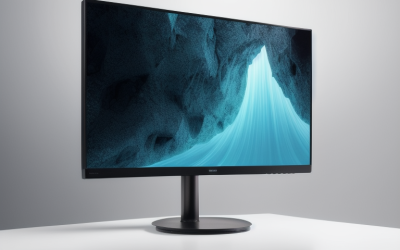
- Top Pick: Sceptre New 22-Inch Gaming Monitor, FHD 1080p, Up to 144Hz, HDMI, DisplayPort, Built-in Speakers, Machine Black (E225W-FW144 Series, 2026)
- Best Value: Philips 24 Inch Computer Monitor FHD 100Hz VA VESA Flicker-Free, 241V8LB | 1920×1080 LED Monitor, 4ms GtG, Adaptive Sync, HDMI 1.4, Tilt Adjust, Low Blue Light, 4yr Advance Replacement Warranty
- Premium Choice: Sceptre 27-inch Prime Gaming Monitor 100Hz 1ms DisplayPort HDMI x2 100% sRGB AMD FreeSync Build-in Speakers, Eye Care Frameless Machine Black 2025 (E275W-FW100T Series)
A cheap monitor is a trade, not a bargain hunt. The tight budget forces a choice between size, refresh rate, panel type and extras like built-in speakers, and every model on this list lands on a different corner of that triangle. Before you compare anything, decide whether the screen will sit beside a gaming rig, run spreadsheets all day, or fill a spare desk in a bedroom. That answer decides how much the refresh rate matters and how much the panel type does.
This guide is for shoppers who want a real desktop display at the low end of the market, without drifting into ultrawides or portable travel screens. Two portable 15.6-inch screens were left out on purpose, because they solve a different problem. Every entry below is a standard desktop monitor, and the details come straight from the listed titles: size, resolution, refresh rate, ports and mounting. Read it as a map of what the budget tier offers in 2026, then match one to your desk, your graphics card and your cables.
Quick Picks
As an Amazon Associate we earn from qualifying purchases at no extra cost to you.



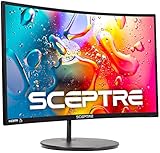

| Product | Best for | Key spec taken from the title |
|---|---|---|
| Sceptre E225W-FW144 | Small desks, fast gaming | 22-inch FHD, up to 144Hz, HDMI and DisplayPort |
| Philips 241V8LB | Office and long sessions | 24-inch FHD, 100Hz VA, 4ms GtG, Adaptive Sync |
| Sceptre E275W-FW100T | Bigger screen at 100Hz | 27-inch, 100Hz, 1ms, 100% sRGB, FreeSync |
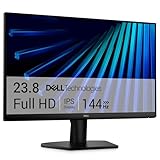
| Dell SE2426H | Mixed work and play | 23.8-inch FHD IPS, 144Hz, 1ms, FreeSync |
| 24-inch 2X Pack | Dual-monitor setups | Two 24-inch FHD 100Hz screens, 100% sRGB |
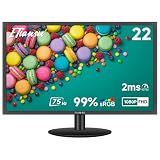
| ETiansu 22-inch | Tight budgets, IPS colors | FHD IPS, 75Hz, 2ms, sRGB 99%, FreeSync |
| Sceptre C248W-1920RN | Immersive curve | 24-inch curved, R1500, 98% sRGB, 1080p |
| YOTETION 19-inch | Older PCs, small spaces | 19-inch, 1440 x 900, 75Hz, VGA and HDMI |
How to Choose
Resolution and size
Full HD (1920 x 1080) is the sweet spot at 22 to 24 inches, because pixels stay dense enough that text looks clean. Stretch the same resolution over 27 inches and the image gets softer at close range, which you notice most in small spreadsheet fonts. A 19-inch screen at 1440 x 900 is a step down in sharpness, so treat it as a secondary or office display rather than a main gaming screen. Measure your desk depth too: a 27-inch panel wants an arm’s length of space, while a 22-inch model fits comfortably on a shallow shelf desk. Viewing distance matters as much as the number on the box.
Refresh rate and response time
A 60Hz panel is the baseline. Moving to 75Hz is a mild improvement, 100Hz is noticeably smoother when scrolling and in shooters, and 144Hz is where competitive players begin to feel a difference. Your graphics card has to push those frames, though, so a 144Hz label means little if the PC only manages 70 frames. Response figures such as 1ms or 2ms are marketing numbers measured under favorable conditions, so use them to compare within a brand, not across brands.
Panel type and color
IPS panels are known for wider viewing angles and steadier color. VA panels tend toward deeper blacks and stronger contrast, which suits dark rooms and video. Look for an sRGB coverage figure of 98 to 100 percent if you do light photo work; a screen without any stated figure is a gamble for color accuracy. Ignore dynamic contrast ratios with enormous numbers, because they say little about everyday picture quality. Also ignore the word gaming in a product name; it is a label, not a spec, and the refresh rate and ports tell you what the screen actually does.
Ports, mounting and where budget models cut corners
Make sure your GPU and the monitor share a connector. HDMI 1.4, as listed on the Philips, can limit refresh behavior on some setups, while DisplayPort generally handles higher refresh rates more easily. VGA is a legacy connector and fine for old office PCs only. Budget screens usually trim stand adjustment to tilt only, skip USB hubs, and rely on a basic external power brick or cable, and built-in speakers are convenient but basic. If height adjustment matters, look for a VESA pattern in the listing and plan on a monitor arm.
The 8 Best Options
Sceptre E225W-FW144
This compact 22-inch screen is built for small desks and fast frame rates. The title lists a 1080p panel, refresh up to 144Hz, and both HDMI and DisplayPort inputs, so a gaming PC can use its best connection. Built-in speakers mean a spare room setup works without extra gear.
- Strength: up to 144Hz at a size that fits crowded desks
- Strength: speakers plus two modern inputs
- Trade-off: 22 inches feels small if you want an immersive view
Skip it if you plan to run several windows side by side; a 24-inch or 27-inch panel gives more room.
Philips 241V8LB
The Philips targets people who stare at documents for hours. It combines a 24-inch FHD VA panel, 100Hz, Adaptive Sync, flicker-free backlighting and a low blue light mode, and it carries a four-year advance replacement warranty, a rare detail at this tier.
- Strength: long warranty coverage listed in the title
- Strength: flicker-free backlight with low blue light mode
- Trade-off: HDMI 1.4 and tilt-only adjustment
Skip it if you want high-refresh competitive gaming or several modern inputs; this one is for calm, long-haul work.
Sceptre E275W-FW100T
At 27 inches, this is the largest screen here, and it keeps the extras budget models often drop: DisplayPort, two HDMI inputs, 100% sRGB, AMD FreeSync and speakers. The frameless design suits side-by-side multitasking, and 100Hz keeps scrolling smooth.
- Strength: big canvas with two HDMI ports plus DisplayPort
- Strength: 100% sRGB listed, useful for casual photo work
- Trade-off: the title shows no resolution, so confirm sharpness first
Skip it if you sit very close to the screen and want crisp small text.
Dell SE2426H
Dell pairs a 23.8-inch FHD IPS panel with 144Hz, a 1ms response claim, AMD FreeSync and two HDMI inputs. The title also cites an eye-comfort certification from TUV, which suits people who sit all day in front of a screen. It is the most balanced pick for a desk that mixes work and play.
- Strength: IPS panel together with a 144Hz refresh rate
- Strength: two HDMI inputs for a PC plus a console
- Trade-off: the title lists tilt as the only stand adjustment
Skip it if you want DisplayPort or built-in speakers, since neither appears in the listing.
24-Inch 2X Pack
This listing bundles two 24-inch FHD monitors in one box, each at 100Hz with two HDMI inputs, 100% sRGB, speakers, wall-mount support and tilt. It is the obvious route to a dual-screen desk, and matched bezels make the pair look intentional rather than improvised.
- Strength: two identical screens, so colors and edges line up
- Strength: 100Hz refresh and wall-mount support on both
- Trade-off: you need desk space and ports for two displays
Skip it if you only need one screen; a single-unit model gives you more choice of brand and features.
ETiansu 22-Inch
An FHD IPS screen at 22 inches with 75Hz, 2ms response, AMD FreeSync and 99% sRGB coverage, plus HDMI, VGA and VESA mounting. It suits a bedroom or home office where IPS color matters more than raw speed, and the VGA port keeps an older tower in play.
- Strength: IPS panel with sRGB 99% in a small footprint
- Strength: VGA and HDMI inputs help with older hardware
- Trade-off: 75Hz is only a modest step above 60Hz
Skip it if you want 100Hz or more for shooters.
Sceptre C248W-1920RN
A curved 24-inch 1080p screen with an R1500 curve, 98% sRGB, two HDMI inputs, VGA and speakers. The curve wraps the edges toward you, which many people like for games and movies, and VESA wall mounting is supported for tidier setups.
- Strength: curved shape with two HDMI inputs and VGA
- Strength: VESA wall mount support
- Trade-off: the title gives no refresh rate, so confirm it first
Skip it if you do precise layout work, where a flat panel keeps straight lines straight.
YOTETION 19-Inch
The smallest and simplest option: a 19-inch panel at 1440 x 900 and 75Hz, with an anti-glare LED display and VGA and HDMI connections. It fits older desktops, a kitchen computer or a shared workstation where glare from a nearby window is the main annoyance.
- Strength: anti-glare finish and VGA support for legacy PCs
- Strength: slim, small footprint
- Trade-off: not Full HD, so the image carries less detail
Skip it if this will be your main screen for modern games or video editing.
Which One Fits Your Situation
You want to game on a short budget
Go with the Dell SE2426H or the Sceptre E225W-FW144. Both list 144Hz, and the Dell adds an IPS panel while the Sceptre adds DisplayPort and speakers. If your PC cannot reach those frame rates yet, the Sceptre E275W-FW100T is a calmer 100Hz alternative with a bigger screen.
You work from home with many documents
The Philips 241V8LB is aimed at that workflow, with flicker-free backlighting, low blue light and a long warranty. Pair it with a monitor arm if you want height adjustment, since the stand only tilts.
You want two screens in one purchase
The 24-inch 2X Pack gives matching panels in one order, and the shared 100Hz spec keeps motion consistent across both. Wall-mount support also lets you free up desk surface.
You are reviving an old PC
Old towers often have no DisplayPort at all, so the input list matters more than the refresh rate here.
The YOTETION 19-inch and the ETiansu 22-inch both list VGA, the connector older towers often still carry. The ETiansu is the sharper choice at Full HD, while the YOTETION is the smaller, simpler one.
Common Mistakes
- Buying 144Hz without confirming that the graphics card can output it.
- Assuming every HDMI port supports the headline refresh rate; confirm the HDMI version in the specifications.
- Choosing a 27-inch panel at Full HD and then sitting close to it.
- Ignoring the stand: tilt-only models cannot raise or rotate, so plan for an arm if posture matters.
- Trusting response time numbers alone instead of looking at panel type and refresh rate together.
Related guides
- Aio Liquid Coolers For High Performance Gaming
- How To Lower Input Delay In Competitive Shooters
- Wireless Gaming Headsets Under 100 For Pc
Frequently Asked Questions
Is 75Hz enough for a low-end monitor?
For office work and video it is plenty. Gamers will notice smoother motion at 100Hz and above, but only if the PC produces enough frames to fill the refresh rate.
IPS or VA for a low-end screen?
IPS offers wider viewing angles and consistent color, which suits shared or angled desks. VA tends toward deeper blacks, which suits dark rooms and movies.
Do I need DisplayPort?
Not always. HDMI covers most home setups, but DisplayPort is useful when you want the highest refresh rate your graphics card supports, especially at 144Hz.
Are built-in speakers worth relying on?
They are fine for alerts and video calls. For music or games, a separate speaker or a headset is the better route.