1440p Gaming PC Build RTX 5070 Ti 2026: Parts, Balance and Buying Order
A 1440p gaming PC built around an RTX 5070 Ti is one of the most sensible mid-high builds you can make right now. The resolution is sharp enough to show real detail over 1080p, the frame rates are usually high enough for competitive and single-player titles at high settings, and the GPU class leaves room for upgrades later. This guide explains how to balance a 1440p rig around that card, what to buy first, and where budget mistakes usually happen.
The hero listing and the alternatives below were pulled for the query “1440p gaming PC build RTX 5070 Ti”. Treat them as starting points. Confirm the exact model, memory configuration and included parts on each Amazon listing before you order, because listings for the same query can differ in CPU, RAM, storage and warranty.

Why an RTX 5070 Ti Is a Practical Choice for 1440p
The RTX 5070 Ti is built around 16GB of GDDR7 memory. For 1440p, that amount is a practical advantage. Modern games use more VRAM as texture quality rises, and running out of memory causes stutter and texture pop-in that no amount of raw GPU power fixes. Having headroom means you can keep high texture settings without constantly checking the VRAM meter.
Compared with a 12GB card in the same family, the extra memory matters most in newer releases with large texture packs and heavy ray tracing. Compared with a 16GB card at a higher tier, the trade-off is usually power draw, price and how much performance you actually need at 1440p. For most players, the 5070 Ti sits at a sweet spot where you do not need the top tier to get smooth play at high settings.
Where the GPU Hits Its Limit
At 1440p, the GPU is usually the first bottleneck in demanding games. That is why the card is the right place to start your budget. If you are running a 240Hz monitor and want consistently high frame rates in esports titles, the CPU and memory will matter more than they do at 4K. Expect to lower a few heavy settings such as shadows, volumetric effects or ray tracing quality rather than the entire preset, and use upscaling where the game supports it.
Building Around the GPU: CPU, Memory, Storage and Power
CPU: Avoid an Obvious Bottleneck
Pick a current six-core or larger processor from AMD or Intel. At 1440p, a modest CPU will not hold a 5070 Ti back in every title, but it will in CPU-heavy games, large open worlds and simulation titles. A strong mid-range chip is more useful here than a flagship that you cannot cool or fully use. If your main goal is high-refresh competitive play, check reviews that test CPU-limited scenarios, not only GPU-limited charts.
Memory: 32GB Is the Practical Default
Sixteen gigabytes still runs most games, but background apps, Discord, browsers and game launchers can push a 16GB system into swapping. Thirty-two gigabytes of DDR5 is the comfortable target for this tier. Buy a kit from a known brand, install it in the correct slots as the motherboard manual describes, and enable the EXPO or XMP profile in BIOS so the memory runs at its rated speed.
Storage: Start at 2TB NVMe
Modern AAA titles can exceed 100GB each. A 1TB drive fills quickly once you install a few games, and the system drive also needs room for updates and shader caches. A 2TB PCIe NVMe SSD is the easiest way to avoid cleaning up installs every month. If the budget is tight, a fast 1TB drive plus a cheap SATA SSD for older titles works, but do not go below 1TB for the boot drive.
Power Supply: Give the GPU Headroom
Choose a quality power supply from a reputable maker with an 80 Plus efficiency rating, and size it with headroom. For this build class, an 850W unit is the common safe default, and it lets you upgrade the CPU or add storage later without replacing the PSU. Check the card maker’s recommended PSU wattage and the connector type the GPU needs. Cheap, unbranded units are the most common cause of random shutdowns under load in mid-range builds.
Comparing the Build Options
The table below lists the five ASINs returned for this query. It does not claim specs or prices, because those change and vary by listing. Use it to compare what each option includes before you buy.
| Option | ASIN | Role in this guide | Price | Rating |
|---|---|---|---|---|
| Hero listing | B0HRB27CBJ | Primary pick for the query | Check live listing | Check live listing |
| Alternative 1 | B0DTHMPWFR | Second option for comparison | Check live listing | Check live listing |
| Alternative 2 | B0DS6WTXGP | Alternative configuration | Check live listing | Check live listing |
| Alternative 3 | B0G271LLFX | Alternative configuration | Check live listing | Check live listing |
| Alternative 4 | B0DXZ83DSK | Alternative configuration | Check live listing | Check live listing |
When you compare listings, check four things first: the GPU model and memory size, the CPU generation, the RAM capacity and speed, and the warranty terms. A lower price with a smaller SSD or weaker power supply is not a bargain if you have to upgrade it within a few months.
Build Order and Common Mistakes
If you are building from parts, order the purchases so you can test each piece early. Buy the motherboard, CPU and memory first and confirm they POST before you install the GPU. Install the operating system and update drivers, then run a stress test and watch temperatures. Most first-build problems are either an unseated RAM stick, a missing PCIe power cable, or a BIOS setting that was never changed.
The most common budget mistake is spending too much on the case and cooler while skimping on the power supply and storage. Another is buying a 1440p monitor that does not match the GPU’s strengths. If you plan to chase high refresh rates, look for a monitor with a fast panel and proper adaptive sync support. Our guide to 1440p monitors for gaming covers panel types and refresh rates in more detail.
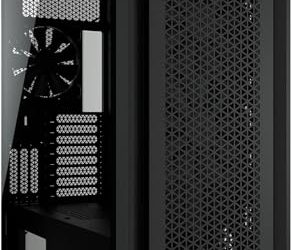
For thermals, a tower with strong airflow and a quality air cooler is enough for most CPUs in this class. Liquid cooling is optional. If you are unsure whether a case has enough intake, check how many fans it includes and whether the front panel is mesh or solid. Our walkthrough on how to build a gaming PC in 2026 covers the assembly sequence step by step.

Sapphire 11348-03-20G Pulse AMD Radeon™ RX 9070 XT Gaming Graphics Card with 16GB GDDR6, AMD RDNA 4


As an Amazon Associate we earn from qualifying purchases. Product prices and availability are accurate as of the date/time indicated.
Who Should Buy This Build, and Who Should Skip It
This build suits players who want high settings at 1440p, plan to keep the machine for three to five years, and are comfortable doing basic assembly or paying a shop to do it. It is a poor choice if your monitor is 1080p and you never plan to upgrade, because a cheaper GPU would deliver similar results at that resolution. It is also not ideal if your only goal is 4K, where a higher GPU tier is needed.
If you would rather not build, a complete system may be simpler. Compare the options in our guide to prebuilt gaming PCs and check whether the GPU, power supply and storage match what you would have chosen yourself. A prebuilt can save time, but the parts list is what really matters.
Budget matters too. If you need to lower total cost, look at a $1,500 gaming PC build for a comparable package with a different GPU, or compare GPU tiers in our 1440p GPU guide before you commit.
Before you lock in parts, read the supporting guides: our RTX 5070 Ti review covers the GPU itself, the RTX 5070 versus 5070 Ti comparison shows where the extra memory and performance matter, and the power supply buying guide plus the 850W PSU picks help with the power budget. For memory and storage, see our DDR5 RAM guide and SSD guide for gaming PCs.
Frequently Asked Questions
Is an RTX 5070 Ti enough for 1440p gaming?
Yes, for most current games at high settings. Demanding titles may need you to lower a few expensive effects such as ray tracing or shadow quality. Upscaling, where supported, helps keep frame rates steady without a visible drop in image quality for most players.
Do I need 32GB of RAM for this build?
Sixteen gigabytes can run games, but 32GB is the safer target because background apps and modern games use more memory than they used to. It also avoids swapping, which can cause stutter even when the GPU has plenty of headroom.
What power supply should I pair with it?
Choose a quality unit from a reputable brand with an 80 Plus rating and enough headroom for future upgrades. Check the GPU maker’s recommended wattage and connector requirements before buying, and avoid unbranded units with unclear specifications.
Should I buy a prebuilt or build it myself?
A prebuilt is faster and includes a single warranty. A custom build gives you control over parts and usually better value if you enjoy assembly. Either way, check the power supply, storage and RAM before buying, because those are the parts most often cut to hit a price.
Final Verdict: 1440p Gaming PC Build RTX 5070 Ti
A 1440p build around an RTX 5070 Ti is a strong choice for players who want high settings and room to upgrade. Start with the GPU, pair it with a current six-core or larger CPU, use 32GB of DDR5, choose a 2TB NVMe drive and a quality 850W power supply. Compare the five listed options carefully, confirm what each includes, and check live prices before you buy. If the parts list matches what this guide describes, you have a solid machine for the next several years.