1080p Gaming PC Build RTX 5070 2026: Is It the Right Balance of Cost and Performance?
A 1080p gaming PC build with an RTX 5070 sits in an unusual spot. Most people shopping for an RTX 5070 are thinking about 1440p, and most people building for 1080p are told a budget card is enough. This guide looks at the middle ground: a 1080p system that uses an RTX 5070 on purpose, to run high refresh rates and heavy settings without paying for a 4K-class card you will never push.
The listing below is the hero pick for this guide. The alternatives are listed alongside it so you can compare the same role across different configurations. Because listings change, the card is the source of truth for exact parts, storage size, and price. Treat anything written here as a framework for judging a build, not a promise about one specific box.

1080p Gaming PC Build RTX 5070: Is It Overkill?
On paper, 1080p is a light load. That is the entire point of the resolution. It has roughly half the pixels of 1440p and about a quarter of 4K, so a card with the raw power of an RTX 5070 spends much of its time waiting on the rest of the system. The useful question is not whether the GPU is too strong. It is whether you will use the extra headroom.
There are three cases where it pays off. The first is high refresh rate: a 1080p panel at 240Hz asks far more of the graphics card than a 60Hz one, and a 5070 class GPU can keep many esports titles and older shooters near the panel limit with high settings. The second is heavy ray tracing. Path-traced or ray-traced lighting costs a lot of frame time, and extra GPU capacity lets you turn those effects on without dropping to the lowest preset. The third is longevity. A stronger card typically holds its settings for longer before you need to lower resolution or quality.
Where the Extra GPU Headroom Actually Goes
The RTX 5070 ships with 12GB of GDDR7 memory. At 1080p that is usually enough for current titles at high settings, but it is not unlimited. Texture-heavy open-world games and mods can push VRAM use higher than you expect, and running out of video memory causes stutter rather than a clean drop in frame rate. If you plan to play modded games or keep many background applications open, check VRAM use in your target games before you assume the card will handle everything.
If your monitor is 60Hz, you are paying for performance the screen cannot show. In that case, a lower-tier GPU and the money saved may be the better build. This is the most common mistake in 1080p builds: a strong card paired with a cheap panel that caps the benefit. Our budget gaming monitor guide covers panels worth pairing with this card.
What to Check in a 1080p Build With an RTX 5070
A 1080p system with a strong GPU depends on balance. The graphics card gets the attention, but a few other parts decide whether the build feels fast or just looks good on a spec sheet.
CPU Pairing Matters More at 1080p
When the resolution is low, the processor sets the frame rate ceiling in CPU-heavy games such as strategy titles, large multiplayer maps, and simulation games. A mid-range modern six-core or eight-core CPU is usually the right target. Going much higher on the processor helps only if you also stream, encode video, or run heavy background work. Otherwise, the money is better spent on RAM speed or storage.
Power Supply and Cooling
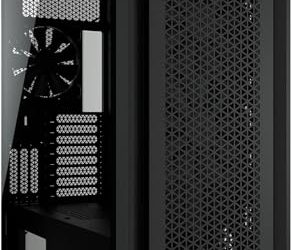
NVIDIA lists a recommended system power level for the RTX 5070 that is well below high-end cards, so a quality 650W unit leaves comfortable margin for the rest of the system. Buy from a known manufacturer with a proper warranty. A cheap unit is the most common cause of crashes in otherwise good builds. For case airflow, a mesh-front mid tower with two or three intake fans keeps the card and CPU cool without excessive noise. Our mid tower case roundup covers the layouts that suit this class of GPU. For the power side, our 850W PSU guide lists models worth a look.
Memory and Storage
Sixteen gigabytes of DDR5 is the practical minimum for modern games, and 32GB makes sense if you multitask or run mods. Pay attention to the RAM speed and kit configuration, since a poorly matched kit can cost performance on some platforms. Our DDR5 RAM guide covers kit choices. For storage, a 1TB NVMe drive is the realistic starting point because a single modern game can take well over 100GB. Read our guide to NVMe SSDs for gaming before you choose a model, and check whether the build includes a second drive or leaves a free M.2 slot for expansion.

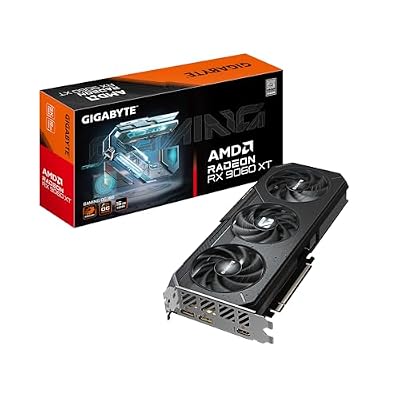
GIGABYTE GeForce RTX 5070 Gaming OC 12G Graphics Card, 12GB 192-bit GDDR7, PCIe 5.0, WINDFORCE Cooling System, GV-N5070GAMING OC-12GD Video Card


As an Amazon Associate we earn from qualifying purchases. Product prices and availability are accurate as of the date/time indicated.
Comparison Table: Hero Build and Alternatives
The table below compares the hero pick with the four alternatives by role. It deliberately avoids invented benchmark numbers. Use the live card for price and exact components, then compare the parts that matter for your monitor and your games.
| Option | Listing slot | GPU focus | What to verify before buying | Price |
|---|---|---|---|---|
| Hero (B0DTR3JK3Y) | Hero listing slot | RTX 5070, 12GB GDDR7 | Included RAM, storage, PSU wattage, warranty | See live card |
| Alternative 1 (B0DS2QZC9P) | Alternative slot 1 | RTX 5070 class | Storage size, CPU generation, PSU wattage | See live card |
| Alternative 2 (B0DYGKHNM3) | Alternative slot 2 | RTX 5070 class | Storage type (NVMe or SATA), capacity, free M.2 slots | See live card |
| Alternative 3 (B0DS6V1YSY) | Alternative slot 3 | RTX 5070 class | Case size, GPU length clearance, cooling | See live card |
| Alternative 4 (B0F91KM1CK) | Alternative slot 4 | RTX 5070 class | Free RAM and M.2 slots for later upgrades | See live card |
Who Should Buy a 1080p RTX 5070 Build
This build suits three buyers well. The first is a competitive player on a 240Hz or 360Hz 1080p monitor who wants frame rates close to the panel limit with high settings. The second is a player who wants to turn on ray tracing and upscaling without dropping resolution. The third is someone who plans to move to a 1440p monitor later and wants a GPU that will not feel outdated on the way.
It is a poor fit for a few groups. If you play mostly older or lighter titles on a 60Hz screen, a cheaper GPU will serve you as well for less money. If your real goal is 1440p or 4K, you should look at our 1440p GPU guide rather than building around a 1080p target. And if you need a portable machine, this is a desktop-only conversation.
How to Verify a 1080p Build Before You Click Buy
Start with the monitor. Confirm the panel’s refresh rate and whether it supports adaptive sync. Then check the GPU model name exactly, because “RTX 5070” appears in several product variants and board partners ship different cooler designs and factory clocks. Next, confirm the power supply wattage and warranty, the RAM capacity and speed, and the SSD capacity. Finally, look at return terms. A prebuilt with a clear return window is a safer purchase than a unit with unclear support.
If you prefer to build your own system, the planning steps are similar. Our walkthrough on how to build a gaming PC in 2026 covers compatibility checks, and the budget build guide shows how the same parts scale down. For a comparison of this GPU against its nearest competitor, see RTX 5070 vs RX 9070.
Frequently Asked Questions About 1080p RTX 5070 Gaming PC Builds
Is an RTX 5070 good for 1080p 240Hz gaming?
For many esports and older competitive titles, a 5070 class card can reach high frame rates at 1080p with high settings. Demanding AAA games will not always reach 240 frames per second at maximum quality, so set expectations per title and use upscaling where it helps.
Do I need a 1440p monitor to justify an RTX 5070?
No. The card works well at 1080p, especially for high refresh rates and ray tracing. A 1440p monitor is an upgrade path, not a requirement. If you already know you want 1440p, plan the build around that from the start.
Is 12GB of VRAM enough for a 1080p build?
For most current games at 1080p and high settings, yes. Heavily modded titles and very large texture packs can use more memory, so check VRAM use in the games you actually play.
Should I buy a prebuilt or build my own?
A prebuilt saves time and gives you a single warranty. Building your own gives you control over the PSU, storage, and case. If you are new to building, a well-reviewed prebuilt with a clear return policy is the lower-risk path.
Final Verdict on the 1080p RTX 5070 Build
An RTX 5070 in a 1080p system makes sense when you have a high refresh rate monitor and want to use that refresh rate with demanding settings. It is less sensible on a 60Hz screen or when the budget would be better spent on a better monitor. Choose the hero build or one of the alternatives based on storage, case size, and upgrade room, verify the live specs and price on the card, and check the power supply and return policy before you commit.