Schedule I, the Early Access simulation and strategy title from one-developer studio TVGS, launched on Steam on 24 March 2025 and became one of the store’s fastest-moving independent releases. Its record is one of the plainest this series has read: Steam flags exactly one platform, the requirements page fills in exactly one operating system, and the download is a single depot with no operating-system split. There is no ambiguity to untangle, and no add-on apps waiting to contradict the game.


The live questions sit downstream. The game is still in Early Access and its public branch moves often, so any verdict is a snapshot of a moving target. It also carries online co-op, which raises the anti-cheat question asked of every multiplayer title here.
As an Amazon Associate, we earn from qualifying purchases.
Quick answer
Schedule I is not native on Linux: Steam flags it Windows only, its Linux requirements field is an empty shell, and the purchase package delivers a single Windows depot. The route is Proton, and the file is strong: ProtonDB reads Platinum across 272 reports, and Valve rates the game Playable on Steam Deck.
What Steam’s own record says
Steam’s appdetails record for Schedule I (app 3164500) lists the platforms as Windows true, Mac false, Linux false. Developer and publisher are both TVGS, the release date is 24 March 2025, the genre labels are Action, Indie, Simulation, Strategy and Early Access, and the store applies a general mature content descriptor, carried here as a record fact.
The Windows requirements field is genuinely populated: the published minimum asks for Windows 10 in its 64-bit form, a 3 GHz quad-core processor or similar, 8 GB of RAM, a GeForce GTX 1060 6GB or Radeon RX 580 class graphics card, and DirectX 11. The Mac and Linux fields follow the empty-shell pattern — Minimum and Recommended headings over empty lists, publishing no Linux specification of any kind. The categories that matter below are single-player, co-op and online co-op, full controller support, and Steam Cloud. No DRM notice appears, and no external account or launcher is required.
The depot and the package: one build, delivered one way
SteamDB’s depot table lists exactly one content depot, 3164501, at 6.30 GiB on disk, with no operating-system configuration split: no Linux depot and no Mac depot in any form. Beside it sit only branch variants of the same Windows build — public, beta, and a developer-provided alternate branch using the Mono scripting backend instead of IL2CPP, trading some performance for stability.
The package layer closes the question. The sole purchase package, sub 1122991, grants app 3164500 alone, and Steam’s packagedetails record for it reads Windows true, Mac false, Linux false. A normal purchase delivers the Windows build by construction; there is no second build in the box. The verdict rests on this layer: flags can be paperwork, but the package is what an account receives.
The family sweep: almost nothing to sweep
Unusually for this series, there is almost no family to audit. The record carries no DLC array at all — no expansions, no art book, no supporter pack — so the soundtrack-flag trap, where an audio app flags Linux and a scan credits the game, has no surface here. The one associated app is the Free Sample, a separate demo app outside this article’s subject; read for completeness, it flags Windows only.
Anti-cheat: three sources, all silent
Because the record lists online co-op, the anti-cheat question gets asked properly, and the three sources are reported separately. Steam names no anti-cheat on the store record: no DRM notice, no external account notice. SteamDB’s technology detection finds the Unity engine and its Burst and IL2CPP components, and nothing else. Are We Anti-Cheat Yet carries no entry for Schedule I, searched by name and by app id. No source names an anti-cheat system here, and none describes a Linux block; the co-op reports below are the practical evidence, kept at report weight.
The Proton file
ProtonDB’s summary record for app 3164500, read directly this session, is the strongest kind of file a Windows-only game can have: a Platinum headline tier, Platinum on the best-reported tier and Gold on the trending tier, across 272 reports with strong confidence. One honesty note: the requirements block carrying ProtonDB’s native-support heading did not appear in any readable route to the page this session, so that check is recorded as not completed rather than guessed at. The summary API itself read in full.
The report texture, kept at report weight, matches the tiers. Many recent filings describe out-of-the-box runs on current Proton and GE-Proton builds, and online co-op is repeatedly reported working, including cross-play with Windows players. The recurring complaints are narrower: several reporters describe a memory leak that grows over multi-hour sessions and note that the same behaviour appears on Windows — a game bug, not a Proton fault; a minority report occasional multiplayer crashes or disconnects. Two practical notes follow from the filings: because no Linux depot exists, Steam will not install the game until a compatibility tool is forced in its properties, and when crashes appear, some reporters switch to the developer’s alternate Mono branch, a lever shipped inside the Windows build.
The Steam Deck sheet
Valve rates Schedule I Playable on Steam Deck, the second category, with SteamOS separately Compatible. The verdict and its checks were read from Valve’s own compatibility endpoint, which answered directly this session; the test date and build paperwork come from SteamDB’s republication of that record.
Four deductions keep the game out of the top category. Some functionality is not accessible under the default controller configuration, requiring the touchscreen, the virtual keyboard or a community configuration. The game sometimes shows mouse, keyboard or non-Steam-Deck controller icons. Entering some text requires manually invoking the on-screen keyboard. And some in-game text is small and may be difficult to read. Against those, the default graphics configuration performs well, no internet is required for setup or single-player, and no launcher step sits outside controller navigation. The recommended runtime is a release-candidate Proton build, proton-9.0-4RC — a paperwork quirk, since the badge certifies the Windows build under that tool.
The paperwork currency is the weak point. Valve’s test was run on 2 April 2025, days after launch, on build 17862377; the public branch now serves build 25796331, built in October 2026. An Early Access game that updates this often has moved far past the tested build, so the sheet counts here as a supplement candidate for the factual Deck-paperwork list.
The storefront ruling
There is no second copy to weigh. GOG’s catalogue and embed searches return no Schedule I product, the game’s natural GOG address redirects to the general catalogue rather than resolving to a product page, and the catalogue API holds no verifiable record. No GOG edition exists. The Steam copy is the only PC edition.
Gear that fits the record
The gear below follows the record’s shape: the tested handheld, two pads, a desktop mouse, and library storage.
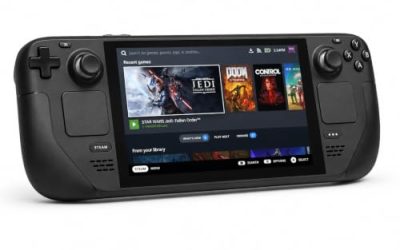
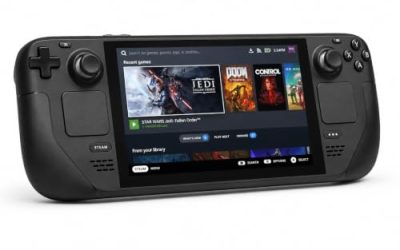
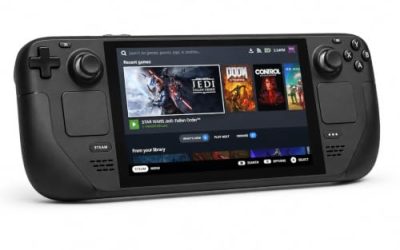
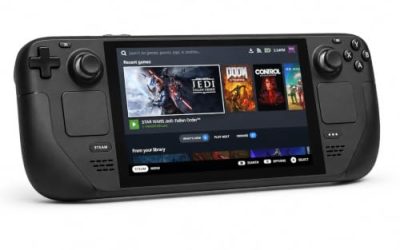
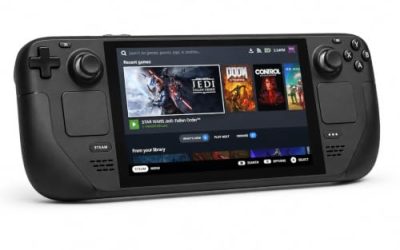
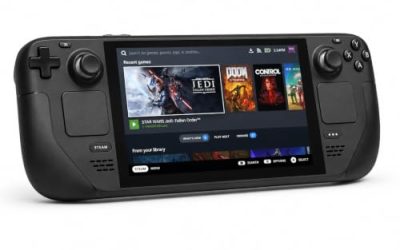
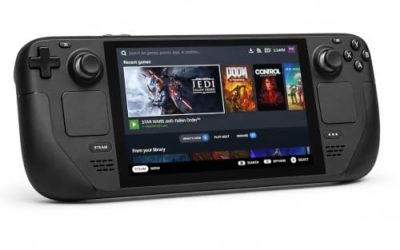
Valve Steam Deck OLED 512GB
The handheld on Valve’s test sheet. The badge is Playable rather than Verified, and the sheet’s notes — small text, manual keyboard calls, a community layout for some functions — frame what it asks of a player.
Specs
- Display: 7.4-inch HDR OLED, 1280 by 800, up to 90 Hz
- Processor: AMD Zen 2 and RDNA 2 custom APU
- Memory: 16 GB LPDDR5
- Storage: 512 GB NVMe, plus a microSD slot
- Wireless: Wi-Fi 6E and Bluetooth
- Channel note: Valve sells the Deck mainly through its own store, so Amazon listings are third-party sellers
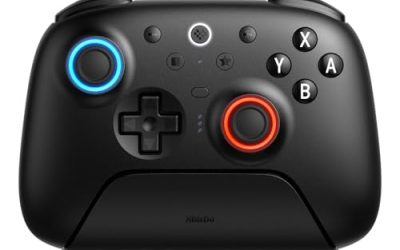
8BitDo Ultimate 2 Bluetooth Controller
The co-op pad pick. The record lists full controller support and online co-op, and this pad covers a second seat with modern sticks, triggers and back buttons.
Specs
- Connectivity: Bluetooth wireless and USB-C wired
- Joysticks: TMR electromagnetic, anti-drift design
- Triggers: Hall effect, with mode switching
- Extras: two remappable back buttons, motion control
- In the box: charging dock included
Xbox Wireless Controller, Carbon Black

The safest guest pad in PC gaming: Steam Input support is universal, the glyphs match what most games display, and it pairs over Bluetooth or its own wireless standard.
- Connectivity: Xbox Wireless and Bluetooth
- Port: USB-C for wired play
- Controls: hybrid D-pad, dedicated Share button
- Power: AA batteries or optional rechargeable pack
Logitech G502 HERO

On a desktop, the Deck sheet’s complaints invert: text entry, menus and settings are mouse work, and a precise wired mouse covers them without a virtual keyboard.
Specs
- HERO optical sensor, up to 25,600 DPI
- 11 programmable buttons
- Adjustable weight system
- Wired USB connection
- On-board memory profiles
Samsung T9 Portable SSD 2TB

For moving a Linux game library between machines or keeping an offline backup, a fast USB-C drive is the simple answer. The headline figure needs a Gen 2×2 host port; on a lesser port it runs at that ceiling.
Specs
- Capacity: 2 TB portable SSD
- Interface: USB 3.2 Gen 2×2, USB-C connector
- Maker-rated speeds: up to 2,000 MB per second read, 1,950 MB per second write
- Features: Dynamic Thermal Guard, maker-rated drop resistance
How to choose
Choose the Steam copy, because it is the only PC edition on sale and the exact build both records describe. On a Linux desktop or laptop, force a current Proton build in the game’s properties before installing — Steam needs that step, since no Linux depot exists — then leave the tool alone; a Platinum file across 272 reports says the default route is right. On Steam Deck, accept the Playable terms first: performance passes, but small text, manual keyboard calls and a possible community layout are part of the package.
Who should skip
Skip this one if you are shopping for a native Linux release: the record is unambiguous, and the empty-shell Linux tab is headings, not support. Skip it if you want a DRM-free offline installer, because no GOG edition exists. Skip it on Steam Deck if small in-game text or manual keyboard invocation would spoil the game for you — Valve’s sheet flags both. And skip it if you need a finished, stable target: the public branch moved as recently as October 2026, so any snapshot ages fast.
FAQ
Is Schedule I native on Linux?
No. Steam’s record for app 3164500 flags Windows only, the Linux requirements field is an empty shell of headings over empty lists, the depot table holds a single Windows build, and the purchase package reads Windows only. There is no Linux build in any layer.
How well does Schedule I run under Proton?
ProtonDB’s summary record reads Platinum on its headline and best-reported tiers and Gold on the trending tier, across 272 reports with strong confidence. Reporters describe out-of-the-box runs and working online co-op; the recurring complaints are a memory leak also observed on Windows, and occasional multiplayer instability in a minority of filings.
What does the Steam Deck Playable badge mean here?
Valve tested the Windows build under Proton and found it functional with four deductions: some functions need the touchscreen, virtual keyboard or a community layout, controller glyphs may not match the Deck, text entry needs a manually invoked keyboard, and some text is small. Performance passes. The test dates from April 2025 and predates the current build.
Can I buy Schedule I on GOG instead?
No. GOG’s searches return no product for the game and its natural GOG address redirects to the general catalogue; there is no product record to buy. The Steam copy is the only PC edition.
Final verdict
Schedule I is a Windows-only Early Access release whose paper trail is unusually easy to read: one flag set, one populated requirements field, one depot, one package, no add-ons to muddy any of it. What Linux players get instead is one of the strongest Proton files in this series — Platinum across a large, confident report base, working co-op with no anti-cheat named by any source — and a Playable Deck badge whose paperwork is honestly out of date. Buy the Steam copy and force Proton once.
Product and ASIN Reference
| Product | ASIN |
|---|---|
| Valve Steam Deck OLED 512GB | B0CQ3RWQQZ |
| 8BitDo Ultimate 2 Bluetooth Controller | B0F194QFT2 |
| Xbox Wireless Controller, Carbon Black | B08DF248LD |
| Logitech G502 HERO | B07GBZ4Q68 |
| Samsung T9 Portable SSD 2TB | B0CHFS9K14 |