Gorogoa is Jason Roberts’ hand-drawn puzzle story, developed by Buried Signal and published by Annapurna Interactive: a wordless tale told by sliding, stacking and zooming illustrated panels until two pictures become one continuous scene. It launched on 14 December 2017 with Windows and Mac builds. The Linux question here is a record question: what do Steam’s fields, the depot table, the community file and Valve’s Deck sheet each say today?
The short version: the record is closed in one direction and generous in the other. There is no native Linux build to install, and one line in the depot table needs careful reading before it can mislead anyone. Against that, the Windows build carries a unanimous top-tier community record and a full Steam Deck Verified pass, so playing this gentle panel puzzler on Linux works far better than the flags alone suggest.
As an Amazon Associate, we earn from qualifying purchases.
Quick answer
Gorogoa has no native Linux build on Steam: the store record flags Windows and Mac only, the Linux requirements field is an empty list, and no separate Linux depot exists. It runs through Proton instead — Platinum across all three ProtonDB tiers on 30 reports with strong confidence — and it is Steam Deck Verified, tested by Valve in April 2022.
The platform record on Steam
Start with the store record, the layer every other source gets checked against. Steam’s platform flags for app 557600 read Windows true, Mac true and Linux false. The Linux requirements field is not an empty shell of headings this time; it is an empty list outright, no tier published at all, while the Windows and Mac tabs carry real content. SteamDB’s extended operating system string reads macos64 only — the Mac side restating itself, saying nothing about Linux either way.
The categories fill in the shape of the game: single-player, Steam Achievements, Steam Trading Cards, Steam Cloud and Family Sharing, with no multiplayer category of any kind — which matters later when the anti-cheat sources come back empty.
The depot line that needs a careful read
The depot table is where a skim reader could go wrong. SteamDB lists two content depots: the Mac depot is unambiguous, but the main content depot carries an operating system list naming Windows and Linux side by side — the same depot content marked deliverable to both systems.
That line does not amount to a native build. There is no separate Linux depot with a Linux executable, no Linux requirements at either tier, no store-page flag, and the extended operating system string never mentions Linux. Valve’s Deck sheet recommends the proton-stable runtime — paperwork written only for a Windows build under the compatibility layer — and all thirty community reports describe Proton runs. A shared depot whose delivery list includes Linux is a packaging detail; the build inside it is the Windows build.
The soundtrack, and why the family sweep is clean
A game’s app family can mislead a status check when a companion app flags a platform the game itself does not, so the family gets read app by app. Gorogoa has exactly one companion: the Original Soundtrack, a music app flagging Windows only, with the same empty-list Linux field as the parent game. No demo, art book or expansion app exists beyond those two.
The family Linux flag count is zero of two. The soundtrack trap — a music app waving a Linux flag misread as the game shipping natively — cannot form here: nothing in the family flags Linux at all.
DRM and account requirements
Two fields stay empty, reported here as gaps rather than filled in by assumption. The record carries no DRM notice, so Steam names no third-party DRM in either direction, and no external account notice, so no second account or sign-in is named as a requirement. What it does name is Steam Cloud, where saves live.
Anti-cheat, from three sources
Anti-cheat gets checked in three places, answers kept separate. The Steam record: no anti-cheat category, no notice, and no multiplayer mode that would need one. SteamDB’s technology list: Unity and Mono, engine plumbing only, no anti-cheat product detected. The Are We Anti-Cheat Yet dataset: no entry for Gorogoa at all, searched by name and by app number. Three sources, three silences — the expected result for a game with no online mode, not a missing answer.
ProtonDB: Platinum, and one header to ignore
ProtonDB’s summary record is about as settled as a community file gets. Headline tier Platinum, best-reported tier Platinum, trending tier Platinum, across 30 reports with a strong confidence rating. Claimed at exactly that size: thirty reports is a modest pool next to a big release, but a deep one for a short indie puzzler, and the verdict across it is unanimous.
One label on the game page should be ignored: its header carries a “Natively Supports” classification that Steam’s record contradicts on every layer — false flag, empty-list field, no Linux depot, a Deck sheet recommending a Proton runtime — and every report underneath it is a Proton run. The article follows Steam and names the header only so nobody else trips over it.
The texture underneath the tier is calm. Recent reports on current Proton builds describe out-of-the-box runs, and the Deck reports describe full playthroughs finished on the handheld. The older friction belongs to its era: a cluster of early reports needed a Wine D3D fallback on period hardware, and a few mention audio crackling answered by closing background applications. On modern builds the file reads as finished and stable.
Steam Deck: Verified
Valve’s own compatibility endpoint answers directly for this app and returns the top category: Steam Deck Verified, all four checks passing — default controller configuration fully functional, Steam Deck controller glyphs shown, interface text legible, default graphics configuration performing well. SteamOS separately rates the game Compatible, with a successful-startup result on file.
The dated paperwork behind the badge comes from SteamDB’s republication of Valve’s compatibility data, disclosed as such: the test sheet is dated 21 April 2022 and recommends the proton-stable runtime. That line is itself platform evidence — Valve tested the Windows build through Proton, exactly the route the rest of the record describes — and the community Deck reports of complete playthroughs line up with the badge.
The GOG edition
A GOG edition exists, verified from GOG’s own product record rather than its search results, which returned nothing for this title — a known blind spot in that storefront’s search. The record, matched by title, slug and release date, reads Windows true, Mac true and Linux false: the same pair of builds in a DRM-free wrapper, and no native build for a Linux player.
Gear that fits a Proton puzzler
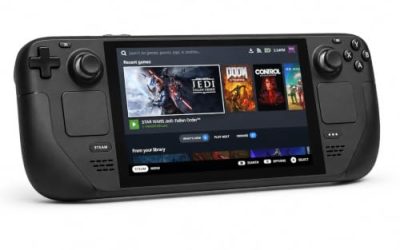
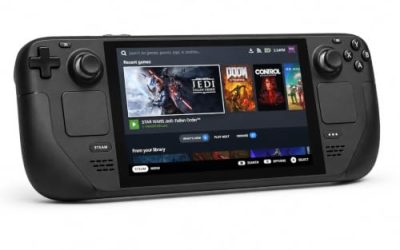
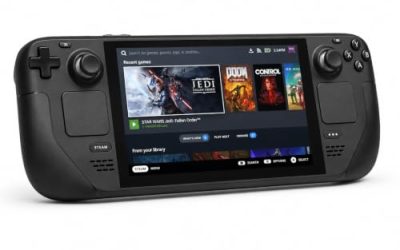
Valve Steam Deck OLED 512GB

The handheld the Verified badge was written for. Valve’s test sheet gives the Windows build a clean pass under proton-stable, and a panel-dragging puzzler is exactly what the Deck’s trackpads handle without compromise.
Specs
- Display: 7.4-inch HDR OLED, 1280 by 800, up to 90 Hz
- Processor: AMD Zen 2 and RDNA 2 custom APU
- Memory: 16 GB LPDDR5
- Storage: 512 GB NVMe, plus a microSD slot
- Wireless: Wi-Fi 6E and Bluetooth
- Channel note: Valve sells the Deck mainly through its own store, so Amazon listings are third-party sellers
8BitDo Ultimate 2 Bluetooth Controller

The docked and desktop pad pick. Valve’s sheet confirms the default controller configuration is fully functional, and this pad covers the couch case with modern sticks, triggers and back buttons.
Specs
- Connectivity: Bluetooth wireless and USB-C wired
- Joysticks: TMR electromagnetic, anti-drift design
- Triggers: Hall effect, with mode switching
- Extras: two remappable back buttons, motion control
- In the box: charging dock included
Xbox Wireless Controller, Carbon Black

The safest guest pad in PC gaming: Steam Input support is universal, the glyphs match what most games display, and it pairs over Bluetooth or its own wireless standard — the pad to hand a visitor without a word of setup.
- Connectivity: Xbox Wireless and Bluetooth
- Port: USB-C for wired play
- Controls: hybrid D-pad, dedicated Share button
- Power: AA batteries or optional rechargeable pack
Logitech G502 HERO

Gorogoa is played with a pointer above all else: panels are dragged, stacked and zoomed by hand. At a desk, a precise wired mouse is the natural instrument for this game, and eleven programmable buttons cover the inputs a session repeats.
Specs
- HERO optical sensor, up to 25,600 DPI
- 11 programmable buttons
- Adjustable weight system
- Wired USB connection
- On-board memory profiles
Samsung T9 Portable SSD 2TB

For moving a Linux game library between machines, or keeping an offline backup of installers, a fast USB-C drive is the simple answer. The headline figure needs a Gen 2×2 host port; on a lesser port the drive runs at that ceiling instead.
Specs
- Capacity: 2 TB portable SSD
- Interface: USB 3.2 Gen 2×2, USB-C connector
- Maker-rated speeds: up to 2,000 MB per second read, 1,950 MB per second write
- Features: Dynamic Thermal Guard, maker-rated drop resistance
How to choose
Choose your route first. On a Linux desktop or laptop, the Steam copy plus a current Proton build is the whole recipe: install, leave the compatibility layer at its default, and play. On a Steam Deck, the Verified badge and the proton-stable recommendation describe the same default route, and the drag-and-zoom panels suit the trackpads and touchscreen directly.
Choose your store second. Steam is the copy both compatibility records describe; the GOG edition suits a DRM-free Windows or Mac library and offers a Linux player nothing extra. Input comes last: a mouse is the instrument the game was designed around, and a controller works because Valve’s sheet confirms the default configuration.
Who should skip
Skip this if a native build is a hard requirement: there is none on Steam, none on GOG, and nothing in the record suggests one is coming. Skip it if you want a long game — the story is a short, single-sitting piece by design. And skip it if wordless, observation-led puzzles frustrate you: no tutorial text and no hint system does the noticing for you, because noticing is the game.
FAQ
Is Gorogoa native on Linux?
No. Steam flags Windows and Mac only, the Linux requirements field is an empty list, and no separate Linux depot exists. The one depot line naming Linux is the shared content depot’s delivery list; the build it delivers is the Windows build, which Valve’s Deck sheet runs under a Proton runtime.
How well does Gorogoa run under Proton?
Platinum on all three ProtonDB tiers across 30 reports with strong confidence. Modern reports describe out-of-the-box runs and completed playthroughs; the tweak reports date from the game’s early Proton years and older hardware.
Is Gorogoa Steam Deck Verified?
Yes. Valve’s record returns Verified with all four checks passing, and SteamOS rates it Compatible. The dated test sheet behind the badge, republished by SteamDB, is from 21 April 2022 and recommends the proton-stable runtime.
Does the GOG version work natively on Linux?
No. A GOG edition exists, verified from GOG’s own product record, but it lists Windows and Mac only — a DRM-free copy of the same builds, not a Linux port.
Final verdict
Gorogoa’s Linux status is a closed record with a happy ending. No native build on Steam, none on GOG, zero Linux flags in the family, no DRM or account layer named, no anti-cheat from any source. The one apparent exception — a content depot whose delivery list names Linux — dissolves under the rest of the evidence, including Valve’s proton-stable test sheet. What a Linux player gets is the Windows build through Proton at a unanimous Platinum on thirty reports, plus a full Deck Verified pass: for a short, hand-drawn puzzle story, everything the game has to give, delivered intact.
Product and ASIN Reference
| Product | ASIN |
|---|---|
| Valve Steam Deck OLED 512GB | B0CQ3RWQQZ |
| 8BitDo Ultimate 2 Bluetooth Controller | B0F194QFT2 |
| Xbox Wireless Controller, Carbon Black | B08DF248LD |
| Logitech G502 HERO | B07GBZ4Q68 |
| Samsung T9 Portable SSD 2TB | B0CHFS9K14 |