Viewfinder, the first-person photo puzzle game from Sad Owl Studios, builds its loop around an instant camera: take a photograph, place it in the world, and walk into the scene it depicts. It launched on 18 July 2023, published by Thunderful Publishing, and its premise makes it a natural question for Linux players: does a game built on precise framing and rendering behave itself under Proton?
The compatibility story is unusually clean, but it starts from a closed record: Steam sells exactly one build of this game, a Windows build. Everything else here — the Platinum community rating, the Steam Deck badge, the second storefront — describes how that single Windows build travels, because no native Linux build exists to describe.
As an Amazon Associate, we earn from qualifying purchases.
Quick answer
Viewfinder has no native Linux build: Steam flags the game Windows-only, its Linux requirements tab is an empty shell, and SteamDB lists a single Windows depot. The Windows build carries a Platinum ProtonDB rating across 48 reports and a Steam Deck Verified badge, and the GOG edition is Windows-only too.
The platform record: one flag, one depot
Steam’s own record is the deciding layer, and it is not ambiguous. The platform flags read Windows true, Mac false, Linux false. The Linux requirements field exists but is an empty shell at both tiers — headings with nothing under either — and the Mac field is the same empty shape, matching the false Mac flag. Only the Windows tab carries real content, at the minimum tier: 64-bit Windows 10, an Intel i5-9600K or AMD Ryzen 5 processor, 8 GB of RAM, a GeForce GTX 970 card, DirectX 11 and 20 GB of storage.
SteamDB’s view of the same app agrees on every layer. Its extended platform string is an empty string, and the depot table holds exactly one content depot, a Windows 64-bit depot of 7.82 GiB. Three layers — flags, requirements tabs and depots — all say the same thing: not native, and not a split record where different fields disagree.
The family sweep: one app, no trap to fall into
Some games hide their story in the family: a soundtrack app flags Linux, a demo carries the only native depot, and the game itself stays Windows-only. Viewfinder has no family to sweep. The app record carries no DLC array at all, and a store search under the game’s name returns exactly one app, the game itself. No soundtrack, no demo, no art book, no expansion.
The flag count is short: zero of one app flags Linux. The soundtrack trap cannot form here, because there is no second app whose flag could be misread as the game’s. The title is judged on the game’s own record alone — Windows-only from top to bottom.
DRM and account lines: both blank
Two fields on the Steam record are empty, reported here as gaps, not promises. The record carries no DRM notice, so Steam names no third-party DRM product for this game, and no external account notice, so the record does not state that a third-party account is required to play.
One related line deserves care: SteamDB’s technology list includes an Epic Online Services SDK entry. A services SDK inside the build is a technology observation, not an account requirement — Steam’s record, where account requirements are declared, names none. The categories Steam lists are single-player, Steam Achievements, full controller support and Family Sharing.
Anti-cheat: three sources, nothing named
First, Steam’s record names no anti-cheat product, in no category and no notice, and the game is single-player only. Second, SteamDB’s detected-technology list — the Unity engine and its tooling, the Epic Online Services SDK, FMOD and audio libraries — contains no anti-cheat product; a services SDK is not an anti-cheat listing. Third, the Are We Anti-Cheat Yet dataset, all 1,167 games of it, carries no entry for Viewfinder at all.
For a single-player puzzle game that is the expected shape, and nothing in any record stands between the Windows build and Proton on anti-cheat grounds.
ProtonDB: Platinum across the board, and one header to ignore
ProtonDB’s summary record is as strong as the scale offers: Platinum as the headline tier, Platinum as the best-reported tier and Platinum as the trending tier, across 48 reports, at strong confidence. It prices the Windows build under Proton: every report beneath it is a Proton run.
Most reports describe out-of-the-box play. A minority strand reports the game failing to launch on the newest Proton builds and running flawlessly after rolling back to Proton 9.0-4, and one Deck report notes occasional sticking at launch, fixed by a restart. The practical reading: start on the default; the 9.0-4 rollback is the fix the report file itself documents for a build that refuses to start.
One label on the ProtonDB game page should be ignored. Its header carries a “Natively Supports” line, which contradicts Steam’s record on every layer — the false Linux flag, the empty requirements shell and the single Windows depot. It is a stray database header, and the reports under it are Proton runs, not native ones.
Steam Deck: Verified, with October 2023 paperwork
Valve rates Viewfinder Verified on Steam Deck, the top category, and SteamOS separately Compatible. One evidence note: Valve’s own compatibility endpoint returned empty and garbled responses this session, so the verdict, its checks and its test paperwork were read through SteamDB’s republication of Valve’s compatibility record for this app, the fallback route used before in this project.
All four Verified checks pass: the default controller configuration is fully functional, the game shows Steam Deck controller icons, in-game interface text is legible, and the default graphics configuration performs well. The test paperwork dates the check to 19 October 2023, on build 12404820, with proton-stable as the recommended runtime, gamepad as the supported input and no internet requirement for setup or single-player play. That runtime line is what a Windows-only game should show: the badge certifies the Windows build under Proton.
The GOG ruling: a second storefront, the same Windows build
A GOG edition does exist, verified on GOG’s own product record rather than search results alone: the catalogue entry and the product record agree on the title, and the record’s platform compatibility reads Windows true, Mac false, Linux false. GOG’s release line dates the edition to 1 October 2025, over two years after the Steam launch.
So the second storefront changes the wrapper, not the platform list: the GOG copy is the same Windows-only build and offers no native route either. The Steam copy remains the edition both compatibility records — ProtonDB’s file and Valve’s Deck sheet — were written against.
Gear that fits the record
The gear below follows the record’s shape.
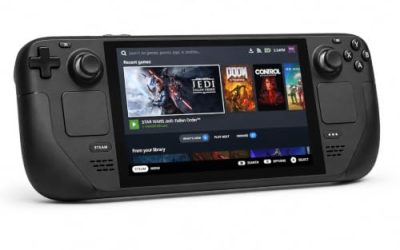
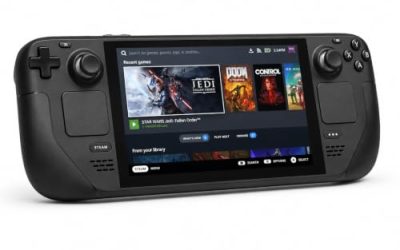
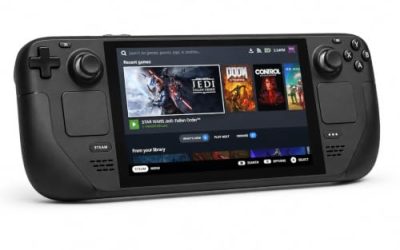
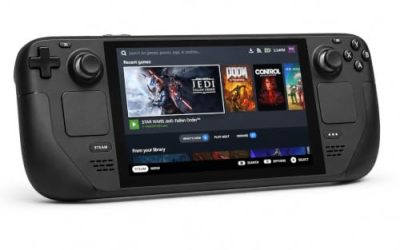
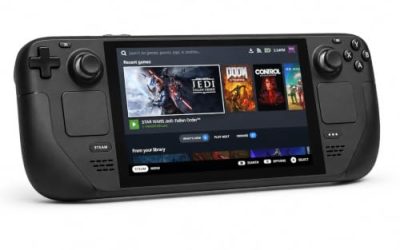
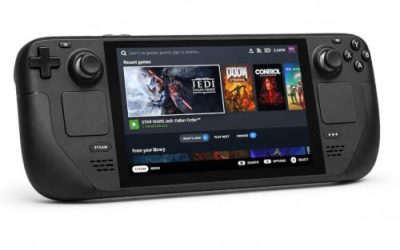
Valve Steam Deck OLED 512GB

The handheld the Verified badge was written for. Valve’s test sheet passes the Windows build on proton-stable, and the game’s published Windows requirements sit far below the APU’s ceiling.
Specs
- Display: 7.4-inch HDR OLED, 1280 by 800, up to 90 Hz
- Processor: AMD Zen 2 and RDNA 2 custom APU
- Memory: 16 GB LPDDR5
- Storage: 512 GB NVMe, plus a microSD slot
- Wireless: Wi-Fi 6E and Bluetooth
- Channel note: Valve sells the Deck mainly through its own store, so Amazon listings are third-party sellers
8BitDo Ultimate 2 Bluetooth Controller

The docked and desktop pad pick. Steam lists full controller support for Viewfinder, and this pad covers the couch case with modern sticks, triggers and back buttons.
Specs
- Connectivity: Bluetooth wireless and USB-C wired
- Joysticks: TMR electromagnetic, anti-drift design
- Triggers: Hall effect, with mode switching
- Extras: two remappable back buttons, motion control
- In the box: charging dock included
Xbox Wireless Controller, Carbon Black

The safest guest pad: Steam Input support is universal, the glyphs match the game’s, and it pairs over Bluetooth or its own wireless standard. The Deck test sheet records gamepad as the supported input, so a pad is the native shape of play.
- Connectivity: Xbox Wireless and Bluetooth
- Port: USB-C for wired play
- Controls: hybrid D-pad, dedicated Share button
- Power: AA batteries or optional rechargeable pack
Logitech G502 HERO

At a desk, a precise wired mouse makes framing each shot to the pixel deliberate rather than fiddly. Eleven programmable buttons cover the shutter, album and movement inputs a session repeats.
Specs
- HERO optical sensor, up to 25,600 DPI
- 11 programmable buttons
- Adjustable weight system
- Wired USB connection
- On-board memory profiles
Samsung T9 Portable SSD 2TB

For moving a Linux game library between machines, or keeping an offline backup of installers, a fast USB-C drive is the simple answer. The headline figure needs a Gen 2×2 host port; on a lesser port the drive runs at that ceiling.
Specs
- Capacity: 2 TB portable SSD
- Interface: USB 3.2 Gen 2×2, USB-C connector
- Maker-rated speeds: up to 2,000 MB per second read, 1,950 MB per second write
- Features: Dynamic Thermal Guard, maker-rated drop resistance
How to choose
Choose the Steam copy for the edition the records describe: it is the build behind the Platinum ProtonDB file and the Verified Deck sheet. Choose the GOG copy only for the storefront itself, knowing its product record is Windows-only too. On desktop or laptop, install under Proton at its default first; if the game will not start on a current build, the report file’s own fix is the rollback to Proton 9.0-4. On a Steam Deck, no configuration work is expected: install, launch, and play with the default controller configuration.
Who should skip
Skip this one if you buy native Linux builds only: there is no native build on either storefront, and nothing in the record suggests one coming. Skip it if you need a Mac copy in the same purchase, because the Mac flag is false everywhere. And skip it if first-person photo puzzles are not your genre: the entire game is framing, placing and walking through photographs, with no combat around that loop.
FAQ
Is there a native Linux version of Viewfinder?
No. Steam flags the game Windows-only, the Linux requirements tab is an empty shell at both tiers, and SteamDB lists a single Windows depot. GOG’s product record is Windows-only as well. Every route to playing this game on Linux runs the Windows build through Proton.
Why does ProtonDB describe Viewfinder as natively supported?
Its game page carries a “Natively Supports” header, but that label contradicts Steam’s record on every layer, and the reports beneath it are Proton runs. Treat it as a stray database header. The summary record that matters — Platinum across all three tiers on 48 reports — rates the Windows build under Proton.
Which Proton version should I use for Viewfinder?
Start with the default: most of the 48 reports describe out-of-the-box play. A minority describe launch failures on the newest builds that cleared after rolling back to Proton 9.0-4 — the documented first fix if the game refuses to start.
Does Viewfinder need a third-party account or carry anti-cheat?
Neither shows on any record. Steam’s app page carries no external account notice and no DRM notice, SteamDB’s technology list detects no anti-cheat product, and the Are We Anti-Cheat Yet dataset has no entry for the game.
Final verdict
Viewfinder on Linux is a closed platform record with an open-and-shut compatibility answer. There is no native build, no hidden depot and no family app to misread — just a Windows build Proton handles at Platinum level across a strong 48-report file, a Verified Deck badge backed by October 2023 paperwork, and a GOG edition repeating the same Windows-only list. Buy it on Steam for the documented route, ignore the stray database header, and keep the Proton 9.0-4 rollback in mind for a build that refuses to launch.
Product and ASIN Reference
| Product | ASIN |
|---|---|
| Valve Steam Deck OLED 512GB | B0CQ3RWQQZ |
| 8BitDo Ultimate 2 Bluetooth Controller | B0F194QFT2 |
| Xbox Wireless Controller, Carbon Black | B08DF248LD |
| Logitech G502 HERO | B07GBZ4Q68 |
| Samsung T9 Portable SSD 2TB | B0CHFS9K14 |