Our Short List of 3

- Display: 7.4-inch HDR OLED, 1280 by 800, up to 90 Hz
- Processor: AMD Zen 2 and RDNA 2 custom APU
- Memory: 16 GB LPDDR5
- Storage: 512 GB NVMe, plus a microSD slot

- Connectivity: Bluetooth wireless and USB-C wired
- Joysticks: TMR electromagnetic, anti-drift design
- Triggers: Hall effect, with mode switching
- Extras: two remappable back buttons, motion control

- Connectivity: Xbox Wireless and Bluetooth
- Port: USB-C for wired play
- Controls: hybrid D-pad, dedicated Share button
- Power: AA batteries or optional rechargeable pack
All 5 Picks at a Glance
| Product | Specs | Action |
|---|---|---|
| Valve Steam Deck OLED 512GB |
| Check price on Amazon |
| 8BitDo Ultimate 2 Bluetooth Controller |
| Check price on Amazon |
| Xbox Wireless Controller, Carbon Black |
| Check price on Amazon |
 Logitech G502 HERO |
| Check price on Amazon |
 Samsung T9 Portable SSD 2TB |
| Check price on Amazon |
Rover Mechanic Simulator is Pyramid Games’ workshop sim about diagnosing and repairing Mars rovers, released on 12 November 2020 after an Early Access run. Anyone hoping a Linux build quietly shipped alongside it will not find one: Steam’s record flags the game for Windows alone, publishes a populated Windows requirements tab, and leaves the macOS and Linux requirement fields as empty lists.
The decoy on this record is not a Linux artefact at all. It is a Mac one: the depot table carries a macOS content depot that reports no size, on a record whose Mac flag is false. This article works through the record layer by layer — flags, requirements, depots, launch configuration, the one DLC, the Proton file and the Deck sheet — so the empty depot gets named for what it is.
As an Amazon Associate, we earn from qualifying purchases.
Quick answer
No. Rover Mechanic Simulator has no native Linux build: Steam’s record flags Windows alone, the only launch entry runs a Windows executable, and the sole content depot is the Windows build. Linux players use Proton, where 13 reports settle at Gold, and Valve rates the game Playable on Steam Deck against the current build.
What Steam’s own record sells
The platform flags are the shortest version of the story: Windows true, Mac false, Linux false. The requirements tabs back them up. The Windows tab is fully populated in both tiers — Windows 10, a Core i5-6400 or Ryzen 5 1500X floor, 8 GB of RAM and a 4 GB-class graphics card at minimum, rising to 16 GB and a GeForce GTX 1070 recommended. The macOS and Linux requirement fields, by contrast, are empty lists: absent fields, not populated-but-empty shells.
The launch configuration agrees: a single launch entry, pointing at the executable rms.exe and scoped to Windows. Detected technology is the Unity Engine with the Mono SDK — a Windows Unity build is exactly what the rest of the record describes.
One more silence shapes the gear section below: the record carries no controller-support rating at all, and no controller category sits among its store categories. The only input statement in Valve’s paperwork is on the Deck test sheet, which lists gamepad as the supported input class. Anything beyond that would be a guess, so this article makes no controller claim of its own.
The depot with nothing in it
Depot tables are where records like this one usually confess, and this one does — just not about Linux. The content depot that carries the game is depot 864681, labelled as the Windows build, at 3.24 GiB. Beside it sits depot 864682, labelled a macOS depot, reporting no size at all: a name in the table and nothing behind it. Set against a false Mac flag and an empty Mac requirements field, the correct reading is a ghost — a depot registered during development and never populated, or populated and later emptied.
For Linux there is not even a ghost. No Linux depot appears in the table, no Linux launch entry exists, and the registered assets run to the ordinary client icon, client tga, icon, logo and logo small — no Linux client icon in any form. The shared redistributables are Windows stock: VC 2022, DirectX June 2010 and .NET 4.8. The public branch, build 6249234 from February 2021, has been frozen ever since — which matters for the Deck sheet below, because a test against that build grades the exact bytes still on sale.
The Perseverance DLC, read on its own record
The game’s full DLC array is one app long: the Perseverance Rover DLC, app 1512110, released 18 February 2021. Its record is the base game’s in miniature — Windows true, Mac false, Linux false, empty requirement lists, a small content depot of its own. It adds a rover, not a platform. There is no soundtrack app in this family, so the trap of a music app flagging all three platforms true never fires.
ProtonDB: a Gold file with a split personality
The community record is fuller than the native one. ProtonDB’s summary reads Gold as the settled tier, Platinum as the best-reported tier and Gold again as the trending tier, from 13 reports with moderate confidence. The reports split by era, though, and the split matters. Early Access-era filings on Proton 5-series builds describe a game that runs, with framerate complaints at higher settings. Several mid-era reports on Proton 6.3-series builds, mostly on NVIDIA hardware, describe a game that installs but does not open. The most recent filing, a Steam Deck report on Proton 8.0-3, swings back to working — playable, with low performance that barely improves between settings and a control layout switched to keyboard and mouse. The current Proton line handles the game, with thinner performance headroom than the modest requirements suggest.
One heading needs correcting. ProtonDB’s game page carries a “Natively Supports” heading above the requirements area. On this record that heading is wrong: every Steam layer describes a Windows-only app, and nothing native exists for it to point at. The tier data is the useful part of the page; the heading is a template artefact.
The Steam Deck sheet: Playable, and unusually current
Valve’s own ajax endpoint returned empty responses during this check, so the Deck sheet below was read through SteamDB’s republication of Valve’s data; the figures are Valve’s, the route is disclosed.
The verdict is Playable, with SteamOS marked Compatible and proton-stable as the recommended runtime. The test is dated 1 November 2022 and was run against build 6249234 — still the current public build, untouched since February 2021. Most stale-badge warnings in this series exist because a live game moved on after its test; this game never moved, so the 2022 paperwork grades exactly what a buyer downloads today.
The deductions are the standard Playable set: some functionality is not accessible with the default controller configuration, requiring the touchscreen, the virtual keyboard or a community configuration; the game sometimes shows non-Deck controller icons; entering some text requires manually invoking the on-screen keyboard; and some in-game text is small. Against those, the sheet’s positive line matters most: the default graphics configuration performs well on Steam Deck, and no internet is required for setup or single-player. Together with the ProtonDB file’s Deck report, the summary is a Deck run that is serviceable rather than brilliant.
Anti-cheat and the second-storefront ruling
There is no anti-cheat question here. The game is single-player, Steam’s record names no anti-cheat and no DRM notice, and the Are We Anti-Cheat Yet database — read in full, 1,167 entries — holds no entry for this game in either direction. That absence is documentation silence rather than a clearance, but an offline workshop sim has no online gate to guard.
GOG does not sell the game in any form. The natural product address redirects to the general catalogue rather than a product page, and GOG’s catalogue records return only unrelated titles for the name — a ruling that rests on the absent page plus those records, not on search silence alone. There is no GOG edition and no Dreamlist entry to mistake for one: Steam is the only PC storefront in the picture.
Gear that fits the record
The record describes a Windows build played through Proton and a Playable Deck badge. The gear below follows that shape.
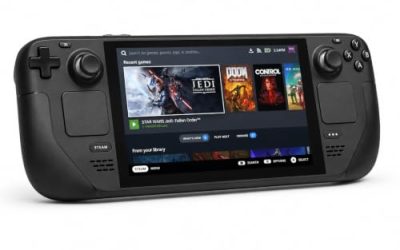
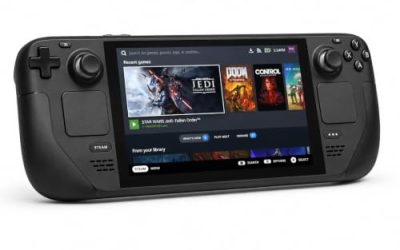
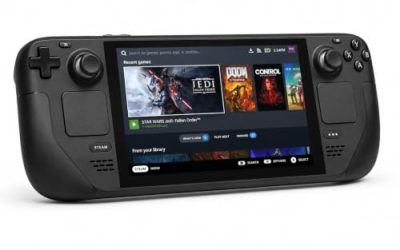
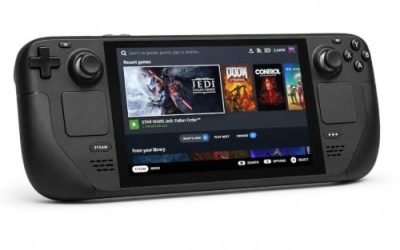
Valve Steam Deck OLED 512GB
- Display: 7.4-inch HDR OLED, 1280 by 800, up to 90 Hz
- Processor: AMD Zen 2 and RDNA 2 custom APU
- Memory: 16 GB LPDDR5
- Storage: 512 GB NVMe, plus a microSD slot
The machine the Playable badge was written for, tested against the same build still on sale.
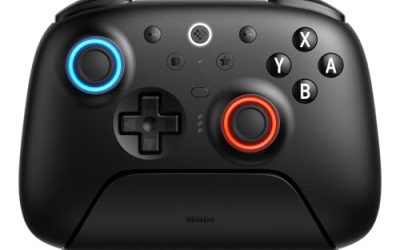
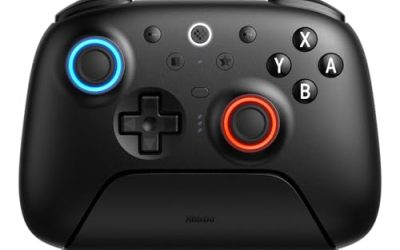
8BitDo Ultimate 2 Bluetooth Controller
- Connectivity: Bluetooth wireless and USB-C wired
- Joysticks: TMR electromagnetic, anti-drift design
- Triggers: Hall effect, with mode switching
- Extras: two remappable back buttons, motion control
Valve’s Deck sheet lists gamepad as the supported input class; a pad is the natural way through the game’s menus at a dock.
Xbox Wireless Controller, Carbon Black
- Connectivity: Xbox Wireless and Bluetooth
- Port: USB-C for wired play
- Controls: hybrid D-pad, dedicated Share button
- Power: AA batteries or optional rechargeable pack
The default second pad for PC gaming: Steam Input handles it everywhere, and it pairs over Bluetooth or its own wireless standard.
Logitech G502 HERO
- HERO optical sensor, up to 25,600 DPI
- 11 programmable buttons
- Adjustable weight system
- Wired USB connection
The most telling detail in the ProtonDB file is a Deck player switching to a keyboard-and-mouse layout; at a desk, a precise wired mouse makes the diagnostic screens faster to work.
Specs:
Samsung T9 Portable SSD 2TB
- Capacity: 2 TB portable SSD
- Interface: USB 3.2 Gen 2×2, USB-C connector
- Maker-rated speeds: up to 2,000 MB per second read, 1,950 MB per second write
- Features: Dynamic Thermal Guard, maker-rated drop resistance
For moving a Linux game library between machines, a fast USB-C drive is the simple answer. The headline figure needs a Gen 2×2 host port; on a lesser port the drive runs at that ceiling.
How to choose
Choose the Steam copy, because it is the only PC edition on sale anywhere. On a Linux desktop or laptop, install under Proton and start with the default compatibility tool; the Gold settled tier says the current line runs the game, and the not-opening reports belong to an older Proton generation. Keep graphics expectations modest — several reports describe performance that lags the paper requirements, so start at medium settings and climb. On Steam Deck, the Playable badge against the current build makes install-and-launch the tested route. The Perseverance DLC follows the same route: same store, same Proton.
Who should skip
Skip this one if a native build is a hard requirement: there is none, on any storefront, and no sign of one coming. Skip it if your machine resembles the failing ProtonDB reports — older NVIDIA setups on dated Proton lines — since the file is 13 reports deep, not 300. Skip the Deck as your only machine if small text and keyboard-invoked text entry are deal-breakers, because Valve’s sheet lists both. And skip it if you wanted a driving game: this is a stationary workshop sim played at a bench.
FAQ
Is Rover Mechanic Simulator native on Linux?
No. Steam flags the game Windows-only, the single launch entry runs a Windows executable, the only content depot is the Windows build, and the Linux requirements field is an empty list. There is no native build anywhere.
What about the macOS depot in the game’s depot table?
It is a ghost. The depot carries a macOS label but reports no size, the Mac platform flag is false, and the Mac requirements field is empty. Nothing is delivered through it.
How well does it run under Proton?
ProtonDB settles the game at Gold from 13 reports, with a Platinum best-reported tier and moderate confidence. Old Proton 6.3-series reports include failures to open, mostly on NVIDIA hardware; the newest filing, a Steam Deck report on Proton 8.0-3, runs with modest performance.
Is Rover Mechanic Simulator Steam Deck Playable?
Yes — Playable is Valve’s verdict, tested in November 2022 against build 6249234, still the current public build. The sheet notes a default controller configuration that is not fully functional, non-Deck glyphs, manual keyboard invocation and small text, alongside default graphics that perform well.
Final verdict
Rover Mechanic Simulator on Linux is a Proton story with a tidy paper trail. The native ruling is not native, agreed by every layer: false Linux flag, empty Linux requirements, no Linux depot, no Linux launch entry, no Linux icon. The one oddity — a size-less macOS depot — is a decoy the Mac flag correctly overrules. What Linux players get is a Gold-rated Proton file whose bad reports belong to an older Proton generation, and a Playable Deck badge that still grades the exact bytes on sale.
Product and ASIN Reference
| Product | ASIN |
|---|---|
| Valve Steam Deck OLED 512GB | B0CQ3RWQQZ |
| 8BitDo Ultimate 2 Bluetooth Controller | B0F194QFT2 |
| Xbox Wireless Controller, Carbon Black | B08DF248LD |
| Logitech G502 HERO | B07GBZ4Q68 |
| Samsung T9 Portable SSD 2TB | B0CHFS9K14 |