Ship Graveyard Simulator, the ship-breaking game from Games Incubator released in November 2021, puts you on a beach of beached wrecks dismantling hulls deck by deck and selling the steel. It has never had, on any layer of its Steam record, a Linux build: the store sells exactly one version of this game, and that version is built for Windows.
The record around that short answer is noisier than the answer itself. The store page carries Linux and macOS requirements sections that turn out to be empty shells, and a community compatibility page displays a heading that flatly contradicts the flags. This article reads each layer separately — flags, requirements, depots, the add-on, the Proton file, the Deck test sheet and the second storefront — so the verdict rests on what Steam actually ships.
As an Amazon Associate, we earn from qualifying purchases.
Quick answer
No. Ship Graveyard Simulator is not native on Linux. Steam’s record flags Windows only, the single content depot carries no operating-system scoping, and the Linux requirements tab is an empty shell. The practical route is Proton: ProtonDB settles the game at Silver across eight reports, with recent filings on newer Proton versions running cleanly, and Valve rates the Deck build Playable.
What the record actually holds
Start with the flags. Steam’s platform fields for app 1286880 read windows true, mac false, linux false. The sold package repeats that split, and the game’s one content depot — depot 1286881, about 21.5 gigabytes — carries no operating-system scoping, sitting beside only the standard Windows redistributables. There is no Linux depot, no Linux launch entry, and no Linux client icon among the registered assets: the list holds the ordinary clienticon, clienttga, icon and logo files and nothing else, and the extended-OS field is an empty string.
The trap sits in the requirements tabs, and it is worth naming precisely because it fools automated scans. The record does carry macOS and Linux requirements fields — but each contains only the Minimum and Recommended headings above completely empty lists: headings over nothing. The Windows tab, by contrast, is fully specified, naming Windows 7, 8 or 10 in 64-bit, a Core i3 and 8 gigabytes of memory at minimum, and a Core i5 with a GeForce GTX 970 recommended. A scraper that checks whether a Linux requirements section exists will report this game as documented for Linux. It is not; the section is a populated-but-empty shell — decoration, not evidence.
One more piece of record silence matters for the gear section below: the record carries no controller-support field and no controller category at all, so Steam assigns the game no controller rating. The only controller evidence anywhere is Valve’s Deck test sheet, which lists gamepad as the supported input class; the pads below are framed by that sheet and by Steam Input.
The add-on sweep
The downloadable-content array contains exactly one entry, read individually rather than assumed. The Submarines DLC (app 1918190) is typed as DLC and flags windows true, mac false, linux false — the same split as the parent. Its macOS and Linux requirement fields are absent entirely, not even shelled. No music or soundtrack app exists in this family, so the familiar trap of a soundtrack app flagging all three platforms true never gets a chance to fire here.
The sequels sit nearby on the store and are easy to confuse with this record: Ship Graveyard Simulator 2 and 3 are separate apps with their own records, and nothing from either is read into this one.
The Proton file: rough early, clean lately
With no native build, the real question is how the Windows build behaves under Proton, and here the community file tells a story with a clear direction of travel. ProtonDB’s summary reads settled Silver, best-reported Platinum, trending Platinum, across eight reports, with confidence rated moderate.
The report text matches that shape. The earliest filings are genuinely rough — one on an older Ubuntu setup reports the game installing and opening but never starting play even after repeated fixes; two filings on the Proton 7.0 line describe severe performance problems, frame rates collapsing into the teens. The most recent filings, on Proton 8.0-5, read completely differently: a couple of hours played with no issues at all. Valve’s recommended runtime for the Deck is the stable Proton branch.
One warning belongs here, because it is the most misleading artefact around this game. The game’s ProtonDB page displays a “Natively Supports:” heading above its requirements block. That heading is standard page furniture that appears regardless of what the underlying record says, and here it is contradicted by every layer of Steam’s own data. The heading is wrong for this game; this article follows Steam’s record.
The Steam Deck sheet: Playable, tested against an older build
Valve has reviewed this game on Steam Deck and published a sheet, read here through SteamDB’s republication of Valve’s data after Valve’s own endpoint returned unusable responses this session. The category is Playable, with SteamOS marked Compatible and the recommended runtime listed as the stable Proton branch. The passing checks are the ones that matter: all functionality is accessible with the default controller configuration, in-game text is legible, and the default graphics configuration performs well. The single deduction is cosmetic — the game sometimes shows mouse, keyboard or non-Deck controller icons instead of Deck glyphs.
The date on that sheet deserves attention. Valve’s test is timestamped 19 March 2022 and was run against build 7697273. The current public build is 10929086, shipped in April 2023 — the branch has not moved since, but it did move after the test. So the Playable badge grades an earlier build than the one on sale today. The badge is a floor established in 2022, not a fresh measurement.
Anti-cheat and the second storefront
There is very little to say about anti-cheat, and saying so precisely matters. Steam’s record names no anti-cheat and carries no DRM notice; the technologies SteamDB detects are engine plumbing, not enforcement software. The Are We Anti-Cheat Yet database, read in full at its current root file of 1,167 entries, holds no entry for this game in either direction — an absence of documentation, not a clearance certificate, and no anti-cheat layer gates Proton play here.
The storefront ruling is equally plain. GOG sells no edition of Ship Graveyard Simulator: the natural product address redirects to the general games catalogue, GOG’s product API returns nothing for the title, and its catalogue search surfaces only unrelated games. That ruling rests on the absent product page plus the API records, not on search silence.
Gear that fits the record
The gear below follows the record’s shape: the tested handheld, two pads, a mouse, and library storage.
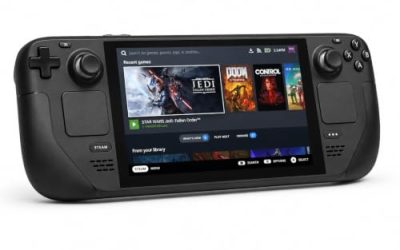
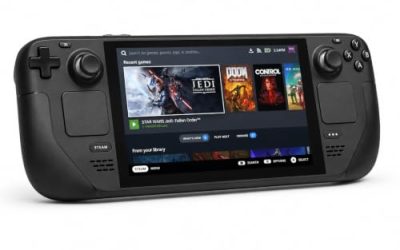
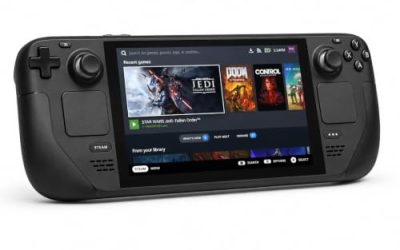
Valve Steam Deck OLED 512GB
The handheld the Playable badge was written for. Valve’s sheet passes the Windows build under the stable Proton branch with legible text and a performant default configuration.
Specs
- Display: 7.4-inch HDR OLED, 1280 by 800, up to 90 Hz
- Processor: AMD Zen 2 and RDNA 2 custom APU
- Memory: 16 GB LPDDR5
- Storage: 512 GB NVMe, plus a microSD slot
- Wireless: Wi-Fi 6E and Bluetooth
- Channel note: Valve sells the Deck mainly through its own store, so Amazon listings are third-party sellers
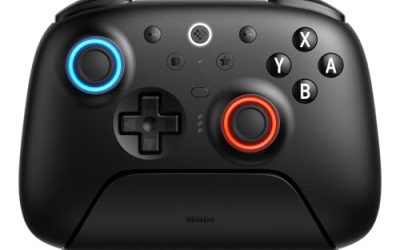
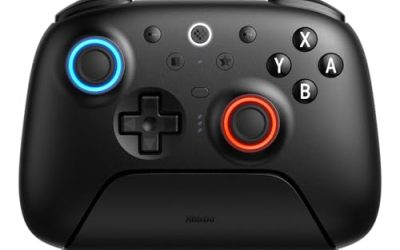
8BitDo Ultimate 2 Bluetooth Controller

The docked and desktop pad pick. The record issues no controller rating, so a pad here works through Steam Input mapping; this one adds back buttons for tool shortcuts.
Specs
- Connectivity: Bluetooth wireless and USB-C wired
- Joysticks: TMR electromagnetic, anti-drift design
- Triggers: Hall effect, with mode switching
- Extras: two remappable back buttons, motion control
- In the box: charging dock included
Xbox Wireless Controller, Carbon Black
The safest guest pad in PC gaming: Steam Input support is universal, and it pairs over Bluetooth or its own wireless standard. On the handheld, an external pad may need a manual Quick Access Menu switch before it takes over.
- Connectivity: Xbox Wireless and Bluetooth
- Port: USB-C for wired play
- Controls: hybrid D-pad, dedicated Share button
- Power: AA batteries or optional rechargeable pack
Logitech G502 HERO
Dismantling work is menu- and inventory-driven, and at a desk a precise wired mouse turns parts lists and yard sales into single clicks.
Specs
- HERO optical sensor, up to 25,600 DPI
- 11 programmable buttons
- Adjustable weight system
- Wired USB connection
- On-board memory profiles
Samsung T9 Portable SSD 2TB
For moving a Linux game library between machines, or keeping an offline backup of installers, a fast USB-C drive is the simple answer. The headline figure needs a Gen 2×2 host port; on a lesser port the drive runs at that ceiling instead.
Specs
- Capacity: 2 TB portable SSD
- Interface: USB 3.2 Gen 2×2, USB-C connector
- Maker-rated speeds: up to 2,000 MB per second read, 1,950 MB per second write
- Features: Dynamic Thermal Guard, maker-rated drop resistance
How to choose
Choose the Steam copy, because it is the only PC edition on sale anywhere and the exact build both community records describe. On a Linux desktop or laptop, install under Proton and select the 8.0 line or newer rather than accepting an older default: the settled Silver grade averages across Proton generations, and the clean filings cluster on the newer branch. On Steam Deck, the Playable badge means the default configuration is already the tested one — install, launch, and expect only occasional non-Deck button icons. For input, treat a pad as a Steam Input device, since the game publishes no controller rating; a mouse earns its place for long inventory sessions.
Who should skip
Skip this one if you buy only native Linux builds on principle: there is none here, there never has been, and the empty requirements shell is not a promise of one. Skip it if your tolerance for older Proton behaviour is low and you will not pick a Proton version yourself — the early file includes a genuine will-not-start report and ugly performance filings, even though the recent record is clean. Skip the Deck decision based on this game alone if you demand a fresh badge: Valve’s test dates from March 2022 and grades a build replaced in April 2023.
FAQ
Is Ship Graveyard Simulator native on Linux?
No. Steam flags the game Windows only, its single content depot has no operating-system scoping, and there is no Linux depot, launch entry or client icon on the record. The Linux requirements tab exists but is an empty shell — headings with nothing under them — which is not a build.
How well does Ship Graveyard Simulator run under Proton?
ProtonDB settles it at Silver from eight reports, with the best-reported and trending tiers at Platinum and moderate confidence. The split is generational: filings on the Proton 7.0 line report severe performance problems, while the newest reports on Proton 8.0-5 describe hours of play without issues.
Is Ship Graveyard Simulator playable on Steam Deck?
Yes — Valve rates it Playable and SteamOS Compatible, with the default controller configuration fully functional, legible text and a performant default graphics setup; the only deduction is occasional non-Deck button icons. Note the test dates from 19 March 2022 against build 7697273, while the current build is 10929086 from April 2023, so the badge grades an earlier build of a since-stable game.
Can I buy Ship Graveyard Simulator on GOG instead?
No. GOG sells no edition of this game: its product address redirects to the general catalogue. Steam is the only storefront in this check selling it, and the Steam copy is the Windows build covered above.
Final verdict
Ship Graveyard Simulator is a Windows game, and its record is unusually consistent about that once you read past the one trap: flags, depot table, asset list and the lone DLC all agree, and only the empty requirements shell and a stray page heading pretend otherwise. Linux players are routed through Proton, where the honest summary is a game whose early file was rough and whose current file, on a current Proton, is clean. Valve’s Playable Deck badge, even dated 2022, points the same way.
Product and ASIN Reference
| Product | ASIN |
|---|---|
| Valve Steam Deck OLED 512GB | B0CQ3RWQQZ |
| 8BitDo Ultimate 2 Bluetooth Controller | B0F194QFT2 |
| Xbox Wireless Controller, Carbon Black | B08DF248LD |
| Logitech G502 HERO | B07GBZ4Q68 |
| Samsung T9 Portable SSD 2TB | B0CHFS9K14 |