Our Short List of 3

- Display: 7.4-inch HDR OLED, 1280 by 800, up to 90 Hz
- Processor: AMD Zen 2 and RDNA 2 custom APU
- Memory: 16 GB LPDDR5
- Storage: 512 GB NVMe, plus a microSD slot

- Connectivity: Bluetooth wireless and USB-C wired
- Joysticks: TMR electromagnetic, anti-drift design
- Triggers: Hall effect, with mode switching
- Extras: two remappable back buttons, motion control

- Connectivity: Xbox Wireless and Bluetooth
- Port: USB-C for wired play
- Controls: hybrid D-pad, dedicated Share button
- Power: AA batteries or optional rechargeable pack
All 5 Picks at a Glance
| Product | Specs | Action |
|---|---|---|
| Valve Steam Deck OLED 512GB |
| Check price on Amazon |
| 8BitDo Ultimate 2 Bluetooth Controller |
| Check price on Amazon |
| Xbox Wireless Controller, Carbon Black |
| Check price on Amazon |
 Logitech G502 HERO |
| Check price on Amazon |
 Samsung T9 Portable SSD 2TB |
| Check price on Amazon |
My Garage is Viking Game Studio’s car-building sandbox: buy a worn-out car, strip it to the shell, rebuild engine and bodywork part by part, then drive what you put together. It spent years in Early Access from August 2021 before its full release on 2 June 2026, and it is still on sale on Steam today. For Linux players the only question that matters is what kind of build Steam actually sells, and the record answers it without ambiguity.
There is no native Linux version of My Garage. Every layer of the Steam record points the same way: Windows-only platform flags, a single Windows content depot, a single Windows launch entry, and a Linux requirements tab that exists on the page but holds nothing. What Linux players get instead is a Proton story, and there the news is good: ProtonDB settles the game at Platinum, and Valve rates it Playable on Steam Deck.
As an Amazon Associate, we earn from qualifying purchases.
Quick answer
No. My Garage ships no native Linux build: Steam’s record flags Windows only, its one content depot and one launch entry are Windows 64-bit, and the Linux requirements tab is an empty shell. The practical route is Proton, which ProtonDB settles at Platinum across seven reports, and Valve rates the game Steam Deck Playable.
What the Steam record actually holds
The record for app 1578390 reads windows true, mac false, linux false, and the one purchase package on the record sells exactly that: a Windows build.
The depot table agrees. There are two depots: 1578391, “Windows 64-bit My Garage Content” at 13.05 GiB, and 1578392, a second Windows 64-bit depot marked Unused with no size. There is no Linux depot and no macOS depot, in the package or out of it. The launch configuration is just as plain: one entry, executable “My Garage.exe”, launch type default, operating system windows, 64-bit only. A native Linux build needs a Linux depot and a Linux launch entry; this record has neither.
The registered assets close the last loophole: clienticon, clienttga, icon, logo and logo_small, and nothing else. No LinuxClientIcon in any form, fossil or otherwise, no Mac client icon, and the osextended field is an empty string.
The Linux tab that contains nothing
The one place a quick glance could mislead you is the system requirements area. The Windows tab is fully specified: a 64-bit Windows 10 system, a Core i5 at 3.0 GHz, 12 GB of RAM and a GeForce GTX 970-class card as the floor. Beside it sit macOS and Linux requirements fields, and both are populated-but-empty shells: the Minimum and Recommended headings are present, and the lists under them are completely empty. No operating system is named, no processor, no memory figure, nothing. That shape is a known trap in this series: an empty shell is a template the store tools created, not a port announcement, and read alongside the false Linux flag and the missing depot and launch entry, it says nothing at all.
Two more record silences are worth naming. The record exposes no DLC array at all, so no add-on’s flags can muddy the picture, and no soundtrack app exists to trip the usual all-true-flags trap. Steam’s record names no anti-cheat and carries no DRM notice, and the AreWeAntiCheatYet database, read in full at 1,167 entries, holds no entry for this game in either direction: an absence of documentation, not a clearance, matching a single-player game whose categories are Single-player, Partial Controller Support and Family Sharing. That partial rating comes from the game’s own record; nothing in the gear section below upgrades it to full.
Steam Deck: Playable, on paperwork from another era
Valve’s own compatibility endpoint returned empty responses this session, so the test sheet below was read through SteamDB’s republication of Valve’s data, and the figures are Valve’s own. The category is Playable, with SteamOS marked Compatible and proton-stable as the recommended runtime. The passes are the two that matter most: all functionality is accessible with the default controller configuration, and the default graphics configuration performs well. The deductions are cosmetic: the game sometimes shows mouse, keyboard or non-Deck controller icons, and some text is small.
The catch is the date. The test is timestamped 1 July 2022, against build 9028690; the current public build is 23960408, built on 29 June 2026 and updated in July 2026. Valve graded an Early Access build from four years ago, and the game has since passed its full 1.0 release and further updates without a retest. The badge grades bytes no longer on sale: a floor written for an older game, not a description of today’s.
ProtonDB: Platinum, with a version history worth knowing
The ProtonDB summary read in full for this session: settled tier Platinum, best-reported Platinum, trending Platinum, across 7 reports, with confidence rated low and a score of 0.65. Platinum unanimously, but on a thin file.
The reports underneath the headline span the game’s whole life, and their colour is honest in both directions. The newest filing, on CachyOS with Proton Experimental, describes the game running at a smooth frame rate and feeling like a native title. The older filings are rougher: one player found modern Proton builds choppy to the point of single-digit frame rates and fixed it by dropping to the elderly Proton 5.13-6; another lost the ability to walk around on Proton 7.0-1 and recovered it on 6.3-8; a third reports a G920 wheel was not detected at all, while noting most of the game plays fine on mouse and keyboard. The pattern is a game whose Proton behaviour improved as both it and Proton matured.
One heading needs correcting. The game’s ProtonDB page carries the stray “Natively Supports:” heading above its requirements block. Steam’s record contradicts that heading on every layer checked here: flags, depots, launch entry and assets. The heading is a page template artefact, the article follows Steam, and no part of the ruling rests on it.
Gear that fits the record
The gear below follows the record’s shape: the handheld the badge was written for, two pads for docked and desktop play, a mouse for the workshop’s menu work, and library storage. The game’s own record rates controller support as partial, so the pads are framed as Steam Input devices, not as a promise of full native pad support.
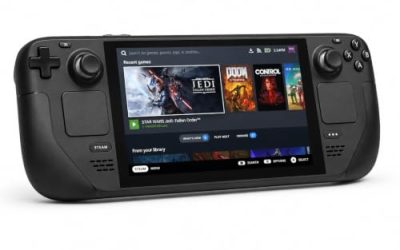
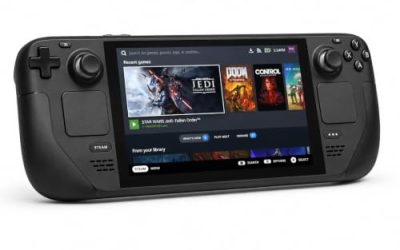
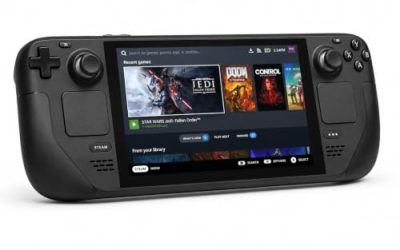
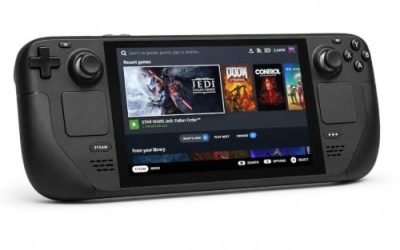
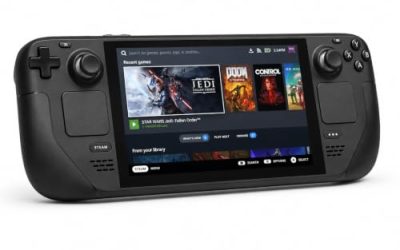
Valve Steam Deck OLED 512GB
- Display: 7.4-inch HDR OLED, 1280 by 800, up to 90 Hz
- Processor: AMD Zen 2 and RDNA 2 custom APU
- Memory: 16 GB LPDDR5
- Storage: 512 GB NVMe, plus a microSD slot
The handheld the Playable badge was written for. The game’s published Windows floor is modest next to the Deck’s APU, and Valve’s sheet passes the default graphics configuration, with small text as the caveat.
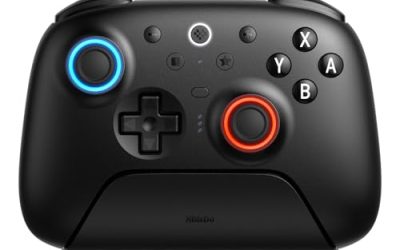
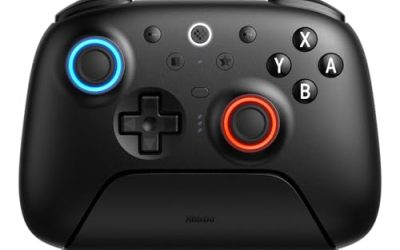
8BitDo Ultimate 2 Bluetooth Controller
- Connectivity: Bluetooth wireless and USB-C wired
- Joysticks: TMR electromagnetic, anti-drift design
- Triggers: Hall effect, with mode switching
- Extras: two remappable back buttons, motion control
The docked and desktop pad pick. Steam lists the game with partial controller support, so a pad covers driving and general play while a keyboard stays in reach for the menus a partial rating leaves behind.
Xbox Wireless Controller, Carbon Black
- Connectivity: Xbox Wireless and Bluetooth
- Port: USB-C for wired play
- Controls: hybrid D-pad, dedicated Share button
- Power: AA batteries or optional rechargeable pack
The safest guest pad in PC gaming: Steam Input support is universal, the glyphs match what most games display, and it pairs over Bluetooth or its own wireless standard. On the handheld, the test sheet’s note applies: an external pad may need a manual Quick Access Menu switch before it takes over.
Logitech G502 HERO
- HERO optical sensor, up to 25,600 DPI
- 11 programmable buttons
- Adjustable weight system
- Wired USB connection
A car-building game lives in its parts menus, and one ProtonDB filing notes most of the game plays on mouse and keyboard anyway. At a desk, a precise wired mouse turns parts lists into single clicks.
Samsung T9 Portable SSD 2TB
- Capacity: 2 TB portable SSD
- Interface: USB 3.2 Gen 2×2, USB-C connector
- Maker-rated speeds: up to 2,000 MB per second read, 1,950 MB per second write
- Features: Dynamic Thermal Guard, maker-rated drop resistance
For moving a Linux game library between machines, or keeping an offline backup of installers, a fast USB-C drive is the simple answer. The headline figure needs a Gen 2×2 host port; on a lesser port the drive runs at that ceiling instead.
How to choose
Choose the Steam copy, because it is the only PC edition on sale: GOG holds no edition of this game, as the GOG section of the FAQ below covers. On a Linux desktop or laptop, install and start with the default Proton; the settled Platinum tier says the current game on current Proton is the clean combination, and the downgrade stories in the report file belong to older builds of both. Only reach for an older Proton if the current one misbehaves on your hardware. On Steam Deck, install and play, but read the Playable badge as a 2022 floor rather than a fresh grade of the 1.0 build. For input, plan around partial controller support: a pad for driving, a mouse and keyboard within reach for the workshop, and no expectation that a racing wheel will be detected, because the one wheel report on file says it was not.
Who should skip
Skip it if you buy only native Linux builds on principle: this record offers none, and the empty Linux requirements tab is not a port in progress. Skip it if you want a gamepad-only couch experience, since the game’s own record rates controller support as partial. Skip it if you planned to play with a wheel, on the evidence of the undetected G920. And skip it if a seven-report ProtonDB file feels too thin to trust, however unanimous its Platinum tiers; the confidence rating is low for a reason.
FAQ
Is My Garage native on Linux?
No. Steam’s record flags Windows only, the sole content depot and sole launch entry are Windows 64-bit, and there is no Linux depot, launch entry or client icon anywhere on the record. The Linux requirements tab is an empty shell with headings and no content.
How well does My Garage run under Proton?
ProtonDB settles it at Platinum, with Platinum as both the best-reported and trending tier, across 7 reports at low confidence. The newest report, on Proton Experimental, describes native-like performance; the workarounds on file all involve older Proton versions from the Early Access years.
Is My Garage Steam Deck Playable?
Yes, Valve rates it Playable and SteamOS Compatible, with the default controller configuration fully functional and default graphics performing well; the deductions are non-Deck glyphs and small text. The test dates from 1 July 2022 and grades an Early Access build, not the current 1.0 build.
Can I buy My Garage on GOG instead?
No. There is no GOG edition: the natural product address redirects to the general catalogue and GOG’s product and catalogue records hold no My Garage product. Steam is the only PC storefront selling it.
Final verdict
My Garage on Linux is a Proton game, full stop. The native question is not close: flags, depots, launch configuration and assets all say Windows only, and the one surface that might suggest otherwise, the Linux requirements tab, is an empty template. What makes the game worth a Linux player’s attention anyway is the compatibility record: a unanimous Platinum settlement on ProtonDB and a Playable badge whose passes cover configuration and performance, even if that badge was written for a much older build. Buy it on Steam, run it on current Proton, keep a mouse near the workshop, and it earns its place in a Linux library.
Product and ASIN Reference
| Product | ASIN |
|---|---|
| Valve Steam Deck OLED 512GB | B0CQ3RWQQZ |
| 8BitDo Ultimate 2 Bluetooth Controller | B0F194QFT2 |
| Xbox Wireless Controller, Carbon Black | B08DF248LD |
| Logitech G502 HERO | B07GBZ4Q68 |
| Samsung T9 Portable SSD 2TB | B0CHFS9K14 |