Electrician Simulator, the job-sim from Take IT Studio! released on 21 September 2022, has you fitting sockets, repairing chandeliers and laying wires on customer callouts in first person. It is the kind of modest Unity-built simulator that Linux players often hope slipped a native build onto Steam unannounced, and the question this page answers is whether one exists.
The short answer is no, and unusually for this series, almost every layer of the record says so in the same plain way. Steam’s flags, the depot table, the launch configuration, the one piece of DLC and even the GOG edition all point at a Windows-only release. What Linux players get instead is a Proton file that settles at Platinum and a Deck sheet rated Playable.
As an Amazon Associate, we earn from qualifying purchases.
Quick answer
No. Electrician Simulator ships a Windows build only: Steam’s record flags Windows alone, the depot table holds one Windows content depot, the sole launch entry runs Electrician.exe for Windows, and GOG’s edition is Windows-only too. Linux players use Proton, where 17 reports settle at Platinum, and Valve rates the game Playable on Steam Deck.
The record at a glance
| Layer | What it shows |
|---|---|
| Steam platform flags | Windows true, Mac false, Linux false |
| Requirements tabs | Windows specified; Mac and Linux are headings over empty lists |
| Depots | One content depot (1080021, 13.66 GiB); no Linux depot |
| Launch configuration | One entry: Electrician.exe, Windows, 64-bit only |
| DLC: Smart Devices (2329870) | Windows only, same empty requirement shells |
| Steam Deck | Playable, tested 29 Oct 2022 on build 9579582; current build 13101022 |
| ProtonDB | Settled Platinum, trending Gold, 17 reports, good confidence |
| GOG | Edition exists (product 1998534507), Windows only |
What Steam’s own record says
Start with the flags, because everything else agrees with them. The store record for app 1080020 lists platforms as Windows true, Mac false, Linux false. The Windows requirements tab is a real specification: Windows 10 64-bit, a Core i5-8400 or Ryzen 5 1600, 8 GB of memory minimum and 16 GB recommended, a GTX 970 or RX 580 floor, and 4 GB of storage. The Mac and Linux requirements fields, by contrast, are populated-but-empty shells: Minimum and Recommended headings over completely empty lists, the shape of a template created and never filled in.
The depot table backs the flags up. SteamDB lists a single content depot, 1080021, at 13.66 GiB, with no operating-system scoping and no sibling Linux or Mac depot beside it. The launch configuration holds exactly one entry, an unnamed default that runs Electrician.exe, typed for Windows and 64-bit only. The registered asset set is the ordinary Windows set (clienticon, clienttga, icon, logo, logo_small); there is no LinuxClientIcon in any form, fossil or otherwise, and osextended is an empty string. SteamDB’s detected technologies are engine plumbing only: Unity, the NVIDIA_DLSS SDK, UnityBurst and UnityIL2CPP.
One more piece of record silence matters below: the record carries no controller-support field at all, so pad statements here come from Valve’s Deck sheet, not the store page.
The family sweep: one DLC, read on its own record
The full DLC array contains exactly one app: Electrician Simulator – Smart Devices (2329870), released 31 May 2023. Its record repeats the base game’s shape exactly: Windows true, Mac false, Linux false, and Mac and Linux requirements fields that are again headings over empty lists. No music app exists in this family, so the all-true soundtrack trap had nothing to fire on.
The Proton file: Platinum, with footnotes in the margins
ProtonDB’s summary for app 1080020 reads settled Platinum, best-reported Platinum, trending Gold, across 17 reports, with confidence rated good (score 0.66). The recent filings support that headline: reports on Proton 10.0-3 and on Proton Experimental from nine months ago record no performance issues and a perfectly running game.
The footnotes are worth knowing, though. The newest filing, from four months ago, is an outlier: run through the Bottles launcher with GE-Proton10-34, the game installed but opened to a black screen after the Unity splash, a non-standard path rather than the Steam Proton route the summary grades. An older cluster from the Proton 7 era documents a codec problem: in-game videos would not play on vanilla Proton, showing colour bars instead, and at least one job could not be completed until the reporter switched to GE-Proton, whose builds carry the missing video support. A separate report fixed an inability to rotate components freely by setting the PROTON_ENABLE_WAYLAND launch variable on a Wayland session.
The Steam Deck sheet
Valve’s own ajax endpoint returned empty responses during this session, so the sheet below was read through SteamDB’s republication of Valve’s data, stated here rather than hidden. The verdict is Playable, with SteamOS marked Compatible and the recommended runtime listed as proton-stable. The single passing check is the one that matters most: the default graphics configuration performs well on Steam Deck. The deductions are input-shaped: the default controller configuration is not fully functional, so some features need the touchscreen, the virtual keyboard or a community configuration; the game sometimes shows mouse, keyboard or non-Deck glyphs; entering text requires manually invoking the on-screen keyboard; and some in-game text is small. The sheet’s supported input class is “other”, matching the store record’s silence: a mouse-and-keyboard game a pad can be mapped onto.
Two dates frame the sheet’s weight. Valve tested on 29 October 2022 against build 9579582; the current public build is 13101022, shipped in January 2024, so the paperwork predates the build on sale and the badge is a floor, not a fresh measurement. ProtonDB’s own Deck filing describes a stable 45 frames per second with FSR applied, but Valve has not re-graded the current build.
The heading that gets it wrong
ProtonDB’s game page carries the stray “Natively Supports:” heading above its requirements panel. On this record that heading is simply wrong: Steam’s flags deny Linux, there is no Linux depot, launch entry or icon, and the Linux requirements tab is an empty shell. The tier data on the same page describes the Windows build running under Proton.
Anti-cheat, and the GOG edition
There is no anti-cheat question to settle. Steam’s record names no anti-cheat and carries no DRM notice, the game is single-player, and the Are We Anti-Cheat Yet database, read in full at 1,167 entries, holds no entry for this game in either direction.
GOG does sell this game. The natural product address resolves to a live product page, and GOG’s product API record (product 1998534507) lists compatibility as Windows true, OS X false, Linux false: the edition exists but is the same Windows build. One cross-storefront note: GOG’s catalogue lists controller support among its edition’s features, a tag from GOG’s own metadata; Steam’s record carries no such field.
Gear that fits the record
The picks below follow the record’s shape: the handheld the Playable sheet was written for, two pads for Steam Input mapping, a mouse for the job screens, and fast storage.
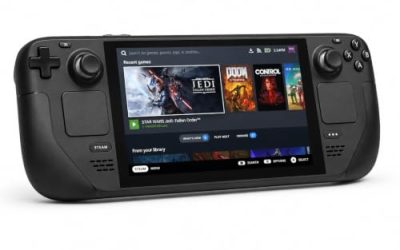
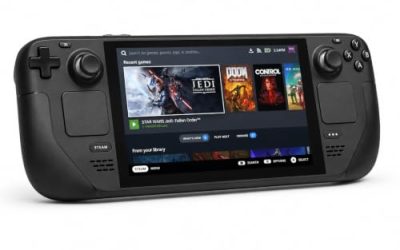
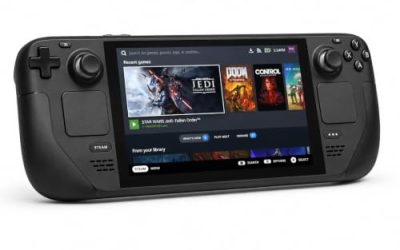
Valve Steam Deck OLED 512GB

The handheld the Playable badge was written for. The published Windows requirements sit far below the Deck’s APU, and Valve’s sheet passes the default graphics configuration outright; the work on Deck is input mapping.
Specs
- Display: 7.4-inch HDR OLED, 1280 by 800, up to 90 Hz
- Processor: AMD Zen 2 and RDNA 2 custom APU
- Memory: 16 GB LPDDR5
- Storage: 512 GB NVMe, plus a microSD slot
- Wireless: Wi-Fi 6E and Bluetooth
- Channel note: Valve sells the Deck mainly through its own store, so Amazon listings are third-party sellers
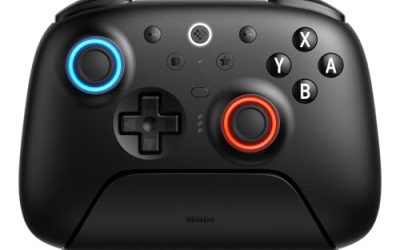
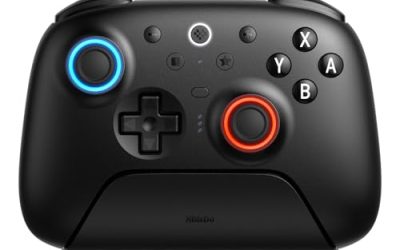
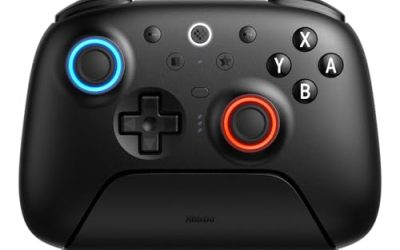
8BitDo Ultimate 2 Bluetooth Controller
The docked and desktop pad pick. Because the record gives the game no controller rating, this pad earns its place as a Steam Input device: modern sticks and triggers, and back buttons for the rotate and confirm inputs the job screens repeat.
Specs
- Connectivity: Bluetooth wireless and USB-C wired
- Joysticks: TMR electromagnetic, anti-drift design
- Triggers: Hall effect, with mode switching
- Extras: two remappable back buttons, motion control
- In the box: charging dock included
Xbox Wireless Controller, Carbon Black
The safest guest pad in PC gaming: Steam Input support is universal, and it pairs over Bluetooth or its own wireless standard. On the handheld, an external pad may need a manual Quick Access Menu switch before it takes over.
- Connectivity: Xbox Wireless and Bluetooth
- Port: USB-C for wired play
- Controls: hybrid D-pad, dedicated Share button
- Power: AA batteries or optional rechargeable pack
Logitech G502 HERO
The record’s own shape argues for a mouse at a desk: Valve lists the supported input class as “other”, and the job screens are pointer work. Eleven programmable buttons cover the inputs a long session repeats.
Specs
- HERO optical sensor, up to 25,600 DPI
- 11 programmable buttons
- Adjustable weight system
- Wired USB connection
- On-board memory profiles
Samsung T9 Portable SSD 2TB
For moving a Linux game library between machines, or keeping an offline backup of installers, a fast USB-C drive is the simple answer. The headline figure needs a Gen 2×2 host port; on a lesser port the drive runs at that ceiling.
Specs
- Capacity: 2 TB portable SSD
- Interface: USB 3.2 Gen 2×2, USB-C connector
- Maker-rated speeds: up to 2,000 MB per second read, 1,950 MB per second write
- Features: Dynamic Thermal Guard, maker-rated drop resistance
How to choose
Choose the Steam copy if you play on Linux. Both storefronts sell the same Windows build, but Steam is the edition the ProtonDB file and the Deck sheet describe, and the one that arrives with Proton attached. Leave the compatibility tool at its default first: Valve’s sheet names proton-stable. Keep GE-Proton in mind only as the documented fix for the old in-game video problem from the Proton 7 era. On a desktop, plan on mouse and keyboard. On Deck, budget a few minutes for a community controller layout and expect to invoke the on-screen keyboard for text fields.
Who should skip
Skip this one if you buy native Linux builds only: there is no native build on either storefront, and the empty Linux requirements shell is paperwork, not a promise. Skip it on Deck if small in-game text is a deal-breaker, because Valve’s sheet flags exactly that. And skip it if you want a pad-first experience with no mapping work: the record assigns the game no controller support at all.
FAQ
Is Electrician Simulator native on Linux?
No. Steam’s record flags Windows only, the depot table holds a single Windows content depot, the only launch entry runs Electrician.exe for Windows, and the Linux requirements tab is headings over empty lists. Linux play happens through Proton.
Does the GOG version run natively on Linux?
No. GOG sells the game (product 1998534507), but its product record lists compatibility as Windows only, with OS X and Linux both false: the same Windows build as on Steam.
How well does Electrician Simulator run under Proton?
ProtonDB’s summary settles at Platinum from 17 reports, with a trending tier of Gold and confidence rated good. Recent filings on current Proton versions report clean runs; the known historical issue is in-game video playback on Proton 7-era builds, which GE-Proton resolved.
What is the Steam Deck verdict for Electrician Simulator?
Playable, with SteamOS marked Compatible. Valve’s sheet passes the default graphics configuration and deducts for a controller configuration that is not fully functional, non-Deck glyphs, manual keyboard invocation and small text. The test dates to October 2022 on build 9579582; the current public build is 13101022.
Final verdict
Electrician Simulator is a Windows-only release whose Linux story is nonetheless easy to recommend with eyes open. The native answer is no at every layer that can speak: flags, depots, launch configuration, icons, the single DLC and the GOG record all agree. Against that, ProtonDB settles the Windows build at Platinum across 17 reports, and Valve’s Playable sheet passes its graphics outright while deducting honestly for input. Buy the Steam copy, play it under Proton with a mouse nearby or a community layout loaded on Deck, and ignore any heading that tells you a native port exists.
Product and ASIN Reference
| Product | ASIN |
|---|---|
| Valve Steam Deck OLED 512GB | B0CQ3RWQQZ |
| 8BitDo Ultimate 2 Bluetooth Controller | B0F194QFT2 |
| Xbox Wireless Controller, Carbon Black | B08DF248LD |
| Logitech G502 HERO | B07GBZ4Q68 |
| Samsung T9 Portable SSD 2TB | B0CHFS9K14 |