Screencheat is a competitive first-person shooter with one rule that rewrites the genre: every player is invisible, so the only way to find your opponents is to look at their screens. Samurai Punk built that idea into a Unity game covering online PvP, split-screen and single-player modes; Steam’s record dates the release to 21 October 2014.
A game from 2014 with a Linux flag deserves a check rather than a nod, because flags from that era often outlive the builds behind them. This article reads the record layer by layer: the flags and requirements fields, the depots a purchase delivers, the one extra app in the family, the anti-cheat picture, Valve’s Deck test sheet, and the other storefront.
As an Amazon Associate, we earn from qualifying purchases.
Quick answer
Yes. Screencheat has a native Linux build, and the record agrees at every layer: Steam flags Windows, Mac and Linux, the Linux minimum names Ubuntu with a written spec, a Linux depot of about 1.60 GiB sits inside the ordinary purchase package, and Valve’s Deck sheet rates the game Playable on the native runtime, tested on the build the public branch still serves. GOG sells a Linux edition too.
Three flags, three depots, one answer
Start with the store record. Steam’s platform flags read windows true, mac true and linux true, and all three requirements fields are written out rather than left as shells. The Windows minimum asks for Windows XP or newer, a 1.4GHz or faster processor, 3 GB of RAM, a DirectX 9.0c card and 2 GB of storage. The Mac minimum names OSX 10.6 or later with the same figures. The Linux minimum names Ubuntu with the same processor, memory and storage, and a graphics card described as any from the last four years. The text is short and dated in flavour, but it is a real, platform-specific field, not a copied Windows block and not an empty list.
The depot layer settles what a flag alone cannot. SteamDB lists three content depots: depot 301971 for Windows at 1.59 GiB, depot 301972 for macOS at 1.61 GiB, and depot 301973, named Linux Screencheat Content, at 1.60 GiB. The two packages a buyer can actually purchase, the standard package 51118 and the four-pack 51119, each grant the game app alone and read windows, mac and linux true on Steam’s own package record, so a normal purchase delivers the Linux depot; nothing is stranded. One leftover sits in the table, a Windows 64-bit depot marked Unused with no size recorded. The public branch has served build 3860511 since May 2019, a finished, stable target: the anti-stranded shape this cluster looks for.
The one extra app, read on its own record
The game’s full DLC array contains exactly one app, and it is the shape this series of articles has learned to distrust: app 326510, the Screencheat Deluxe Edition Upgrade (Soundtrack + Ragdolls), released 1 May 2015. Its record flags all three platforms true, while its Windows, Mac and Linux requirements fields are empty lists outright. An audio-and-cosmetics package wearing a full set of platform flags over empty fields proves nothing about any platform; its SteamDB depot is about 1.03 GiB of soundtrack and ragdoll content, no executable.
The trap is harmless here because the base game never needed the upgrade’s flag: the verdict rests on Screencheat’s own populated Linux field, its own Linux depot and its own purchase packages, all read above.
Anti-cheat: three sources, three silences
For an online shooter, the anti-cheat question decides whether Linux players are welcome at all, so the three sources are kept separate. Steam’s record names no anti-cheat, and carries no DRM notice and no external-account notice. SteamDB’s detected technologies are Unity Engine, Mono SDK and Photon SDK: an engine, a runtime and a networking library, plumbing rather than anti-cheat. The Are We Anti-Cheat Yet dataset, all 1,167 games on its master branch, carries no entry for Screencheat by name or by app id. The record lists Online PvP among its categories; beyond that, no claim is made here about servers or matchmaking. No anti-cheat system appears anywhere in the game’s paperwork.
Steam Deck: Playable, on the native runtime, with current paperwork
Valve’s own compatibility endpoint returned an empty result set for this game in this session, so the verdict below is read from SteamDB’s republication of Valve’s compatibility data, stated plainly rather than dressed up. The sheet rates Screencheat Playable on Steam Deck, with SteamOS separately marked Compatible, and its configuration names the recommended runtime as native: the badge was earned by the Linux build itself, not by a Proton profile.
The paperwork is also current, which is rarer than it should be. Valve’s test is dated 11 December 2025 and was run on build 3860511, the same build the public branch has served since May 2019, so it describes the exact build a buyer downloads today.
What holds the grade at Playable is a trio of interface notes. Some functionality is not accessible under the default controller configuration, requiring the touchscreen or virtual keyboard, or a community configuration. The game sometimes shows mouse, keyboard or non-Steam-Deck controller icons. Some in-game text is small and may be difficult to read. Against those, the sheet records that the default graphics configuration performs well on the Deck, and that no internet is required for single-player. Full controller support is on the game’s own record, which suits the split-screen modes.
ProtonDB: an unread file this session
ProtonDB’s summary record for this game could not be read in this session: the summary endpoint returned an error page on repeated attempts, and the game’s report page did not load. This article therefore claims no ProtonDB tier, no report count and no confidence figure, and the check of the page’s classification heading is recorded as not completed rather than guessed at.
GOG: a second shop, the same native build
Screencheat also has a GOG edition, ruled from GOG’s own product record after the catalogue and embed searches returned nothing for the title, the known blind spot in GOG’s search surfaces. The record’s identity checks out against Steam’s: the title is Screencheat and the release date matches 21 October 2014. Its compatibility line reads Windows and Linux, and a Linux installer is among its downloads, so the DRM-free route carries the native build as well.
Gear that fits the record
The gear below follows the record’s shape: the handheld the Playable badge was written for, two pads for split-screen and docked play, a mouse for desktop sessions, and library storage.
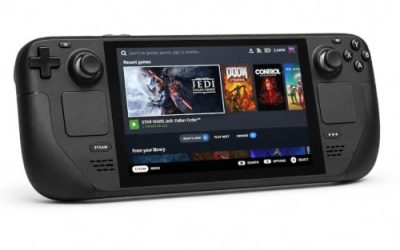
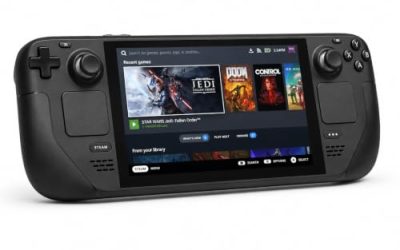
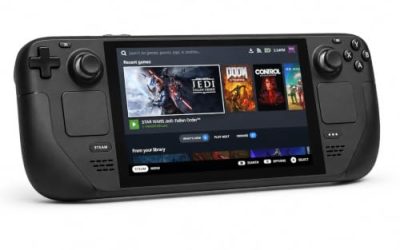
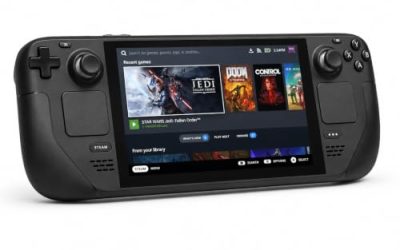
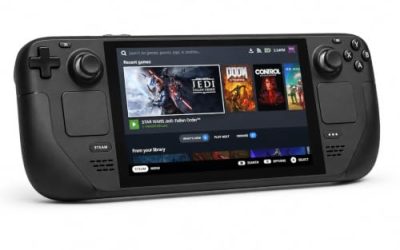
Valve Steam Deck OLED 512GB

The handheld the Playable badge was written for: Valve tested the native build on the current branch build, and split-screen runs on the one screen with pads added for guests.
Specs
- Display: 7.4-inch HDR OLED, 1280 by 800, up to 90 Hz
- Processor: AMD Zen 2 and RDNA 2 custom APU
- Memory: 16 GB LPDDR5
- Storage: 512 GB NVMe, plus a microSD slot
- Wireless: Wi-Fi 6E and Bluetooth
- Channel note: Valve sells the Deck mainly through its own store, so Amazon listings are third-party sellers
8BitDo Ultimate 2 Bluetooth Controller
The guest pad for split-screen. Screencheat is a four-player game at heart, and this pad covers the couch case with modern sticks and triggers plus back buttons.
Specs
- Connectivity: Bluetooth wireless and USB-C wired
- Joysticks: TMR electromagnetic, anti-drift design
- Triggers: Hall effect, with mode switching
- Extras: two remappable back buttons, motion control
- In the box: charging dock included
Xbox Wireless Controller, Carbon Black
The safest guest pad in PC gaming: Steam Input support is universal, the glyphs match what most games display, and it pairs over Bluetooth or its own wireless standard. On the handheld, an external pad may need a manual Quick Access Menu switch before it takes over.
- Connectivity: Xbox Wireless and Bluetooth
- Port: USB-C for wired play
- Controls: hybrid D-pad, dedicated Share button
- Power: AA batteries or optional rechargeable pack
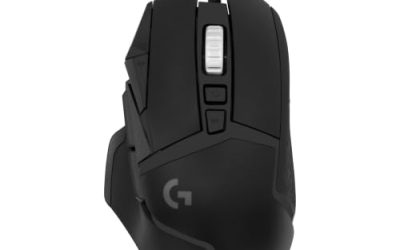
Logitech G502 HERO
On a desktop, Screencheat is a first-person shooter, and a precise wired mouse is the natural aim input while you read the other screens for movement. Eleven programmable buttons cover the weapon and mode inputs.
Specs
- HERO optical sensor, up to 25,600 DPI
- 11 programmable buttons
- Adjustable weight system
- Wired USB connection
- On-board memory profiles
Samsung T9 Portable SSD 2TB
For moving a Linux game library between machines, or keeping an offline backup of installers, a fast USB-C drive is the simple answer. The headline figure needs a Gen 2×2 host port; on a lesser port the drive runs at that ceiling.
Specs
- Capacity: 2 TB portable SSD
- Interface: USB 3.2 Gen 2×2, USB-C connector
- Maker-rated speeds: up to 2,000 MB per second read, 1,950 MB per second write
- Features: Dynamic Thermal Guard, maker-rated drop resistance
How to choose
Choose either storefront on its own merits, because both carry the native build: Steam if your library and Deck live there, GOG if you want the offline Linux installer. On a Linux desktop or laptop, no compatibility layer is involved; install the native build and play. On a Steam Deck, expect the Playable shape the sheet describes: the game performs well at its default configuration, but keep a community controller configuration in mind for the functions the default layout misses, and expect some small text. For input, the game’s centre of gravity is the pad; a mouse earns its place only at a desk, where the shooter half of the design takes over.
Who should skip
Skip Screencheat if the core mechanic puts you off: every opponent is invisible, and reading other players’ screens is not a trick within the game, it is the game. Skip the Deck plan if small in-game text is a hard limit for you. Skip it if you want a default controller configuration that reaches every function without a community layout or the touchscreen. And skip it if you are shopping for a single-player campaign first: the record lists a single-player mode, but the design is built around multiplayer, online and on one couch.
FAQ
Is Screencheat native on Linux?
Yes. Steam flags Linux alongside Windows and Mac, the Linux requirements field is populated and names Ubuntu, and a Linux depot of about 1.60 GiB is delivered by the ordinary purchase packages. Valve’s Deck sheet names the native runtime, so the badge certifies the Linux build itself.
What does the Deck Playable grade mean here?
It means the native build runs well at its default graphics configuration, with three caveats: some functions need the touchscreen, the virtual keyboard or a community configuration, controller glyphs sometimes do not match the Deck, and some text is small. The test was run on the same build the public branch serves now.
Does the Deluxe Edition Upgrade change the Linux answer?
No. The upgrade is a soundtrack and ragdolls package whose record flags all three platforms over empty requirements fields, the classic bare-flag shape. It carries no executable and proves nothing either way; the base game’s own field, depot and packages carry the verdict on their own.
Can I buy Screencheat on GOG with Linux support?
Yes. GOG’s product record for Screencheat lists Windows and Linux, with a Linux installer among the downloads, so the DRM-free edition is the same native build. The ruling comes from the product record itself; GOG’s search surfaces return nothing for this title.
Final verdict
Screencheat is one of the clean native files in this cluster: a populated Linux field, a full-size Linux depot inside the packages a purchase delivers, a Deck badge earned by the native runtime on the exact build still being served, and a GOG edition carrying the same build. The family’s one extra app wears the usual misleading flag, and the ProtonDB file could not be read this session, so no community tier is claimed. On this record, Linux players are not guests at the party; the build was made for them too.
Product and ASIN Reference
| Product | ASIN |
|---|---|
| Valve Steam Deck OLED 512GB | B0CQ3RWQQZ |
| 8BitDo Ultimate 2 Bluetooth Controller | B0F194QFT2 |
| Xbox Wireless Controller, Carbon Black | B08DF248LD |
| Logitech G502 HERO | B07GBZ4Q68 |
| Samsung T9 Portable SSD 2TB | B0CHFS9K14 |