Our Short List of 3

- Display: 7.4-inch HDR OLED, 1280 by 800, up to 90 Hz
- Processor: AMD Zen 2 and RDNA 2 custom APU
- Memory: 16 GB LPDDR5
- Storage: 512 GB NVMe, plus a microSD slot

- Connectivity: Bluetooth wireless and USB-C wired
- Joysticks: TMR electromagnetic, anti-drift design
- Triggers: Hall effect, with mode switching
- Extras: two remappable back buttons, motion control

- Connectivity: Xbox Wireless and Bluetooth
- Port: USB-C for wired play
- Controls: hybrid D-pad, dedicated Share button
- Power: AA batteries or optional rechargeable pack
All 5 Picks at a Glance
| Product | Specs | Action |
|---|---|---|
| Valve Steam Deck OLED 512GB |
| Check price on Amazon |
| 8BitDo Ultimate 2 Bluetooth Controller |
| Check price on Amazon |
| Xbox Wireless Controller, Carbon Black |
| Check price on Amazon |
 Logitech G502 HERO |
| Check price on Amazon |
 Samsung T9 Portable SSD 2TB |
| Check price on Amazon |
Mandragora: Whispers of the Witch Tree, the dark-fantasy action RPG from Primal Game Studio and publisher Knights Peak, reached Steam on April 17, 2025 with a Windows build and no Linux version announced. For Linux players the question is narrower than the store page makes it look: is there a native build hiding anywhere in the record, and if not, how well does the Windows build travel through Proton?
The short answer is that every delivery layer of the Steam record describes one Windows game, while the family’s single Linux flag belongs to the soundtrack album. The longer answer matters, because the family table is exactly the shape that misleads automated compatibility checkers — and because the two independent verdicts on the Windows build, Valve’s Deck test and the ProtonDB file, are both strong.
As an Amazon Associate, we earn from qualifying purchases.
Quick answer
No native Linux build exists. Steam’s record flags Mandragora Windows-only, ships a single unsplit Windows depot, and leaves the Linux requirements field an empty shell; the family’s only Linux flag belongs to the soundtrack album. The Windows build is the route: Valve rates it Deck Verified and ProtonDB settles at Platinum across 15 reports with good confidence.
What the base game’s record actually says
Start with the game app itself, app 1721060. Its platform flags read windows true, mac false, linux false. The Windows system requirements are genuinely populated: a 64-bit Windows 10 or Windows 11, an Intel Core i5-6500 or AMD Ryzen 5 1400 class processor, 8 GB of RAM and a GeForce GTX 1060 6 GB or Radeon RX 480 class graphics card at minimum. The Mac and Linux requirements fields, by contrast, are empty shells — the standard headings printed over blank lists, a template never filled in because there is no build for either platform to describe.
The delivery data agrees. SteamDB’s depot census for the sold package holds exactly one content depot, depot 1721061 at roughly 15.73 GiB, with no operating-system split, plus the artbook depot belonging to its DLC. The only redistributables are the Windows Visual C++ 2022 and DirectX runtimes. A native Linux build cannot hide in that shape: there is no Linux depot and no Linux executable delivery. The icon registry tells the same story in miniature — clienticon, clienttga, icon and logo, but no LinuxClientIcon — and the osextended field is an empty string. One disclosed limit: the launch-entry list could not be surfaced this session, so this article makes no launch-entry claim and rests the ruling on flags, requirements, depots and icons, which are unanimous.
The account and protection layers are silent. The record carries no DRM notice and no third-party account notice. SteamDB names no anti-cheat — its detected technology is the Unreal Engine plus graphics and audio middleware — and the AreWeAntiCheatYet database, read in full, holds no entry for this app by store ID or name. For a single-player game that silence is the expected shape, reported as silence, not as a clearance.
The soundtrack trap, handled head-on
Anyone scanning the product family with a script will find a Linux flag, and it is worth being precise about where it sits. The base record’s content array holds eight entries, each read on its own record for this article:
| Family member | Type | Linux flag |
|---|---|---|
| Mandragora: Whispers of the Witch Tree (base game) | game | false |
| Digital Deluxe Upgrade | dlc | false |
| Dark Ale Quest | dlc | false |
| Nimble Doeling (Pet Follower) | dlc | false |
| Gildcrest Transmog Set | dlc | false |
| Curious Ottling (Pet Follower) | dlc | false |
| Shadowpyre Transmog Set | dlc | false |
| Digital Artbook | dlc | false |
| Mandragora — Soundtrack | music | true |
The family’s Linux-flag count is 1 of 9, and the 1 is the album. The soundtrack app flags Windows, Mac and Linux all true, which is normal paperwork for a music product: an album is a folder of audio files, and its flags describe where those files can be delivered, not where a game engine runs. Every actual content add-on flags Linux false, matching the base game. Rule on the game app’s own layers and the answer is unambiguous: no native Linux build exists, and the soundtrack’s flag lends it nothing. A free demo app also exists on Steam as a separate product outside this array; it is not part of the family count, and nothing in this ruling rests on it.
The Steam Deck verdict and its paperwork
Valve’s test sheet for this app, read through SteamDB’s republication of Valve’s compatibility data after Valve’s endpoint served this session poorly, rates Mandragora Verified on Steam Deck, the top category, with SteamOS separately marked Compatible. All four Verified checks pass: the default controller configuration is fully functional, the game shows Steam Deck controller icons, in-game text is legible, and the default graphics configuration performs well. The configuration adds that no internet is required for setup or single-player, and the record’s own controller-support field reads full, with DualShock and DualSense support among the store categories.
The paperwork has one wrinkle. Valve tested the game on June 19, 2025 against build 18810188, with a release-candidate build of Proton 9.0-4 as the recommended runtime. The current public build is 19181413, built in July 2025, so the badge grades a superseded build rather than the code on sale today. That makes this a Deck-paperwork supplement candidate in this project’s bookkeeping: the verdict is real, but a fresh test against the current build would be the version that settles the present-day game. The gap is a paperwork gap, stated as one.
ProtonDB: a settled Platinum, and a heading that lies
The ProtonDB summary was read in full: settled tier Platinum, best-reported Platinum, trending Platinum, across 15 reports with confidence rated good. That is about as settled as a mid-sized file gets — not one enthusiastic report dragging an average upward.
The filings underneath match the headline. Recent desktop reports describe out-of-the-box runs on stock Proton 10.0-3 with no tinkering. One detailed Deck filing reports stable play through the whole game on a tuned preset, lowering render scale for battery life and noting a rare terrain-loading hiccup when fast travelling. Older filings show the usual early tinker steps, which the newer stock-Proton reports have made unnecessary. One filing describes the separate free demo crashing at startup; that is a different app, kept out of this game’s assessment.
One heading on the game’s ProtonDB page does not survive contact with the record: the page carries a “Natively Supports” heading, generated from the empty-shell Linux requirements field above. It is wrong — ProtonDB’s own tier describes the Windows build running under Proton, the opposite of native support — and this article follows Steam’s record wherever the two disagree.
The storefront ruling
There is a second PC edition, and it changes nothing for Linux. GOG sells Mandragora under product 1716387415, identity verified against the live product page, and its product record’s system compatibility reads Windows true, Mac false, Linux false — a DRM-free copy of the same Windows build, released the same day. The storefront choice is about DRM and library preference, not platform support: neither shop sells a Linux build, because none exists.
Gear that fits the record
The gear below follows the record’s shape: the handheld the badge was written for, two pads, a mouse for menu-heavy desktop sessions, and library storage.
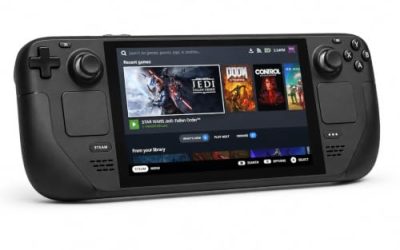
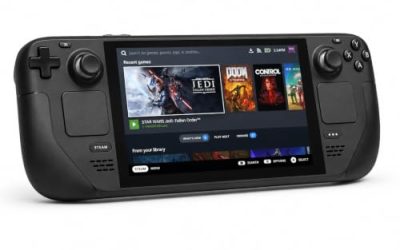
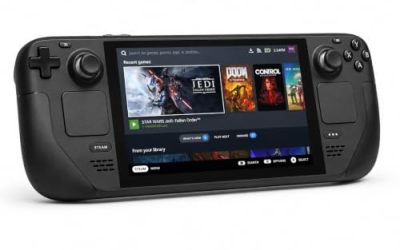
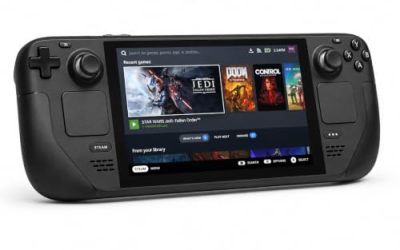
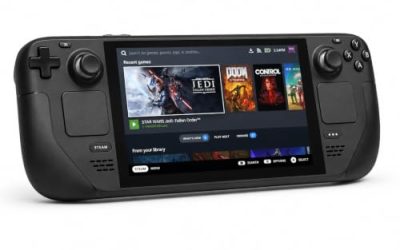
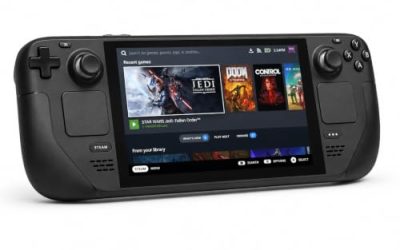
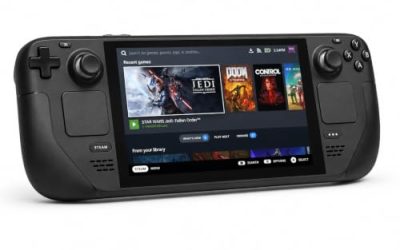
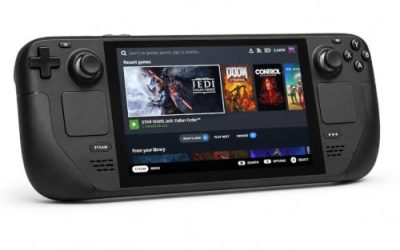
Valve Steam Deck OLED 512GB
- Display: 7.4-inch HDR OLED, 1280 by 800, up to 90 Hz
- Processor: AMD Zen 2 and RDNA 2 custom APU
- Memory: 16 GB LPDDR5
- Storage: 512 GB NVMe, plus a microSD slot
The handheld the Verified badge was written for, and Valve’s test sheet gives the Windows build a clean four-check pass under Proton.
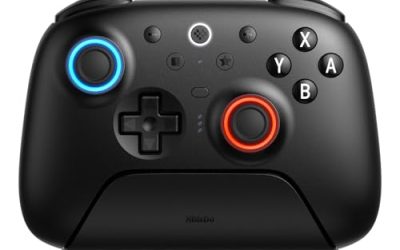
8BitDo Ultimate 2 Bluetooth Controller
- Connectivity: Bluetooth wireless and USB-C wired
- Joysticks: TMR electromagnetic, anti-drift design
- Triggers: Hall effect, with mode switching
- Extras: two remappable back buttons, motion control
The docked and desktop pad pick. Steam lists full controller support, and this pad covers the couch case with modern sticks and triggers plus back buttons for shortcuts.
Xbox Wireless Controller, Carbon Black
- Connectivity: Xbox Wireless and Bluetooth
- Port: USB-C for wired play
- Controls: hybrid D-pad, dedicated Share button
- Power: AA batteries or optional rechargeable pack
The safest guest pad in PC gaming: Steam Input support is universal, the glyphs match what most games display, and it pairs over Bluetooth or its own wireless standard.
Logitech G502 HERO
- HERO optical sensor, up to 25,600 DPI
- 11 programmable buttons
- Adjustable weight system
- Wired USB connection
Mandragora’s menus and inventory are pointer-friendly, and at a desk a precise wired mouse turns them into single clicks.
Samsung T9 Portable SSD 2TB
- Capacity: 2 TB portable SSD
- Interface: USB 3.2 Gen 2×2, USB-C connector
- Maker-rated speeds: up to 2,000 MB per second read, 1,950 MB per second write
- Features: Dynamic Thermal Guard, maker-rated drop resistance
For moving a Linux game library between machines, or keeping an offline backup of installers, a fast USB-C drive is the simple answer. The headline figure needs a Gen 2×2 host port; on a lesser port the drive runs at that ceiling.
How to choose
Choose on storefront first: Steam is the edition the Deck badge and the ProtonDB file describe, while GOG sells the same Windows build without DRM. On a Linux desktop, install under Proton and start with the default compatibility tool — the settled Platinum tier and the run of out-of-the-box filings say no tinkering should be needed, and the community builds in older reports are a fallback, not a starting point. On Steam Deck, install and play; the Verified badge was earned on an earlier build, so the paperwork gap above is context, not a warning. For input, the record’s full controller support makes a pad the default everywhere, with a mouse earning its place for long menu sessions at a desk.
Who should skip
Skip this one if you are shopping for a native Linux action RPG: the only Linux flag in the family belongs to a soundtrack, and no native build exists on either storefront. Skip it if a Deck badge that predates the current build is not reassurance enough — the ProtonDB file is the stronger present-day evidence. Skip it if you need a Mac version, since neither storefront sells one. And skip the soundtrack-as-evidence shortcut wherever you meet it: an album’s flags never describe a game’s builds.
FAQ
Is Mandragora native on Linux?
No. The record flags Linux false, the Linux requirements field is an empty shell, and the single content depot carries no Linux build. The family’s only Linux flag belongs to the soundtrack app, whose flags describe audio-file delivery.
How does Mandragora run on Linux through Proton?
ProtonDB’s full summary settles at Platinum on all three tiers, across 15 reports with good confidence. Recent desktop filings describe out-of-the-box runs on stock Proton, and a detailed Deck filing reports stable play on a tuned preset.
Is Mandragora Steam Deck Verified?
Yes. Valve’s sheet passes all four checks and marks SteamOS Compatible. The test dates to June 2025 against an earlier build than the one now on sale, so the badge is best read alongside the current ProtonDB file.
Does the GOG version work on Linux?
GOG sells the game, but its product record lists Windows only. It is a DRM-free copy of the same Windows build, so a Linux player there is on the same Proton route as on Steam.
Final verdict
Mandragora is a Windows game on Linux by the compatibility route, and that route is in excellent shape: no native build on any layer of the record, a soundtrack flag that lends the game nothing, a Deck Verified badge whose only weakness is its age, and a settled Platinum ProtonDB file describing the current game. Buy it on whichever storefront you prefer, play it under Proton, and file the “Natively Supports” heading with the empty requirements template that generated it.
Product and ASIN Reference
| Product | ASIN |
|---|---|
| Valve Steam Deck OLED 512GB | B0CQ3RWQQZ |
| 8BitDo Ultimate 2 Bluetooth Controller | B0F194QFT2 |
| Xbox Wireless Controller, Carbon Black | B08DF248LD |
| Logitech G502 HERO | B07GBZ4Q68 |
| Samsung T9 Portable SSD 2TB | B0CHFS9K14 |