Eternal Strands is Yellow Brick Games’ third-person fantasy action game, released on 28 January 2025, in which Brynn, a young Weaver, fights with fire, ice and kinetic magic. A Linux player reading its Steam record meets a confusing pile of signals: a Linux requirements tab that appears filled in, a Linux icon in the registry, and a related app that flags Linux outright. Taken at face value, those signals suggest a port exists.
None of them is a port. The game flags Windows only, and every delivery layer underneath the paperwork agrees. What Linux players actually have is a Proton story: the community file settles at Gold, and Valve rates the game Verified on Steam Deck. This article separates the signals one by one.
As an Amazon Associate, we earn from qualifying purchases.
Quick answer
Eternal Strands is not native on Linux. Steam sells a Windows build only, one Windows depot ships, and the family’s only Linux flag belongs to the soundtrack album. The working route is Proton: ProtonDB settles at Gold across 20 reports, and Valve rates the game Verified on Steam Deck.
Three Linux signals, none of them a build
The platform flags decide what Steam delivers: windows true, mac false, linux false. Three nearby artefacts muddy that one-line story, and each deserves a ruling.
The first is the Linux requirements field. Unlike the empty lists many Windows-only games carry, this one is populated at both tiers. Read it, though: the Windows spec sheet, copied verbatim — the operating-system line names Windows 10 and Windows 11, down to the DirectX 12 hardware line and the 24 GB storage line. A tab specifying Windows inside the Linux field is an unedited template, not a Linux specification. It also generates the stray “Natively Supports” heading on ProtonDB’s game page; the heading is wrong, and this article follows Steam instead. The Mac requirements field is an empty list.
The second artefact is the icon registry. A LinuxClientIcon entry is registered, which looks like delivery paperwork for a Linux client. Its file hash, however, is byte-identical to the ordinary client icon and to the Mac icon file: one generic image under every icon name. Leftover paperwork, not a build.
The third signal is the soundtrack, below. Around these three, the quieter fields agree: the extended OS string is empty, the record carries no DRM or account notice, and the detected technology is engine and middleware — Unreal Engine, upscaling SDKs, Wwise — the Epic Online Services SDK sitting as a services layer. No layer names an anti-cheat, and the AreWeAntiCheatYet database, read in full, holds no entry for this app: documentation silence, stated as silence.
The soundtrack trap, in its purest form
The game’s downloadable-content array holds exactly one entry: app 3404420, the Eternal Strands Soundtrack. Its record is type music, and its flags read windows true, mac false and linux true, its fullgame pointer naming the base game. Across the whole two-app family, the Linux-flag count is one of two — and the one is the album.
This is the soundtrack trap in its cleanest shape. A music app’s flags describe how audio files are delivered to a library, not what operating systems a game build targets; clients on any platform can hold and play the album, so the flag means nothing for the game. The ruling rests entirely on the base game’s layers. A family scan counting Linux flags would call this game Linux-supported, and would be wrong. The album is a fine extra; it is not a port, or evidence one was ever built.
What actually ships: one Windows depot
The depot census is where paperwork arguments end. SteamDB’s depot table lists exactly one content depot, 1491411, configured for Windows at roughly 19.50 GiB, plus the two shared Windows redistributables (VC 2022 and DirectX). No Linux or Mac depot exists in the table. A real Linux version needs a Linux-configured depot with a public manifest; none exists.
The Windows build is a substantial spec target. The minimum asks for a Core i5-9400 or Ryzen 5 3350, 8 GB of memory and a GeForce GTX 1660 Super, Radeon RX 5600 XT or Intel Arc A580, SSD required; the recommended tier a Core i5-11600 or Ryzen 5 5600X, 16 GB and an RTX 3070, RX 6800 or Arc A770. The current public build is 20670455, built in November 2025, and the game is still updated — always to the same Windows depot.
The Proton file
ProtonDB’s full summary reads: settled tier Gold, best-reported tier Platinum, trending tier Gold, across 20 reports, confidence good. The report colour explains the gap between the Gold settle and the Platinum ceiling.
Recent desktop filings on stock Proton describe the game working out of the box. The friction clusters in two places. One is video: several filings report cutscenes failing to play or rendering black on particular Proton builds, resolved by moving to a GE-Proton build; one traces a tutorial crash to a driver latency feature, cleared by switching it off. The other cluster is not about the Steam build at all: two filings describe a different storefront’s copy failing to open through third-party launchers — another edition’s files and launcher path, kept separate here rather than allowed to drag the Steam verdict down. Judged on its own copy: a Gold-rated, mostly install-and-play experience with occasional video tinkering.
The Steam Deck sheet
Valve’s verdict is Verified. The test sheet behind it — read here through SteamDB’s republication of Valve’s own data, because Valve’s endpoint returned no readable output in this session — passes all four checks: the default controller configuration is fully functional, the game shows Steam Deck controller icons, interface text is legible, and the default graphics configuration performs well. SteamOS is separately rated Compatible. The one note is the familiar external-controller caveat: the game does not default to external Bluetooth or USB controllers on Deck, and may require manually switching the active controller through the Quick Access Menu.
Valve tested on 1 March 2025 against build 17517801, with a Proton 9.0-4 release-candidate runtime. The current public build is 20670455, from November 2025, so the badge grades a superseded build rather than today’s code — a paperwork candidate for re-testing. Newer Deck filings in the ProtonDB file describe flawless play and soften that caveat. Controller support on the record is full, with DualShock and DualSense categories listed, so PlayStation pads are first-class for docked play.
The storefront ruling
There is a second PC edition. GOG sells Eternal Strands as product 2079763780, verified on GOG’s own records, and its content system compatibility reads windows true, osx false and linux false. So the GOG copy is a DRM-free edition of the same Windows build — a legitimate ownership preference, but no route to a Linux version, and its files are the ones behind the failing third-party-launcher filings above.
Gear that fits the record
The gear below follows the record’s shape: the handheld the Verified badge was written for, two pads, a mouse for desktop menu work, and library storage for a 19.50 GiB install.
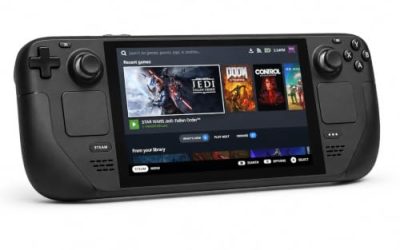
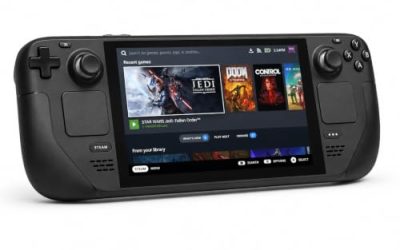
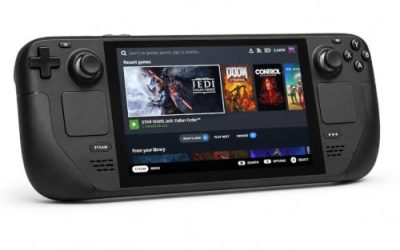
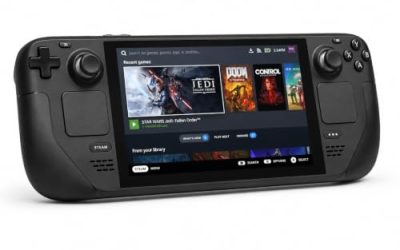
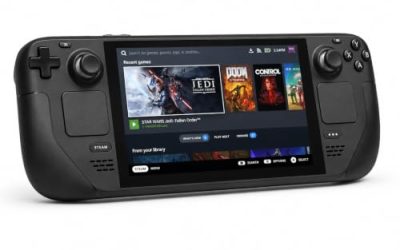
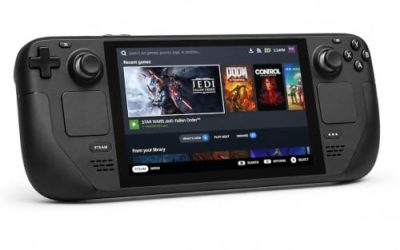
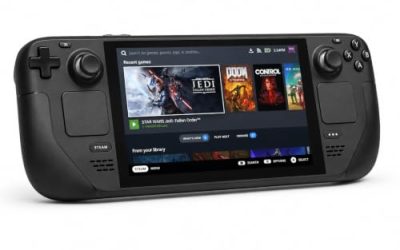
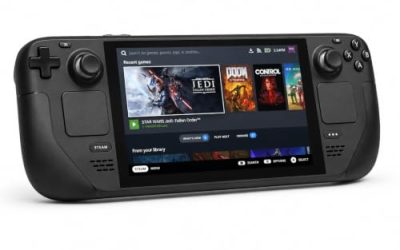
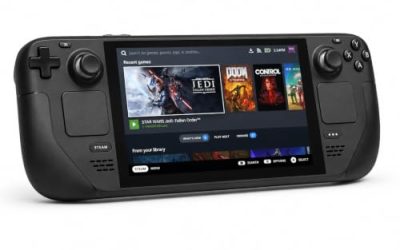
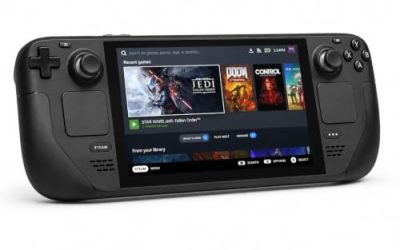
Valve Steam Deck OLED 512GB
The handheld the Verified badge was written for. Valve’s sheet passes the Windows build on all four checks, and the recommended spec fits the Deck’s APU at native resolution.
Specs
- Display: 7.4-inch HDR OLED, 1280 by 800, up to 90 Hz
- Processor: AMD Zen 2 and RDNA 2 custom APU
- Memory: 16 GB LPDDR5
- Storage: 512 GB NVMe, plus a microSD slot
- Wireless: Wi-Fi 6E and Bluetooth
- Channel note: Valve sells the Deck mainly through its own store, so Amazon listings are third-party sellers
8BitDo Ultimate 2 Bluetooth Controller

The docked and desktop pad pick. The record lists full controller support, and this pad covers the couch case with modern sticks and triggers plus back buttons.
Specs
- Connectivity: Bluetooth wireless and USB-C wired
- Joysticks: TMR electromagnetic, anti-drift design
- Triggers: Hall effect, with mode switching
- Extras: two remappable back buttons, motion control
- In the box: charging dock included
Xbox Wireless Controller, Carbon Black
The safest guest pad in PC gaming: Steam Input support is universal, the glyphs match what most games display, and it pairs over Bluetooth or its own wireless standard. On the handheld, an external pad may need a manual Quick Access Menu switch first.
- Connectivity: Xbox Wireless and Bluetooth
- Port: USB-C for wired play
- Controls: hybrid D-pad, dedicated Share button
- Power: AA batteries or optional rechargeable pack
Logitech G502 HERO
Eternal Strands is a pad-first game, but at a desk a precise wired mouse earns its place for inventory and crafting menus.
Specs
- HERO optical sensor, up to 25,600 DPI
- 11 programmable buttons
- Adjustable weight system
- Wired USB connection
- On-board memory profiles
Samsung T9 Portable SSD 2TB
For moving a Linux game library between machines, a fast USB-C drive is the simple answer. The headline figure needs a Gen 2×2 host port.
Specs
- Capacity: 2 TB portable SSD
- Interface: USB 3.2 Gen 2×2, USB-C connector
- Maker-rated speeds: up to 2,000 MB per second read, 1,950 MB per second write
- Features: Dynamic Thermal Guard, maker-rated drop resistance
How to choose
Choose the Steam copy for Linux play, the edition both the ProtonDB file and Valve’s test sheet describe. Install at the default compatibility tool and play; reach for a GE-Proton build only if cutscene videos misbehave, the one recurring fix in the filings. The GOG copy suits buyers who prize DRM-free ownership, though its launcher path is where the failing reports cluster. On Steam Deck, the Verified badge means no setup work; pair an external pad only with the Quick Access switch in mind.
Who should skip
Skip this game on Linux if you buy only native ports: there is none, the family’s lone Linux flag is an album’s paperwork, and nothing in the record hints a port is planned. Skip the GOG copy as a Linux purchase — it is the same Windows build, and its filings are the weakest in the file. Skip it on any machine well below the published Windows minimums, since Proton adds overhead rather than removing it, and skip it if failing in-game video would spoil it for you.
FAQ
Is Eternal Strands native on Linux?
No. The record flags Windows only, its Linux requirements field is the Windows spec sheet in the wrong tab, and the depot census holds a single Windows depot. The family’s Linux flag belongs to the soundtrack album, and the registered Linux icon is the same file as the Windows icon. The playable route is Proton.
How well does Eternal Strands run under Proton?
Well. ProtonDB’s full summary settles at Gold, with a Platinum best-reported tier and Gold trending, across 20 reports at good confidence. Most filings describe out-of-the-box play on current Proton; the recurring exception is cutscene video on some builds, fixed by switching to a GE-Proton build.
Is Eternal Strands Steam Deck Verified?
Yes. Valve rates it Verified, all four checks passed, SteamOS separately Compatible. The badge was tested in March 2025 against an older build than the current November 2025 one, so it grades superseded paperwork; newer filings report flawless play, and the only sheet note concerns external controllers.
Can I buy Eternal Strands on GOG for Linux instead?
GOG does sell the game, as product 2079763780, but its own record reads Windows only, Mac and Linux both false. It is a DRM-free edition of the same Windows build, not a Linux version, and its filings report launch failures through third-party launchers.
Final verdict
Eternal Strands is a Windows game wearing three convincing Linux costumes: a filled-in requirements tab that specifies Windows, a Linux icon that is the Windows icon, and a soundtrack that flags Linux because audio files travel anywhere. Strip those away and the record is simple — one Windows depot, Windows-only flags, no Linux edition on either storefront. The fallback is what earns a Linux player’s attention: a Gold-settled ProtonDB file at good confidence, a Verified Deck badge, and full controller support. Buy the Steam copy and play it through Proton.
Product and ASIN Reference
| Product | ASIN |
|---|---|
| Valve Steam Deck OLED 512GB | B0CQ3RWQQZ |
| 8BitDo Ultimate 2 Bluetooth Controller | B0F194QFT2 |
| Xbox Wireless Controller, Carbon Black | B08DF248LD |
| Logitech G502 HERO | B07GBZ4Q68 |
| Samsung T9 Portable SSD 2TB | B0CHFS9K14 |