Marvel’s Midnight Suns, Firaxis Games’ tactics game built around card-driven hero abilities, launched on Steam on 1 December 2022 and never shipped a Linux build. Steam’s record is plain: the platform flags name Windows alone, and the Mac and Linux requirements fields are headings over empty lists. Nothing has changed since launch to soften that answer.
What a Linux player gets is the Proton route, plus a few wrinkles: a Denuvo layer with a machine activation limit, six DLC that follow the same Windows-only pattern, and a Steam Deck test sheet that, unusually, still grades the exact build sold today.
As an Amazon Associate, we earn from qualifying purchases.
Quick answer
No. Marvel’s Midnight Suns has no native Linux build: Steam flags the game Windows only, its Linux requirements field is an empty shell, and every content depot is Windows-configured. The working route is Proton: ProtonDB settles at Gold across 79 reports with strong confidence, and Valve rates the game Playable on Steam Deck against the current build.
What the store record actually ships
Start with the flags. The base record for app 368260 reads windows true, mac false, linux false. The Windows requirements are genuinely populated at both tiers, from a Ryzen 3-2200G or Core i5-4430 with 8 GB of memory at minimum up to a Ryzen 5-2600X or Core i7-6700 with 16 GB recommended, and 60 GB of storage either way. The Mac and Linux requirements fields contain nothing under their headings: empty shells, present as form fields rather than specifications.
The depot census backs the flags. SteamDB lists exactly one content depot, 368261, labelled Windows Coda Content at 57.17 GiB on disk, beside an 80-byte Windows depot carrying no game data and the shared Windows redistributables. There is no Linux depot, no Mac depot and no platform-neutral content depot. The extended OS string is empty, and the icon registry holds the standard client icon, client tga, icon and logo entries with no Linux client icon registered. One limit, stated plainly: the record’s launch-entry list could not be surfaced this session, so no launch-entry claim is made either way; every other layer read points the same way.
The add-on shelf: six DLC, one flag pattern
The downloadable content tells the same story six times. The base record’s DLC array holds six entries, each read on its own record: the hero packs The Good, the Bad, and the Undead (1922631), Redemption (1922632), The Hunger (1922633) and Blood Storm (1922634), plus the Season Pass (2074340) and the Doctor Strange Defenders Skin (1712442). Every one is type dlc flagging windows true, mac false, linux false. The family count is zero Linux flags out of seven apps, base game included.
There is also no trap hiding in this family. Some games carry a soundtrack app whose Linux flag reads true while the game itself stays Windows-only, and a careless family scan then reports support that does not exist. Midnight Suns has no soundtrack, artbook or demo app at all, so there is no stray true flag to trip over.
The Denuvo layer and the anti-cheat silence
The one third-party layer the record does name is DRM, not anti-cheat. The store record’s DRM notice reads Denuvo Anti-tamper with a 5 machine activation limit, and SteamDB’s third-party DRM line carries the same wording. The record carries no account notice. On anti-cheat proper, every layer is silent: SteamDB names no anti-cheat for this app, its detected-technology list is engine and middleware (Unreal Engine, the Epic Online Services SDK, the NVIDIA DLSS family, Wwise), the Epic entry is a services SDK rather than an anti-cheat system, and the community tracker Are We Anti-Cheat Yet holds no entry for this game by store ID or by name. For a single-player game that silence is the expected shape.
Denuvo still deserves a practical note, because the ProtonDB file shows its fingerprints. At least one filing describes the game refusing to start with a Denuvo re-validation error telling the player to wait 24 hours: the activation limit doing what activation limits do when a Proton prefix changes often enough to look like a new machine. Not the settled experience, but a documented failure mode of this DRM under Proton.
The Proton file: Gold, with a stray heading on top
ProtonDB’s full summary for this app reads cleanly. The settled tier is Gold, the best-reported tier is Platinum, the trending tier is Gold, and the file holds 79 reports with strong confidence. The filings behind those numbers are mostly uneventful: out-of-the-box runs on Steam Deck under recent Proton builds, long desktop campaigns finished without tinkering, and performance notes rather than blockers, heavy fan noise on the Deck and occasional loading-screen freezes. A minority describe the game sticking on the launching step or, on a hybrid-graphics laptop, a black window on the internal screen. Gold with strong confidence fairly summarises that mix: playable and well travelled, not flawless.
One heading on the ProtonDB page needs correcting. The page carries a line reading “Natively Supports: Show Minimum Requirements”, generated from the empty-shell Linux requirements field on Steam’s record. A field that exists but holds no specification is not a native build: there is no Linux depot, no Linux flag set, and no Linux client icon. This article follows Steam’s record, not the heading.
Steam Deck: Playable, and the paperwork is current
Valve’s own compatibility record, read directly from Valve’s endpoint this session, resolves the game to Playable on Steam Deck, with SteamOS separately rated Compatible. The checks that pass are the important ones: all functionality is accessible with the default controller configuration, the game shows Steam Deck controller glyphs, interface text is legible, and the default graphics configuration performs well. Three notes keep it out of the top tier: the game supports the Deck’s native resolution but does not set it by default, first-time setup requires an active internet connection (single-player itself does not), and external controllers do not take over as the primary player’s pad by default, so a Bluetooth or USB pad may need a manual Quick Access Menu switch.
The detail that makes this sheet more trustworthy than most is the build number. Valve tested on 15 January 2025 against build 11378663, with a release candidate of Proton 9.0-4 as the recommended runtime, and 11378663 is still the public branch build today, unchanged since June 2023: the badge grades exactly the code a buyer downloads now. The record’s own full controller support declaration, with DualShock and DualSense categories, matches Valve’s gamepad-first test configuration.
The second-storefront ruling
There is no GOG edition to fall back on: GOG’s own search surfaces return no product record for this title, under this or any other name. Steam is the only PC storefront selling the game, so its Windows build is the only copy a Linux player can buy.
Gear that fits the record
The picks below follow the record: the Playable-rated handheld, pads for the docked case, a mouse for the Abbey’s menus, and fast storage for a 57 GB install.
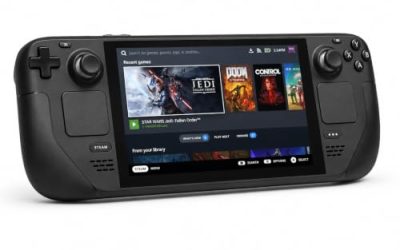
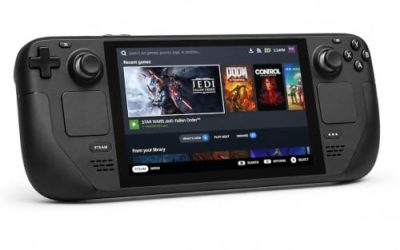
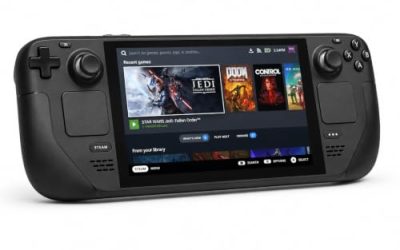
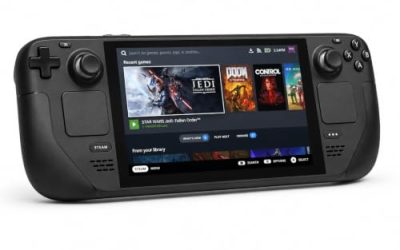
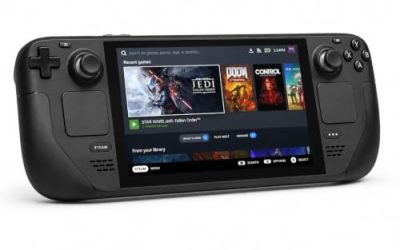
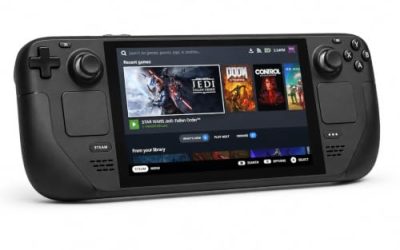
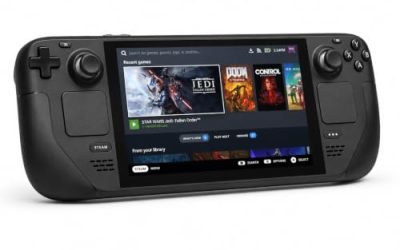
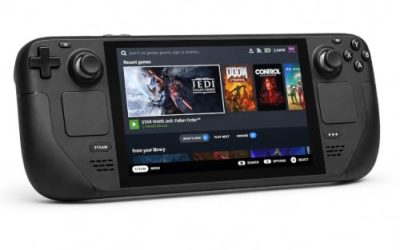
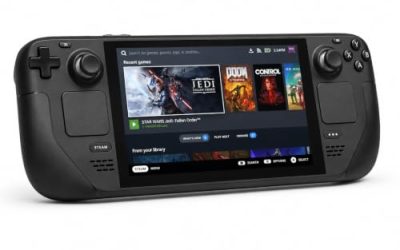
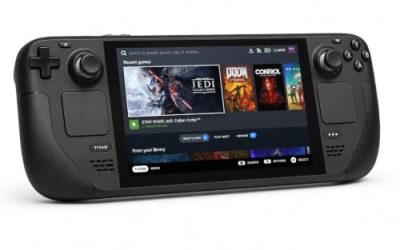
Valve Steam Deck OLED 512GB

The handheld Valve’s Playable sheet was written against, grading the same build sold today.
Specs
- Display: 7.4-inch HDR OLED, 1280 by 800, up to 90 Hz
- Processor: AMD Zen 2 and RDNA 2 custom APU
- Memory: 16 GB LPDDR5
- Storage: 512 GB NVMe, plus a microSD slot
- Wireless: Wi-Fi 6E and Bluetooth
- Channel note: Valve sells the Deck mainly through its own store, so Amazon listings are third-party sellers
8BitDo Ultimate 2 Bluetooth Controller
The docked pad pick, with back buttons for the inputs a long tactics session repeats.
Specs
- Connectivity: Bluetooth wireless and USB-C wired
- Joysticks: TMR electromagnetic, anti-drift design
- Triggers: Hall effect, with mode switching
- Extras: two remappable back buttons, motion control
- In the box: charging dock included
Xbox Wireless Controller, Carbon Black
The safest guest pad in PC gaming: Steam Input support is universal, and it pairs over Bluetooth or its own wireless standard. On the handheld, an external pad may need a manual Quick Access Menu switch before it takes over.
- Connectivity: Xbox Wireless and Bluetooth
- Port: USB-C for wired play
- Controls: hybrid D-pad, dedicated Share button
- Power: AA batteries or optional rechargeable pack
Logitech G502 HERO
For the menu-driven Abbey downtime, a precise wired mouse turns deck management and shop trips into single clicks.
Specs
- HERO optical sensor, up to 25,600 DPI
- 11 programmable buttons
- Adjustable weight system
- Wired USB connection
- On-board memory profiles
Samsung T9 Portable SSD 2TB
For moving a Linux game library between machines, a fast USB-C drive is the simple answer. The headline figure needs a Gen 2×2 host port; on a lesser port the drive runs at that ceiling.
Specs
- Capacity: 2 TB portable SSD
- Interface: USB 3.2 Gen 2×2, USB-C connector
- Maker-rated speeds: up to 2,000 MB per second read, 1,950 MB per second write
- Features: Dynamic Thermal Guard, maker-rated drop resistance
How to choose
Decide first where the game will live. On a Steam Deck, the Playable badge grades the current build, so the remaining work is small: set the display resolution manually if the picture looks soft, and finish first-time setup on a connection before going offline. On a Linux desktop, expect the Gold-tier experience ProtonDB describes: install, let Steam pick a recent Proton build, and play, with the occasional loading freeze as the known blemish. However you play, keep the Proton prefix stable once the game runs: the Denuvo activation limit counts machines, and churning prefixes is how players meet the re-validation error.
Who should skip
Skip this one if a native build is a hard requirement: none exists, none is announced, and the record gives no sign of one coming. Skip it if Denuvo is a personal red line, because the activation-limited DRM sits on the only copy sold and has already produced re-validation errors under Proton. Skip it if your Deck play is mostly offline from first install, since setup demands a connection. And skip it if you wanted a GOG copy: that edition does not exist.
FAQ
Is Marvel’s Midnight Suns native on Linux?
No. Steam flags the game Windows only, the Linux requirements field is an empty shell, the single content depot is Windows-configured, and no Linux client icon is registered. The “Natively Supports” line on the ProtonDB page is generated from that empty field and describes no real build.
How well does Marvel’s Midnight Suns run under Proton?
ProtonDB’s full summary settles at Gold, with Platinum as the best-reported tier, across 79 reports at strong confidence. Most filings describe out-of-the-box runs on desktop and Deck; the recurring complaints are loading-screen freezes, heavy Deck fan noise, and rare launch failures, including one Denuvo re-validation error.
What does the Steam Deck Playable rating rest on?
Valve tested the game on 15 January 2025 against build 11378663, still the current public build, so the rating grades today’s code. The default controller configuration is fully functional, glyphs match, text is legible and default performance is good. The deductions: a resolution not set by default, internet required for first-time setup, and external pads not taking over automatically.
Can I buy Marvel’s Midnight Suns on GOG instead?
No. GOG’s own search surfaces return no product record for the game. Steam is the only PC storefront selling it, so the Windows build plus Proton is the only route for Linux players.
Final verdict
Marvel’s Midnight Suns on Linux is a Proton story from top to bottom. There is no native build and no second storefront; there is a Windows build whose paperwork is unusually tidy, a six-deep DLC family with not one Linux flag among seven apps, a Gold ProtonDB file at strong confidence, and a Playable Deck badge that still grades the build on sale. The honest caveats are Denuvo’s activation limit, which has bitten at least one Proton player in the filings, and a stray “Natively Supports” heading the record contradicts. Accept those, and this is a safe Windows-only bet.
Product and ASIN Reference
| Product | ASIN |
|---|---|
| Valve Steam Deck OLED 512GB | B0CQ3RWQQZ |
| 8BitDo Ultimate 2 Bluetooth Controller | B0F194QFT2 |
| Xbox Wireless Controller, Carbon Black | B08DF248LD |
| Logitech G502 HERO | B07GBZ4Q68 |
| Samsung T9 Portable SSD 2TB | B0CHFS9K14 |