Promise Mascot Agency, Kaizen Game Works’ open-world mascot management adventure, carries one of the strangest paper trails in the recent Linux catalogue. Run a family-level platform scan over its Steam record and three of the four apps claim Linux support. Open the base game’s own record and the claim evaporates: the game is flagged for Windows alone, and every layer that would deliver a Linux build is missing.
The three flags belong to two soundtrack albums and an art book — apps that ship audio and image files, not executables. This piece separates the paperwork from the build: the add-on records first, then the base game’s flags, requirements, depots and launch entries, and finally the Proton file, the Deck test sheet and the storefront ruling.
As an Amazon Associate, we earn from qualifying purchases.
Quick answer
Promise Mascot Agency is not native on Linux. Steam’s record flags the base game Windows only, with empty Linux requirements, a single Windows depot and Windows-only launch entries. Its two soundtracks and its artbook flag Linux, but add-on paperwork is not a build. The route is Proton: Platinum on ProtonDB, and Verified on Steam Deck.
Three add-ons say yes
The base record’s add-on array holds three apps, each read on its own record. The two soundtracks — Promise Mascot Agency Soundtrack – Side Alpha Chrome Yayo (app 3560760) and Promise Mascot Agency Soundtrack – Side Ryo Koike (app 3560770) — are music apps under the Additional High-Quality Audio category, released with the game on April 10, 2025; both flag Windows, Mac and Linux all true, with fullgame pointers naming the base game. The third add-on, Promise Mascot Agency: The Art of Kaso-Machi (app 3899690), is a downloadable-content app flagging all three platforms too; it arrived on December 3, 2025, and its content depot, about 215 MiB of art files, sits inside the base game’s own depot table.
That makes the family count three of four — the most misleading version of the soundtrack trap in this catalogue. The usual shape is one stray album flag inflating a scan; here every add-on flags Linux, so any tool that reads the family instead of the game reports a Linux-supported release. The flags are not lies, exactly: a music app’s flags describe where Steam delivers its audio files, and an art book’s flags where its image files land. Neither ships an executable or a launch entry, so neither can describe a game build. The native question is settled one level down, by the base game’s delivery layers.
The base game’s own record
Read on its own, the base record is unambiguous. The platform flags read Windows true, Mac false, Linux false. The Windows requirements are populated at both tiers — Windows 10 or 11, a Core i5-6590 floor with a Core i7-6700 recommended, 8 GB of memory rising to 16 GB, a GTX 950 floor with an RTX 2070-class card recommended, DirectX 11 or 12 — while the Mac and Linux requirements fields are empty shells: headings over blank lists.
The depot census agrees. The game installs from exactly one content depot, app depot 2585831 at about 6.17 GiB, beside the art book depot and only the shared Windows redistributables. There is no Linux depot and no Mac depot. The launch configuration holds exactly two entries, both scoped to Windows and 64-bit: the executable MM.exe as the DirectX 12 default, and the same executable with a -dx11 argument as the DirectX 11 fallback. No Linux launch entry exists. The icon registry holds clienticon, clienttga and icon — no LinuxClientIcon is registered — and the osextended field is an empty string. The record carries no DRM notice and no account notice, and nothing names an anti-cheat on any layer: SteamDB’s detected technology is Unreal Engine plus graphics middleware, and the community anti-cheat database holds no entry for this game — the expected silence for a single-player title.
The Proton file
ProtonDB’s summary reads Platinum on every tier it publishes — settled, best-reported and trending — across 10 reports, at moderate confidence. The count is small and stated plainly: ten reports is a young file, even a unanimous one. The filing colour underneath is mostly calm: most reports describe out-of-the-box runs on current Proton builds. One detailed desktop report describes audio crackling through spoken dialogue, partly eased by dropping to an older Proton version and adding an audio latency launch option. Deck filings note loading stutter and frame rates short of a locked sixty, with one filer switching the upscaler from FSR to XeSS and capping the frame rate in the mid-forties for a steadier result.
One heading needs naming: the ProtonDB game page labels this title with a “Natively Supports” heading, generated from the empty-shell Linux requirements field — a claim of native minimum specifications the record does not contain. It contradicts Steam’s flags, depots and launch entries; this article follows Steam.
The Steam Deck sheet
Valve rates the game Verified on Steam Deck. The sheet was read through SteamDB’s republication of Valve’s compatibility data, because Valve’s own endpoint did not return a usable sheet this session; the figures below are Valve’s, relayed. All four checks pass: the default controller configuration is fully functional, the game shows Steam Deck controller icons, interface text is legible, and the default graphics configuration performs well. The tested configuration is gamepad-first, with a Proton 9 release candidate as the recommended runtime, and no internet required for setup or single-player. One note rides along: the game does not default to external Bluetooth or USB controllers, which may require a manual switch through the Quick Access Menu. SteamOS is separately rated Compatible. The store record’s own controller field reads full support, with DualShock and DualSense categories listed — the framing here rests on that field.
The paperwork’s date matters: Valve ran the test on April 15, 2025, in launch week, against build 18042744, while the current public build is 21041649, published December 3, 2025. The badge therefore grades a superseded build — a launch-week snapshot, not a test of the code the store delivers today.
The storefront ruling
There is no second PC edition. Ruled from GOG’s own surfaces: its catalogue search returns only unrelated products for this title, its products search returns nothing, and the natural product address redirects to the general games catalogue. No GOG product record exists for this game. Steam is the only storefront selling it, and the copy it sells is the Windows build described above.
Gear that fits the record
The gear below follows the record’s shape: the badge’s handheld, two pads, a mouse for the management screens, and library storage.
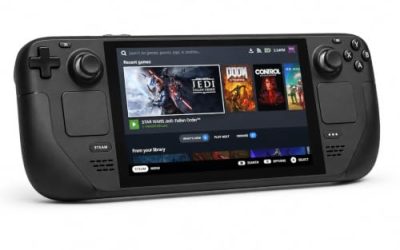
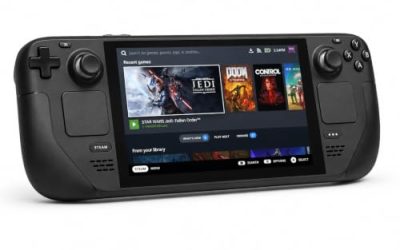
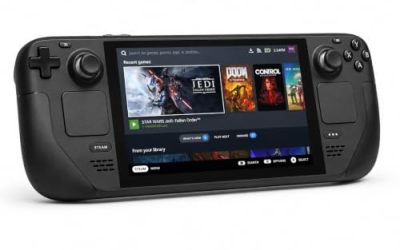
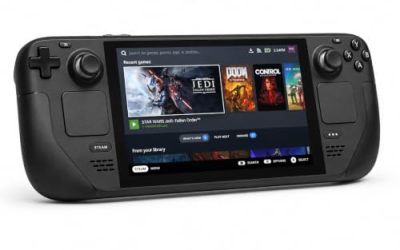
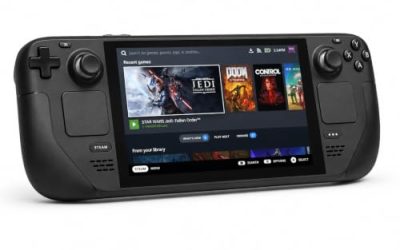
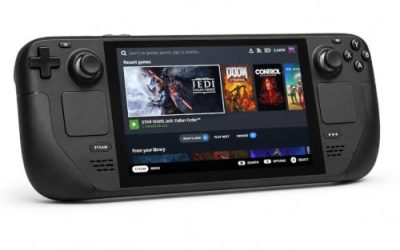
Valve Steam Deck OLED 512GB

The handheld the Verified badge was written for. Valve’s sheet passes the game on all four checks with a gamepad configuration, and the published requirements sit far below the APU’s ceiling. Treat the badge as a starting point, not a test of the current branch — it predates the December build.
Specs
- Display: 7.4-inch HDR OLED, 1280 by 800, up to 90 Hz
- Processor: AMD Zen 2 and RDNA 2 custom APU
- Memory: 16 GB LPDDR5
- Storage: 512 GB NVMe, plus a microSD slot
- Wireless: Wi-Fi 6E and Bluetooth
- Channel note: Valve sells the Deck mainly through its own store, so Amazon listings are third-party sellers
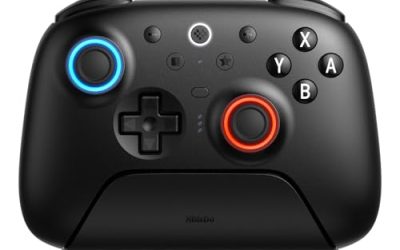
8BitDo Ultimate 2 Bluetooth Controller
The docked and desktop pad pick. The store record lists full controller support, and this pad covers the couch case with modern sticks and triggers, plus back buttons for the menu work a management game repeats.
Specs
- Connectivity: Bluetooth wireless and USB-C wired
- Joysticks: TMR electromagnetic, anti-drift design
- Triggers: Hall effect, with mode switching
- Extras: two remappable back buttons, motion control
- In the box: charging dock included
Xbox Wireless Controller, Carbon Black
The safest guest pad in PC gaming: Steam Input support is universal, the glyphs match what most games display, and it pairs over Bluetooth or its own wireless standard. On the handheld, this game’s own test sheet notes that an external pad may need a manual Quick Access Menu switch before it takes over.
- Connectivity: Xbox Wireless and Bluetooth
- Port: USB-C for wired play
- Controls: hybrid D-pad, dedicated Share button
- Power: AA batteries or optional rechargeable pack
Logitech G502 HERO
Half of this game is menus, maps and management screens, and at a desk a precise wired mouse turns long agency sessions into single clicks. Eleven programmable buttons cover the confirm, cancel and camera inputs a session repeats.
Specs
- HERO optical sensor, up to 25,600 DPI
- 11 programmable buttons
- Adjustable weight system
- Wired USB connection
- On-board memory profiles
Samsung T9 Portable SSD 2TB
For moving a Linux game library between a desktop and a laptop, or keeping an offline backup, a fast USB-C drive is the simple answer. The headline figure needs a Gen 2×2 host port; on a lesser port the drive runs at that ceiling.
Specs
- Capacity: 2 TB portable SSD
- Interface: USB 3.2 Gen 2×2, USB-C connector
- Maker-rated speeds: up to 2,000 MB per second read, 1,950 MB per second write
- Features: Dynamic Thermal Guard, maker-rated drop resistance
How to choose
Choose the Steam copy: it is the only PC edition on sale, and the exact build both compatibility records describe. Ignore the family scan: the three Linux flags describe audio and art files, not a build, and no storefront sells a native copy. On a desktop or laptop, install under Proton and start with the default compatibility tool; the Platinum file says the Windows build runs well, and the one detailed audio report shows the workaround if dialogue crackles. On a Steam Deck, the Verified badge means install and launch, with the Quick Access switch in mind if you pair an external pad.
Who should skip
Skip this one if you buy only native releases: no native build exists on any storefront, and the add-on flags do not change that. Skip it if a ten-report Proton file feels too thin to trust for a long narrative game — the tier is Platinum, but the file is young and confidence is moderate. And skip the add-ons expecting them to complete a Linux install: they are file bundles that add nothing to how the game runs.
FAQ
Is Promise Mascot Agency native on Linux?
No. The base game flags Windows only, its Linux requirements field is an empty shell, the depot census holds a single Windows content depot, both launch entries are Windows-scoped, and no LinuxClientIcon is registered. Every layer agrees.
Why do the soundtracks and the art book show Linux support?
Because their flags describe file delivery: Steam serves a music app’s audio and an art book’s images on all three systems, so both flag Windows, Mac and Linux alike. Neither ships an executable or a launch entry, so neither flag can describe a game build — the three-of-four count is paperwork, and the base record decides.
How well does Promise Mascot Agency run under Proton?
ProtonDB’s full summary reads Platinum on all three tiers, across 10 reports at moderate confidence. Most filings describe out-of-the-box runs; one detailed desktop report describes audio crackling in dialogue, partly eased by an older Proton version and a launch option, and Deck filings describe loading stutter and frame rates short of a locked sixty.
Is Promise Mascot Agency Steam Deck Verified?
Yes. Valve’s sheet passes all four checks and rates SteamOS Compatible separately. The test was run in launch week, in April 2025, against the build current then; the public branch has moved on since, most recently in December 2025, so the badge grades a superseded build.
Final verdict
Promise Mascot Agency is a Windows-only game wearing the most misleading family paperwork in this catalogue: every add-on flags Linux, the game flags none of it, and the delivery layers side with the game. What Linux players get instead is a strong compatibility route — a Platinum Proton file, a Verified Deck badge and full controller support — on the only edition any storefront sells. Read the base record, ignore the shelf scan, and buy the Steam copy with Proton expectations set.
Product and ASIN Reference
| Product | ASIN |
|---|---|
| Valve Steam Deck OLED 512GB | B0CQ3RWQQZ |
| 8BitDo Ultimate 2 Bluetooth Controller | B0F194QFT2 |
| Xbox Wireless Controller, Carbon Black | B08DF248LD |
| Logitech G502 HERO | B07GBZ4Q68 |
| Samsung T9 Portable SSD 2TB | B0CHFS9K14 |