Most games in this series arrive with a question mark over them: a Linux flag on the store record that the delivery layers underneath either confirm or quietly contradict. Rosewater, Grundislav Games’ point-and-click adventure released on March 27, 2025 through Application Systems Heidelberg, is the rare case where the layers line up on the first pass. Steam flags it for Windows, Mac and Linux alike — and the flag is the least of the evidence.
Underneath it sits a complete native delivery: a Linux depot the same weight as the Windows one, a Linux launch entry, a requirements tab with real hardware in it, and a Deck test sheet whose recommended runtime is the native build itself.
As an Amazon Associate, we earn from qualifying purchases.
Quick answer
Yes — Rosewater is genuinely native on Linux. Steam’s record carries a real Linux depot the same size as the Windows one, a Linux launch entry and a populated Linux requirements tab, and Valve’s Deck test used the native runtime. The badge is Playable, not Verified, over small text and keyboard prompts.
The status at a glance
| Question | Answer from the record |
|---|---|
| Native Linux build | Yes — depot, launch entry and requirements all present |
| Linux requirements tab | Populated with real minimum hardware |
| Add-on apps | One soundtrack, flags matching the base game |
| ProtonDB record | One report, settled tier pending, best-reported Platinum |
| Steam Deck verdict | Playable, tested March 2025 on the native runtime |
| GOG edition | Exists, and it includes the Linux build |
| Anti-cheat or launcher | None named on any layer |
The delivery layers, read one by one
Start with the depots. SteamDB’s census lists three content depots: Windows at 4.44 GiB, macOS at 4.46 GiB and Linux at 4.46 GiB, each with its own public manifest. The Linux depot is no stub or placeholder shell — it is a full copy of the game, marginally the largest of the three. The launch configuration agrees: Rosewater.exe scoped to Windows, Rosewater.app scoped to macOS, a plain Rosewater executable scoped to Linux, plus a Windows-only configuration tool. Three platforms, three real executables. The detected technology is the Adventure Game Studio engine with the SDL library — an engine family with a long history of native Linux builds.
The requirements tabs complete the picture. The Linux minimum is written out in full: an Ubuntu-compatible operating system, a Pentium-class processor at 1.2 GHz or higher, 4 GB of RAM, a 1280 by 720 display in 32-bit colour and 5 GB of storage. Crucially, they are numbers at all — the empty-shell pattern, a Linux heading over a blank list, is absent here. The Mac tab is populated the same way; the osextended field (macos64, macosnotarized) speaks only to the Mac build’s packaging.
The one paperwork gap
A native ruling this clean still has one missing form. The icon registry holds the standard clienticon, clienttga, icon and logo entries, but no LinuxClientIcon — the small Linux-specific client icon a fully papered native release usually registers. That is the whole of the gap: a cosmetic registry item, while every layer that delivers or starts the game is present.
The rest of the record is quiet in the ordinary ways. There is no DRM notice and no third-party account notice. The anti-cheat catalogue at AreWeAntiCheatYet, read in full, holds no entry for this game by store ID or by name — the expected silence for a single-player adventure. The store categories underline the shape of the game: single-player, Steam Cloud, and a mouse-only option.
The soundtrack, and why it changes nothing
The add-on family holds exactly one entry: the Rosewater Soundtrack, a music app whose record flags Windows, Mac and Linux all true, with its full-game pointer naming the base game. Family Linux-flag count: two of two.
Readers of this series know the soundtrack trap — a Windows-only game whose only Linux flag belongs to its album, whose flags describe audio-file delivery, not a game build. That trap cannot fire here: the album’s flags agree with the base game’s own flags, and nothing is borrowed. The ruling above was reached from the game app’s depots, launch entries and requirements before the soundtrack was ever opened.
Steam Deck: Playable, on the native runtime
Valve’s test sheet for Rosewater — read through SteamDB’s republication of Valve’s compatibility data, since Valve’s own endpoint did not return a readable sheet in this session — rates the game Playable on Steam Deck, with SteamOS separately marked Compatible. The configuration block’s recommended runtime is native: Valve graded the Linux build itself, not a Proton run.
The passes are the functional ones: all functionality is accessible with the default controller configuration, and the default graphics perform well. The deductions are the classic point-and-click ones: some in-game text is small, entering some text requires manually invoking the on-screen keyboard, and the game sometimes shows mouse or keyboard icons. The configuration’s supported input reads “other”, and the store record carries no controller-support field of its own — the categories instead list a mouse-only option. On the Deck this is a trackpad-and-cursor game.
One date caveat belongs on the badge. Valve tested on March 28, 2025 — the day after launch — against build 17864368. The current public build is 18517626, published in May 2025, so the sheet grades a superseded build rather than today’s code. The paperwork is a launch-era snapshot.
ProtonDB: a file of exactly one report
ProtonDB’s summary for Rosewater is the thinnest this series has filed in a while. The total is one report. The settled and trending tiers both read pending, and confidence is inadequate. The best-reported tier is Platinum — but with a single filing behind it, Platinum is a ceiling one person reported, not a standing the game has earned.
The lone report is still informative. It comes from a Steam Deck on SteamOS whose author describes the game working absolutely perfectly, with the practical note that a mouse-only or keyboard-and-mouse control profile should be selected. The curiosity is that the filing was made under Proton 9.0-4: the one reporter ran the Windows build through the compatibility layer rather than the native build the store sells. Desktop players have effectively no ProtonDB file to consult — not because the game fails there, but because almost nobody has filed. ProtonDB’s own page header, for once, needs no correction: it classifies Rosewater as Native, matching Steam’s record exactly.
GOG sells the Linux build too
GOG’s catalogue holds Rosewater as product 1657623040, identity verified against the Steam record, with a matching release date of March 27, 2025. Its product record’s system compatibility reads Windows true, Mac true and Linux true — the same three-platform release, sold as a DRM-free installer set. A Linux player who prefers GOG loses nothing: the native build is on both storefronts. One small asymmetry rides along — GOG lists the soundtrack separately as a Windows-only product, while Steam’s album flags all three platforms — but that concerns the music, not the game.
Gear that fits the record
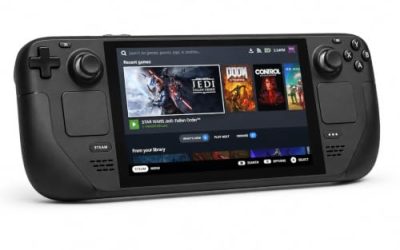
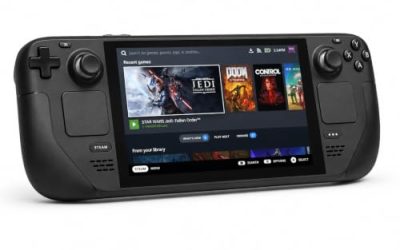
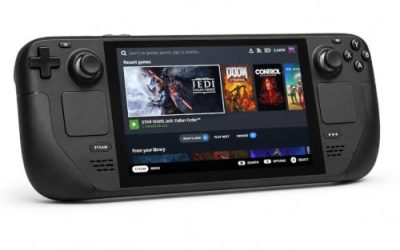
Valve Steam Deck OLED 512GB

The handheld the Playable badge was written for, graded on the native runtime. The trackpads are the natural cursor for a mouse-first game.
Specs
- Display: 7.4-inch HDR OLED, 1280 by 800, up to 90 Hz
- Processor: AMD Zen 2 and RDNA 2 custom APU
- Memory: 16 GB LPDDR5
- Storage: 512 GB NVMe, plus a microSD slot
- Wireless: Wi-Fi 6E and Bluetooth
- Channel note: Valve sells the Deck mainly through its own store, so Amazon listings are third-party sellers
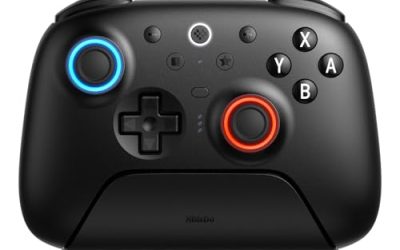
8BitDo Ultimate 2 Bluetooth Controller
The docked and desktop pad pick. Rosewater’s record names no controller tier — its categories describe a mouse-first game — but Valve’s sheet confirms all functionality is reachable through the default controller configuration, and this pad’s back buttons suit the inventory and diary keys.
Specs
- Connectivity: Bluetooth wireless and USB-C wired
- Joysticks: TMR electromagnetic, anti-drift design
- Triggers: Hall effect, with mode switching
- Extras: two remappable back buttons, motion control
- In the box: charging dock included
Xbox Wireless Controller, Carbon Black
The safest guest pad in PC gaming: Steam Input support is universal, and it pairs over Bluetooth or its own wireless standard. Treat it as a cursor-and-confirm device for this title — the game’s categories point to the mouse, and the pad stands in for one.
- Connectivity: Xbox Wireless and Bluetooth
- Port: USB-C for wired play
- Controls: hybrid D-pad, dedicated Share button
- Power: AA batteries or optional rechargeable pack
Logitech G502 HERO
Rosewater is mouse-first by its own store categories, and at a desk a precise wired mouse is the native instrument: hotspot hunting and inventory work become single, exact clicks. Eleven programmable buttons cover the inputs a long session repeats.
Specs
- HERO optical sensor, up to 25,600 DPI
- 11 programmable buttons
- Adjustable weight system
- Wired USB connection
- On-board memory profiles
Samsung T9 Portable SSD 2TB
For moving a Linux game library between machines, or an offline backup of GOG installers, a fast USB-C drive is the simple answer. The headline figure needs a Gen 2×2 host port; on a lesser port the drive runs at that ceiling.
Specs
- Capacity: 2 TB portable SSD
- Interface: USB 3.2 Gen 2×2, USB-C connector
- Maker-rated speeds: up to 2,000 MB per second read, 1,950 MB per second write
- Features: Dynamic Thermal Guard, maker-rated drop resistance
How to choose
Choose either storefront on preference alone, because both sell the same native build: Steam if your library and cloud saves already live there, GOG for the DRM-free installer set. On a Linux desktop, install and launch — no compatibility tool is involved, and the minimum hardware is trivially low. On Steam Deck, expect a trackpad-driven experience: set a mouse control profile before starting, as the one community filing advises, and accept the small-text and keyboard deductions. At a desk the mouse is the game’s own first choice; pads earn their place docked or on the couch.
Who should skip
Skip the Deck version if small text on a seven-inch screen is a deal-breaker — Valve flags it directly. Skip it if you want a gamepad-native experience, because the game is mouse-first by design and the pad is an overlay. Skip ProtonDB as a source for this title: one report is an anecdote, not a file, and the native build makes the question moot anyway. On desktop Linux there is nothing to skip on compatibility grounds.
FAQ
Is Rosewater native on Linux?
Yes. Steam’s record carries a Linux depot of 4.46 GiB, a Linux launch entry pointing at a Linux executable, and a populated Linux requirements tab. Valve’s Deck test used the native runtime, and GOG’s edition lists Linux too.
Why is the Deck badge only Playable if the build is native?
The deductions are presentational, not structural: small in-game text, text entry needing the on-screen keyboard invoked manually, and occasional mouse or keyboard icons. All functionality works under the default configuration — the badge reflects handheld ergonomics, not compatibility.
Does the soundtrack’s Linux flag prove the game is native?
No, and in this family it does not need to. Album flags describe audio-file delivery and are all-true on many Windows-only games. Rosewater’s ruling rests on the game app’s own depots, launch entries and requirements; the soundtrack’s matching flags are agreement, not evidence.
Which copy should a Linux player buy, Steam or GOG?
Either. Both storefronts sell the same three-platform release, and GOG’s product record lists Linux support explicitly. The choice is about library preference and DRM-free installers — both editions carry the native build.
Final verdict
Rosewater is a genuine native Linux release, and an unusually well-documented one. The store flag is backed by a full-weight Linux depot, a dedicated launch entry, a requirements tab with real hardware in it, and a Deck sheet that graded the native runtime itself. The debits are minor: no LinuxClientIcon, a Playable badge held back by small text and keyboard prompts, Deck paperwork predating the current build, and a one-report ProtonDB file. The purchase is simple: buy it on either storefront, install it, and play the build the developer shipped for the platform.
Product and ASIN Reference
| Product | ASIN |
|---|---|
| Valve Steam Deck OLED 512GB | B0CQ3RWQQZ |
| 8BitDo Ultimate 2 Bluetooth Controller | B0F194QFT2 |
| Xbox Wireless Controller, Carbon Black | B08DF248LD |
| Logitech G502 HERO | B07GBZ4Q68 |
| Samsung T9 Portable SSD 2TB | B0CHFS9K14 |