Disc Jam is High Horse Entertainment’s action-sports game, released on 7 March 2017, pitting two to four players against each other in a blend of air hockey and tennis around a glowing disc and defended end zones. Its categories span online and shared-screen versus and co-op play with cross-platform multiplayer, so the Linux question matters to anyone joining friends from a Linux desktop or a Steam Deck.
The short answer is unusually tidy. Every layer of Steam’s record says Windows only: flags, requirements fields, depot table and purchase package all agree, and the family contains no side app to muddy the scan. What Linux players get instead is a community file headed Platinum and a Steam Deck grade of Playable, both earned by the Windows build under Proton.
As an Amazon Associate, we earn from qualifying purchases.
Quick answer
No. Disc Jam has no native Linux build. Steam’s record for app 415880 flags Windows only, its Linux requirements field is an empty list, and its only depots are two Windows builds. The Linux route is Proton: ProtonDB’s summary reads Platinum across all three tiers on 12 reports, and Valve grades the game Playable on Steam Deck.
What Steam’s record actually says
The store record for app 415880 reads windows true, mac false, linux false. Developer and publisher are both listed as High Horse Entertainment; the genres are Action, Indie and Sports.
The requirements fields match the flags exactly. The Windows minimum is genuinely written out: Windows 7 SP1 or later, an Intel Core i3-4160, 4 GB of RAM and Intel HD 4000-class graphics, with a recommended tier rising to a Core i5-4690K and a GeForce GTX 960. The Mac and Linux requirements fields, by contrast, are empty lists outright — no shell of headings over blank space, no copied Windows text wearing a Linux label; the fields simply contain nothing.
Two smaller gaps complete the picture: the record carries no DRM notice and no external-account notice, so Steam names no third-party DRM and no separate account requirement. That is Windows-edition paperwork, separate from the anti-cheat question below.
Depots and the purchase package
The depot table holds exactly two content depots: a Windows 32-bit build of 2.92 GiB and a Windows 64-bit build of 2.98 GiB. There is no Mac depot and no Linux depot in any form, not even an empty or unpackaged one. The public branch serves build 14887696 (June 2024), so the two-Windows-build shape is the game’s standing form, not a launch-era leftover.
The package layer agrees: the single store package a purchase delivers, sub 83763, grants the game app alone and reads windows true, mac false, linux false on Steam’s own record. A normal purchase can therefore only install one of the two Windows builds. Flag, fields, depots and package all point the same way.
The family check that found nothing
Many games in this cluster hide their one false signal in the family: a soundtrack or artbook app wearing a Linux flag its parent game never earned. Disc Jam offers no such surface. The record carries no DLC array at all, so there is no soundtrack, artbook, supporter pack or demo app to open.
The false-flag trap cannot fire here because there is nothing to fire it. The verdict rests entirely on the game’s own record, and that record never wavers.
ProtonDB: Platinum tiers under a heading that overclaims
ProtonDB’s summary record, read in full, is strong: the headline tier is Platinum, the best-reported tier is Platinum and the trending tier is Platinum, across 12 reports with moderate confidence. Every report is filed under a named Proton version, as a Windows-only game running through the compatibility layer should be.
The game’s ProtonDB page, however, heads its requirements block with a native-support label that agrees with Steam’s record on no layer. It is another instance of this cluster’s stray-tag pattern: the page’s classification line claims native support the store record contradicts. This article follows Steam, and the Platinum tiers describe the Windows build under Proton, not a Linux binary.
The report texture is mostly clean, with one recurring condition. Several filings describe flawless runs and working online cross-platform matches. A minority, including Gold-rated reports, say the game needs its low-end renderer option selected at startup and can crash without it; one Silver filing reports online play unavailable with an audio fault. The renderer toggle is the documented fix if a first launch misbehaves.
Steam Deck: Playable, on paperwork from an older build
Valve’s compatibility record grades Disc Jam Playable on Steam Deck, with SteamOS separately marked Compatible. One disclosure about method: Valve’s own endpoint returned an unreadable response this session, so the verdict and paperwork were read from SteamDB’s republication of Valve’s compatibility data.
All functionality is accessible under the default controller configuration, the game shows Steam Deck controller icons, interface text is legible and the default graphics configuration performs well. What holds the grade at Playable is text entry: entering some text requires manually invoking the on-screen keyboard. The sheet’s recommended runtime is proton-stable, confirming the badge certifies the Windows build under Proton.
One note matters for how this game is actually played: the sheet warns that the game does not default to external Bluetooth or USB controllers on Deck and may require switching the active controller through the Quick Access Menu. For a two-to-four-player local game, that is the step between plugging in a second pad and playing.
The paperwork predates the current build: Valve tested on 24 March 2022 against build 5683521, while the public branch serves build 14887696 from June 2024. The grade has not been re-earned on today’s build, which makes Disc Jam a Deck-paperwork supplement candidate.
Anti-cheat and DRM: three sources, all quiet
Because the record lists online and cross-platform multiplayer, the anti-cheat question gets its three separate sources. Steam names no anti-cheat, and carries no DRM notice either. SteamDB’s detection finds engine plumbing only: Unreal Engine, a CEF component and NVIDIA physics libraries. The Are We Anti-Cheat Yet dataset, searched in full by name and app id across its 1,167 listed games, carries no entry for Disc Jam.
Nothing on this game’s file names an anti-cheat layer between a Linux player and the Proton route; no record here describes matchmaking or server policy.
Is there a GOG edition?
No. GOG’s product search and catalogue API both return nothing for the game, and its natural GOG product address redirects to the general catalogue rather than resolving to a product page. With no product record to verify, there is no DRM-free edition to weigh against the Steam copy, and no wishlist claim is asserted. The Steam copy is the only PC edition, and it is the build both compatibility records describe.
Gear for the Proton route
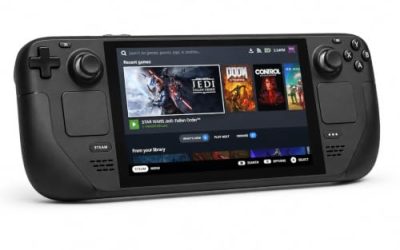
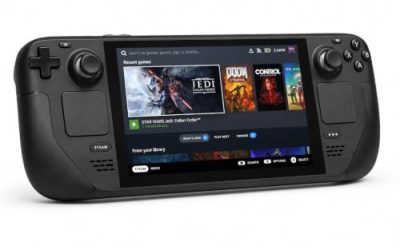
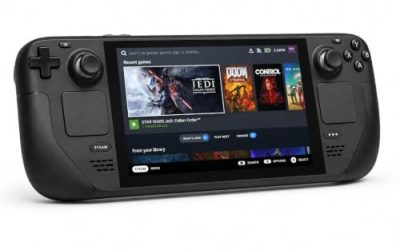
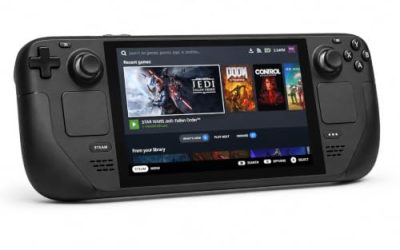
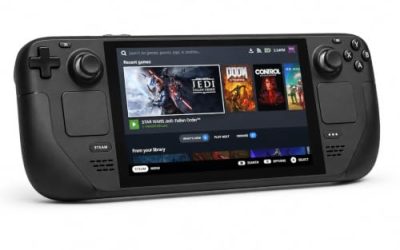
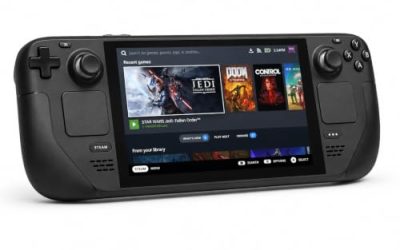
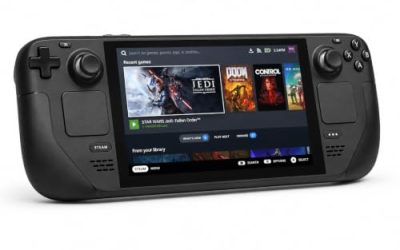
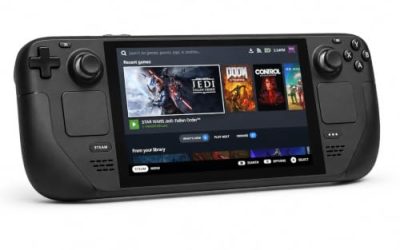
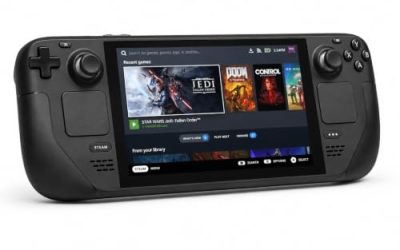
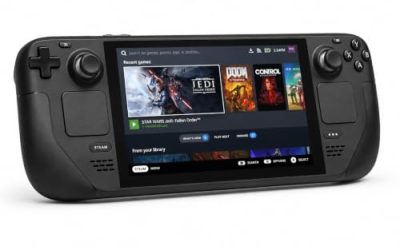
Valve Steam Deck OLED 512GB
The handheld Valve graded Playable for this game, on the Windows build under proton-stable. Its requirements sit far below the APU’s ceiling; the one setup step to expect is the manual on-screen keyboard for text entry.
Specs
- Display: 7.4-inch HDR OLED, 1280 by 800, up to 90 Hz
- Processor: AMD Zen 2 and RDNA 2 custom APU
- Memory: 16 GB LPDDR5
- Storage: 512 GB NVMe, plus a microSD slot
- Wireless: Wi-Fi 6E and Bluetooth
- Channel note: Valve sells the Deck mainly through its own store, so Amazon listings are third-party sellers
8BitDo Ultimate 2 Bluetooth Controller

The docked and desktop pad pick. Disc Jam lists full controller support, and a two-to-four-player local game eats spare pads; this one covers the couch case with modern sticks and triggers plus back buttons for menu shortcuts.
Specs
- Connectivity: Bluetooth wireless and USB-C wired
- Joysticks: TMR electromagnetic, anti-drift design
- Triggers: Hall effect, with mode switching
- Extras: two remappable back buttons, motion control
- In the box: charging dock included
Xbox Wireless Controller, Carbon Black
The safest guest pad in PC gaming: Steam Input support is universal, the glyphs match what most games display, and it pairs over Bluetooth or its own wireless standard. On the handheld, the sheet’s note applies: an external pad may need a Quick Access Menu switch before it takes over.
- Connectivity: Xbox Wireless and Bluetooth
- Port: USB-C for wired play
- Controls: hybrid D-pad, dedicated Share button
- Power: AA batteries or optional rechargeable pack
Logitech G502 HERO
Disc Jam is a pad game, but at a desk a precise wired mouse still earns its place for menus and settings between matches. Eleven programmable buttons cover the confirm, cancel and camera inputs a session repeats.
Specs
- HERO optical sensor, up to 25,600 DPI
- 11 programmable buttons
- Adjustable weight system
- Wired USB connection
- On-board memory profiles
Samsung T9 Portable SSD 2TB
For moving a Linux game library between a desktop and a laptop, or keeping an offline backup of installers, a fast USB-C drive is the simple answer. The headline figure needs a Gen 2×2 host port; on a lesser port the drive runs at that ceiling instead.
Specs
- Capacity: 2 TB portable SSD
- Interface: USB 3.2 Gen 2×2, USB-C connector
- Maker-rated speeds: up to 2,000 MB per second read, 1,950 MB per second write
- Features: Dynamic Thermal Guard, maker-rated drop resistance
How to choose
Choose the Steam copy, because it is the only PC edition on sale and the exact build both records describe. On a Linux desktop or laptop, install it under Proton and leave the compatibility tool at its default; if the first launch crashes, select the low-end renderer option at startup, the fix the community file documents. On Steam Deck, expect a Playable-grade experience: budget one manual step for text entry and one Quick Access Menu switch if a second pad does not take over. For input, pads are the native shape of this game; buy spares first, because local matches for up to four players are the point of the title.
Who should skip
Skip this one if you are shopping for a native Linux build: Disc Jam is not one, and no depot, field or package suggests one is coming. Skip it if you want a DRM-free offline installer, because no GOG edition exists. Skip it if you need a freshly retested Deck grade, since Valve’s Playable paperwork dates from an older build. And skip it if the low-end renderer workaround sounds like friction you will not tolerate, because a visible minority of reports depends on it.
FAQ
Is Disc Jam native on Linux?
No. Steam’s record for app 415880 flags Windows only, the Linux requirements field is an empty list, and the depot table holds only a 32-bit and a 64-bit Windows build. The purchase package is Windows-only too.
How well does Disc Jam run under Proton?
ProtonDB’s summary record reads Platinum on the headline, best-reported and trending tiers, across 12 reports with moderate confidence. Most filings describe clean out-of-the-box runs; some need the low-end renderer option selected at startup to avoid a crash.
Is Disc Jam Steam Deck Verified?
No, it is one grade lower: Playable. Valve’s sheet passes functionality, legibility and performance, with manual on-screen keyboard invocation for text entry as the deduction. The test dates from March 2022 on an older build, and the badge certifies the Windows build under proton-stable.
Can I buy Disc Jam on GOG instead?
No. GOG’s searches return no product for the game and its address there resolves to the general catalogue. The Steam copy is the only PC edition on sale.
Final verdict
Disc Jam is a Windows-only release whose record is easy to trust: no Linux tab in any form, no Linux depot, no family member wearing a flag it did not earn. The only overclaim anywhere near it is ProtonDB’s own page heading, which the store record contradicts on every layer. What Linux players get is well documented: a Platinum community file on a modest pool, a Playable Deck grade with two named caveats, and one documented workaround for cranky first launches. Buy the Steam copy, play it under Proton, and bring spare controllers.
Product and ASIN Reference
| Product | ASIN |
|---|---|
| Valve Steam Deck OLED 512GB | B0CQ3RWQQZ |
| 8BitDo Ultimate 2 Bluetooth Controller | B0F194QFT2 |
| Xbox Wireless Controller, Carbon Black | B08DF248LD |
| Logitech G502 HERO | B07GBZ4Q68 |
| Samsung T9 Portable SSD 2TB | B0CHFS9K14 |