Some Linux status checks end in an argument with the record: a flag says one thing, the depots say another, and a soundtrack app muddies the family picture. Invisible, Inc. is the opposite kind of file. Klei Entertainment’s turn-based stealth game, released on 12 May 2015, flags Windows, Mac and Linux on its Steam record, publishes a genuine Linux requirements tab, and backs both with full-size Linux depots inside the one package Steam sells. Every layer points the same way.
That makes the interesting questions the secondary ones. Valve has tested the game on Steam Deck and stopped one step short of its top badge, for reasons unrelated to performance. ProtonDB holds a small but favourable file, even though Proton is technically the backup route here. And a second storefront sells the game with Linux support attached. This piece reads each of those records in turn.
As an Amazon Associate, we earn from qualifying purchases.
Quick answer
Yes. Invisible, Inc. is native on Linux: Steam flags all three platforms, publishes real Linux requirements, and ships full-size 64-bit and 32-bit Linux depots inside the package on sale. Valve rates it Playable on Steam Deck, tested against the current build, and GOG sells a Linux edition too.
The record, layer by layer
Start with the flags, because here they can be trusted. The store record for app 243970 marks Windows, Mac and Linux all true, and the game is still on sale as a single purchase package. The Linux requirements tab is genuinely populated rather than a heading over an empty list: a dual-core processor at 2.0 GHz or better, 2 GB of RAM, graphics in the class of an nVidia 610M, a Radeon 8400 or Intel HD 4000, and 2 GB of storage. Those are netbook-grade demands, which fits a 2D tactics game built on FMOD and Lua.
The depot census is where a native claim either survives or collapses, and this one survives comfortably. The game ships four content depots: Windows at 1.05 GiB, macOS at 1.04 GiB, a Linux 64-bit depot at 1.05 GiB and a Linux 32-bit depot at 1.05 GiB. Both Linux depots sit inside the sold package, not stranded in a test branch or a CD-key-only sub. A Linux build the same size as the Windows build, delivered by the package a buyer actually receives, is the strongest shape a native ruling can take. The public branch has not moved since its current build was assembled in November 2019, so the copy on sale is the finished one.
One honest footnote: the record carries no controller-support field and no controller category at all. Invisible, Inc. is a mouse-and-keyboard design on paper, and nothing in this article upgrades that. What pad play exists arrives through Steam Input and Valve’s own Deck configuration, a separate record covered below.
The family sweep: expansion and soundtrack
The base record names two add-on apps, both read on their own records. The Contingency Plan expansion, app 376980, flags Windows, Mac and Linux all true, matching the base game, and its depot set includes a dedicated Linux depot alongside the Windows and macOS ones. The expansion is as native as the game it extends.
The soundtrack, app 370650, also flags all three platforms true. In many families that line is a trap: a music app carrying a Linux flag the game itself never earned. Here it fires harmlessly, because the base game genuinely holds the flag on every layer that matters. The family’s Linux support is real at the top and consistent underneath.
The Steam Deck sheet
Valve rates Invisible, Inc. Playable on Steam Deck, with SteamOS marked Compatible. Two details make this badge stronger than it first looks. The recommended runtime on Valve’s own sheet is the native build, not a Proton version, and the test behind the badge, run in October 2022, was performed against build 4359121, which is still the current public build. The paperwork grades the exact copy on sale, so there is no supplement question hanging over it.
What keeps the game at Playable rather than Verified is interface friction, not capability. Valve’s sheet passes the two performance-shaped checks outright: all functionality is accessible with the default controller configuration, and the default graphics configuration performs well. The deductions are that the game sometimes shows mouse, keyboard or non-Deck controller icons, that entering some text requires manually invoking the on-screen keyboard, and that some in-game text is small and may be difficult to read. For a turn-based game played in deliberate moves, those are annoyances rather than obstacles.
The ProtonDB file
ProtonDB classifies the game as Native, and its page carries the “Natively Supports” heading. Against Steam’s record, that heading is correct: the flags, the requirements tab and the depots all confirm a shipped Linux build, so the heading agrees rather than straying. The summary file holds 20 reports with moderate confidence, settling at Gold while both the best-reported and trending tiers sit at Platinum. Read that shape properly: the tier largely grades the Windows build run through Proton by players who chose that route, and it says that route also works well. The native build remains the primary path, and the Proton file is a fallback report for anyone whose setup dislikes the native binary.
There is no anti-cheat dimension to weigh. The record names no anti-cheat, the game is single-player, and the AreWeAntiCheatYet database, read in full, holds no entry for it in either direction. That is documentation silence rather than a formal clearance, but for an offline tactics game there is no server-side gate to clear.
The storefront ruling
Steam is not the only shelf. GOG sells Invisible, Inc. as its own edition, and GOG’s product record lists Windows and Linux as its operating systems, with the Contingency Plan expansion sold there under the same pairing. So the Linux buyer has a genuine choice: the Steam copy, which carries Valve’s Deck testing and Steam Input configuration, or the GOG copy, which carries the same native build in a DRM-free wrapper.
Gear that fits the record
The gear below follows the record’s shape: the handheld Valve tested, two pads for the Steam Input route, a mouse for the input style the game was designed around, and fast storage for a library that travels between machines.
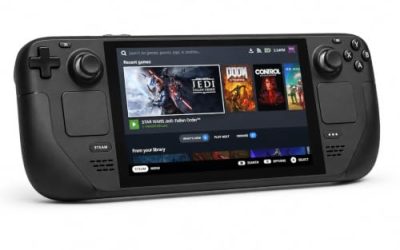
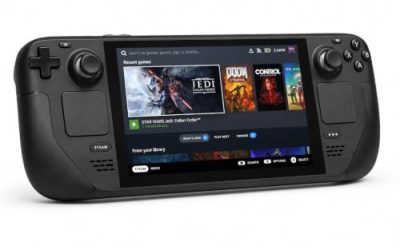
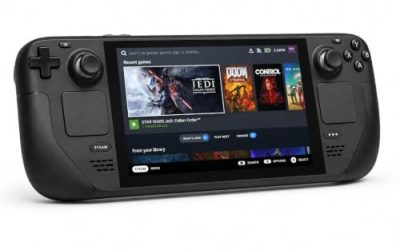
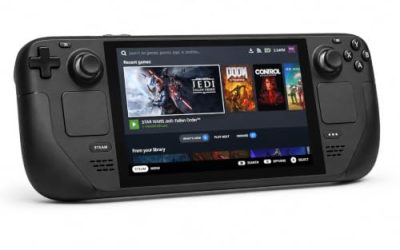
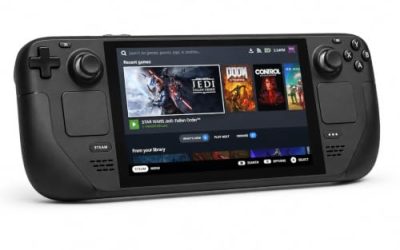
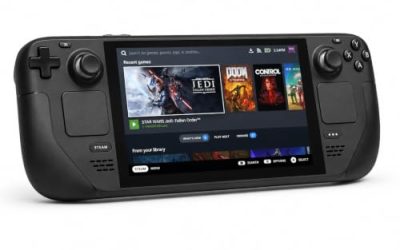
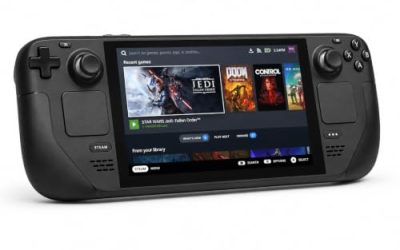
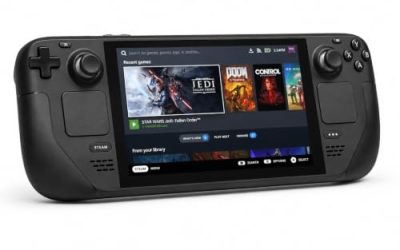
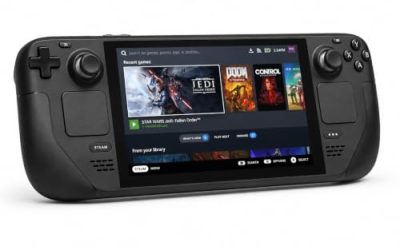
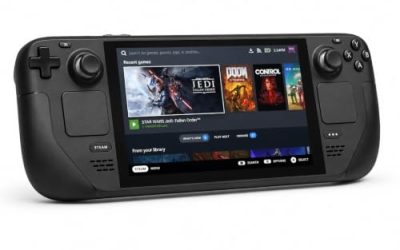
Valve Steam Deck OLED 512GB

The handheld on Valve’s test sheet. The badge is Playable rather than Verified, and the deductions are about text size and glyphs, not frame rates: the native build runs within the Deck’s means with room to spare, and the tested build is the one still on sale.
Specs
- Display: 7.4-inch HDR OLED, 1280 by 800, up to 90 Hz
- Processor: AMD Zen 2 and RDNA 2 custom APU
- Memory: 16 GB LPDDR5
- Storage: 512 GB NVMe, plus a microSD slot
- Wireless: Wi-Fi 6E and Bluetooth
- Channel note: Valve sells the Deck mainly through its own store, so Amazon listings are third-party sellers
8BitDo Ultimate 2 Bluetooth Controller
The record lists no controller support of its own, so pad play runs through Steam Input, and this is the pad for the docked version of that arrangement: modern sticks and triggers, back buttons for the shortcuts a tactics grid repeats, and a dock that keeps it charged between sessions.
Specs
- Connectivity: Bluetooth wireless and USB-C wired
- Joysticks: TMR electromagnetic, anti-drift design
- Triggers: Hall effect, with mode switching
- Extras: two remappable back buttons, motion control
- In the box: charging dock included
Xbox Wireless Controller, Carbon Black
The safest guest pad in PC gaming: Steam Input support is universal, the glyphs match what most games display, and it pairs over Bluetooth or its own wireless standard. On the handheld, the test sheet’s note applies: an external pad may need a manual Quick Access Menu switch before it takes over.
- Connectivity: Xbox Wireless and Bluetooth
- Port: USB-C for wired play
- Controls: hybrid D-pad, dedicated Share button
- Power: AA batteries or optional rechargeable pack
Logitech G502 HERO
Invisible, Inc. was designed for a mouse: grids, sightlines and turn orders are all pointing work. At a desk, a precise wired mouse with eleven programmable buttons covers the confirm, cancel and camera inputs a long infiltration repeats, and it sidesteps every glyph and layout question the pad route raises.
Specs
- HERO optical sensor, up to 25,600 DPI
- 11 programmable buttons
- Adjustable weight system
- Wired USB connection
- On-board memory profiles
Samsung T9 Portable SSD 2TB
For moving a Linux game library between a desktop and a laptop, or keeping an offline backup of installers, a fast USB-C drive is the simple answer. The headline figure needs a Gen 2×2 host port; on a lesser port the drive runs at that ceiling instead.
Specs
- Capacity: 2 TB portable SSD
- Interface: USB 3.2 Gen 2×2, USB-C connector
- Maker-rated speeds: up to 2,000 MB per second read, 1,950 MB per second write
- Features: Dynamic Thermal Guard, maker-rated drop resistance
How to choose
Choose either storefront with confidence, because both sell the native build. Take the Steam copy if Steam Deck play or Steam Input pad configuration matters to you, since Valve’s testing and the controller layout live there. Take the GOG copy if a DRM-free installer is the priority; the Linux edition is the same game. On the desktop, install and play natively, and only reach for Proton if the native binary misbehaves on your distribution, in which case the ProtonDB file says the detour is a good one. Add Contingency Plan on either store if the base campaign’s structure works for you; its Linux support matches the base game.
Who should skip
Skip it if small interface text on a handheld screen is a hard problem: Valve flags exactly that. Skip it if you want a game that treats a controller as a first-class input on the desktop; the record promises no controller support, and pads work through a translation layer rather than native design. Skip it if you need your stealth in real time: this is turn-based infiltration where every guard moves when you do. And skip the Proton-first mindset, not the game: forcing the Windows build when a maintained native build ships in the same package solves a problem this record does not have.
FAQ
Is Invisible, Inc. native on Linux?
Yes. Steam flags Linux true, the Linux requirements tab is genuinely populated, and both a 64-bit and a 32-bit Linux depot, each the same size as the Windows depot, sit inside the package on sale. The Contingency Plan expansion matches it with its own Linux depot.
Is Invisible, Inc. Steam Deck Verified?
No, it is one step below: Playable. Valve’s deductions are interface points, namely non-Deck glyphs, manual keyboard invocation for text entry and some small in-game text. Performance passes, the recommended runtime is the native build, and the October 2022 test was run against the build still on sale.
Does Invisible, Inc. support controllers?
The Steam record carries no controller-support field and no controller category, so treat it as a mouse-and-keyboard game. Pads still work through Steam Input, and Valve’s Deck sheet found all functionality accessible with the default controller configuration, but that is a translation layer, not a native controller design.
Can I buy Invisible, Inc. on GOG with Linux support?
Yes. GOG’s own product record for the game lists Windows and Linux, and the Contingency Plan expansion is listed the same way. The GOG edition is a real alternative to the Steam copy rather than a Windows-only leftover.
Final verdict
Invisible, Inc. is one of the cleanest Linux files in the stealth catalogue: a native ruling confirmed by flags, requirements and depots alike, an expansion that matches it, a Deck badge whose paperwork still grades the current build, a Proton file that works as a fallback rather than a lifeline, and a second storefront selling the Linux edition outright. Buy it on Steam or GOG, play the native build, and let the small Deck text be the only caveat worth remembering.
Product and ASIN Reference
| Product | ASIN |
|---|---|
| Valve Steam Deck OLED 512GB | B0CQ3RWQQZ |
| 8BitDo Ultimate 2 Bluetooth Controller | B0F194QFT2 |
| Xbox Wireless Controller, Carbon Black | B08DF248LD |
| Logitech G502 HERO | B07GBZ4Q68 |
| Samsung T9 Portable SSD 2TB | B0CHFS9K14 |