Wandering Sword is The Swordman Studio’s wuxia RPG, published by Spiral Up Games and released on 14 September 2023: a pixel-art martial-arts adventure built in Unreal Engine, mixing free-roam exploration with turn-based and real-time combat modes. It is the kind of long, text-heavy role-playing game Linux players routinely ask about, because a long campaign is exactly what you want working properly on a desktop install or a Steam Deck before you commit to it.
The short answer is that there is no Linux version to buy. Steam’s record for app 1876890 flags Windows alone, and every other layer agrees. What Linux players get instead is a Proton route with a small but positive community file behind it, and a Steam Deck rating of Playable whose three deductions are all named on Valve’s test sheet.
As an Amazon Associate, we earn from qualifying purchases.
Quick answer
Wandering Sword is not native on Linux. Steam’s record flags Windows only, the Linux requirements field is an empty list, and the single content depot is a Windows 64-bit build. Linux players use Proton instead: ProtonDB rates the game Gold across six reports, and Valve rates it Playable on Steam Deck.
What the Steam record actually says
Start with the platform flags, because everything else lines up behind them. The record reads windows true, mac false, linux false. The Windows requirements tab is genuinely populated in both tiers: 64-bit Windows 7 SP1, 8.1 or 10, an AMD FX-4350 or Intel Core i3-3210, 8 GB of RAM, a 4 GB Radeon RX 560 or GeForce GTX 1050, DirectX 11 and 7 GB of storage. The Mac and Linux requirements fields, by contrast, are absent fields: empty lists, with no tab in any form. There is no populated shell to misread.
The depot census settles it. The game ships exactly one content depot, 1876891, configured as Windows 64-bit and holding 5.72 GiB, beside only the shared Windows redistributables. There is no Linux depot, no Mac depot, no shared depot and no ghost entry: the build on sale is a single Windows executable tree. The registered store assets agree: clienticon, clienttga and icon are present, and there is no LinuxClientIcon in any form, neither backed nor fossil. The absence is clean.
The downloadable content was read individually, all three pieces of it. Secrets of the Eastern Sea (app 3600640), the Mount Pack: Majestic Steeds (app 3027840) and the Hero’s Adventure Collaboration DLC (app 3600650) each flag Windows only, matching the base game exactly. The record exposes no soundtrack app, so the trap in which a music add-on flags every platform cannot fire here: across the whole family, the Linux flag count is zero. One input fact matters for the gear section below: the record lists partial controller support, in both the app information and the store categories, so pad play is real but not total.
The Proton picture on desktop Linux
ProtonDB’s summary record for this app reads in full: a settled tier of Gold, a best-reported tier of Platinum, a trending tier of Gold, six reports in total, and low confidence at 0.44. Six reports is a thin file, and this article will not dress it up as more than it is. Its shape is nevertheless encouraging. The most recent filing, on Ubuntu with an RTX 3050 laptop card and Proton 10.0-3, says the game loaded and launched just fine right out of the box. An EndeavourOS reporter first filed a failure to open on Proton Experimental, then amended the report to say the problem was separate from the game itself and that it works splendidly. No report in the file ends with a game that refuses to run.
One warning belongs in this section. The ProtonDB game page carries the stray “Natively Supports:” heading above its requirements panel, the same mislabel that appears across the site. It is wrong here: Steam’s record denies Linux on the flags, the requirements fields, the depot census and the asset list simultaneously, so treat the heading as a formatting artefact and the Steam record as the ruling. There is no anti-cheat complication either: the game is single-player, names no anti-cheat on its record, and the AreWeAntiCheatYet games file, read in full at 1,167 entries, holds no entry for it in either direction. That silence is documentation absence, not a clearance, but for an offline RPG it is the expected shape.
Steam Deck: Playable, with three named deductions
Valve’s own compatibility endpoint gives the game resolved category 2, Playable, and the SteamOS side of the sheet resolves to Compatible. The test metadata comes from SteamDB’s republication of Valve’s sheet, disclosed here because the endpoint itself carries no date: the test is stamped 23 November 2023 against build 12209449, with proton-stable as the recommended runtime. Two checks pass outright: the game shows Steam Deck controller glyphs, and its default graphics configuration performs well. Three deductions keep it out of Verified. Some functionality is not accessible under the default controller configuration and needs the touchscreen, the virtual keyboard or a community layout. Some in-game text is small and may be difficult to read; the sheet’s configuration block confirms the small-text flag is set. And the game supports the Deck’s native resolution but does not select it by default, so a one-time manual setting may be needed.
Context matters for that date. The public branch has moved on: the current build is 21798996, dated February 2026, so Valve’s paperwork grades a much older copy of the game than the one on sale today, and the badge is best read as a floor rather than a current measurement. Deck filings on Proton 8.0-5 describe the game running out of the box with controller support working, noting that the text runs small and that only conversation text can be enlarged in the settings. An earlier Deck report, from the demo period on Proton 7.0-6, complained the controller was not supported at all; the later reports supersede it.
Gear that fits the record
The gear below follows the record’s shape: the handheld the Playable badge was written for, two pads for docked play, a mouse for menu-heavy desktop sessions, and library storage.
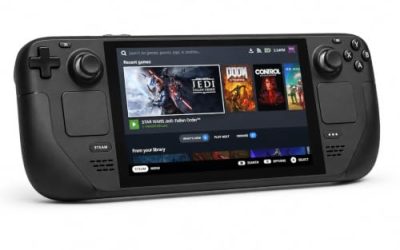
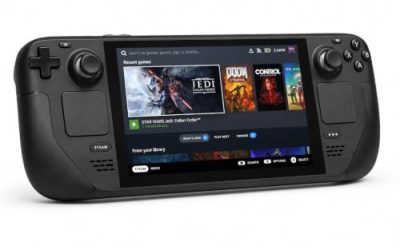
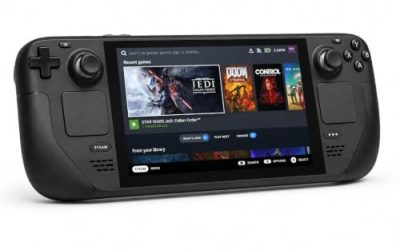
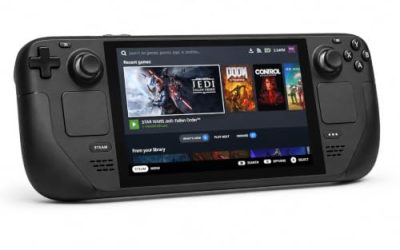
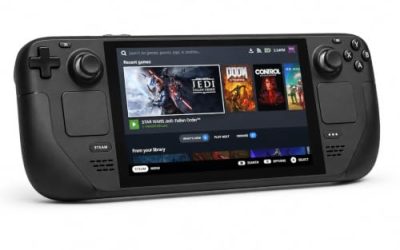
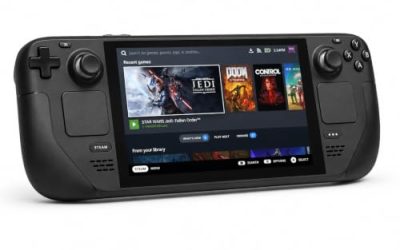
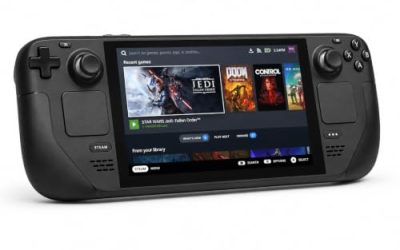
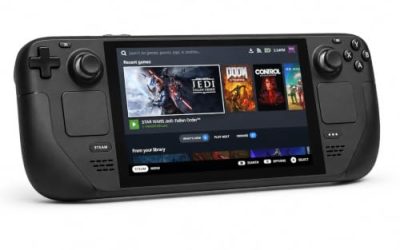
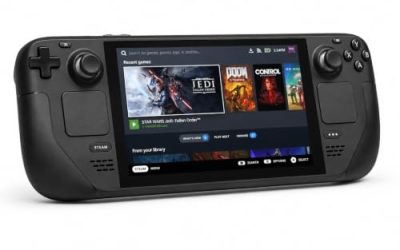
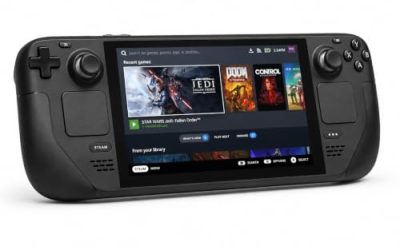
Valve Steam Deck OLED 512GB

The handheld Valve’s test sheet describes. The game’s Windows requirements sit far below the Deck’s hardware, and the Playable rating with a proton-stable recommendation means the standard install path is the intended one: download, launch, set the resolution once, and play.
Specs
- Display: 7.4-inch HDR OLED, 1280 by 800, up to 90 Hz
- Processor: AMD Zen 2 and RDNA 2 custom APU
- Memory: 16 GB LPDDR5
- Storage: 512 GB NVMe, plus a microSD slot
- Wireless: Wi-Fi 6E and Bluetooth
- Channel note: Valve sells the Deck mainly through its own store, so Amazon listings are third-party sellers
8BitDo Ultimate 2 Bluetooth Controller
The docked pad pick. The game’s record lists partial controller support, and Valve’s sheet warns that an external pad does not take over by default on the Deck; a pad with its own dock and remappable back buttons gives a comfortable couch setup once you make that one manual switch.
Specs
- Connectivity: Bluetooth wireless and USB-C wired
- Joysticks: TMR electromagnetic, anti-drift design
- Triggers: Hall effect, with mode switching
- Extras: two remappable back buttons, motion control
- In the box: charging dock included
Xbox Wireless Controller, Carbon Black
The safest guest pad in PC gaming: Steam Input support is universal, the glyphs match what most games display, and it pairs over Bluetooth or its own wireless standard. On the handheld, the test sheet’s note applies: an external pad may need a manual Quick Access Menu switch before it takes over.
- Connectivity: Xbox Wireless and Bluetooth
- Port: USB-C for wired play
- Controls: hybrid D-pad, dedicated Share button
- Power: AA batteries or optional rechargeable pack
Logitech G502 HERO
On desktop Linux this is the input the game quietly prefers. Deck reports describe tapping the screen to reach technique-switching pop-ups the pad layout handles awkwardly; at a desk, a precise wired mouse makes those selections single clicks.
Specs
- HERO optical sensor, up to 25,600 DPI
- 11 programmable buttons
- Adjustable weight system
- Wired USB connection
- On-board memory profiles
Samsung T9 Portable SSD 2TB
For moving a Linux game library between machines, or keeping an offline backup of installers, a fast USB-C drive is the simple answer. The headline figure needs a Gen 2×2 host port; on a lesser port the drive runs at that ceiling instead.
Specs
- Capacity: 2 TB portable SSD
- Interface: USB 3.2 Gen 2×2, USB-C connector
- Maker-rated speeds: up to 2,000 MB per second read, 1,950 MB per second write
- Features: Dynamic Thermal Guard, maker-rated drop resistance
How to choose
Choose the Steam copy, because it is the only PC edition on sale: GOG’s catalogue holds no Wandering Sword product, the natural product address redirects to the general games catalogue, and the catalogue search surfaces only unrelated titles, so no DRM-free edition exists. On a Linux desktop, install and leave Proton at its default first; the newest community report runs clean on a current Proton build, and the one historical failure in the file was retracted by its own author. On a Steam Deck, budget five minutes of setup: select the native resolution manually, enlarge the conversation text, and expect occasional touchscreen use. For input, treat the mouse as the primary desktop tool and a pad as the couch option, because the record’s own rating is partial controller support, not full.
Who should skip
Skip this one if you are shopping for a native Linux RPG: there is no Linux build here, and the ProtonDB page’s “Natively Supports” heading does not change that. Skip it if small text on a handheld screen is a deal-breaker, because Valve’s sheet flags the text size and only the dialogue font can be enlarged in game. Skip it if you want a DRM-free offline installer, since no GOG edition exists. And skip it for now if a six-report community file feels too thin to trust with a long campaign.
FAQ
Is Wandering Sword native on Linux?
No. Steam’s record for app 1876890 flags Windows only, the Linux requirements field is an empty list, and the single content depot is a Windows 64-bit build of 5.72 GiB. The “Natively Supports” heading on the ProtonDB page is a formatting artefact contradicted by every layer of the record.
How well does Wandering Sword run under Proton?
ProtonDB’s summary reads Gold on the settled and trending tiers and Platinum on the best-reported tier, across six reports with low confidence. The reports describe out-of-the-box launches on current Proton builds, including on Deck hardware; the file is thin, so treat the tier as a positive early signal rather than a settled consensus.
Is Wandering Sword Steam Deck Verified?
No, it is one step below: Valve rates it Playable, tested in November 2023 under proton-stable. The deductions are named on the sheet: some functions need the touchscreen or a community layout, some text is small, and the native resolution is not selected by default. The test predates the current build by a wide margin.
Does Wandering Sword support controllers?
Partially, by the game’s own record: the app information and store categories both list partial controller support. Pads work, but some functions fall back to the touchscreen or mouse, and an external pad paired to a Deck may need a manual Quick Access Menu switch first.
Final verdict
Wandering Sword is a Windows-only release with an unusually tidy paper trail: no Linux tab in any form, no Linux depot, no leftover platform icon, and three pieces of DLC matching the base game’s flags exactly. Linux players are not being sold a port; they are being offered a Proton route, and on current evidence it is a decent one: a Gold headline with Platinum best reports, and a Playable Deck badge whose deductions are interface niggles rather than performance problems. Buy the Steam copy, play it under Proton, keep a mouse nearby for the menus, and ignore any page that calls it native.
Product and ASIN Reference
| Product | ASIN |
|---|---|
| Valve Steam Deck OLED 512GB | B0CQ3RWQQZ |
| 8BitDo Ultimate 2 Bluetooth Controller | B0F194QFT2 |
| Xbox Wireless Controller, Carbon Black | B08DF248LD |
| Logitech G502 HERO | B07GBZ4Q68 |
| Samsung T9 Portable SSD 2TB | B0CHFS9K14 |