Our Short List of 3

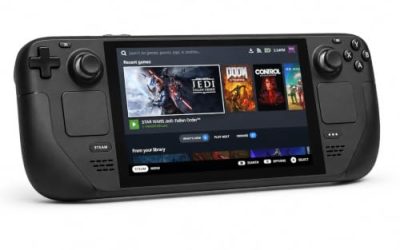
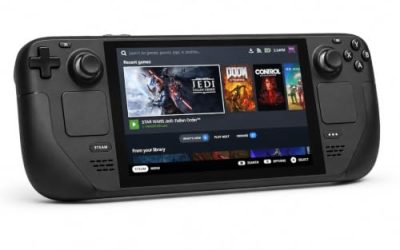
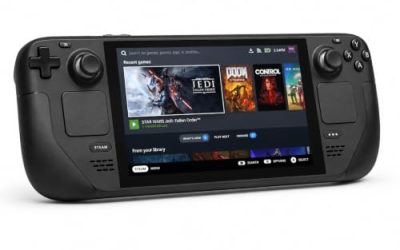
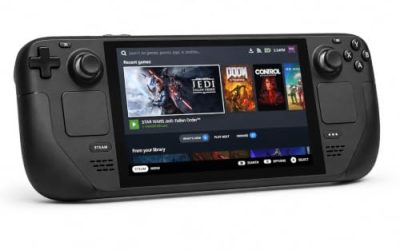
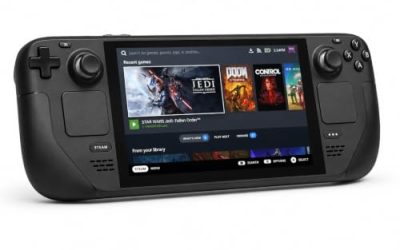
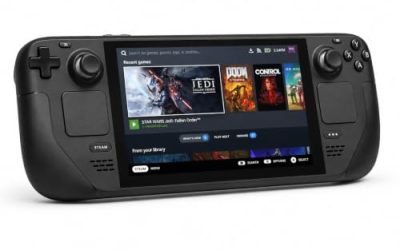
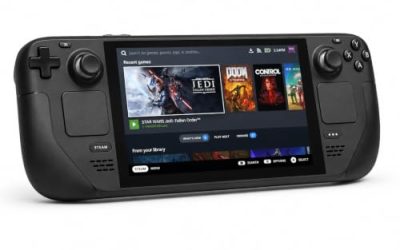
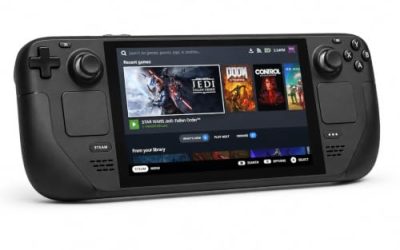
- Display: 7.4-inch HDR OLED, 1280 by 800, up to 90 Hz
- Processor: AMD Zen 2 and RDNA 2 custom APU
- Memory: 16 GB LPDDR5
- Storage: 512 GB NVMe, plus a microSD slot

- Connectivity: Bluetooth wireless and USB-C wired
- Joysticks: TMR electromagnetic, anti-drift design
- Triggers: Hall effect, with mode switching
- Extras: two remappable back buttons, motion control

- Connectivity: Xbox Wireless and Bluetooth
- Port: USB-C for wired play
- Controls: hybrid D-pad, dedicated Share button
- Power: AA batteries or optional rechargeable pack
All 5 Picks at a Glance
| Product | Specs | Action |
|---|---|---|
| Valve Steam Deck OLED 512GB |
| Check price on Amazon |
| 8BitDo Ultimate 2 Bluetooth Controller |
| Check price on Amazon |
| Xbox Wireless Controller, Carbon Black |
| Check price on Amazon |
 Logitech G502 HERO |
| Check price on Amazon |
 Samsung T9 Portable SSD 2TB |
| Check price on Amazon |
PRAGMATA, Capcom’s action game, landed on Steam in April 2026 with no native Linux build, and nothing in its record has changed that since. The confusion around this title comes from inside the game’s own product family, where exactly one app carries a Linux flag, and it is the soundtrack.
What Linux players get instead is one of the strongest Proton files of the year: Valve rates the game Verified on Steam Deck, ProtonDB settles it at Platinum, and the Windows build is the only build there is. This article reads the record layer by layer, so the answer rests on paperwork rather than the soundtrack’s stray tick.
As an Amazon Associate, we earn from qualifying purchases.
Quick answer
PRAGMATA is not native on Linux. Steam’s record flags the game Windows only, its Linux requirements field is an empty shell, and its single launch entry targets Windows. Linux play runs through Proton, where the record is strong: ProtonDB settles at Platinum across 300 reports, and Valve rates the game Verified on Steam Deck.
The record, layer by layer
Steam’s appdetails record for PRAGMATA (app 3357650) lists CAPCOM Co., Ltd. as developer and publisher and gives the release date as 16 April 2026. The platform flags read Windows true, Mac false, Linux false.
The requirements fields sharpen the picture. The Windows field is genuinely populated at both tiers: a minimum of Windows 11 64-bit, a Core i5-8500 or Ryzen 5 3500, 16 GB of memory and a GTX 1660 or RX 5500 XT, rising to a Core i7-8700 or Ryzen 5 5500 with an RTX 2060 Super or RX 6600, with 40 GB of storage at both tiers. The Mac and Linux fields are empty shells: the Minimum and Recommended headings sit over empty lists.
Delivery agrees. The main content depot (3357651, about 33.51 GiB) carries no operating-system configuration, and neither does the second depot (3357652, about 837 MiB); no depot is configured for Linux. The launch list holds exactly one entry, PRAGMATA.exe, its operating-system list set to Windows, 64-bit. The icon registry holds the standard client icon set and no Linux client icon, and the extended OS field is an empty string. The only Linux string in the delivery data is a video-codec dependency mapping used when the Windows build runs under Proton: plumbing, not a build. Controller support reads full on the record’s own field, and no external account notice appears on it.
The family’s only Linux flag belongs to the soundtrack
The base record’s add-on array holds three apps, each read on its own record. The Mega Man Pack (4093670) flags Windows only. The Shelter Variety Pack (3859930) flags Windows only. The Original Soundtrack (4621820), a music-type app, flags Windows, Mac and Linux all true. That is the trap in its classic shape: a family scan that counts flags without reading app types credits the game with a Linux tick that belongs to a folder of audio files, which play on any system regardless of what the game supports.
The count, stated exactly: across the base game and its three array add-ons, one app of four flags Linux true, and it is the soundtrack. The free Sketchbook demo (4003800) sits outside the array and flags Windows only, taking the family to one Linux flag in five apps. SteamDB’s depot table also lists an unnamed app (5547230) with a size-less depot and no store-readable record; it carries no readable flags and changes no count.
Denuvo is the only third-party layer the record names
The record’s DRM notice reads, verbatim, “Denuvo Anti-tamper”, with a second line: “5 different PC within a day machine activation limit”. Denuvo Anti-tamper is a DRM wrapper, not an anti-cheat: it does not scan for cheats, and this single-player game names no anti-cheat anywhere. SteamDB’s record view names the same Denuvo line as the app’s third-party DRM and nothing else. AreWeAntiCheatYet, read in full at its root file of 1,167 entries, holds no entry for this app by store ID or by name. That silence is the accurate report: there is no anti-cheat story here.
The activation limit has one practical consequence ProtonDB filings return to repeatedly. Each switch of Proton version can register as a fresh machine activation against the daily cap, so hopping between Proton builds while troubleshooting can lock a player out for the rest of the day. The filings’ advice is consistent: pick one current Proton build and resist version-hopping. That is DRM friction, not a compatibility failure.
The Proton file
ProtonDB’s summary record for app 3357650, read directly this session, is unusually settled: a Platinum headline tier, a Platinum best-reported tier and a Platinum trending tier, across 300 reports with strong confidence. ProtonDB does not classify the game as native, which agrees with Steam’s flags. Three hundred reports is a deep file for a 2026 release, and the tier rests on a broad base rather than a handful of enthusiasts.
One caution about the ProtonDB page itself: it carries the stray “Natively Supports:” heading this project has flagged on other titles, generated by the empty-shell Linux requirements field. The heading is wrong here; this article follows Steam. The filing colour underneath the tier is mostly plain sailing: clean runs on current Proton and community builds, the Denuvo caution above, occasional frame-pacing complaints that a switch to Proton Experimental resolved for some players, and isolated reports of heavy scenes taxing smaller graphics cards.
The Steam Deck sheet
Valve rates PRAGMATA Verified on Steam Deck, the top category, and SteamOS separately Compatible. The verdict and its checks were read from Valve’s own compatibility endpoint this session; the test paperwork comes through SteamDB’s republication of Valve’s sheet, the standard fallback for those fields. All four Verified checks pass: the default controller configuration is fully functional, the game shows Steam Deck controller icons, interface text is legible, and the default graphics configuration performs well. One note, not a deduction: first-time setup requires an active internet connection. The recommended runtime is proton-stable, the correct shape for a Windows-only game: the badge certifies the Windows build under Proton, and since no native build exists, Proton is not the fallback here, it is the route.
One paperwork caveat, stated plainly. Valve’s test is dated 8 April 2026, eight days before the release date on the record, against build 22357085. The public branch has since moved to build 24543093, so the badge grades a pre-release build rather than the code on sale today, which makes this sheet a supplement candidate. Nothing in the ProtonDB file, 300 reports deep and Platinum throughout, suggests the verdict has aged badly.
The storefront ruling
There is no second PC edition to weigh. GOG’s own catalogue and product searches return no PRAGMATA product record at all: no sold edition, and no pre-release page either. The Steam copy is therefore the only PC edition, and it is the buy: the exact build both compatibility records describe, with the Steam Cloud saves and Family Sharing the record lists.
Gear that fits the record
The gear below follows the record’s shape: the handheld the Verified badge was written for, two pads, a mouse, and library storage.
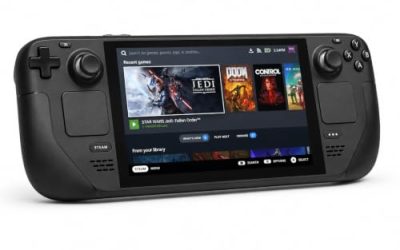
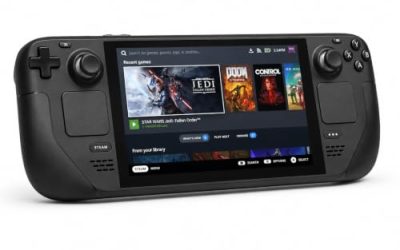
Valve Steam Deck OLED 512GB
- Display: 7.4-inch HDR OLED, 1280 by 800, up to 90 Hz
- Processor: AMD Zen 2 and RDNA 2 custom APU
- Memory: 16 GB LPDDR5
- Storage: 512 GB NVMe, plus a microSD slot
The handheld the Verified badge was written for: Valve’s own test sheet gives the Windows build a clean pass under proton-stable, and the game’s published requirements sit far below the Deck’s APU.
8BitDo Ultimate 2 Bluetooth Controller
- Connectivity: Bluetooth wireless and USB-C wired
- Joysticks: TMR electromagnetic, anti-drift design
- Triggers: Hall effect, with mode switching
- Extras: two remappable back buttons, motion control
The docked and desktop pad pick. Steam lists full controller support for the game, and this pad adds back buttons for menu shortcuts.
Xbox Wireless Controller, Carbon Black
- Connectivity: Xbox Wireless and Bluetooth
- Port: USB-C for wired play
- Controls: hybrid D-pad, dedicated Share button
- Power: AA batteries or optional rechargeable pack
The safest guest pad in PC gaming: Steam Input support is universal, the glyphs match what most games display, and it pairs over Bluetooth or its own wireless standard.
Logitech G502 HERO
- HERO optical sensor, up to 25,600 DPI
- 11 programmable buttons
- Adjustable weight system
- Wired USB connection
At a desk, a precise wired mouse turns settings trips into single clicks. Eleven programmable buttons cover the inputs a long session repeats.
Samsung T9 Portable SSD 2TB
- Capacity: 2 TB portable SSD
- Interface: USB 3.2 Gen 2×2, USB-C connector
- Maker-rated speeds: up to 2,000 MB per second read, 1,950 MB per second write
- Features: Dynamic Thermal Guard, maker-rated drop resistance
For moving a Linux game library between machines, or keeping an offline backup, a fast USB-C drive is the simple answer. The headline figure needs a Gen 2×2 host port; on a lesser port the drive runs at that ceiling instead.
How to choose
Choose the Steam copy, because it is the only PC edition on sale and the exact build both records describe. On a desktop or laptop, install under Proton, pick one current build of the compatibility tool, and leave it there: the Platinum file says the game runs, and the Denuvo activation cap rewards settling instead of hopping. On a Steam Deck, the Verified badge means no configuration work is expected: install, launch, and have an internet connection ready for the first-time setup the sheet notes. For input, the record’s full controller support makes a pad the native shape of this game.
Who should skip
Skip this one if you are shopping for a native Linux build: this game does not have one, and the Linux flag in its family belongs to the soundtrack, not to anything you can launch. Skip it if you want a DRM-free offline installer, because no GOG edition exists. Skip it if the activation limit is a hard line: five machine activations a day is generous for ordinary play but unforgiving for anyone who swaps compatibility layers constantly. And skip it on the strength of the Deck badge alone if you demand paperwork dated after launch.
FAQ
Is PRAGMATA native on Linux?
No. Steam’s record for app 3357650 flags Windows true, Mac false and Linux false, the Linux requirements field is an empty shell at both tiers, and the single launch entry targets Windows. The family’s only Linux flag belongs to the soundtrack app.
How well does PRAGMATA run under Proton?
ProtonDB settles the game at Platinum on its headline, best-reported and trending tiers, across 300 reports with strong confidence. Filings describe clean runs on current Proton builds; the main recurring caution is the Denuvo activation cap when switching Proton versions.
Is PRAGMATA verified on Steam Deck?
Yes. Valve rates it Verified, with all four checks passing and SteamOS separately Compatible. The test is dated 8 April 2026 against a pre-release build, so the paperwork predates the current public build.
Does Denuvo stop PRAGMATA from running on Linux?
No. The record names Denuvo Anti-tamper, a DRM wrapper, and no anti-cheat; AreWeAntiCheatYet holds no entry for the game. Its practical effect on Linux is the daily activation limit, which counts Proton version switches, not a block on play.
Final verdict
PRAGMATA on Linux is a closed question with a happy footnote. The native answer is no at every layer: the flags, the empty-shell Linux requirements, the Windows-only launch entry and the depot census all say the same thing, and the family’s single Linux flag belongs to a soundtrack. The Proton answer is about as good as this series records: Platinum across 300 reports, a Verified badge on Steam Deck, and no anti-cheat or account layer in the way. Buy the Steam copy, settle on one Proton build, and play.
Product and ASIN Reference
| Product | ASIN |
|---|---|
| Valve Steam Deck OLED 512GB | B0CQ3RWQQZ |
| 8BitDo Ultimate 2 Bluetooth Controller | B0F194QFT2 |
| Xbox Wireless Controller, Carbon Black | B08DF248LD |
| Logitech G502 HERO | B07GBZ4Q68 |
| Samsung T9 Portable SSD 2TB | B0CHFS9K14 |