Our Short List of 3

- Display: 7.4-inch HDR OLED, 1280 by 800, up to 90 Hz
- Processor: AMD Zen 2 and RDNA 2 custom APU
- Memory: 16 GB LPDDR5
- Storage: 512 GB NVMe, plus a microSD slot

- Connectivity: Bluetooth wireless and USB-C wired
- Joysticks: TMR electromagnetic, anti-drift design
- Triggers: Hall effect, with mode switching
- Extras: two remappable back buttons, motion control

- Connectivity: Xbox Wireless and Bluetooth
- Port: USB-C for wired play
- Controls: hybrid D-pad, dedicated Share button
- Power: AA batteries or optional rechargeable pack
All 5 Picks at a Glance
| Product | Specs | Action |
|---|---|---|
| Valve Steam Deck OLED 512GB |
| Check price on Amazon |
| 8BitDo Ultimate 2 Bluetooth Controller |
| Check price on Amazon |
| Xbox Wireless Controller, Carbon Black |
| Check price on Amazon |
 Logitech G502 HERO |
| Check price on Amazon |
 Samsung T9 Portable SSD 2TB |
| Check price on Amazon |
Elin is Lafrontier’s sandbox RPG follow-up to Elona, a free-form mix of town building, crafting, farming and dungeon crawling that launched into Early Access on 1 November 2024 and has been updated constantly ever since, nightly builds included. Linux players ask the same question of it: is there a native build, and if not, how clean is the Proton route?
The short version: Steam’s own record answers the first half decisively, and the community record answers the second half encouragingly. There is no Linux build of Elin, and none is hiding in the paperwork: the flags, the requirements tabs, the depot list and the registered assets all say Windows only. What Linux players get instead is a Windows build that runs at a Platinum headline level through Proton, a Playable badge on Steam Deck, and one well-documented wrinkle around Workshop mods.
As an Amazon Associate, we earn from qualifying purchases.
Quick answer
Elin has no native Linux build: Steam’s record flags it Windows only, its Linux requirements tab is an empty shell, and its single depot is a Windows build. The practical route is Proton, where the game carries a Platinum headline on ProtonDB and a Playable badge on Steam Deck, with one launch-option fix needed for Workshop mods.
The record, layer by layer
Start with the platform flags. The record flags Windows true, Mac false and Linux false, and for Elin that store-level statement is honest: no layer underneath contradicts it.
The requirements tabs tell the same story with one piece of stage dressing. The Windows tab is genuinely populated in its minimum tier: 64-bit Windows 8 or later, a Core i5 class processor, 8 GB of RAM, Intel HD Graphics 615 class graphics, DirectX 10 and 2 GB of storage. The Linux tab, by contrast, presents the familiar Minimum and Recommended headings over completely empty lists, and the Mac tab is built the same way. Those headings are a shell the store template renders, not a specification anyone wrote: a populated tab would name a distribution and a graphics stack, and this one names nothing.
The depot census settles the question. Steam delivers Elin through exactly one content depot, depot 2135153, configured for 64-bit Windows and weighing 2.26 GiB on disk. There is no Linux depot beside it, no Mac depot, no shared depot and no size-less ghost depot; the only other depot attached to the app is the Workshop depot, which is the game itself. Registered assets run to a client icon, a client TGA and a community icon: no Linux client icon in any form. The extended-OS field is an empty string, the architecture field reads 64-bit, and the detected technology is the Unity engine on the Mono runtime.
One more absence: the record exposes no DLC array at all, so the familiar trap of a soundtrack package flagging Linux true against a Windows-only base game has nothing to attach to.
Playing it through Proton
With no native build, the Linux experience is the Proton experience, and on the community record it is a strong one. ProtonDB’s game page carries a Platinum headline across 34 reports. One honesty note: during this check, ProtonDB’s summary feed was unavailable, returning an error page for this game and for a control title alike, so the settled and trending figures and confidence score behind that headline could not be read. The headline and report count come from the game page itself.
Those reports describe a game that mostly just starts. Desktop filings on current Proton releases across Ubuntu, Bazzite, CachyOS, Arch and Mint describe out-of-the-box play, with the recurring colour being small stuff rather than breakage: one freeze when alt-tabbing away from fullscreen, with windowed mode unaffected; one older laptop filing noting crackling on some music tracks. The same page carries a stray heading claiming native support. Steam’s record contradicts that heading on every layer checked above, so treat it as a labelling error and the Platinum headline as the part worth trusting.
The one real wrinkle: Workshop mods
Elin leans on the Steam Workshop, and mod support is where Linux players meet the game’s single recurring fix. The mod plumbing runs on a loader whose networking library Proton does not engage correctly by default, so reports converge on one step: a launch option, set through the WINEDLLOVERRIDES variable, that forces that library to load its native copy before the builtin one, the n,b ordering in the override’s value. Without it, installed mods appear in the in-game list but do not function. Some features that ship with the base game ride on the same plumbing: one filer traced a “Mod is Disabled” error at an in-game slot machine to exactly this step. Apply the override once and the problem is gone.
Anti-cheat, the usual blocker for Windows-only games, does not arise here. Elin is single-player, its record names no anti-cheat and no third-party DRM, and the AreWeAntiCheatYet database, checked in full, holds no entry for it in either direction: documentation absence rather than a clearance, but there is no server-side gate on the other side of Proton either.
Steam Deck: Playable, on launch-month paperwork
Valve’s compatibility sheet rates Elin Playable on Steam Deck, with SteamOS Compatible and the stable Proton release as the recommended runtime. Two checks pass outright: interface text is legible, and the default graphics configuration performs well. Four deductions keep it out of the Verified tier: the default controller configuration is not fully functional, the game sometimes shows mouse, keyboard or non-Deck glyphs, entering text requires manually invoking the on-screen keyboard, and the game supports the Deck’s native resolution without setting it by default.
Two qualifications matter. First, the game’s own record carries no controller-support field and no controller category at all, which is what the Deck sheet’s deductions describe: a keyboard-and-mouse design that Steam Input maps onto the Deck’s controls. Community Deck reports are warmer, describing the trackpads as more than useful in place of a mouse and the default layout as nearly there, bar one filer’s note that the triggers arrive swapped relative to the on-screen cursor, a mapping that takes seconds to flip. Second, the badge’s paperwork is old: Valve tested build 16338996 on 22 November 2024, in the launch month, while the current public build is 26882702, dated 24 November 2026. Treat the verdict as a floor, not a fresh measurement.
There is no GOG edition either: the game’s natural GOG product address resolves to the general catalogue rather than a product page.
Gear that fits a keyboard-first sandbox
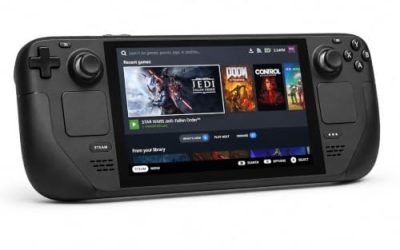
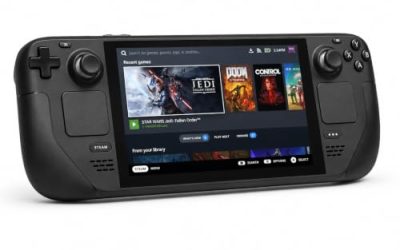
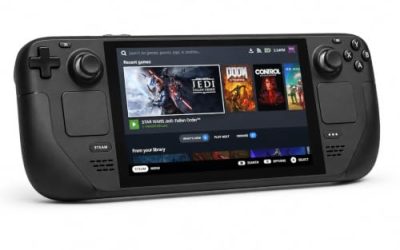
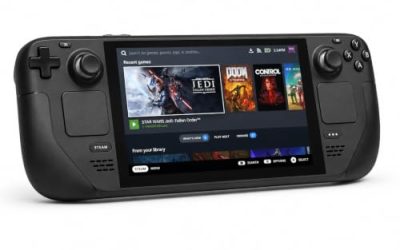
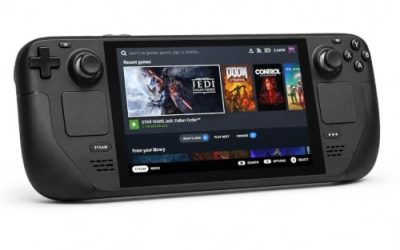
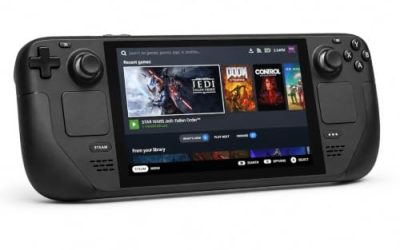
Valve Steam Deck OLED 512GB
- Display: 7.4-inch HDR OLED, 1280 by 800, up to 90 Hz
- Processor: AMD Zen 2 and RDNA 2 custom APU
- Memory: 16 GB LPDDR5
- Storage: 512 GB NVMe, plus a microSD slot
The handheld Valve’s Playable badge was issued against. Elin’s requirements are modest next to the Deck’s APU, and the trackpads do real work in a mouse-driven interface like this one.
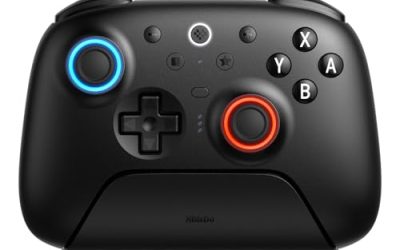
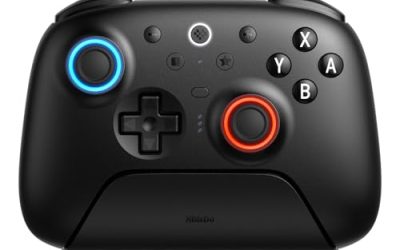
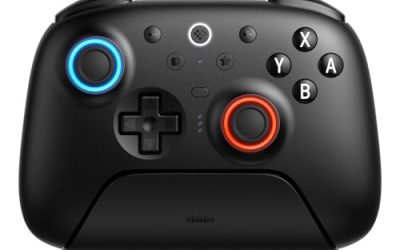
8BitDo Ultimate 2 Bluetooth Controller
- Connectivity: Bluetooth wireless and USB-C wired
- Joysticks: TMR electromagnetic, anti-drift design
- Triggers: Hall effect, with mode switching
- Extras: two remappable back buttons, motion control
The docked and desktop pad pick. Elin’s record is silent on controller support, so a pad here works through Steam Input and community layouts rather than a native mapping; this one adds back buttons for menu shortcuts.
Xbox Wireless Controller, Carbon Black
- Connectivity: Xbox Wireless and Bluetooth
- Port: USB-C for wired play
- Controls: hybrid D-pad, dedicated Share button
- Power: AA batteries or optional rechargeable pack
The safest guest pad in PC gaming: Steam Input support is universal, and it pairs over Bluetooth or its own wireless standard. On the handheld, an external pad may need a manual Quick Access Menu switch before it takes over.
Logitech G502 HERO
- HERO optical sensor, up to 25,600 DPI
- 11 programmable buttons
- Adjustable weight system
- Wired USB connection
Elin is a keyboard-and-mouse game at heart, and at a desk a precise wired mouse turns inventory, crafting and shop trips into single clicks. Eleven programmable buttons cover the inputs a long session repeats.
Samsung T9 Portable SSD 2TB
- Capacity: 2 TB portable SSD
- Interface: USB 3.2 Gen 2×2, USB-C connector
- Maker-rated speeds: up to 2,000 MB per second read, 1,950 MB per second write
- Features: Dynamic Thermal Guard, maker-rated drop resistance
For moving a Linux game library between a desktop and a laptop, or keeping an offline backup of installers, a fast USB-C drive is the simple answer. The headline figure needs a Gen 2×2 host port; on a lesser port the drive runs at that ceiling.
How to choose
Choose by how you intend to play. On a Linux desktop: install it, let the stable Proton release handle it, and add the mod-loader launch-option override before you touch the Workshop. On Steam Deck, expect a trackpad-led experience, set the display resolution manually the first time, and flip the trigger mapping if the default feels backwards. If a pad is non-negotiable, play docked or at a desk with Steam Input doing the translation, and budget a few minutes for a community layout. Storage is a non-issue at 2.26 GiB.
Who should skip
Skip the native-build hunt entirely: there is nothing to find, and waiting for one means waiting on a solo developer whose record has never hinted at a port. Skip Elin on Linux if Workshop mods are the whole point and a launch-option edit is more friction than you will tolerate. Skip the Deck version if you want a pure gamepad game with no trackpad or keyboard-invoke moments. And skip it if Early Access churn bothers you: any compatibility snapshot, this one included, describes a moving target.
FAQ
Is there a native Linux version of Elin?
No. Steam’s record flags the game Windows only, its Linux requirements tab is an empty shell with no specification behind it, and the single content depot is a 64-bit Windows build. No Linux depot or client icon exists anywhere on the record.
Does Elin run on Linux at all?
Yes, through Proton. ProtonDB’s game page carries a Platinum headline across 34 reports, and the filings describe largely out-of-the-box play on current Proton releases across a wide range of distributions and hardware. The one step worth taking in advance is the mod-loader launch-option override, if you plan to use Workshop mods.
Why do my Workshop mods show up but not work?
The mod loader needs its networking library overridden to engage under Proton. Set the launch option through the WINEDLLOVERRIDES variable so that library loads native before builtin, and the listed-but-dead mods start working; a few features bundled with the base game depend on the same step.
How does Elin play on Steam Deck?
Valve rates it Playable: legible text and good default performance, held back by a not-fully-functional default controller configuration, non-Deck glyphs, manual keyboard invocation and a resolution you set yourself. Community reports are warmer than the badge, with the trackpads carrying the mouse-driven interface well. Valve’s test dates from the launch month, November 2024, and the game has changed a great deal since.
Final verdict
Elin on Linux is a clean case of a Windows-only record wrapped around a very playable Proton experience. The paperwork offers no ambiguity: one platform flag set, one Windows depot, an empty Linux shell where a specification would go, and no DLC family to muddy the water. Against that, the community record is Platinum at headline level, the Deck badge is Playable, and the only fix most players will ever apply is a single launch option for mods. Buy it on Steam, set the override, and play.
Product and ASIN Reference
| Product | ASIN |
|---|---|
| Valve Steam Deck OLED 512GB | B0CQ3RWQQZ |
| 8BitDo Ultimate 2 Bluetooth Controller | B0F194QFT2 |
| Xbox Wireless Controller, Carbon Black | B08DF248LD |
| Logitech G502 HERO | B07GBZ4Q68 |
| Samsung T9 Portable SSD 2TB | B0CHFS9K14 |