Until Then is Polychroma Games’ coming-of-age narrative adventure, a pixel-art story set in the Philippines about friendship, first love and a mystery that keeps rewriting a schoolboy’s memories. It launched on 25 June 2024 from publisher Maximum Entertainment, and Linux players have asked the usual question ever since: is the penguin on the store page backed by a real build?
This time the flag is honest. Steam’s record for app 1574820 flags Linux true, publishes a fully written Linux requirements tab, and sells a package containing a Linux-configured depot the same size as the Windows one. The paperwork is untidy: the Linux depot carries a leftover macOS name, the Mac requirements tab is fully written even though no Mac build exists, and no dedicated Linux client icon is registered. None of that changes the ruling.
As an Amazon Associate, we earn from qualifying purchases.
Quick answer
Yes. Until Then is genuinely native on Linux. Steam flags the game for Windows and Linux, its Linux requirements are populated at both tiers, and the sold package contains a Linux 64-bit depot beside the Windows one. ProtonDB grades it Platinum across 26 reports, and Valve rates it Steam Deck Verified. The oddities are clerical: the Linux depot is named for macOS.
What the Steam record actually shows
Start with the flags, because they are the layer most listings get wrong. The store record flags Windows true, macOS false and Linux true. The Linux requirements tab is not an empty shell: it is genuinely populated at both tiers. The minimum asks for any distribution, an Intel Core i5-4460 or AMD FX-8320, 4 GB of RAM, a GeForce GTX 750 Ti or Radeon R7 260, and 3 GB of storage, with a 64-bit-only note. The recommended tier raises that to an i5-6400 or Ryzen 5 1400, 8 GB of RAM and a GTX 1650 or RX 570: the same silicon figures as the Windows tab, as a real cross-platform release usually shows.
The record’s own controller field reads full support, and the store categories repeat it, adding DualShock and DualSense lines. That claim comes from this game’s record alone, and it matters for a game built around dialogue, exploration and small minigames. SteamDB’s technology detection names the Godot engine with the FMOD audio SDK, and Godot exports Linux builds as a routine target.
The depot with the wrong name
The depot census is where this record gets strange, and where the native ruling is settled. The game has exactly two content depots. Depot 1574821 is the Windows 64-bit build at 3.34 GiB. Depot 1574822 is configured as Linux 64-bit and holds 3.36 GiB, marginally the larger of the two. Both sit inside package 556773, the package the store sells, and both were last updated on 18 June 2026, the same week the Afterimages expansion arrived. A Linux depot inside the sold package, kept current alongside the Windows build, is delivery, not paperwork.
The quirk is the name: depot 1574822 is labelled Until Then macOS. Read by name alone, the census would suggest a Mac build and no Linux one, which is exactly backwards. Depot names are free text typed by a developer; the configuration field is what Steam’s client acts on, and that field says Linux. The flags and the Linux requirements agree with it, and the Mac side collapses under the same check: there is no macOS depot anywhere in the app, in any package, at any size.
That Mac leg is the mirror image of the usual trap. The Mac requirements tab is fully populated at both tiers, naming macOS 10.12, 4 to 8 GB of RAM and Vulkan 1.3 graphics support. Against a false flag and a census with no Mac content, that tab is a leftover attached to nothing a buyer can download. One more absence: no LinuxClientIcon is registered among the store assets, a clean absence rather than a fossil or an inverse case. It changes nothing; depots deliver a game, icons only decorate the listing.
The family check: one expansion, no soundtrack trap
The base record lists a single piece of DLC, app 3902750, Until Then: Afterimages, the story expansion that arrived in June 2026. Read individually, its record flags Windows true, macOS false and Linux true, an exact match for the base game. It is a content expansion, not a music app, so the family’s Linux flag count is two of two records, both real, and the soundtrack all-true trap has nothing to attach to.
ProtonDB: Platinum, and the heading agrees for once
ProtonDB’s summary record for this app was read in full. The settled tier is Platinum, the best-reported tier is Platinum, the trending tier is Platinum, across 26 reports with good confidence. The game page carries the stray Natively Supports heading that appears on so many listings in this series, and for once it is correct: it matches Steam’s record on every layer checked.
The report file is mostly native filings describing a clean run, and the honest colour is a minority pattern. A few players describe occasional crashes on the native build and a steadier time under Proton, and one detailed filing reports a startup crash after the Afterimages update, fixed with a patchelf command against the UntilThen.x86_64 binary, or by switching to the Windows build under Proton. Worth knowing before you install; not a reason to doubt the build exists.
Steam Deck: Verified, on paperwork from launch month
Valve’s compatibility sheet, read through SteamDB’s republication of Valve’s own data, gives Until Then the top category: Verified. All four checks pass: all functionality is accessible with the default controller configuration, the game shows Steam Deck controller icons, the interface text is legible, and the default graphics configuration performs well. SteamOS is separately rated Compatible. Two notes ride along: cross-platform saved games are not supported, so a Windows save will not follow you to a Linux install, and external controllers do not take over by default and may need a manual switch in the Quick Access Menu.
The paperwork is old. Valve tested on 11 July 2024 against build 14846899, a fortnight after launch. The current public build is 23785927, dated June 2026, so the badge grades a build from before the Afterimages expansion: a supplement-candidate shape, where the verdict is real but the build it certifies has been superseded.
Anti-cheat and the second storefront
There is no multiplayer here and no anti-cheat is named anywhere on the record. The AreWeAntiCheatYet project’s full games.json, all 1,167 entries read, holds no entry for Until Then in either direction. For a single-player narrative game that silence is expected, and it is reported as documentation silence rather than a clearance.
GOG is the one place the story narrows. A live GOG product page for Until Then exists and sells the game, but its works-on line and its system requirements read Windows only, and its own compatibility answer states the game is officially supported on Windows. No Linux edition is sold there; the native build is, today, a Steam-only purchase.
Gear that fits the record
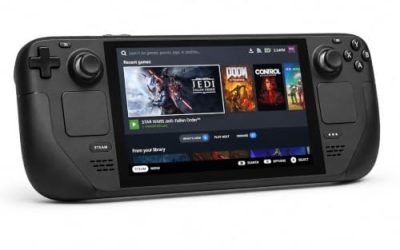
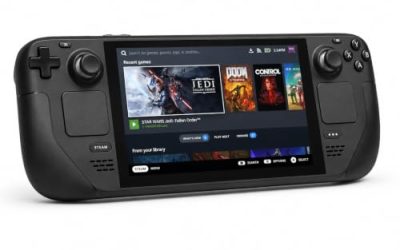
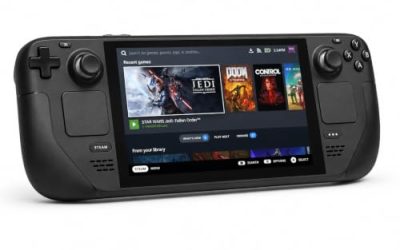
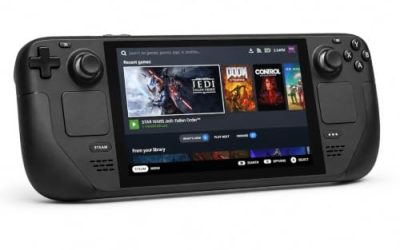
Valve Steam Deck OLED 512GB

The handheld the Verified badge was written for. The game’s requirements are a rounding error next to the Deck’s APU, and Valve’s test sheet passes the native build on all four checks.
Specs
- Display: 7.4-inch HDR OLED, 1280 by 800, up to 90 Hz
- Processor: AMD Zen 2 and RDNA 2 custom APU
- Memory: 16 GB LPDDR5
- Storage: 512 GB NVMe, plus a microSD slot
- Wireless: Wi-Fi 6E and Bluetooth
- Channel note: Valve sells the Deck mainly through its own store, so Amazon listings are third-party sellers
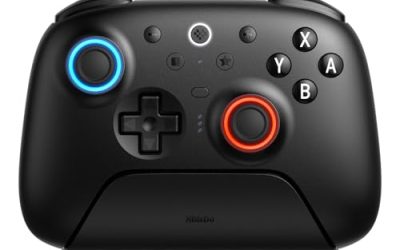
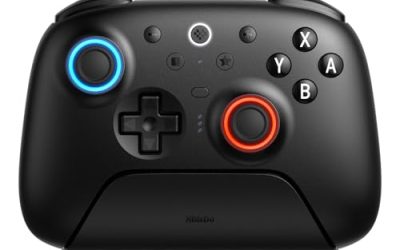
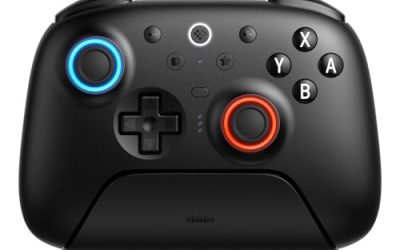
8BitDo Ultimate 2 Bluetooth Controller
The docked and desktop pad pick. This game’s record lists full controller support, and this pad covers the couch case with modern sticks, triggers and back buttons.
Specs
- Connectivity: Bluetooth wireless and USB-C wired
- Joysticks: TMR electromagnetic, anti-drift design
- Triggers: Hall effect, with mode switching
- Extras: two remappable back buttons, motion control
- In the box: charging dock included
Xbox Wireless Controller, Carbon Black
The safest guest pad in PC gaming: Steam Input support is universal, the glyphs match what most games display, and it pairs over Bluetooth or its own wireless standard.
- Connectivity: Xbox Wireless and Bluetooth
- Port: USB-C for wired play
- Controls: hybrid D-pad, dedicated Share button
- Power: AA batteries or optional rechargeable pack
Logitech G502 HERO
The game’s menus, phone screens and minigames are pointer-shaped, and at a desk a precise wired mouse turns those trips into single clicks.
Specs
- HERO optical sensor, up to 25,600 DPI
- 11 programmable buttons
- Adjustable weight system
- Wired USB connection
- On-board memory profiles
Samsung T9 Portable SSD 2TB
For moving a Linux game library between machines, or keeping an offline backup, a fast USB-C drive is the simple answer. The headline figure needs a Gen 2×2 host port; on a lesser port the drive runs at that ceiling.
Specs
- Capacity: 2 TB portable SSD
- Interface: USB 3.2 Gen 2×2, USB-C connector
- Maker-rated speeds: up to 2,000 MB per second read, 1,950 MB per second write
- Features: Dynamic Thermal Guard, maker-rated drop resistance
How to choose
Choose the Steam copy, because it is the only edition that contains the native Linux build; the GOG copy is Windows only. On Linux, install and launch with no compatibility tool selected, since the default download is the Linux depot, and keep Proton in reserve as the documented fallback if your system hits the startup problem a minority of reports describe. On Steam Deck, the Verified badge means the default install is the expected route; keep saves on one platform, and expect one manual switch if you pair an external pad.
Who should skip
Skip the Mac reading of this record entirely: despite the written Mac requirements tab and the macOS name on the Linux depot, no Mac build exists on Steam, and the GOG copy is Windows only too. Skip the GOG edition if Linux is your platform. Skip it if you split play between Windows and Linux and expect one save file to follow you, since Valve’s sheet states that cross-platform saves are not supported. And skip the assumption that native means flawless: most reports are clean, but a documented minority needed a workaround or a Proton fallback after the expansion update.
FAQ
Is Until Then native on Linux?
Yes. Steam flags Linux true, the Linux requirements tab is populated at both tiers, and the sold package contains a Linux-configured depot of 3.36 GiB updated alongside the Windows build in June 2026. ProtonDB classifies it as native, graded Platinum.
Why is the Linux depot named after macOS?
Because depot names are developer-entered labels, and this one is a leftover. The depot’s configuration, the field Steam’s client acts on, reads Linux 64-bit, and every other layer agrees with it. No Mac depot exists in the app.
Is there a Mac version of Until Then?
No. The macOS platform flag is false, no macOS depot exists in any package, and GOG’s edition is Windows only. The fully written Mac requirements tab describes a build that was never delivered on either storefront.
Is Until Then Steam Deck Verified?
Yes. Valve’s sheet gives the game its top category with all four checks passing, and SteamOS is separately rated Compatible. The test was run in July 2024 against the launch-era build, so the badge predates the current branch and the Afterimages expansion. The sheet also notes that saves do not move between platforms.
Final verdict
Until Then is one of the cleaner native rulings in this series, wrapped in some of its untidiest paperwork. The build is real on every layer that delivers software: a true flag, a written requirements tab, a full-size Linux depot inside the sold package, an expansion that matches, a Platinum native file on ProtonDB and a Verified Deck badge. The traps all point the other way, towards a Mac edition that does not exist. Buy the Steam copy and install the native build.
Product and ASIN Reference
| Product | ASIN |
|---|---|
| Valve Steam Deck OLED 512GB | B0CQ3RWQQZ |
| 8BitDo Ultimate 2 Bluetooth Controller | B0F194QFT2 |
| Xbox Wireless Controller, Carbon Black | B08DF248LD |
| Logitech G502 HERO | B07GBZ4Q68 |
| Samsung T9 Portable SSD 2TB | B0CHFS9K14 |