Our Short List of 3

- Display: 7.4-inch HDR OLED, 1280 by 800, up to 90 Hz
- Processor: AMD Zen 2 and RDNA 2 custom APU
- Memory: 16 GB LPDDR5
- Storage: 512 GB NVMe, plus a microSD slot

- Connectivity: Bluetooth wireless and USB-C wired
- Joysticks: TMR electromagnetic, anti-drift design
- Triggers: Hall effect, with mode switching
- Extras: two remappable back buttons, motion control

- Connectivity: Xbox Wireless and Bluetooth
- Port: USB-C for wired play
- Controls: hybrid D-pad, dedicated Share button
- Power: AA batteries or optional rechargeable pack
All 5 Picks at a Glance
| Product | Specs | Action |
|---|---|---|
| Valve Steam Deck OLED 512GB |
| Check price on Amazon |
| 8BitDo Ultimate 2 Bluetooth Controller |
| Check price on Amazon |
| Xbox Wireless Controller, Carbon Black |
| Check price on Amazon |
 Logitech G502 HERO |
| Check price on Amazon |
 Samsung T9 Portable SSD 2TB |
| Check price on Amazon |
Wall World is Alawar’s mining rogue-lite with tower defense elements, released on 5 April 2023: you pilot a robot spider up and down an endless wall, dig into procedurally generated mines for resources, and fight off monster waves with your mobile base between dives. It is the kind of small, repeatable loop Linux players often ask about — is there a native Linux version, or is Proton the only route?
The short answer is that Steam sells exactly one build of this game, and it is a Windows build. Every layer of the record agrees, with one stray flag on a soundtrack app doing its best to suggest otherwise. The good news: that Windows build is one of the best-documented Proton performers in its class — Platinum on ProtonDB and a Verified badge on Steam Deck.
As an Amazon Associate, we earn from qualifying purchases.
Quick answer
No. Wall World has no native Linux build: Steam’s record flags Windows only, the Linux requirements tab is an empty shell, and the sold package holds a single Windows depot. Linux players run the Windows build through Proton — ProtonDB rates it Platinum across 29 reports, and Valve rates it Steam Deck Verified.
What Steam’s record actually holds
Start with the platform flags, because they are unambiguous: windows true, mac false, linux false. The requirements tabs back the flags up. The Windows tab is genuinely populated at the minimum tier — 64-bit Windows 7 or later, a Core i5 or equivalent, 4 GB of RAM, a GTX 650 class card, 2 GB of storage — while its recommended tier is a heading with nothing under it. The Mac and Linux tabs exist as fields but are empty shells: headings over empty lists, with no system lines in either — the store template left unfilled, matching the false flags exactly.
The depot census settles the question on its own. The sold package (package 783063) contains exactly one content depot: depot 2187291, configured for Windows, at 1.90 GiB. There is no Linux depot, no Mac depot, no shared depot and no ghost entry in any form. The registered store assets are clienticon, clienttga, icon and logo — no LinuxClientIcon is registered, so this is neither the fossil-icon case nor the inverse-icon case; the icon is simply absent. (SteamDB’s detection reads a Unity build with the Mono runtime.)
The one Linux flag in the family belongs to the soundtrack
The record lists two DLC apps, both read individually. Wall World: Deep Threat (app 2474860), the expansion, flags windows true, mac false, linux false — matching the base game — and its depot 2474861 is Windows-configured at 33.71 MiB. The second app is the Wall World Original Soundtrack (app 2337040), a music product, and it flags windows, mac and linux all true.
That soundtrack flag is the family’s only Linux flag, and it sits on an app that contains audio files, not a game build. A soundtrack can be flagged for every platform because music plays anywhere; it does not put a Linux executable in the base game’s package, and the depot census — one Windows depot, nothing else — is unaffected. If a store filter shows Wall World with a Linux tick, this record is the likely source of the confusion.
ProtonDB: Platinum, and a heading that overpromises
ProtonDB’s summary for this app was read in full: settled Platinum, best-reported Platinum, trending Platinum, across 29 reports with strong confidence. The filings support the medal — report after report describes the game running out of the box on desktop Linux and on the Deck, across Proton generations from 7.0-6 through 10.0-3.
Two honest qualifications belong beside the medal. First, the ProtonDB game page carries the stray “Natively Supports:” heading above its requirements block. Steam’s record contradicts that heading on every layer — false flag, empty-shell tab, a single Windows depot — so the heading is wrong and the article follows Steam, as always. Second, the filings are not uniformly glowing about the Deck: one Deck report complains the interface text is too small on the handheld’s screen, even though Valve’s test sheet passes text legibility, and one desktop filing found achievements missing on the default Proton until a switch to the 9.0 branch restored them.
Steam Deck: Verified, on paperwork from 2023
Valve’s compatibility sheet for Wall World resolves to Verified, with SteamOS separately rated Compatible. All four checks pass: full functionality with the default controller configuration, Deck controller icons shown, legible interface text, and a default graphics configuration that performs well. The configuration block names gamepad as the supported input, needs no manual keyboard invocation or launcher navigation, and lists Proton 8.0-2 as the recommended runtime. One note matters for docked players: the primary player is not locked to controller slot 0, so an external pad may need a manual switch before it takes over.
The paperwork’s date deserves a sentence of its own. Valve tested the game on 28 June 2023 against build 11474784; the current public branch is build 12341288, from October 2023. The badge therefore grades a build one step behind today’s — a small gap, and the ProtonDB file shows no regression on much newer builds — but strictly the stamp predates the current build, which is why this article counts it among the Deck paperwork supplement candidates.
Input, plainly: the game’s own record lists partial controller support, with store categories for DualShock and DualSense support alongside it. Partial means the gamepad path exists and is the shape Valve tested, while mouse and keyboard remain the primary desktop scheme — the mining and building menus are pointer work.
Anti-cheat and the GOG edition
Wall World is a single-player game, and no anti-cheat is named anywhere on its record. The Are We Anti-Cheat Yet database — read in full at its root file, 1,167 entries — holds no entry for this game in either direction. For a single-player title that silence is documentation behaving as expected, not a clearance and not a warning. SteamDB also detects the Epic Online Services SDK among the game’s technologies — services plumbing, not an anti-cheat verdict.
A DRM-free copy does exist. GOG sells Wall World — its product record (product 1346065995) lists compatibility as windows true, osx false, linux false, and the live page’s works-on line reads Windows only. One caution: GOG’s embed search returned zero results for this title even though the page is live and in stock — the known search blind spot — so the ruling rests on the product record and the page, not on search. The GOG edition is the same Windows build, so whichever store you buy from, Proton is the route.
Gear that fits the record
Valve Steam Deck OLED 512GB
- Display: 7.4-inch HDR OLED, 1280 by 800, up to 90 Hz
- Processor: AMD Zen 2 and RDNA 2 custom APU
- Memory: 16 GB LPDDR5
- Storage: 512 GB NVMe, plus a microSD slot
The handheld the Verified badge was written for. Wall World’s published Windows minimum — a Core i5 and a GTX 650 class card — sits far below the Deck’s APU, and Valve’s sheet passes the default configuration on every check.
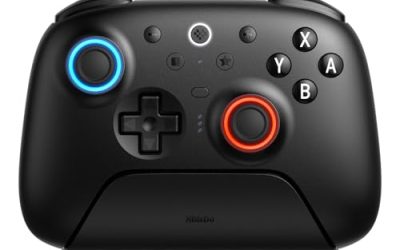
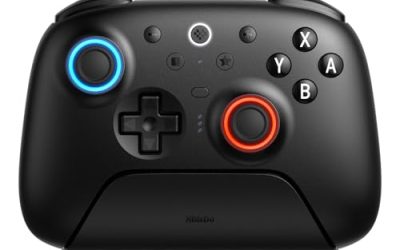
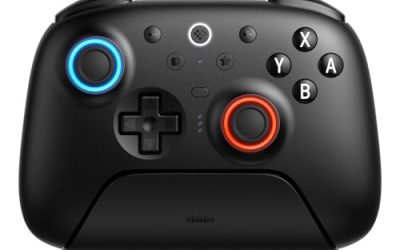
8BitDo Ultimate 2 Bluetooth Controller
- Connectivity: Bluetooth wireless and USB-C wired
- Joysticks: TMR electromagnetic, anti-drift design
- Triggers: Hall effect, with mode switching
- Extras: two remappable back buttons, motion control
The docked and desktop pad pick. The record lists partial controller support, so a pad covers movement and combat while a mouse stays in reach for the building menus; this one adds back buttons for the inputs a run repeats most.
Xbox Wireless Controller, Carbon Black
- Connectivity: Xbox Wireless and Bluetooth
- Port: USB-C for wired play
- Controls: hybrid D-pad, dedicated Share button
- Power: AA batteries or optional rechargeable pack
The safest guest pad in PC gaming: Steam Input support is universal, the glyphs match what most games display, and it pairs over Bluetooth or its own wireless standard. On the handheld, an external pad may need a manual Quick Access Menu switch before it takes over.
Logitech G502 HERO
- HERO optical sensor, up to 25,600 DPI
- 11 programmable buttons
- Adjustable weight system
- Wired USB connection
Wall World’s mining and base-building are pointer work, and at a desk a precise wired mouse turns mine planning and upgrade trips into single clicks. Eleven programmable buttons cover the confirm, cancel and weapon-cycle inputs a session repeats.
Samsung T9 Portable SSD 2TB
- Capacity: 2 TB portable SSD
- Interface: USB 3.2 Gen 2×2, USB-C connector
- Maker-rated speeds: up to 2,000 MB per second read, 1,950 MB per second write
- Features: Dynamic Thermal Guard, maker-rated drop resistance
For moving a Linux game library between desktop and laptop, or keeping an offline backup of installers, a fast USB-C drive is the simple answer. The headline figure needs a Gen 2×2 host port; on a lesser port the drive runs at that ceiling instead.
How to choose
Choose either store’s copy on the same logic: Steam and GOG sell the identical Windows build, so the choice is about your library, not Linux support — neither edition is native. On desktop, install and launch under Proton at its default setting; the Platinum file says current builds run the game cleanly, and the one documented quirk — achievements missing for one filer on the default tool — was cured by pinning the 9.0 branch. For input, treat the pad as the travel option and the mouse as the precision option.
Who should skip
Skip this game on Linux if you buy only native ports: there is no Linux build in the package, no Linux depot behind the scenes, and the one Linux flag in the family belongs to a soundtrack. Skip it if small interface text on a handheld is a deal-breaker and the Deck is your only machine — Valve passes the legibility check, but at least one Deck report disagrees in practice. Skip it, too, if you want a fully gamepad-driven desktop experience: the record’s own rating is partial, and the mining menus are built around a pointer.
FAQ
Is Wall World native on Linux?
No. Steam’s record flags the game Windows-only, the Linux requirements tab is an empty shell, and the sold package contains a single Windows depot. The only Linux flag in the family belongs to the soundtrack app, which carries audio files, not a build.
How well does Wall World run under Proton?
ProtonDB’s full summary settles at Platinum — settled, best-reported and trending tiers all Platinum — across 29 reports with strong confidence. Filings describe out-of-the-box runs on desktop Linux and the Deck from Proton 7.0-6 through 10.0-3, with one achievements quirk on the default tool cured by pinning the 9.0 branch.
Is Wall World Steam Deck Verified?
Yes. Valve’s sheet resolves to Verified with SteamOS Compatible: all four checks pass and the sheet’s recommended runtime is Proton 8.0-2. The test was run in June 2023 against build 11474784, one build behind the current public branch, so the badge grades a near-identical predecessor.
Does the GOG version of Wall World run natively on Linux?
No. GOG sells the game, but its product record lists Windows as the only compatible system, and the live page’s works-on line agrees. The DRM-free edition is the same Windows build as Steam’s, so Linux players use Proton either way.
Final verdict
Wall World on Linux is a clean case of a Windows-only record with an excellent compatibility story: one Windows depot, an empty Linux tab, no Linux client icon — and nothing pretending otherwise once you read past the soundtrack’s stray flag. Against that, ProtonDB’s Platinum across 29 strong-confidence reports and Valve’s Verified badge describe a game that simply runs. Buy it on whichever store you prefer, launch it under Proton, keep a mouse nearby for the mines, and the wall is yours.
Product and ASIN Reference
| Product | ASIN |
|---|---|
| Valve Steam Deck OLED 512GB | B0CQ3RWQQZ |
| 8BitDo Ultimate 2 Bluetooth Controller | B0F194QFT2 |
| Xbox Wireless Controller, Carbon Black | B08DF248LD |
| Logitech G502 HERO | B07GBZ4Q68 |
| Samsung T9 Portable SSD 2TB | B0CHFS9K14 |