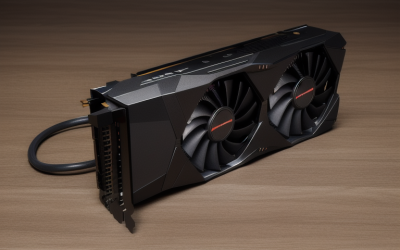
Ray tracing is worth it if you own a graphics card with strong dedicated ray-tracing hardware, play games where the effect changes the look in a visible way, and are willing to use upscaling to keep frame rates smooth. It is not worth chasing on a weak card, a slow monitor, or in fast competitive shooters where frame rate and clarity matter more than lighting.
- What Ray Tracing Actually Changes
- What It Demands From Your System
- Hardware Targets by Tier
- Which Players Benefit Most
- How to Judge a Game Before Committing
- Ray Tracing Versus Other Ways to Spend Performance
- Before You Turn It On
- Display and Latency Considerations
- A Quick Verdict by Situation
- Common Mistakes
- Related guides
- Frequently Asked Questions
The honest answer in 2026 is “it depends on the game and the hardware,” and this guide helps you decide which side of that line you are on. It covers what ray tracing changes on screen, what it demands from your system, and how to judge a specific game before you turn it on. Performance costs vary by game and card, so check the current reviews and your own frame times instead of relying on one rule.
What Ray Tracing Actually Changes
Traditional rendering fakes lighting with pre-baked shadows, screen-space tricks, and cube-map reflections. Ray tracing simulates how light bounces, so reflections, shadows, and global illumination respond to what is actually in the scene. The result can look more grounded, but the size of the improvement depends on how good the non-ray-traced version already is.
Reflections
Reflections on water, glass, and glossy floors are the easiest effect to notice. Without ray tracing, many games rely on screen-space reflections that vanish when the reflected object leaves the screen. Ray-traced reflections stay consistent.
Shadows and ambient occlusion
Ray-traced shadows tend to look softer and more accurate, especially for contact shadows and light from multiple sources. In well-built games, rasterized shadows already look good, so the gain can be subtle.
Global illumination
Ray-traced global illumination makes light bounce from surfaces into dark areas, which can change the mood of a room more than any other effect. This is often where the biggest visual difference appears.
Path tracing
Path tracing is the heaviest form, simulating many light bounces at once. A small number of showcase games offer it, and it demands top-end hardware plus upscaling and frame generation. Treat it as an optional luxury.
What It Demands From Your System
GPU class
Ray tracing runs on dedicated hardware units inside modern graphics cards. Newer generations from each vendor handle it far better than their predecessors, and the hardware class within a generation matters a lot. Entry-level cards can run basic effects at modest settings, while higher tiers handle heavier ray tracing at higher resolutions.
VRAM
Ray tracing adds memory load for the acceleration structures and higher-quality assets. Cards with limited video memory can hit a wall at higher resolutions, which shows up as stutter. Check the game’s recommended video memory when ray tracing is on.
Upscaling and frame generation
Technologies such as DLSS, FSR, and XeSS render at a lower resolution and reconstruct the image, which recovers much of the lost speed. Frame generation can raise the displayed frame rate further, but it adds latency and relies on a healthy base frame rate. Support differs by game and graphics card, so verify in the settings menu.
CPU
Ray tracing also increases CPU load in some games. A slow processor can cap frame rate even with a powerful card, so do not ignore it.
Hardware Targets by Tier
| Tier | Graphics card class | Realistic ray tracing use | Other things to check |
|---|---|---|---|
| Budget | Entry or older ray-tracing-capable card | One light effect at 1080p with upscaling, or leave it off | Enough VRAM, upscaling support |
| Mid-range | Upper-mid card from a recent generation | Reflections or shadows at 1080p or 1440p with upscaling | Capable CPU, high-refresh monitor |
| Premium | High-end recent card | Full effects at 1440p or 4K, possibly path tracing with upscaling and frame generation | Ample VRAM, strong CPU, good cooling |
Which Players Benefit Most
Single-player and story gamers
If you play cinematic, visually driven games at a steady 60 to 120 frames per second, ray tracing adds atmosphere. This is the best case for turning it on.
Competitive and esports players
If you play fast shooters, high frame rate and low latency win. Ray tracing usually costs both, so most competitive players leave it off.
Players on older or budget hardware
You will often get a better experience by putting your performance budget into resolution, texture quality, and frame rate. Try ray tracing once, compare, and be willing to switch it off.
Buyers shopping for a new card
If ray tracing matters to you, weigh the vendor’s current-generation ray-tracing hardware and upscaling support alongside raw performance. Read current reviews for the specific games you play.
How to Judge a Game Before Committing
- Play a representative section with ray tracing off and note your frame time.
- Turn on one ray-tracing effect at a time and compare the image side by side.
- Enable upscaling and check for ghosting or shimmer.
- Check that frame time remains smooth, not just the average frame rate.
- Keep the effects that you can actually see and drop the rest.
Many games offer separate toggles for reflections, shadows, and global illumination. Often one of these gives most of the visual win at a smaller cost.
Ray Tracing Versus Other Ways to Spend Performance
Every frame has a fixed time budget, and ray tracing spends a large share of it. The same budget could go toward a higher resolution, a higher frame rate, or maxed-out textures. The right choice depends on what you notice most when you play.
Resolution and sharpness
If you sit close to a large monitor, native resolution and sharpness often make a more obvious difference than lighting accuracy. Dropping to a lower internal resolution with upscaling to afford ray tracing can soften the image, which may or may not be a good trade for you.
Frame rate and smoothness
On a high-refresh monitor, the jump from a moderate frame rate to a high one is easy to feel. Ray tracing that pulls you below your monitor’s comfortable range can feel worse than the lighting looks better. Variable refresh rate softens the drop but does not remove it.
Where lighting wins
Dark interiors, rainy streets with reflective surfaces, and scenes lit by many small sources show the biggest benefit. Bright, open outdoor scenes with good baked lighting often look similar either way. Look at the kinds of scenes your favorite games contain before deciding.
Before You Turn It On
- Update your graphics driver and the game.
- Confirm your card supports hardware ray tracing and which upscaler the game offers.
- Check VRAM use at your target resolution.
- Decide on a minimum frame rate you will accept.
- Look for a visible difference in your own game, not a screenshot comparison.
Display and Latency Considerations
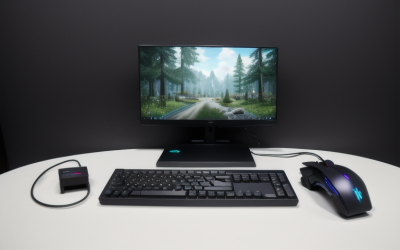
A good ray-tracing experience also depends on the monitor. HDR displays with strong contrast make lighting differences easier to see, while a basic panel hides some of the benefit. Variable refresh rate helps smooth out the frame-rate dips that heavy lighting causes. If you use frame generation, remember that it adds latency, so it suits slower single-player games more than fast aim-driven ones. Check whether the game offers a latency-reduction option and whether your graphics card supports it.
A Quick Verdict by Situation
Turn it on if you have a capable recent card, play atmospheric single-player games, and can hold a smooth frame rate with upscaling. Try selected effects if you have a mid-range card and a 1080p or 1440p screen. Leave it off if you play competitive shooters, own an older or entry-level card, or find that the visual change is hard to see in the games you play. You can always revisit the setting after a hardware upgrade or a major game patch, since optimization often improves over time.
Common Mistakes
- Enabling every ray-tracing option at once instead of testing effects individually.
- Ignoring VRAM limits and blaming stutter on the driver.
- Judging image quality from still screenshots instead of motion.
- Using frame generation from a very low base frame rate and expecting responsive controls.
- Buying a graphics card only for ray tracing without checking support in the games you play.
Related guides
- Aio Liquid Coolers For High Performance Gaming
- Wireless Gaming Headsets Under 100 For Pc
- Ssds For Large Video And Raw Photo Files
Frequently Asked Questions
Does ray tracing make games look dramatically better?
Sometimes. The biggest differences show up in games built around it, especially with global illumination and reflections. In others, the gain is subtle compared with the performance cost.
Can I use ray tracing at 1080p?
Yes, and many mid-range cards handle selective effects at 1080p with upscaling. It is a sensible target if you want better visuals without a high-end card.
Is upscaling cheating or a quality loss?
Modern upscalers often look close to native resolution, though artifacts can appear in motion. Try the available quality modes and pick the one that looks clean on your display.
Will ray tracing matter more in the future?
More games are building around ray-traced lighting, so support is likely to keep growing. Still, buying hardware for what you play now is safer than buying for what might arrive later.