Dust is the silent killer of gaming PC performance. It clogs heatsinks, blocks airflow, and forces your fans to spin faster and louder just to keep temperatures in check. Left unchecked for a few months, a dusty rig can run 10-15°C hotter under load than a clean one, which means throttling, shorter component lifespan, and a lot more fan noise while you’re trying to focus on a ranked match.
- Watch: How to Clean Your PC Fans and Filters — Video Review
- Why Dust Filters Matter More Than You Think
- Tools You’ll Need Before You Start
- Step-by-Step: Cleaning Your Fans
- Step-by-Step: Cleaning and Choosing Filters
- Matching Filter Mesh to Your Case
- Tips
- Frequently Asked Questions
- Conclusion
- Related Articles
- Related Guides
The good news is that keeping your system clean is cheap and doesn’t take long once you have the right gear. In this guide, we’ll walk through how to clean your fans and filters properly, what filter mesh actually does for your case, and which products are worth adding to your setup in 2026.
As an Amazon Associate we earn from qualifying purchases at no extra cost to you.
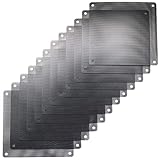


![MoKo 400x300mm DIY PC Case Dust Mesh Filter, [4 Pack] PVC Dustproof Magnetic Dust Filter Cover, PC Mesh Grill with Magnetic Frame Strip Computer Cooler Fan Dust Filter for Computer PC Case, Black](https://m.media-amazon.com/images/I/51YgJYNN2-L._SL160_.jpg)


⚡ Save on Your Next PC — Amazon Prime
Prime members get fast free shipping on the systems above, plus early access to Prime Day & Black Friday PC deals. New members get a 30-day free trial.
Watch: How to Clean Your PC Fans and Filters — Video Review
Why Dust Filters Matter More Than You Think
Every case fan pulling air into your PC is also pulling in dust, pet hair, and whatever else is floating around your room. Without a filter, that debris settles directly on your GPU heatsink, CPU cooler fins, and PSU internals. A filter catches most of it before it ever gets inside, which means less cleaning overall and more consistent thermals week to week.
- Unfiltered intakes can accumulate a visible dust layer in as little as 4-6 weeks in average household conditions.
- A clogged radiator or heatsink can reduce cooling efficiency by 20% or more, even if the fans are still spinning at full speed.
- Magnetic filters like the MoKo and 120mm magnetic-frame filter make removal a 5-second job instead of a screwdriver session.
Tools You’ll Need Before You Start
You don’t need much to do this properly, but having the right supplies makes the job faster and safer for your components.
- Compressed air canister or a small electric air duster (avoid vacuums directly on boards, they can generate static).
- Soft-bristle brush or an old toothbrush for stubborn dust on fan blades.
- Microfiber cloth and a bit of isopropyl alcohol for filter mesh and case panels.
- Replacement filters on hand, like the ThreeBulls 120mm or 140mm mesh packs, so you’re not stuck waiting while your case sits open.
Step-by-Step: Cleaning Your Fans
Fans accumulate dust on both the blades and the hub, which throws off balance and adds noise over time. Here’s the process that gets the best results without risking damage.
- Power down and unplug the PC completely before opening the case.
- Hold each fan blade still with one finger while blasting it with compressed air, this stops the blades from spinning past their rated RPM and generating backfeed voltage into the motor.
- Wipe blades with a dry microfiber cloth to remove any remaining film, especially near the hub where dust and oil residue tend to build up.
- For radiator-mounted fans, unscrew and clean both sides of the radiator fins separately since dust often packs between the fan and the fins.
Step-by-Step: Cleaning and Choosing Filters
Filters need attention roughly every 2-4 weeks depending on your environment. Rinsing reusable mesh filters under lukewarm water and letting them air dry fully before reinstalling is usually enough, just avoid harsh detergents that can degrade PVC coating over time.
- Round 120mm intakes: the IMSurQltyPrise 4-pack or the magnetic Nylon 80 mesh filter both snap on without tools and are easy to pull for a quick rinse.
- 140mm intake or exhaust fans: the ThreeBulls 140mm 12-pack covers multiple builds or gives you spares for a full year of swaps.
- Large front or bottom panel vents: the MoKo 400x300mm sheets (available in 2-pack or 4-pack magnetic versions) can be trimmed to fit odd-shaped openings that round filters can’t cover.
- PSU intakes and router vents: a fine 120mm nylon mesh filter keeps dust out of components that are hard to clean once it’s inside.
Matching Filter Mesh to Your Case
Not all mesh is equal. Finer mesh (like the 1mm hole MoKo sheets or 80-count nylon) blocks more dust but slightly reduces airflow, while looser PVC mesh like the ThreeBulls filters prioritizes airflow with decent dust capture. For high-static-pressure fans or radiators, finer mesh is worth the small airflow tradeoff. For case intakes with strong fans already pushing plenty of CFM, standard mesh is usually fine.
Tips
- Clean filters every 2-4 weeks and do a full internal cleaning every 3-6 months depending on your environment.
- Keep spare filters on hand (a 12-pack or 4-pack) so you’re never running unfiltered while one dries or gets replaced.
- Label front and rear filters if your case uses different sizes, mixing them up affects airflow balance.
- Check GPU and CPU temps before and after cleaning to confirm the difference, a 5-10°C drop is a common result on a case that hasn’t been cleaned in months.
Frequently Asked Questions
How often should I clean my PC’s dust filters?
Every 2-4 weeks for a quick rinse or vacuum pass, and roughly every 3 months for a deeper internal cleaning of fans and heatsinks. Homes with pets or carpet typically need cleaning on the shorter end of that range.
Can I use a vacuum cleaner on my PC’s internals?
Avoid using a standard vacuum nozzle directly on circuit boards or fan blades, it can build up static electricity that damages components. Compressed air is safer for internals, while a vacuum is fine for filters removed from the case.
Do magnetic filters work as well as screw-in or clip-on filters?
Yes, and they’re often more practical since you can remove them in seconds for cleaning without tools. The tradeoff is that they require a steel or magnetic-compatible frame, which most modern cases have on intake vents.
Will adding filters reduce my case’s airflow?
Slightly, typically a 5-10% reduction in airflow depending on mesh density, but the tradeoff is worth it. The dust buildup you’d get without a filter reduces cooling far more over time than the filter itself does.
Conclusion
Cleaning your fans and filters is one of the highest-value, lowest-cost maintenance tasks you can do for a gaming PC. A 15-minute cleaning session every few weeks keeps temperatures stable, fans quieter, and components running longer, and stocking a few spare filters means you’re never stuck cleaning a dirty one while your PC sits idle. Pick filters sized for your case’s fans, keep a routine, and your thermals will thank you all through 2026.