- Top Pick: SABRENT Rocket Q4 2230 NVMe SSD 2TB – PCIe Gen4 M.2 Internal SSD for Steam Deck, ROG Ally, Surface Pro, Mini PCs – DRAM-Less QLC, Up to 5GB/s, Single-Sided, Compact Form Factor [SB-213Q-2TB]
- Best Value: Silicon Power 2TB UD90 2230 NVMe 4.0 Gen4 PCIe M.2 SSD R/W up to 5,000/3,200MB/s Solid State Drive Compatible with Steam Deck (SU02KGBP44UD9007MM)
- Premium Choice: KINGDATA M.2 2230 SSD 128GB PCIe NVMe Gen 3.0X4
A single modern AAA title can now eat 100–150GB of storage, and if you’re juggling a few dozen games across Steam, Game Pass, and mod folders, the stock drive in your Steam Deck, ROG Ally, or laptop fills up fast. The fix isn’t complicated: swap in a higher-capacity NVMe SSD, or add a fast external drive for your overflow library, and you’ll stop deleting games just to install new ones.
Below are six drives and accessories worth considering in 2026, from compact 2230-format SSDs built for handhelds to a rugged external drive for backing up your entire Steam folder on the go. We’ve weighed capacity, real-world read/write speeds, and compatibility so you can match the right drive to your setup.
As an Amazon Associate we earn from qualifying purchases at no extra cost to you.
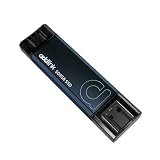
![SABRENT Rocket Q4 2230 NVMe SSD 2TB – PCIe Gen4 M.2 Internal SSD for Steam Deck, ROG Ally, Surface Pro, Mini PCs – DRAM-Less QLC, Up to 5GB/s, Single-Sided, Compact Form Factor [SB-213Q-2TB]](https://m.media-amazon.com/images/I/41QldUwQDlL._SL160_.jpg)


⚡ Save on Your Next PC — Amazon Prime
Prime members get fast free shipping on the systems above, plus early access to Prime Day & Black Friday PC deals. New members get a 30-day free trial.
Watch: Best SSD for a Large Steam Library — Video Review
How to Choose
- Capacity: For a large Steam library, 1TB is the practical minimum and 2TB is the sweet spot; anything under 512GB fills up within a few big installs.
- Form Factor: Handhelds like the Steam Deck and ROG Ally require the compact 2230 size, not the longer 2280 sticks used in most desktops.
- Read/Write Speeds: Look for sequential reads above 4,000MB/s on PCIe Gen4 drives; this shortens load times and speeds up large game installs and updates.
- NAND Type: TLC NAND generally sustains write speeds better than QLC during large transfers, which matters when you’re installing multiple big titles back to back.
- Internal vs. External: Internal swaps maximize handheld performance, while a fast USB-C external drive is the easiest way to expand storage on a desktop or laptop without opening the case.
The Best Picks Reviewed
SABRENT Rocket Q4 2230 NVMe SSD 2TB
The Rocket Q4 packs a full 2TB into the tight 2230 footprint, making it one of the largest single-sided drives that fits a Steam Deck or ROG Ally without modification. It’s rated up to 5GB/s over PCIe Gen4, and while the DRAM-less QLC design trades some sustained write performance for cost efficiency, it’s more than capable for game installs and everyday library management. If you want maximum capacity in a handheld without hunting for a bulkier aftermarket case, this is the easiest path there.
Silicon Power UD90 2230 2TB
The UD90 is a close competitor to the Rocket Q4, also hitting 2TB in the 2230 form factor, with rated speeds up to 5,000MB/s read and 3,200MB/s write. Silicon Power explicitly lists Steam Deck compatibility, and the drive’s slightly higher write ceiling makes it a good pick if you frequently move large files or reinstall games rather than just launching them from storage. It’s a straightforward, no-fuss upgrade for anyone tired of juggling a 256GB or 512GB stock drive.
WD SN740 512GB 2230 NVMe
The SN740 is the OEM drive found in many ultrabooks and handhelds, and for good reason: it uses TLC NAND instead of QLC, giving it more consistent write performance under sustained load. At 512GB it’s not going to hold a sprawling library on its own, but as a fast, reliable boot drive or a budget-friendly Steam Deck upgrade from the base 64GB/256GB models, it punches above its capacity. Pair it with an external drive for overflow titles and you get the best of both worlds.
KINGDATA 128GB 2230 NVMe
The KINGDATA drive is a PCIe Gen3 x4 option at 128GB, and it’s best understood as an entry point rather than a library solution. It suits older handhelds, mini PCs, or as a cheap replacement for a failed factory SSD where budget matters more than headroom. For a genuinely large Steam library, you’ll outgrow it quickly, but it’s a reasonable stopgap or secondary boot drive.
Transcend ESD420 1TB Magnetic External SSD
For desktop and laptop users who don’t want to crack open their case, the ESD420 offers 1TB with USB 3.2 Gen2x2 speeds up to 2,000MB/s. The magnetic MagSafe-style attachment is a nice touch for portability, and it’s fast enough to run games directly from it rather than just archiving them. If your PC’s internal drive is maxed out, this is a simple way to add a few dozen more titles without touching your motherboard.
Frequently Asked Questions
Can I put a 2TB SSD in my Steam Deck?
Yes. The Steam Deck uses a single-sided 2230 M.2 NVMe drive, and both the SABRENT Rocket Q4 and Silicon Power UD90 are available in 2TB capacities that fit without modification, giving you far more room than the factory options.
Do I need a heatsink for a handheld SSD upgrade?
Most 2230 drives run cool enough for handheld use without an aftermarket heatsink, since airflow inside devices like the Steam Deck is designed around the stock thermal profile. Sustained heavy workloads can still benefit from added cooling if your case allows it.
Is an external SSD fast enough to run games from?
A USB-C external SSD like the Transcend ESD420, rated up to 2,000MB/s, is fast enough for smooth gameplay in the vast majority of titles, though it won’t quite match an internal PCIe Gen4 drive for load times in the most demanding games.
How much storage do I actually need for a large Steam library?
If you own 20 or more games including a few modern AAA titles, budget for at least 1TB, and 2TB if you install multiple 100GB+ games at once rather than rotating them in and out.
Final Thoughts
For most handheld owners, the SABRENT Rocket Q4 2TB or Silicon Power UD90 2TB are the clear winners, delivering the biggest usable capacity jump in the 2230 form factor. If your library spans a desktop or laptop instead, the Transcend ESD420 is the easiest way to add fast, portable storage without opening your machine.