The counter is right there on your desktop. Steam shows it in one game, Game Bar shows it in another, and in the title you play every night there is nothing in any corner. A missing FPS counter is almost never a broken overlay install. The number is drawn by a small program that has to be allowed in, get inside the game, find a frame it is permitted to draw on, and survive the game’s own security. Fail any one of those and the counter vanishes while everything else about the overlay looks healthy. This guide checks the four checkpoints in order, so you fix the one that failed.
As an Amazon Associate, we earn from qualifying purchases.
Quick Answer
An FPS counter that appears in some games but not others is usually blocked at one of four points: the counter is off in that game’s own profile, a rival overlay hooked the game first, the game runs in a fullscreen mode the counter cannot draw over, or anti-cheat refused the injection. Test with one overlay at a time, in a borderless window, and the failing point names itself.
The Four Gates Test
Think of the counter as a visitor who has to pass four gates before it can stand in the corner of your screen. Gate One is permission: the counter has its own switch, separate from the overlay it belongs to, and often a separate per-game profile. Gate Two is entry: the counter’s helper has to hook into the game, and only so many hooks fit before they push each other out. Gate Three is the room: exclusive fullscreen, borderless, and windowed modes each give the counter a different frame to draw on. Gate Four is the guard: anti-cheat decides which outside code may attach, and an unlisted counter is refused without any error. The test is to change one gate at a time: run a single counter, in a borderless game, with nothing else hooking in. If the number appears, add your normal setup back one piece at a time until it disappears. The step that kills it is your gate.
Gate One: The Counter Has Its Own Switch
The most common cause is also the least dramatic: the overlay is on, but the counter inside it is off, or off for this one game. Steam’s FPS counter is a separate setting from the Steam overlay itself, in Settings, In Game, with its own position and contrast options, and it can be disabled while Shift+Tab works perfectly. Game Bar’s performance widget has to be pinned, not just opened, or it closes the moment the game takes focus, which looks exactly like a counter that never appears. The NVIDIA overlay’s statistics view and AMD’s metrics overlay each have their own toggles too.
Per-game profiles are the second half of this gate. GPU software and Steam both remember choices per title, so a counter you disabled months ago during a troubleshooting session stays disabled for that game only. The pattern is precise: counter present in most games, absent in one, no other symptom. That is a profile, not a fault. Check the per-game settings for the exact title before touching anything global, and check the counter’s position and contrast too, because a faint counter behind a bright HUD element reads as missing when it is merely invisible.
Gate Two: Two Hooks, One Frame
Every overlay that draws on a game hooks into its rendering, and hooks compete. RivaTuner Statistics Server, Discord, the GPU overlay, and Game Bar can all arrive at the same game in the same second. Usually they negotiate. Sometimes the first one in takes the slot the counter needed, and the counter silently gives up. Updates make this worse: an updated overlay may change its hook order and start winning a contest it used to lose, which is why counters vanish after driver updates.
The fix is subtraction, not configuration. Fully exit every overlay except the one whose counter you want, then launch the game. If the number appears, the gate was entry; re-enable the others one at a time to find the pair that fights. The permanent answer is a division of labour: let one tool own the counter and strip the drawing features from the rest. This gate is about drawing rights only; if your whole overlay interface is dead, not just the number, that is a different fault, covered in Who Should Skip below.
Gate Three: The Window Mode Decides
A counter that works in menus but not in gameplay, or in one display mode but not another, is failing at the room. Exclusive fullscreen hands the game the entire display, and a counter can only appear there if its hook fully succeeds. Borderless presents the game as a desktop window, where desktop-level counters draw easily. Some counters also fail under one graphics API and work under another.
Use the mode as a diagnostic. Set the problem game to borderless and test. If the counter appears, your hook is healthy and the failure is specific to exclusive fullscreen in that title, pointing back to Gate Two or Gate Four. If it stays missing in every mode, return to Gate One. Many players leave the game in borderless once the counter returns, since modern borderless modes carry little penalty.
Gate Four: The Guard Says No
Competitive titles guard their process. Anti-cheat systems keep lists of approved overlays, and a counter not on the list, or a version changed by an update, gets refused. The refusal is silent by design: no error, no log entry, just a corner that stays empty. That is why the counter can work in every single-player game you own and never appear in the one ranked shooter.
Do not fight this gate. Injectors that force an unapproved overlay into a protected game risk account penalties. The honest options are legitimate: use a counter the anti-cheat explicitly allows, use the game’s own built-in FPS display if it has one (many competitive titles do), or move the measurement off the game entirely with a monitor or capture-based counter, which is where the hardware below earns its place. If the counter vanished from a protected game right after an overlay update, waiting for the overlay’s next update is often the only fix.
How to Choose
Software fixes are free and solve most cases, so work the gates first. Hardware only enters at Gate Four, or when you want a counter no update or hook fight can take away. There are two routes. A gaming monitor with a built-in on-screen FPS counter draws the number inside the display itself, so no PC software is involved; it cannot be blocked, refused, or updated away. A capture device feeding a second computer moves the measurement off the gaming PC entirely, suiting streamers who already run a two-PC setup. Choose a monitor if you are due an upgrade and play protected games; choose capture only if a second machine already exists.
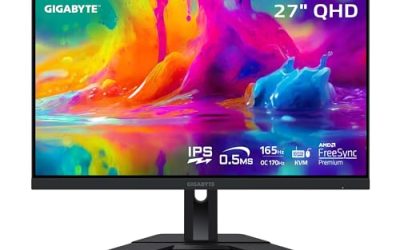
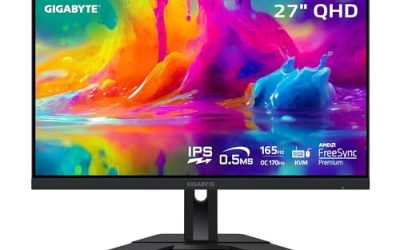
Gigabyte M27Q

A 27-inch QHD gaming monitor whose on-screen display includes a frame-rate counter alongside crosshair and timer tools. Because the counter is drawn by the monitor, it appears in every game, including anti-cheat titles that refuse every software overlay.
Specs
- Size and resolution: 27-inch, 2560 x 1440
- Panel and refresh: IPS, up to 170Hz with overclock
- On-screen tools: FPS counter, crosshair, timer via the monitor OSD
- Tier: mid-range
ASUS TUF Gaming VG27AQ

The budget route to a hardware counter. ASUS GamePlus puts an FPS counter, crosshair, and timer in the monitor’s own menu system, drawn over any input source, so the number survives every overlay fight on the PC side.
Specs
- Size and resolution: 27-inch, 2560 x 1440
- Panel and refresh: IPS, up to 165Hz with overclock
- On-screen tools: GamePlus FPS counter, crosshair, timer
- Tier: budget
LG UltraGear 27GP950-B

The premium option, a 4K Nano IPS panel whose on-screen display offers a dedicated FPS counter mode. It suits players who want the hardware counter and a high-resolution upgrade in one purchase, with HDMI 2.1 for console use as well.
Specs
- Size and resolution: 27-inch, 3840 x 2160
- Panel and refresh: Nano IPS, 144Hz, up to 160Hz with overclock
- On-screen tools: FPS counter mode, crosshair, black stabilizer
- Tier: premium
Elgato HD60 S+

For a two-PC setup, the HD60 S+ passes the game through to your display while sending a copy to the second machine, where streaming software reports the incoming frame rate. Nothing hooks the game, so no anti-cheat can object.
Specs
- Capture: 1080p at 60 frames per second
- Passthrough: up to 4K at 60Hz with HDR
- Connection: USB 3.0 to the second computer
- Tier: mid-range
Elgato Cam Link 4K

A smaller capture stick that turns an HDMI feed into a USB source another computer can read. It fits the same off-PC measurement role as the HD60 S+ in a simpler form.
Specs
- Capture: up to 4K at 30 frames per second, or 1080p at 60
- Connection: HDMI in, USB 3.0 out
- Form: compact stick, no separate power supply
- Tier: budget
Who Should Skip This Guide
Skip this guide if your entire Steam overlay interface fails to open on Shift+Tab, or your Discord overlay never appears at all; those are dead-overlay faults with their own fixes. Skip it if the counter appears but the game stutters or crashes whenever it does, because that is an overlay causing harm, not an overlay being refused. Skip it if your game keeps minimizing to the desktop, a focus problem, or if switching display modes blacks the screen out, a display-mode fault.
Frequently Asked Questions
Why does the counter work in most games but not one specific game?
That pattern almost always means a per-game profile or an anti-cheat refusal. Check the game’s own overlay and counter settings first. If they are on, and the game is a competitive title with anti-cheat, the counter is probably not on its approved list, and the game’s built-in FPS display or a monitor-drawn counter is the answer.
Why did my FPS counter disappear after an update?
Updates change hook order and approval status. A driver or overlay update can make a rival overlay win the drawing slot your counter used to take, and an overlay update can temporarily drop it from an anti-cheat approval list. Test with only one overlay running, and for a protected game, check again after the overlay’s next update.
Is borderless mode a real fix or just a workaround?
It is both a diagnostic and, often, a good permanent setting. If the counter appears in borderless but not exclusive fullscreen, the hook fails only in exclusive mode in that game, pointing at a hook conflict or anti-cheat. Modern borderless modes perform close to exclusive fullscreen in most titles, so staying there is reasonable.
Can I get banned for forcing an FPS counter into a game?
You can be penalised for injector tools that force unapproved code into a protected game, and some anti-cheat systems treat any unknown hook as hostile. Stick to counters the anti-cheat allows, the game’s own built-in display, or hardware counters, none of which touch the game’s process.
Final Verdict
A missing FPS counter is a blocked visitor, not a broken app. Read the pattern: missing in one game means a profile or a guard, missing after an update means a hook fight or a dropped approval, missing only in exclusive fullscreen means the room. Work the Four Gates in order, one change at a time, and the counter either returns or tells you which gate closed. When the gate is anti-cheat, stop pushing and move the number into hardware, where no update can take it away.
Product and ASIN Reference
| Product | ASIN |
|---|---|
| Gigabyte M27Q | B08JWCHR5N |
| ASUS TUF Gaming VG27AQ | B07WQ4FXY9 |
| LG UltraGear 27GP950-B | B094RWMN8K |
| Elgato HD60 S+ | B07XB6VNLJ |
| Elgato Cam Link 4K | B07K3FN5MR |