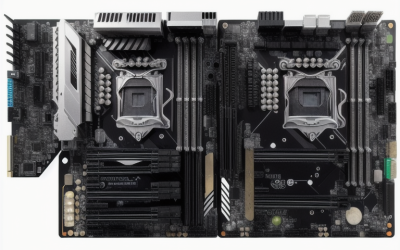
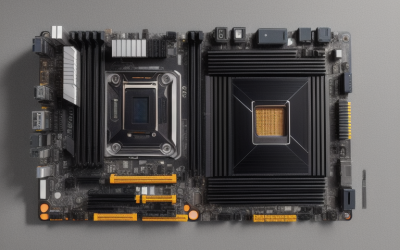
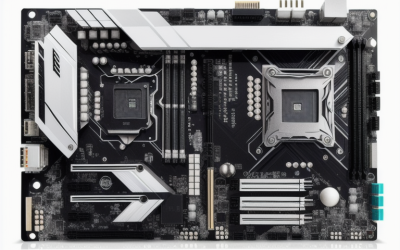
- Top Pick: ASUS Prime Z370-A LGA1151 DDR4 DP HDMI DVI M.2 USB 3.1 Z370 ATX Motherboard with USB 3.1 for 8th Generation Intel Core Processors
- Best Value: Gigabyte Z370M DS3H (LGA1151/ Intel Z370/ Micro ATX/ USB3.1 Gen1/ M.2/ DDR4/ HDMI/Motherboard)
- Premium Choice: MSI Z370-A PRO Series Intel Coffee Lake LGA 1151 VR Ready 64GB DDR4 CFX ATX Motherboard
Z370 is an older Intel chipset, introduced for the eighth-generation Coffee Lake processors and the LGA1151 socket. Anyone shopping for one in 2026 is usually doing a specific job: keeping an existing Core i5 or i7 build alive after a board failure, finishing a retro-leaning build around a processor already on the shelf, or adding a second PC without moving to a new platform. That context changes the buying rules, because compatibility with your exact processor and RAM outweighs anything else.
This guide compares ten Z370 boards using only what their titles say: form factor, memory type, storage slots, and a few headline extras. It is for upgraders who need a ready answer to “which board fits my chip and my case,” and it flags where a listing says too little to judge. Check the full spec sheet and BIOS notes before you commit to any of them.
Quick Picks
As an Amazon Associate we earn from qualifying purchases at no extra cost to you.


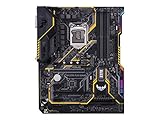
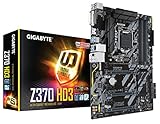


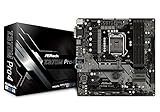

| Product | Best for | Key spec from the title |
|---|---|---|
| ASUS Prime Z370-A | Balanced ATX build | DDR4, DP, HDMI, DVI, M.2 |
| MSI Z370-A PRO | Multi-GPU curiosity | 64GB DDR4, CrossFire |
| ASUS TUF Z370 Plus Gaming | Gaming build with Gigabit LAN | M.2, USB 3.1, Gigabit LAN |
| Gigabyte Z370 HD3 | Plain ATX build | M.2, Intel LAN, ALC892 |
| Gigabyte Z370 AORUS Gaming 7 | Storage-heavy enthusiast | 3x M.2, SLI, ESS Sabre DAC |
| Gigabyte Z370M DS3H | Compact Micro ATX build | Micro ATX, M.2, DDR4 |
| Prime Z370M-PLUS II | Micro-ATX replacement | Micro-ATX, Z370, LGA1151 |
| ASRock Z370 EXTREME4 | Full-size enthusiast board | Z370 chipset |
| ASRock Z370 PRO4 | Standard Z370 build | Z370 chipset |
| ASRock Z370M PRO4 | Smaller case build | Z370 chipset, M variant |
How to Choose
Confirm Processor Support First
Z370 boards are built for eighth-generation Intel chips on LGA1151. Sixth- and seventh-generation processors use the same socket shape but will not work. Ninth-generation chips generally need a BIOS update, so check the board’s CPU support list and whether the seller can confirm the BIOS version. Ignore anything that promises compatibility without naming specific processors.
Match the Form Factor to Your Case
ATX boards offer the most slots and fit mid-tower cases. Micro ATX boards, marked by an M in the name or the words Micro ATX in the title, fit smaller cases but offer fewer expansion slots and fewer memory or M.2 connections. Several ASRock titles in this group give no form factor, so verify it on the spec sheet before ordering.
Check Memory and Storage Slots
Every board here uses DDR4, not DDR3, so older memory will not fit. For storage, M.2 slots are worth counting; the AORUS Gaming 7 lists three, while most others list one. Confirm whether an M.2 slot supports NVMe or only SATA drives, since titles rarely say.
Look at Video, Network, and Audio Details
Z370 boards support integrated graphics outputs only when a processor with integrated graphics is installed, and the video ports listed in titles tell you what monitors you can connect. Gigabit LAN and the audio codec are small but real differences. Budget boards cut corners on audio and cooling, while enthusiast boards add heatsinks and extra storage.
The 10 Best Options
ASUS Prime Z370-A
The Prime Z370-A is the all-rounder for a full-size build. The title lists LGA1151, DDR4, DisplayPort, HDMI, DVI, M.2, USB 3.1, and support for eighth-generation Intel Core processors, a solid mix for a general-purpose desktop.
- Three video outputs for integrated graphics use
- M.2 slot and USB 3.1 listed
- Trade-off: ATX size and a step above the plainer boards in this group
Skip it if your case is a compact Micro ATX model or you want multiple M.2 slots. The trio of video outputs matters when you run a Core processor with integrated graphics and no separate card, since it lets you pair almost any monitor with the board. Builders who want a dependable middle option, without the extras of an enthusiast model, will find it a natural starting point.
MSI Z370-A PRO
A Coffee Lake board aimed at builders who want broad memory support. The title lists LGA1151, VR Ready, 64GB DDR4 capacity, CrossFire support, and an ATX size.
- Support for up to 64GB of DDR4 listed
- CrossFire noted for multi-GPU setups
- Trade-off: no M.2 or USB 3.1 detail in the title
Skip it if you need a listing that confirms storage slots and ports. The VR Ready and CrossFire mentions show that the board was marketed to gamers, and the 64GB ceiling leaves room to grow memory later. Because the title is silent on storage and USB, read the manual for the M.2 count before assuming you can fit a fast drive.
ASUS TUF Z370 Plus Gaming
A gaming-oriented ATX board built around durability branding. The title lists LGA1151, DDR4, HDMI, DVI, M.2, Gigabit LAN, USB 3.1, and eighth-generation processor support.
- Gigabit LAN, M.2, and USB 3.1 all named
- HDMI and DVI outputs for integrated graphics
- Trade-off: no DisplayPort in the title, unlike the Prime Z370-A
Skip it if you need a DisplayPort output from the board itself. The TUF branding points at durability, though the title gives no details about components. A Gigabit LAN mention is useful for gaming and file transfers, and the M.2 slot means a modern drive can replace an old hard disk.
Gigabyte Z370 HD3
This is the straightforward ATX option. The title lists LGA1151, Intel LAN, an ALC892 audio codec, M.2, and HDMI, covering the basics for a family PC or a workstation.
- Intel LAN and M.2 slot named
- HDMI output for integrated graphics
- Trade-off: a mainstream audio codec rather than an upgraded one
Skip it if you want advanced audio or multiple M.2 slots. It is a sensible option for a quiet office machine or a media PC, where the integrated graphics output and wired network matter more than gaming extras. Ordering carefully matters, because plain boards usually carry fewer fan headers and heatsinks.
Gigabyte Z370 AORUS Gaming 7
The enthusiast pick. The title lists three M.2 slots, an M.2 thermal guard, an ESS Sabre DAC, Fan Stop, and SLI support, which suits someone building a storage-heavy, multi-GPU desktop.
- Three M.2 slots with thermal protection
- ESS Sabre DAC for audio and SLI support
- Trade-off: the top tier of this group and a larger ATX footprint
Skip it if you only need a basic office build. Fan Stop is a feature that lets fans halt at low temperatures, which suits a quiet build. A board with this many extras makes sense when you plan to keep the machine running for years, adding drives and a second card as needs grow.
Gigabyte Z370M DS3H
A Micro ATX board for compact cases. The title lists LGA1151, Intel Z370, Micro ATX, USB 3.1 Gen 1, M.2, DDR4, and HDMI.
- Smaller footprint for compact cases
- M.2 and USB 3.1 Gen 1 named
- Trade-off: fewer expansion slots than ATX boards
Skip it if you plan to add several expansion cards. A compact board suits a small gaming PC, a home server, or a living-room machine where space is tight. The listing names USB 3.1 Gen 1, which is the common 5Gbps standard, so check front-panel and rear port counts against your case.
Prime Z370M-PLUS II (QYYVVRZQZ)
A Micro-ATX Z370 board listed under an unfamiliar brand name that borrows the Prime model style. The title gives only Micro-ATX, Z370, and LGA 1151.
- Micro-ATX size for small cases
- LGA 1151 socket named
- Trade-off: very little detail and an unknown seller name
Skip it if you want clear specs and warranty support, or ask the seller to confirm the manufacturer. Because the name mimics a well-known motherboard line, double-check the listing photos, the BIOS support, and the return terms. If the seller cannot show a clear manufacturer and warranty, a better-documented board will serve you better.
ASRock Z370 EXTREME4
An ASRock enthusiast-named board, but the title lists only the Z370 chipset and the model name. It is for builders who already know ASRock’s lineup.
- The model name suggests a step above the PRO4 line
- Z370 chipset confirmed
- Trade-off: no specs in the title at all
Skip it if you cannot check the full spec sheet before buying. Anyone who has built with ASRock before may already know its layout, but a newcomer is better served by a listing that names slots and ports. Treat it as a candidate to research rather than a finished recommendation. Ask whether the board ships with its I/O shield and what BIOS version it carries.
ASRock Z370M PRO4
The M in the name suggests a Micro ATX board, though the title does not say so. It is the compact option in the ASRock trio.
- Z370 chipset named
- Likely smaller footprint, given the model name
- Trade-off: title lists no ports, slots, or memory type
Skip it if you need confirmed specs. Compare its listed details against the Gigabyte Z370M DS3H, which spells out form factor, M.2, and DDR4. Where a title says so little, the manufacturer’s page is the only reliable source, so budget a few minutes to read it. Check the memory slot count and the number of SATA ports while you are there.
ASRock Z370 PRO4
The standard-sized sibling of the M PRO4. The title gives only the chipset and the model name.
- Z370 chipset named
- Same PRO4 branding as the compact version
- Trade-off: no specs in the title
Skip it if you want ports and slots confirmed up front. The title does not even confirm memory type, though the Z370 chipset supports DDR4 in every other listing here. If you already own a compatible chip and just need a socket-matching board, the lack of detail may not matter. Just verify the BIOS version if you plan to install a newer processor.
Which One Fits Your Situation
You Are Replacing a Dead Board in a Full-Size Case
The ASUS Prime Z370-A is the most complete match, with video outputs, M.2, and USB 3.1 named. It also lists DDR4 and eighth-generation support, which covers the most common replacement scenario.
You Want Lots of Storage
The Gigabyte Z370 AORUS Gaming 7 is the only listing with three M.2 slots, and it also adds a thermal guard for those drives, which helps fast drives keep their speed.
You Are Building in a Small Case
Choose the Gigabyte Z370M DS3H, which clearly lists Micro ATX alongside M.2 and DDR4, so you can judge it at a glance.
You Want a Gaming-Branded Board
The ASUS TUF Z370 Plus Gaming lists Gigabit LAN, M.2, and USB 3.1.
Common Mistakes
- Assuming any LGA1151 processor works in a Z370 board.
- Buying a ninth-generation chip without checking BIOS support.
- Forgetting that these boards use DDR4 and not DDR3.
- Ordering a board whose form factor does not fit your case.
- Trusting a listing with minimal details instead of reading the manufacturer’s spec sheet.
Related guides
- Aio Liquid Coolers For High Performance Gaming
- How To Lower Input Delay In Competitive Shooters
- Wireless Gaming Headsets Under 100 For Pc
Frequently Asked Questions
Will a Z370 board accept a ninth-generation Core chip?
Many can, after a BIOS update. Check the manufacturer’s CPU support list for your exact board and revision.
Do I need a Z370 board to overclock?
Overclocking on this generation needs a Z-series chipset and an unlocked K-series processor. Z370 satisfies the chipset side, but you still need a cooler and power delivery that can handle the extra heat.
Are M.2 slots always NVMe?
No. Some are SATA-only. Titles rarely say, so read the manual before you plan a drive purchase.
Can I use DDR3 memory?
No. These boards use DDR4, which is not interchangeable with DDR3.