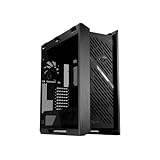
- Top Pick: ASUS ROG Cronox E-ATX Full-Tower Gaming PC Case | Curved Tempered Glass Panel, Dual 360mm Radiators & 400mm Graphics Cards, E-ATX & BTF Motherboards, 9.2-Inch LCD Screen
- Best Value: ASUS ROG Strix Helios II EATX Gaming PC case, with Dual Tempered Glass Side Panels, Support for Graphics Cards up to 450mm, Graphics Card Braces, Support up to 420mm radiators, 2 Year Warranty
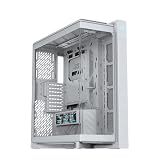
- Premium Choice: ASUS ROG Cronox White Edition Gaming EATX PC Case Curved Tempered-Glass, GPU's up to 400mm Long, BTF, 9.2-Inch Screen
Picking an ASUS ROG case is rarely about finding any enclosure that holds a motherboard. The shortlist is narrower and more specific: you already want the Republic of Gamers look, and now you need to decide which line fits your parts. The Cronox models lean on a curved glass front and a small built-in screen, the Strix Helios cases offer an aluminum frame and a mid-tower footprint, and the Hyperion GR701 is the oversized full tower for builders who plan around huge coolers and very long graphics cards.
This guide is for people assembling a high-end 2026 build who care about graphics card length, radiator room and motherboard format before they care about color. Every pick below is judged only on what its listing states, so use the numbers as a compatibility filter rather than a promise of thermals or noise. Where a title is silent about fans, ports or BTF support, the write-up says so instead of guessing, and you should verify those details on the product page before ordering.
Quick Picks
As an Amazon Associate we earn from qualifying purchases at no extra cost to you.


| Product | Best for | Key spec from the title |
|---|---|---|
| ROG Cronox E-ATX | Showcase builds with a display | Dual 360mm radiators, 400mm graphics cards, 9.2-inch LCD |
| ROG Strix Helios II | Large cards with extra support | Graphics cards up to 450mm, GPU braces, 2 year warranty |
| ROG Cronox White Edition | White-themed BTF builds | GPUs up to 400mm, BTF, 9.2-inch screen |
| ROG Cronox ARGB | Fans included from day one | Four ARGB fans, curved tempered glass, BTF |
| ROG Strix Helios RGB White | Mid-tower in white | Radiators up to 420mm, GPU up to 450mm, aluminum frame |
| ROG Hyperion GR701 White | White full tower, airflow-first | Four 140mm fans, dual 420mm radiators, 460mm GPUs |
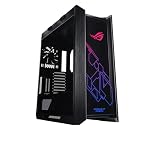
| ROG Hyperion GR701 | Full tower with fast front port | USB 20Gbps Type-C, ARGB fan hub, 460mm GPUs |
| ROG Strix Helios RGB | Black mid-tower with Aura Sync | Radiators up to 420mm, GPU up to 450mm, Aura Sync |
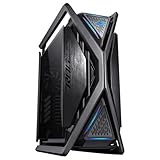
| ROG Hyperion GR701 BTF | Hidden-connector BTF builds | BTF Edition, four 140mm fans, USB 20Gbps Type-C |
How to Choose
Start with graphics card length
The listings quote clearance in three tiers: 400mm for the Cronox line, 450mm for the Strix Helios cases and 460mm for the Hyperion. Look up the length of the card you own or plan to buy and leave at least 20 to 30mm free for cables and any front radiator. Ignore the height of the glass panel or the overall silhouette when you do this; only the stated clearance figure matters, and the difference between 400mm and 460mm decides which families are even eligible for a three-fan flagship card.
Match radiator room to your cooling plan
Dual 360mm radiators suit the Cronox, while the Strix Helios and Hyperion titles advertise up to 420mm. If you plan an air cooler, this barely matters and the included fans carry more weight. For a liquid loop, check where the radiator mounts and whether a thick front unit collides with a long card. A 420mm unit gives more surface than a 360mm one, but only if the case can hold it beside your board.
Confirm motherboard format and BTF
Every case here is listed as EATX or E-ATX, which covers the 12 by 13 inch boards as well as standard ATX. BTF is a separate matter: it moves power connectors to the back of the board and needs a BTF motherboard and a compatible graphics card. If your parts are conventional, a non-BTF case avoids the extra requirement, and a BTF case will still house a normal build but wastes its main feature.
Decide what extras you will use
A 9.2-inch screen, a USB 20Gbps Type-C front port and an ARGB fan hub add convenience but not frame rates. Choose them only if you will use them daily. Budget-tier cases usually trim front I/O and ship with fewer fans, so count what is included before assuming a build is finished, and ignore marketing words like “gaming” that carry no measurable meaning.
The 9 Best Options
ROG Cronox E-ATX Full-Tower
This is the flagship of the Cronox group in the brief, built around a curved tempered glass panel and a 9.2-inch LCD screen. It suits a builder who wants the case itself to be a display piece, with a screen on the front showing whatever the owner configures. The title also names support for E-ATX and BTF motherboards.
- Strength: dual 360mm radiator support suits a large liquid setup.
- Strength: accepts E-ATX and BTF motherboards.
- Trade-off: 400mm card clearance is shorter than the Strix and Hyperion options.
Skip it if your graphics card runs longer than 400mm or you dislike built-in screens.
ROG Strix Helios II
The newer Helios keeps the dual glass side panels and adds graphics card braces, which matter for heavy cards that tend to sag over time. It is aimed at builders prioritizing a long GPU over a flashy front, and the title lists a 2 year warranty as well.
- Strength: 450mm graphics card support with braces included.
- Strength: radiators up to 420mm and a listed 2 year warranty.
- Trade-off: the listing mentions no display or fan count, so confirm what ships inside.
Skip it if you want BTF cable hiding, since the title does not mention it.
ROG Cronox White Edition
A white-finish Cronox for builders matching white memory, coolers and boards. The title lists curved tempered glass, GPUs up to 400mm, BTF support and the 9.2-inch screen, making it the most decorative white option in the group.
- Strength: white styling with a built-in screen.
- Strength: BTF compatible for tidy cabling.
- Trade-off: the title gives no radiator or fan details, so cooling plans need checking.
Skip it if you prefer a black build or need clearance beyond 400mm.
ROG Cronox ARGB
This version leads with four ARGB fans, so it is the pick for someone who wants lighting handled without buying extra fans. Curved glass, BTF support and the 9.2-inch screen round out the title, which makes it a ready-to-glow option for a first ROG build.
- Strength: four ARGB fans are named in the listing.
- Strength: BTF compatibility and a display.
- Trade-off: GPUs up to 400mm limits very long cards.
Skip it if you plan to run your own fan layout or avoid RGB.
ROG Strix Helios RGB White Edition
The white mid-tower variant of the original Helios. It suits a builder who wants an aluminum frame and tempered glass panels without moving to a full tower, and it lists Aura Sync for syncing lighting with other ASUS gear.
- Strength: aluminum frame and Aura Sync lighting.
- Strength: 450mm graphics cards and radiators up to 420mm.
- Trade-off: it is an older design with no mention of a modern Type-C front port.
Skip it if you want a front USB 20Gbps connector or BTF.
ROG Hyperion GR701 White Edition
The white GR701 targets airflow-focused builders with four built-in 140mm fans and an ARGB fan hub. It is also the longest-clearance case in white, at 460mm for graphics cards, with a metal GPU holder named in the title.
- Strength: dual 420mm radiator support.
- Strength: a metal GPU holder is listed.
- Trade-off: a full tower occupies a lot of desk or floor space.
Skip it if your desk is cramped or you need BTF.
ROG Hyperion GR701
The standard black Hyperion is for those who want maximum room plus modern front connectivity. The title names a USB 20Gbps Type-C port alongside four 140mm fans and an ARGB hub, so a fan-heavy setup is partly handled out of the box.
- Strength: 460mm GPUs and dual 420mm radiators.
- Strength: USB 20Gbps Type-C and an ARGB fan hub.
- Trade-off: it is a large chassis that suits spacious setups only.
Skip it if you want a compact tower or a display panel.
ROG Strix Helios RGB
The black original Helios remains an option for builders wanting an EATX mid-tower with an aluminum frame and Aura Sync support. It shares the 450mm card and 420mm radiator figures with the white version, so the choice between them is purely about finish.
- Strength: radiators up to 420mm and GPUs up to 450mm.
- Strength: tempered glass panels and a metal frame.
- Trade-off: the spec line lists no BTF support or fast front port.
Skip it if your motherboard and card are BTF models.
ROG Hyperion GR701 BTF Edition
The BTF variant is meant for a hidden-connector build with a matching motherboard and graphics card. It carries the same four 140mm fans, ARGB hub and Type-C port as the standard Hyperion, so the only real change is the connector layout it supports.
- Strength: BTF Edition labeling for clean back-side routing.
- Strength: 460mm GPU clearance and dual 420mm radiators.
- Trade-off: it only delivers value if your other parts are BTF too.
Skip it if you own conventional parts.
Which One Fits Your Situation
You own a very long graphics card
Go for the ROG Hyperion GR701, which lists 460mm of clearance and dual 420mm radiator room. The Strix Helios II is the alternative at 450mm if a mid-tower footprint matters more, and its included braces help keep a heavy card level once the system is moved or shipped.
You want a white build with a screen
The ROG Cronox White Edition pairs a white finish with the 9.2-inch display and BTF support. Confirm your card is under 400mm before ordering.
You are doing a hidden-cable BTF build
The ROG Hyperion GR701 BTF Edition fits a BTF motherboard and card in a roomy shell, while the Cronox ARGB works for slightly shorter parts.
You want a smaller footprint
The ROG Strix Helios RGB keeps the aluminum-frame look in a mid-tower. It will not match the Hyperion for radiator or card room, but it takes less space and still lists 420mm radiator support, which covers most all-in-one coolers a typical desktop would use.
Common Mistakes
- Ignoring card length until the case arrives; compare the listed clearance with your card first.
- Assuming every ROG case supports BTF when only some titles say so.
- Buying a full tower for a desk with no space to hold it.
- Counting on included fans where the title does not mention any.
- Choosing a screen or RGB package you will turn off within a week.
Related guides
- Battery Operated Smoke And Carbon Monoxide Detectors
- Combination Smoke And Carbon Monoxide Detectors
- Aio Liquid Coolers For High Performance Gaming
Frequently Asked Questions
Are ASUS ROG cases only for ASUS parts?
No. They accept standard ATX and E-ATX boards from any brand. Only BTF models need BTF-specific motherboards and cards.
What does BTF mean in a case listing?
It stands for a connector layout that places power and signal connectors behind the motherboard. You need a matching motherboard and graphics card to benefit.
Do these cases include fans?
Some titles name them, like the four ARGB fans on the Cronox ARGB and four 140mm fans on the Hyperion. Where the title is silent, verify before assuming.
Is a larger case always better for cooling?
Not automatically. A larger case offers more radiator and cable room, but airflow still depends on fan count and layout.