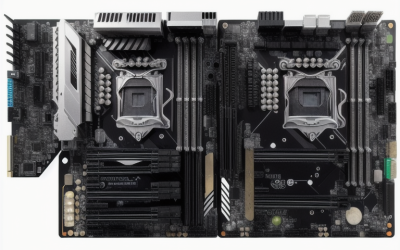
- Top Pick: ASUS Pro WS WRX90E-SAGE SE EEB Workstation Motherboard, AMD Ryzen™ Threadripper™ PRO 7000 WX-Series, ECC R-DIMM DDR5, 32 Power-Stage,7xPCIe 5.0×16, PCIe 5.0 M.2, 10Gb & 2.5Gb LAN, Multi-GPU Support
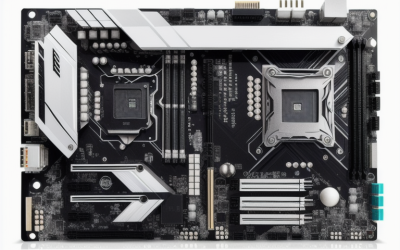
- Best Value: ASUS Pro WS TRX50-SAGE WiFi A AMD TRX50 TR5 CEB Workstation Motherboard, CPU & Memory overclocking Ready, Robust 20 Power-Stage Design, PCIe 5.0 x 16, M.2, USB4, 10 Gb & 2.5 Gb LAN, Multi-GPU Support
- Premium Choice: ASUS Pro WS TRX50-SAGE WIFI CEB Workstation motherboard, AMD Ryzen Threadripper PRO 7000 WX,ECC R-DIMM DDR5, 36 power-stage, WiFi 7,PCIe 5.0 x 16,PCIe 5.0 M.2, 10 Gb and 2.5 Gb LAN, multi-GPU support.
Picking a Threadripper motherboard begins with a constraint that has nothing to do with brands: the socket. Threadripper boards span sTRX4, SP3 and the newer sTR5, and each generation needs its own board chipset. A TRX40 board will not accept a 7000-series processor, a TRX50 board is the entry for the current platform, and the WRX90 and WRX80 boards are meant for Threadripper PRO workstations. Before comparing slots and ports, decide which processor family you are building around.
This guide lists ten boards from the listed specs, spanning four generations of the platform. They suit video editors, 3D artists, engineers and anyone building a multi-GPU or memory-heavy workstation, and each entry notes the generation, memory type and expansion hardware it offers. A few are clearly for new builds in 2026, while others make sense only if you already own an older processor and want to reuse it.
Quick Picks
As an Amazon Associate we earn from qualifying purchases at no extra cost to you.




| Product | Best for | Key spec from the title |
|---|---|---|
| ASUS Pro WS WRX90E-SAGE SE | Full PRO workstation | 7x PCIe 5.0 x16, ECC R-DIMM DDR5 |
| ASUS Pro WS TRX50-SAGE WiFi A | Overclock-ready TRX50 | 20 power stages, USB4, 10Gb LAN |
| ASUS Pro WS TRX50-SAGE WIFI | PRO 7000 with Wi-Fi 7 | 36 power stages, ECC R-DIMM DDR5 |
| GIGABYTE TRX50 AI TOP | AI-oriented E-ATX build | Wi-Fi 7, Marvell 10GbE |
| GIGABYTE TRX50 AERO D (E-ATX) | Creator workstation | USB4 Type-C, Wi-Fi 7 |
| ASUS Prime TRX40-Pro S | Reusing a 3rd Gen processor | sTRX4, PCIe 4.0, DDR4 |
| AsRock Rack WRX80D8-2T | Server-style single socket | SP3 (LGA4094), WRX80 |
| GIGABYTE TRX50 AI TOP-2B | Memory-heavy PRO 7000 | 16+8+4 phases, 4x PCIe 5.0 M.2 |
| GIGABYTE TRX50 Aero D (9000 Series) | Threadripper 9000 build | DDR5 up to 7800MHz (OC) |
| M12SWA-TF Workstation Board | PRO 3000WX systems | PCI-E 4.0 M.2, DDR4 |
How to Choose
Match the socket and chipset to the processor
TRX50 and WRX90 boards sit on the current DDR5 generation. sTRX4 boards (TRX40) take 3rd Gen Threadripper with DDR4. WRX80 boards use the SP3 socket for Threadripper PRO, also with DDR4. Buying across these lines is impossible, so confirm the exact processor series named in the listing.
PCIe lanes and slot layout
For multi-GPU or capture-card setups, count x16 slots and their generation. A board with seven PCIe 5.0 x16 slots, like the WRX90 model, gives far more freedom than one with a couple. Check how many slots stay usable once a large GPU blocks its neighbors, and whether the board lists PCIe 5.0 or the older 4.0 generation for the slots you plan to fill. Capture cards, fast network adapters and storage controllers all compete for the same lanes.
Memory type and ECC
DDR5 R-DIMM with ECC is listed on the PRO-oriented boards; the TRX50 gaming-style boards list DDR5 up to 5200 or 7800MHz. For long renders or simulation, ECC memory is a safeguard against silent errors, while overclocked DDR5 favors speed. The two goals rarely combine on one board, so decide which matters more before you buy a memory kit.
Networking, M.2 and what to ignore
10Gb LAN, Wi-Fi 7 and USB4 matter for fast storage and file transfers. Count M.2 slots too, since a board with four PCIe 5.0 M.2 sockets can host a striped scratch array. Ignore aesthetic lighting and decorative heatsinks, which do nothing for a render. Older boards cut corners on LAN speed, with Gigabit on the TRX40 model.
The 10 Best Options
ASUS Pro WS WRX90E-SAGE SE
The flagship PRO board in the group. It is an EEB workstation motherboard for Threadripper PRO 7000 WX-series processors, with ECC R-DIMM DDR5, a 32 power-stage design, seven PCIe 5.0 x16 slots and PCIe 5.0 M.2. Together those figures describe a board built for sustained, expansion-heavy work rather than a general desktop, and the 32 power-stage design addresses the large power draw of a high-core-count processor.
- Strength: Seven PCIe 5.0 x16 slots for multi-GPU and add-in cards.
- Strength: 10Gb and 2.5Gb LAN together.
- Trade-off: EEB sizing needs a large case.
Skip it if you do not own a Threadripper PRO processor, or if your case cannot take an EEB-sized board.
ASUS Pro WS TRX50-SAGE WiFi A
A CEB-sized TRX50 board with a 20 power-stage design, CPU and memory overclocking readiness, PCIe 5.0 x16, M.2, USB4 and 10Gb plus 2.5Gb LAN. The title also lists multi-GPU support. For a creator who wants to overclock an sTR5 processor and still have fast ports, this is the entry that lists both, while the higher-tier PRO boards tend to chase stability first.
- Strength: Overclocking-ready design on the sTR5 platform.
- Strength: USB4 and dual-speed LAN.
- Trade-off: Fewer power stages than the other ASUS TRX50 listing.
Skip it if you need ECC memory support, which this listing does not mention, or if you want the highest power-stage count.
ASUS Pro WS TRX50-SAGE WIFI
Another CEB board, aimed at Threadripper PRO 7000 WX processors. It lists ECC R-DIMM DDR5, a 36 power-stage design, Wi-Fi 7, PCIe 5.0 x16, PCIe 5.0 M.2 and 10Gb plus 2.5Gb LAN. The higher power-stage count and ECC support make it the steadier choice for long renders, simulation jobs and anything that runs unattended overnight.
- Strength: 36 power stages and ECC R-DIMM support.
- Strength: Wi-Fi 7 with 10Gb LAN.
- Trade-off: The title is very similar to its sibling, so read the exact model name carefully.
Skip it if you want seven full-length slots.
GIGABYTE TRX50 AI TOP
An sTR5 EATX board with DDR5, PCIe 5.0 M.2 slots, USB4 Type-C, Wi-Fi 7 and Marvell 10GbE. The AI TOP name points to workloads built around accelerators and large memory. It is the plainer GIGABYTE option, with a cleaner list of connectivity and fewer numbers to compare.
- Strength: Wi-Fi 7, USB4 and 10GbE in one board.
- Strength: PCIe 5.0 M.2 support.
- Trade-off: The title gives fewer details on power delivery.
Skip it if you want a full spec listing before ordering.
GIGABYTE TRX50 AERO D (E-ATX)
The Aero D name is aimed at creative workstations, with DDR5, PCIe 5.0 M.2, USB4 Type-C, Wi-Fi 7 and Marvell 10GbE on an sTR5 E-ATX board. It shares most of its connectivity with the AI TOP model, so the choice may come down to appearance, layout and which board your case and cooler fit better.
- Strength: Fast networking and USB4 support.
- Strength: E-ATX layout leaves room for expansion.
- Trade-off: The listing does not state memory speed.
Skip it if you need a board listing exact DDR5 speed limits.
ASUS Prime TRX40-Pro S
An ATX board for 3rd Gen Threadripper on sTRX4, with 16 power stages, PCIe 4.0, DDR4, triple M.2, Gigabit LAN and Aura Sync RGB. It is the oldest-generation choice here, and it is the only board in the group that leaves room for a standard ATX case rather than a large workstation chassis.
- Strength: ATX size fits more cases.
- Strength: Triple M.2 for storage.
- Trade-off: Gigabit LAN is slow beside the 10Gb boards.
Skip it if you are building a new system on the current platform.
AsRock Rack WRX80D8-2T
A single-socket ATX server board for SP3 (LGA4094) and the Threadripper PRO WRX80 platform. It is described as a server motherboard, which suggests a different focus than gaming-oriented boards. Expect an emphasis on stability, remote management and fixed-purpose use rather than enthusiast features.
- Strength: ATX server layout for rack or workstation builds.
- Strength: Targets Threadripper PRO WRX80.
- Trade-off: The title gives few consumer-style specs.
Skip it if you expect Wi-Fi, USB4 and RGB.
GIGABYTE TRX50 AI TOP-2B
A PRO 7000 board with a 16+8+4 phase digital VRM, DDR5 up to 5200 MHz, four PCIe 5.0 M.2 slots, Wi-Fi 7, 10GbE and USB 4. The listing is explicit about its voltage regulator layout, which helps buyers who want to compare power delivery across boards before choosing.
- Strength: Four PCIe 5.0 M.2 slots.
- Strength: Digital VRM with a stated phase layout.
- Trade-off: DDR5 speed tops out lower than the Aero D 9000 listing.
Skip it if you want faster memory speeds.
GIGABYTE TRX50 Aero D (Threadripper 9000 Series)
A TRX50 board that states compatibility with Threadripper 9000 Series, a 16+8+4 phase digital VRM, DDR5 up to 7800MHz (OC), three PCIe 5.0 plus one PCIe 4.0 M.2, Wi-Fi 7, 10GbE and USB4. If you already own or plan to buy a Threadripper 9000 processor, this is the board that states that support up front, which removes a compatibility question.
- Strength: Explicit 9000 Series compatibility.
- Strength: Highest DDR5 figure in the group.
- Trade-off: One of its M.2 slots is PCIe 4.0.
Skip it if you are using a 7000-series processor.
M12SWA-TF Workstation Board
A workstation board for Threadripper PRO 3000WX processors, with DDR4 and a PCI-E 4.0 M.2 slot. The title is short on other specs, so expect to rely on the maker’s documentation for slot layout, LAN and memory details. It makes sense mainly as a replacement or reuse board for an existing 3000WX system.
- Strength: Matches the 3000WX series.
- Strength: PCI-E 4.0 M.2 support.
- Trade-off: The brand and size are not stated in the title.
Skip it if you want a documented board with full specs.
Which One Fits Your Situation
Multi-GPU rendering box
The ASUS Pro WS WRX90E-SAGE SE has seven PCIe 5.0 x16 slots, so it is the natural fit for a PRO processor and a render or simulation box with several cards.
Fast storage and networking
The GIGABYTE TRX50 AI TOP-2B lists four PCIe 5.0 M.2 slots and 10GbE, which suits a scratch array for video editing or large datasets.
Newest processor family
The GIGABYTE TRX50 Aero D (Threadripper 9000 Series) is the only listing that names that generation.
Reusing an older chip
The ASUS Prime TRX40-Pro S works for a 3rd Gen processor, while the M12SWA-TF suits PRO 3000WX owners.
Common Mistakes
- Buying a board before confirming the exact processor series.
- Assuming TRX40 boards take DDR5, when the listing shows DDR4 for that generation.
- Ignoring EEB and E-ATX sizes when choosing a case.
- Skipping ECC support on a long-running workstation.
- Forgetting that multi-GPU cards cover neighboring slots, so the slot count on paper is not the number you can actually fill.
Related guides
- Battery Operated Smoke And Carbon Monoxide Detectors
- Combination Smoke And Carbon Monoxide Detectors
- Aio Liquid Coolers For High Performance Gaming
Frequently Asked Questions
Do TRX50 and WRX90 boards use the same socket?
The TRX50 listings name sTR5, and the WRX90 board is its PRO-oriented companion for Threadripper PRO 7000 WX processors. They differ in the processors and features they support, so match the exact CPU series before ordering.
Is ECC memory required?
No, but PRO-oriented boards list ECC R-DIMM support for workloads where memory errors matter.
Can I use a gaming GPU?
Yes, any PCIe card works in these slots, and multi-GPU boards give room for more than one. Just confirm that the case has enough slot positions and that the power supply has the connectors for every card.
Do I need Wi-Fi?
Not on a desktop with Ethernet, but Wi-Fi 7 helps if a cable run is not practical. The 10Gb ports matter more if you move large project files to a network drive.