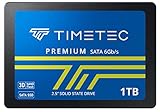
- Top Pick: fanxiang S101 1TB SSD SATA SSD 1TB Internal Solid State Drive SATA III 6Gb/s 2.5" SSD, UP to 520MB/s, 3D NAND TLC, Upgrade Laptop PC and Desktops
- Best Value: Silicon Power 1TB SSD 3D NAND A55 SLC Cache Performance Boost SATA III 2.5" Internal Solid State Drive (SP001TBSS3A55S25)
- Premium Choice: SSK Portable SSD 1TB External Solid State Hard Drive USB C Up to 1050MB/s
A 1TB hard drive and a 512GB SSD now sit in roughly the same price bracket — about $40–50 for the hard drive, $30–45 for the SSD. So this isn’t really a capacity question anymore. It’s a question of whether you need speed or bulk, because you can’t have both at this price.
As an Amazon Associate we earn from qualifying purchases at no extra cost to you.



Speed: the gap that matters every day
A 7,200rpm hard drive peaks around 150–160MB/s on sequential reads, and that number drops toward 70–90MB/s as the drive fills and data lands on the slower inner tracks. A SATA SSD holds about 550MB/s across the whole drive. A Gen3 NVMe SSD does 3,000–3,500MB/s. But sequential speed isn’t why SSDs feel fast — random access is.
Hard drives read small, scattered files at roughly 0.5–1.5MB/s because a physical head has to swing between tracks. An SSD handles 40–90MB/s of 4K random reads with no moving parts. That single difference is why Windows boots in 15–20 seconds on an SSD versus 45–90 on a hard drive, why apps open instantly instead of stuttering, and why game load screens typically drop by half or more.
Spec snapshot
| 1TB HDD (7,200rpm) | 512GB SATA SSD | 512GB NVMe SSD | |
|---|---|---|---|
| Sequential read | ~160 MB/s peak, falling to ~80 | ~550 MB/s | ~3,500 MB/s |
| 4K random read | ~1 MB/s (~150 IOPS) | 40–60 MB/s | 50–90 MB/s |
| Windows 11 boot | 45–90 sec | 15–25 sec | 10–20 sec |
| Usable after formatting | ~931 GB | ~476 GB | ~476 GB |
| Typical price | $40–50 | $30–40 | $35–50 |
| Noise / shock | Audible seeks; drops can kill it | Silent; shrugs off drops | Silent; shrugs off drops |
Usable capacity: the real math
Drives are sold in decimal gigabytes but Windows counts in binary, so a 1TB drive formats to ~931GiB and a 512GB drive to ~476GiB. Windows 11 with updates eats ~35–40GB. On an SSD you should also leave 10–15% free — a nearly full SSD loses write speed and wears faster. Budget ~60GB for that headroom and you’re left with roughly 350–370GB for actual programs and games.
In practical terms that’s three or four modern AAA titles at 100–150GB each, plus all your apps — or dozens of smaller games. If your Steam library is enormous, you’ll be juggling installs or parking cold games elsewhere. The hard drive’s ~900GB needs no free-space headroom and will happily swallow a media library, photo archive, or backup set without complaint.
How each one fails
Hard drives fail mechanically. The upside is they usually warn you: clicking or grinding noises, growing reallocated sector counts in SMART data, reads that mysteriously slow down. Annual failure rates for desktop drives run roughly 1–2%, and a drop while the platters are spinning can kill one instantly. A drive with a dead motor can sometimes be recovered — for hundreds of dollars.
SSDs fail differently. NAND wear is rarely the killer — a 512GB TLC drive is typically rated for 150–300TB written, while an average user writes maybe 20–40TB in five years. What actually kills SSDs is controller or firmware failure: instant, silent, and total, with no warning clicks. SSDs also aren’t great cold-storage media — a worn drive left unpowered for years in a hot closet can lose data. For backups on a shelf, a hard drive is arguably the better choice. Either way, one copy of anything important is effectively zero copies.
Which one for which job
Boot/OS drive: SSD, always. Even the cheapest SATA SSD transforms how a machine feels. Putting Windows on a hard drive in 2025 is self-inflicted pain.
Only drive in a laptop or desktop: Take the 512GB SSD unless you genuinely carry more than 400GB of files everywhere. Overflow belongs on a cheap external drive, not your boot disk.
Bulk storage — media, backups, game library overflow: This is where the hard drive earns its keep, but skip the 1TB size entirely. One-terabyte HDDs are the worst dollar-per-gigabyte in storage right now; a 2TB internal hard drive costs maybe $15 more, and 4TB models run $80–90. Buy capacity where spinning disk actually wins.
The sensible setup for most people: a 512GB NVMe SSD for Windows and apps, plus whatever hard drive for files. If you’d rather never think about space management, a 1TB SSD runs $55–70 now and eliminates the whole dilemma for the cost of a takeout dinner extra.
Practical notes before you buy
In a desktop, a 3.5″ hard drive needs a drive bay plus SATA data and power cables. A 2.5″ SATA SSD mounts anywhere — a $5 adapter bracket works fine — and uses the same cables. NVMe drives need a free M.2 slot on the motherboard, so check before ordering; plenty of older boards have one slot that’s already occupied. In a laptop, you usually get a single 2.5″ bay or M.2 slot, so you’ll either clone the old drive (most SSD brands bundle free cloning software) or do a fresh Windows install from a USB stick.
If the machine you’re upgrading currently boots from a hard drive, this isn’t a close call — buy the SSD. The 1TB hard drive’s only sensible role in a modern build is sitting next to an SSD, quietly holding files that don’t care about speed.