- Top Pick: MUSETEX Y6 PC Case, Pre-Installed 7 Infinity Mirror PWM ARGB Fans, ATX Mid Tower Computer Case, Gaming PC Case with Type-C, 270° Full View Tempered Glass, White
- Best Value: Lian Li Vector V100 ATX Mid-Tower PC Case-Tempered Glass-White-V100W | Side I/O USB-C | Dust Filiter | Support 420mm GPUs & 360mm Radiator | Included GPU Bracket | RGB LED & Display Platform
- Premium Choice: RUIX OV502 Pro M-ATX PC Case, Compact Panoramic Tempered Glass Gaming Case, Supports 240mm AIO & 340mm GPU, Optimized Airflow Mini Tower Computer Case, USB 3.0, White
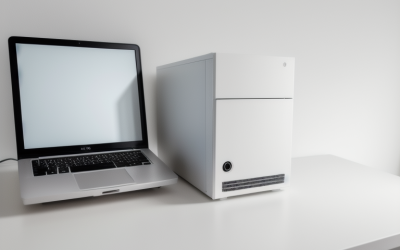
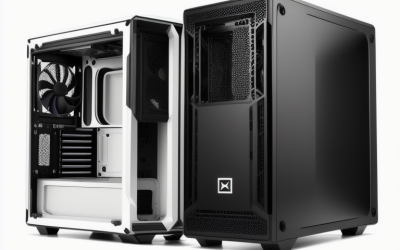
A white case is the only part of a clean-looking build that everybody sees, which is why shoppers hunting for one with a ceiling of under 100 dollars get so picky. White paint hides less than black, glass panels expose every cable, and an all-white interior can look sloppy if the fans or strips clash. The decision here is not just which chassis looks good in photos. It is which one fits your motherboard size, your graphics card length and your cooling plan while still delivering a bright, tidy shell.
This guide is for first-time builders and upgraders who want a white tower with tempered glass, USB-C on the front or side panel, and enough room for a modern graphics card. Eight cases are compared for 2026 using the details in their listed titles: motherboard format, fan count, radiator and graphics card clearances, front-panel ports and layout style. Two cases that did not state a white finish in their titles were left out, since color is the whole point of this search.
Quick Picks
As an Amazon Associate we earn from qualifying purchases at no extra cost to you.





| Product | Best for | Key spec from the title |
|---|---|---|
| MUSETEX Y6 | Lots of lighting out of the box | 7 ARGB fans, 270-degree glass, Type-C |
| Lian Li Vector V100 | Premium-brand look and clearances | 420mm GPU, 360mm radiator, side USB-C |
| RUIX OV502 Pro | Compact micro-ATX build | M-ATX, 240mm AIO, 340mm GPU |
| RUIX OV303 | Airflow-focused ATX build | 4 x 120mm ARGB fans, USB 3.0 and Type-C |
| HYXN H3 | Dual-cavity showpiece | 6 fans, 360mm radiator, Type-C 3.2 |
| Vetroo White AL800 | Door-style glass panel | Opening glass door, ARGB strip, 50 series GPU support |
| FOIFKIN F600 | Panoramic view with many fans | 7 PWM ARGB fans, 270-degree glass, Type-C |
| ASUS A32 Plus White | Two cooling zones | Dual chamber, 4 ARGB fans, 360mm radiators |
How to Choose
Motherboard format and case size
Start with the board you own or plan to buy. ATX boards need an ATX-capable tower, and the listings here say so in plain words. A micro-ATX case, such as the RUIX OV502 Pro, is smaller and tidier but limits expansion cards and cooler height. If you want room for a large air cooler or several storage drives, a full ATX mid-tower is the safer pick. Compact dual-cavity cases look great but can crowd cables behind the motherboard tray. Think about drives too: if you still use 2.5-inch or 3.5-inch storage, check the product page for bays, because many glass-heavy designs trim them to save space.
Graphics card and radiator clearance
Modern graphics cards are long and thick. Check the maximum card length in millimeters: titles here mention 340mm and 420mm figures. For liquid cooling, look for radiator sizes such as 240mm or 360mm. Do not assume a radiator fits in the front just because the size is listed; some cases allow it only at the top. A listing that explicitly mentions support for recent 50 series cards, as one does, is a useful hint for buyers building around a new GPU. Leave a little margin beyond the listed length for power cables at the card’s end, and remember that a thick card can bump into a front-mounted radiator.
Fans, lighting and front I/O
Several of these cases ship with six or seven pre-installed ARGB fans, which saves buying them separately. More fans do not always mean more cooling, though; placement and mesh openings matter. Front or side USB-C is now a basic expectation, and most titles here mention it. If you want a lit interior, make sure your motherboard has the needed ARGB header or that the case includes a controller. Ignore marketing terms like infinity mirror if they do not change airflow. The practical question is whether the fan connectors daisy-chain to a single hub, which keeps the cable count down behind a white tray where every wire shows.
Where basic white cases cut corners
Thin panels, flimsy fan blades, tight cable gaps and glass that scratches easily are common compromises. White paint can also show fingerprints or chips on edges. A dust filter, as one title names, is worth having because white interiors show dust clearly. Be realistic about stock fans too: if the title gives only a pre-installed count, expect to tune fan curves in your BIOS rather than assume silence. Weigh the finish as well: matte white hides fingerprints better than gloss, though the titles seldom say which one you get.
The 8 Best Options
MUSETEX Y6
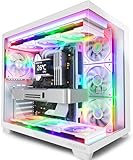
The Y6 is a white ATX mid-tower with seven pre-installed PWM ARGB fans, Type-C on the front panel and 270-degree full-view tempered glass. It will suit someone who wants lighting and an open view of the build with minimal extra purchases. The glass wraps the front corner, so the interior shows from more than one angle on a desk or shelf.
- Strength: seven fans included with the case
- Strength: wraparound glass shows off the interior
- Trade-off: the title lists no radiator or GPU length figures
Skip it if you plan a large liquid cooler and need clearances spelled out, because that information is missing from the title and would need checking elsewhere.
Lian Li Vector V100 White
Lian Li’s V100W is a white ATX mid-tower with tempered glass, side-mounted USB-C, a dust filter, support for 420mm graphics cards and 360mm radiators, an included GPU bracket and an RGB LED display platform. It is the kind of white case chosen by people who care about the brand’s design language as much as the spec sheet.
- Strength: generous stated clearances for big GPUs and radiators
- Strength: GPU bracket and dust filter named in the title
- Trade-off: the title lists no pre-installed fan count, so plan for your own fans
Skip it if you want a case that arrives loaded with lit fans, or if a brand with more bundled fans matters to you more than a design-led shell.
RUIX OV502 Pro M-ATX
A compact micro-ATX tower with panoramic tempered glass, support for a 240mm AIO and 340mm graphics cards, and optimized airflow in a mini tower. USB 3.0 handles the front panel. For a student desk or a living room media rig, the smaller body is the main draw.
- Strength: small footprint for desks and shelves
- Strength: 340mm GPU clearance stated in the title
- Trade-off: micro-ATX limits board choice and the title lists USB 3.0 only
Skip it if you own a full ATX motherboard or want USB-C on the front, since the title offers neither.
RUIX OV303 ATX Mid-Tower
The OV303 arrives with four 120mm Prism ARGB PWM fans, USB 3.0 and Type-C ports, and a high-airflow design in white. It suits an airflow-focused build without the busiest light show. Four lit fans give a white interior a glow without turning it into a display case.
- Strength: four fans pre-installed plus both USB types
- Strength: airflow focus is stated in the title
- Trade-off: no radiator or GPU length figures in the title
Skip it if you need to confirm that a 360mm radiator fits before ordering, because the title is silent on radiator support.
HYXN H3 Dual Cavity
HYXN’s H3 is an ATX dual-cavity mid-tower in white with six infinity mirror PWM ARGB fans, Type-C 3.2 and 360mm radiator support. The compact layout separates compartments to hide cables. Someone who wants a neat showpiece with a bold fan count and a liquid cooler in the top bay is the typical match.
- Strength: 360mm radiator support and six fans pre-installed
- Strength: Type-C 3.2 front connection
- Trade-off: the title gives no GPU clearance figure
Skip it if you want a traditional single-chamber layout with easy access, since dual-cavity designs make quick cable changes slower.
Vetroo White AL800
Vetroo offers a door-opening tempered glass panel, an ARGB LED strip and pre-installed ARGB and PWM FDB fans. The title also mentions support for 50 series GPUs. It speaks to a builder planning around a new graphics card who still wants a lit, glass-fronted white tower.
- Strength: door-style panel for quick access
- Strength: 50 series GPU support named in the title
- Trade-off: the title lists one pre-installed fan, so airflow may need upgrading
Skip it if you want multiple fans and a front USB-C port stated up front, since the title mentions neither a port type nor more than one fan.
FOIFKIN F600
The F600 pairs seven pre-installed PWM ARGB fans with 270-degree panoramic glass and a Type-C port, in a white ATX mid-tower. It is another lighting-heavy choice and a close match to the MUSETEX in what the titles reveal.
- Strength: seven fans in the box
- Strength: wide glass view and Type-C front port
- Trade-off: no radiator or GPU length figures in the title
Skip it if you need exact clearances or prefer a subdued look, as the listing says little about radiator or graphics card room.
ASUS A32 Plus White
ASUS’s A32 Plus is a white ATX gaming case with a dual-chamber chassis for independent cooling zones, four pre-installed ARGB fans, clean cable management, and support for 360mm radiators and 420mm graphics cards. It suits an owner who wants big-build clearances and fan-equipped airflow in the same white shell.
- Strength: stated clearances match big builds
- Strength: dual chamber separates cooling zones
- Trade-off: the title does not list front-panel ports
Skip it if you need USB-C confirmed in the title, because front-panel ports are not mentioned and you would have to verify them on the product page.
Which One Fits Your Situation
You are building around a large graphics card
Choose the Lian Li Vector V100 or the ASUS A32 Plus White. Both state 420mm graphics card support and 360mm radiator room.
You want a small desk-friendly tower
The RUIX OV502 Pro M-ATX is the compact option, provided you use a micro-ATX board.
You want lighting from the first power-on
The MUSETEX Y6 and FOIFKIN F600 each include seven fans, while the HYXN H3 includes six.
You like quick side access
Go with the Vetroo White AL800, whose door-opening glass panel is described in the title, which points to easier access than a panel held on by screws.
Common Mistakes
- Buying a white case without checking that the motherboard format matches.
- Assuming the radiator size in the title fits in every mounting position.
- Mixing white fans and black cables and then wondering why the build looks uneven.
- Ignoring dust, which shows up quickly in a white interior with glass panels.
- Counting on pre-installed fans for strong cooling without checking their placement.
Related guides
- Battery Operated Smoke And Carbon Monoxide Detectors
- Combination Smoke And Carbon Monoxide Detectors
- Aio Liquid Coolers For High Performance Gaming
Frequently Asked Questions
Is a dual-chamber case better for cooling?
It can help by dividing hot parts from the rest, but the result depends on fan placement and your components. It also hides cables well.
Do I need USB-C on the front panel?
Not strictly, but many motherboards now offer a header for it. If you plan to use fast external drives, it is a handy feature.
Are pre-installed ARGB fans enough?
For most builds, yes, but you may want to swap or add fans for a high-end graphics card. Check headers and controller support before assuming plug-and-play lighting, since a lit fan that has no matching motherboard header or controller will simply stay one color.
Can I fit a 360mm radiator in any case here?
Only where the title says so. Several listings name 360mm support, while others mention 240mm or nothing at all. When the title is silent, read the full product page and the manufacturer’s manual rather than guessing, because a radiator that does not fit means returning the whole case.